https://github.com/retrixe/concinnity
Watch videos together with others on the internet.
https://github.com/retrixe/concinnity
Last synced: over 1 year ago
JSON representation
Watch videos together with others on the internet.
- Host: GitHub
- URL: https://github.com/retrixe/concinnity
- Owner: retrixe
- License: agpl-3.0
- Created: 2022-02-04T13:02:32.000Z (over 4 years ago)
- Default Branch: main
- Last Pushed: 2025-03-24T16:17:22.000Z (over 1 year ago)
- Last Synced: 2025-03-24T16:23:47.636Z (over 1 year ago)
- Language: Svelte
- Homepage: https://concinnity.retrixe.xyz
- Size: 1.73 MB
- Stars: 2
- Watchers: 1
- Forks: 4
- Open Issues: 12
-
Metadata Files:
- Readme: README.md
- License: LICENSE
Awesome Lists containing this project
README
# concinnity
Watch videos together with others on the internet.
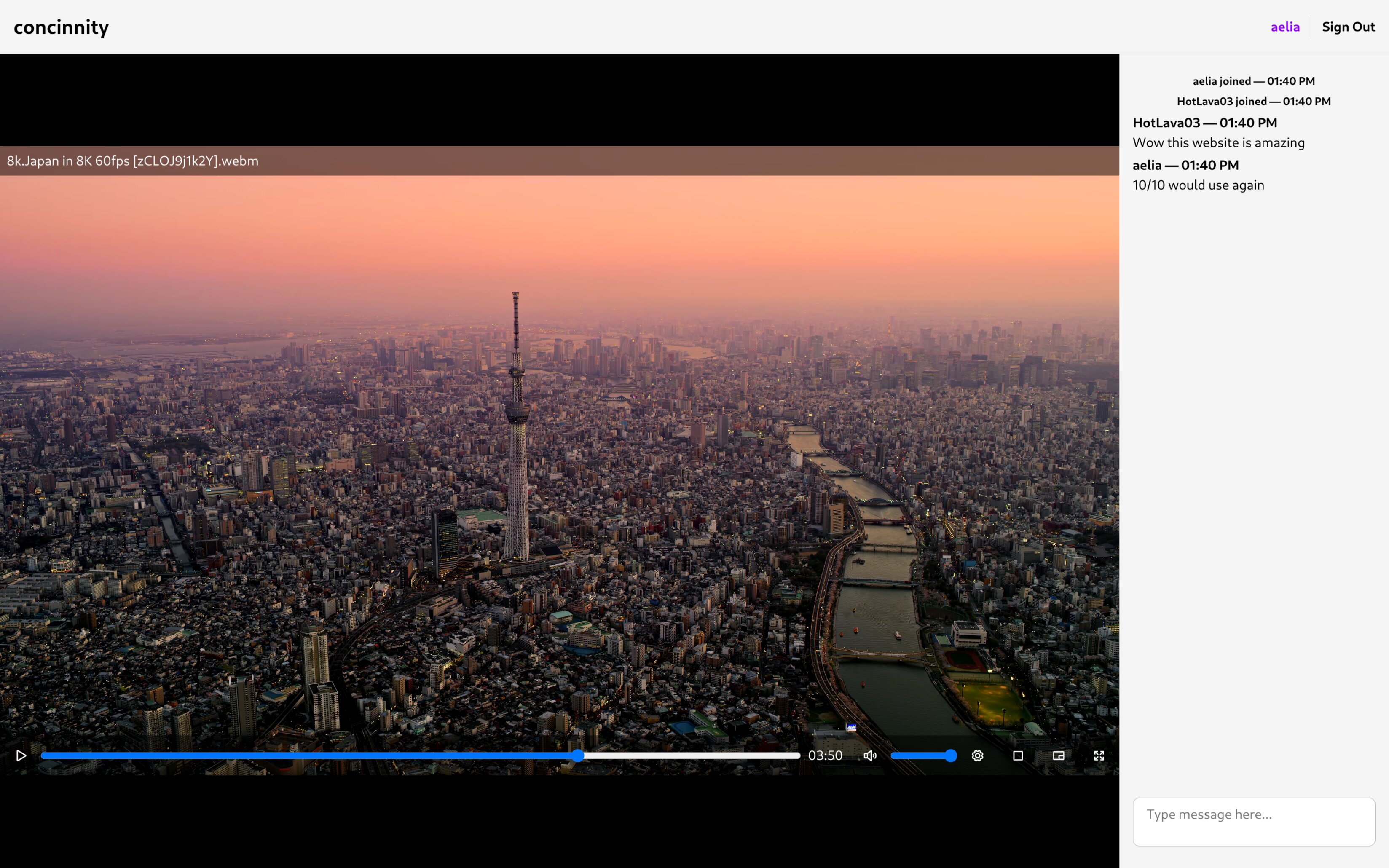
This application currently supports watching locally stored files. Support for remotely hosted files and YouTube videos is planned.
If you want to use concinnity with your friends, visit [concinnity.retrixe.xyz](https://concinnity.retrixe.xyz). Else, if you want to self-host concinnity, see the instructions below.
## Quick Start
- Prerequisites: You must have a PostgreSQL/MariaDB database setup, and Golang, Node.js and corepack are needed to build the application.
- To run the backend on a server:
- Run `go build` in the `backend` folder to compile it.
- Create a `config.json` in the same folder according to the section on [backend configuration](#backend).
- You can now run the backend using `./concinnity` (it will run on port 8000 by default).
- To run the frontend on a server:
- Run the `yarn` command in the `frontend` folder to install all dependencies.
- Create a `.env` file in the `frontend` according to the section on [frontend configuration](#frontend).
- For development purposes, you can run `yarn dev` to run the application with hot reload. For a production deployment, follow the SvelteKit instructions [here](https://svelte.dev/docs/kit/building-your-app).
## Configuration
### Frontend
The frontend requires only a single configuration file `.env` to be created in the `frontend/` folder with the following contents:
```bash
# NOTE: Replace http://localhost:8000 with the correct URL that your backend is hosted at!
PUBLIC_BACKEND_URL=http://localhost:8000
```
### Backend
The backend requires the `config.json` file to be created in the `backend/` folder with the following options (all except `databaseUrl` are optional):
```json
{
"port": 8000,
"basePath": "/",
"secureCookies": false,
"database": "optional: postgres (default, recommended) or mariadb",
"databaseUrl": "see https://pkg.go.dev/github.com/lib/pq#hdr-Connection_String_Parameters (postgres) or https://github.com/go-sql-driver/mysql?tab=readme-ov-file#dsn-data-source-name (mariadb)"
}
```
The `databaseUrl` must be provided, and in production, it is recommended to make use of `secureCookies` as well. You may change the `port` as needed, and `basePath` should be modified if you are reverse proxying the backend through Apache/nginx/etc and placing the backend under another path.
⚠️ *Note:* MariaDB support *will not work* with Oracle MySQL or Percona.
## Security Practices and Reverse Proxying
If self-hosting, you should take a look at [Octyne's corresponding documentation](https://github.com/retrixe/octyne#security-practices-and-reverse-proxying), which is largely applicable to Concinnity's frontend and backend.
For further guidance, create an issue to expand this documentation.
## API Documentation
The concinnity API is currently unstable and largely undocumented. You can find limited technical information in the backend's source code (with the frontend serving as an example of a fully functional client).
## License
Copyright (C) 2025 retrixe
Concinnity is free software: you can redistribute it and/or modify
it under the terms of the GNU Affero General Public License as published by
the Free Software Foundation, either version 3 of the License, or
(at your option) any later version.
Concinnity is distributed in the hope that it will be useful,
but WITHOUT ANY WARRANTY; without even the implied warranty of
MERCHANTABILITY or FITNESS FOR A PARTICULAR PURPOSE. See the
GNU Affero General Public License for more details.
You should have received a copy of the GNU Affero General Public License
along with Concinnity. If not, see .