https://github.com/rhysd/translate-markdown
CLI tool to translate Markdown document with Google translate
https://github.com/rhysd/translate-markdown
Last synced: 10 months ago
JSON representation
CLI tool to translate Markdown document with Google translate
- Host: GitHub
- URL: https://github.com/rhysd/translate-markdown
- Owner: rhysd
- License: other
- Created: 2016-11-12T08:04:05.000Z (over 9 years ago)
- Default Branch: master
- Last Pushed: 2019-04-01T09:07:21.000Z (over 7 years ago)
- Last Synced: 2025-04-10T09:44:34.198Z (over 1 year ago)
- Language: JavaScript
- Size: 12.7 KB
- Stars: 67
- Watchers: 4
- Forks: 8
- Open Issues: 1
-
Metadata Files:
- Readme: README.md
- License: LICENSE
Awesome Lists containing this project
README
Translate Markdown document on [Google Translate](https://translate.google.com/)
================================================================================
`translate-markdown` is a command line tool to translate your Markdown document on [Google Translate](https://translate.google.com/). It receives Markdown document from stdin and strips it to plain text, then open Google Translate with the plain text on a browser.
## Install
```
$ npm install -g translate-markdown
```
## Usage
Please see `translate-markdown --help`.
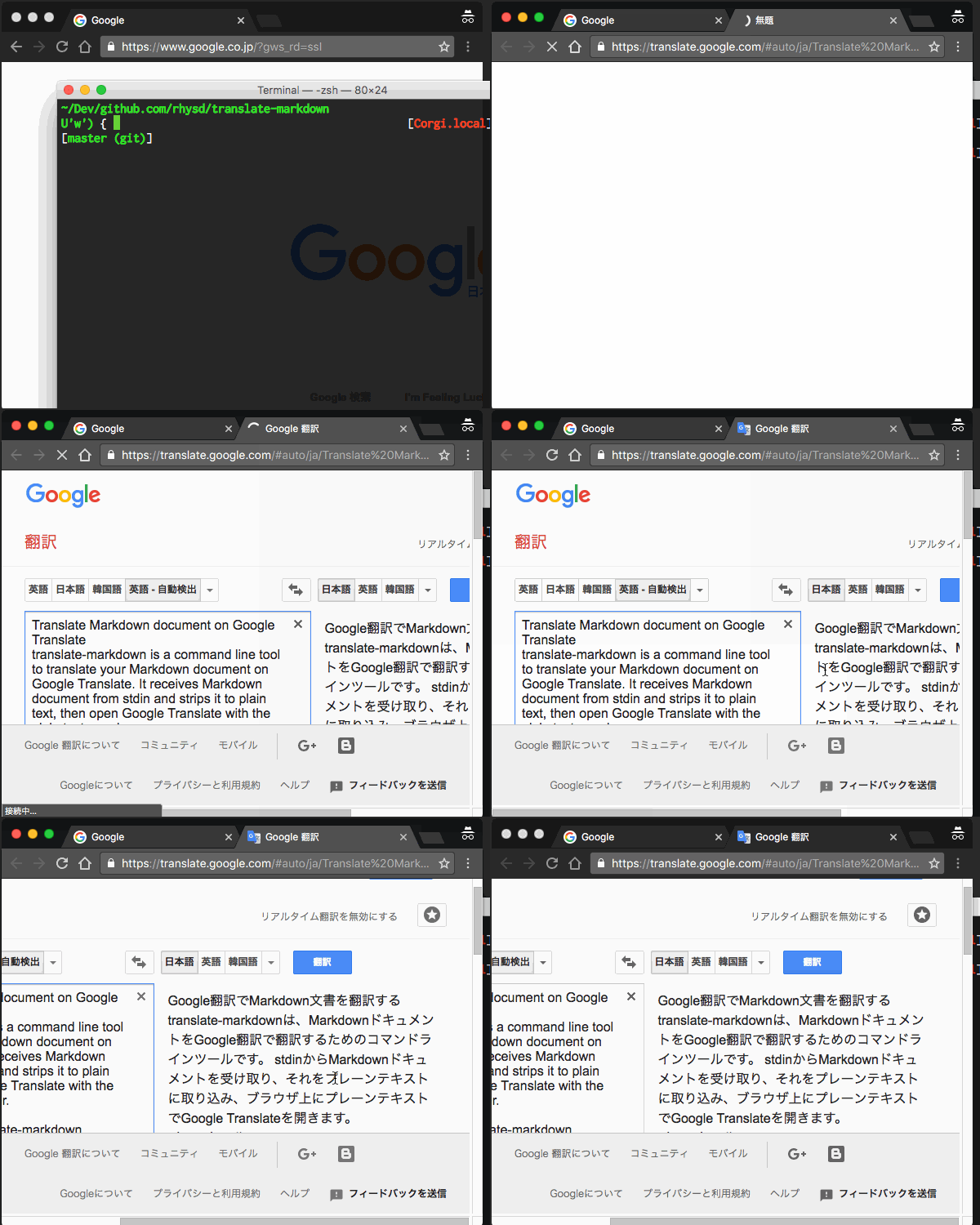
```
$ translate-markdown [--help|--strip-only|--apikey {key}] {target lang}
Translate Makrdown document from stdin.
Example:
Below receive Markdown text (README.md) from stdin and open a browser to
translate it in Google Translate.
$ cat README.md | translate-markdown ja
Note that there is restriction of the number of characters.
Options:
{target lang}
Specify target language you want to translate. For example, 'en' is for
English and 'ja' is for Japanese. The language of markdown text is
automatically detected.
--strip-only
Strip markdown to plain text only. Stripped plain text is output to
stdout.
--apikey {key}
Use Google Translate API isntead of opening a browser. The result text will
be output to stdout. You can also use $TRANSLATE_MARKDOWN_APIKEY environment
variable to set a API key.
--help
Show this help.
```
Features are also available from Node.js program. Please see [APIs in code](index.js).
## Tips
### Use from Vim
```vim
function! s:translate_markdown(lang) abort
if &filetype !=# 'markdown'
echoerr 'Not a Markdown buffer!'
return
endif
if !executable('translate-markdown')
echoerr '`translate-markdown` command is not found!'
return
endif
let start = getpos("'<")
let end = getpos("'>")
let saved = getpos('.')
call setpos('.', start)
normal! v
call setpos('.', end)
let save_reg_g = getreg('g')
let save_regtype_g = getregtype('g')
try
normal! "gy
let input = getreg('g')
finally
call setreg('g', save_reg_g, save_regtype_g)
call setpos('.', saved)
endtry
echo system('translate-markdown ' . a:lang, input)
endfunction
command! -nargs=0 -range=% TranslateMarkdown call translate_markdown('en')
```
Copy and paste above code to your `.vimrc`. Now `:TranslateMarkdown` command is available in visual mode and normal mode. Select the range you want to translate and execute `:TranslateMarkdown`, then Google Translate is opened with the selected text in browser.
If you want to map the command to some key sequence, please use `:autocmd` and `:noremap`. Below maps `T` to the command.
```vim
autocmd FileType markdown noremap T :TranslateMarkdown
```