https://github.com/richbl/go-ble-sync-cycle
BLE Sync Cycle is a Go application designed to synchronize video playback with real-time cycling data from Bluetooth Low Energy (BLE) devices, such as cycling speed and cadence (CSC) sensors.
https://github.com/richbl/go-ble-sync-cycle
bicycling ble bluetooth bluetooth-low-energy cycling cycling-analytics cycling-gadgets cycling-workouts go golang indoor-cycling indoor-training speed-sensor video video-playback video-playback-speed videoplayer virtual-experience
Last synced: 3 months ago
JSON representation
BLE Sync Cycle is a Go application designed to synchronize video playback with real-time cycling data from Bluetooth Low Energy (BLE) devices, such as cycling speed and cadence (CSC) sensors.
- Host: GitHub
- URL: https://github.com/richbl/go-ble-sync-cycle
- Owner: richbl
- License: mit
- Created: 2024-11-30T06:42:39.000Z (over 1 year ago)
- Default Branch: main
- Last Pushed: 2025-03-14T04:13:37.000Z (about 1 year ago)
- Last Synced: 2025-03-14T05:23:01.465Z (about 1 year ago)
- Topics: bicycling, ble, bluetooth, bluetooth-low-energy, cycling, cycling-analytics, cycling-gadgets, cycling-workouts, go, golang, indoor-cycling, indoor-training, speed-sensor, video, video-playback, video-playback-speed, videoplayer, virtual-experience
- Language: Go
- Homepage:
- Size: 3.08 MB
- Stars: 1
- Watchers: 1
- Forks: 0
- Open Issues: 7
-
Metadata Files:
- Readme: README.md
- License: LICENSE
Awesome Lists containing this project
- awesome-gtk - BLE Sync Cycle - Indoor cycling application synchronizing video playback with real-time cycling data from Bluetooth Low Energy (BLE) devices `#go` `#gtk4` `#libadwaita`. (Health and Fitness / Strategy)
README

 [](https://goreportcard.com/report/github.com/richbl/go-ble-sync-cycle) [](https://app.codacy.com/gh/richbl/go-ble-sync-cycle/dashboard?utm_source=gh&utm_medium=referral&utm_content=&utm_campaign=Badge_grade) [](https://sonarcloud.io/summary/new_code?id=richbl_go-ble-sync-cycle)
## Overview
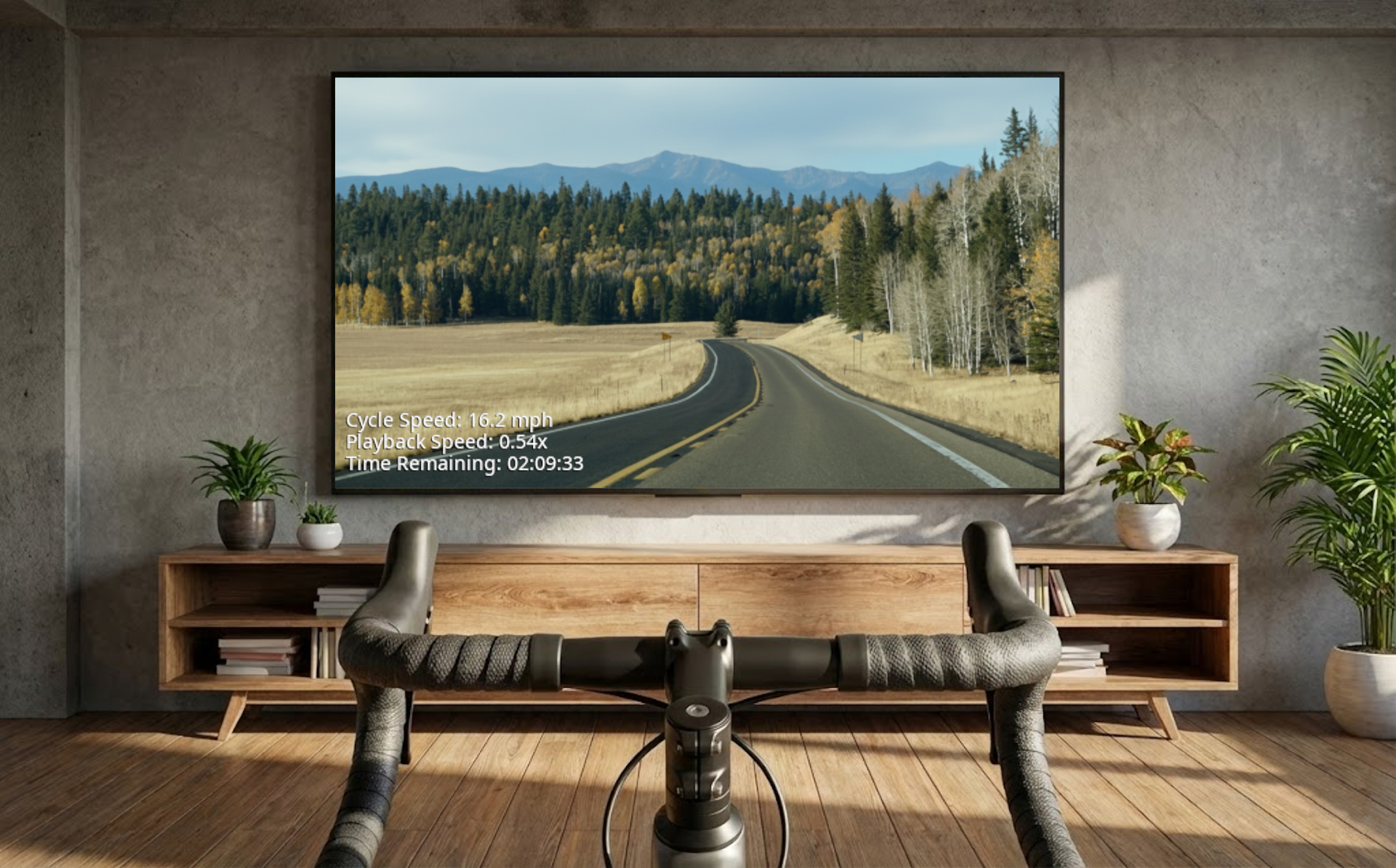
**BLE Sync Cycle** is a Go application designed to synchronize video playback with real-time cycling data from Bluetooth Low Energy (BLE) devices, such as cycling speed and cadence (CSC) sensors. This integration provides users with a more immersive and engaging indoor cycling experience by matching first-person video playback speed with their actual cycling pace.
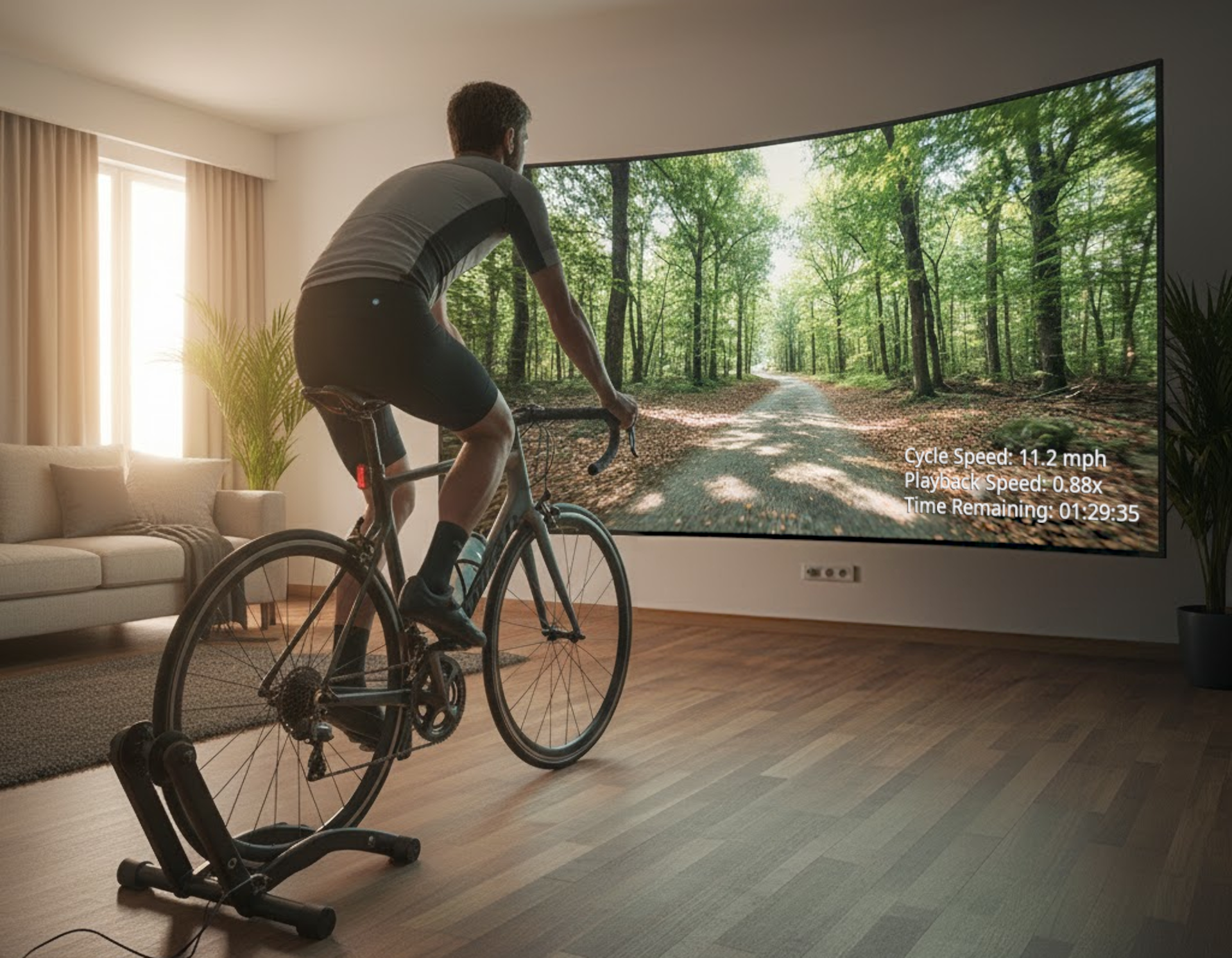
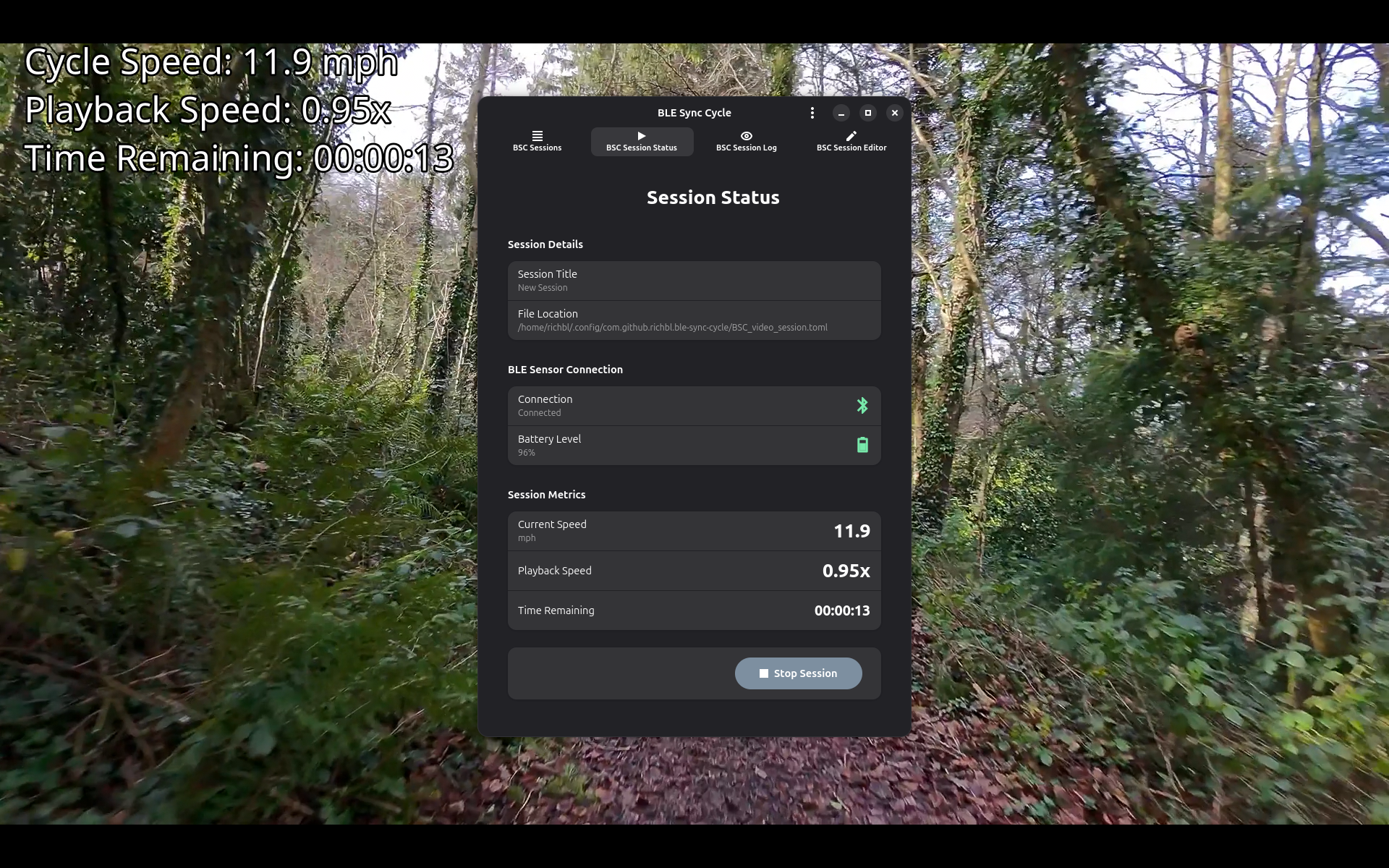
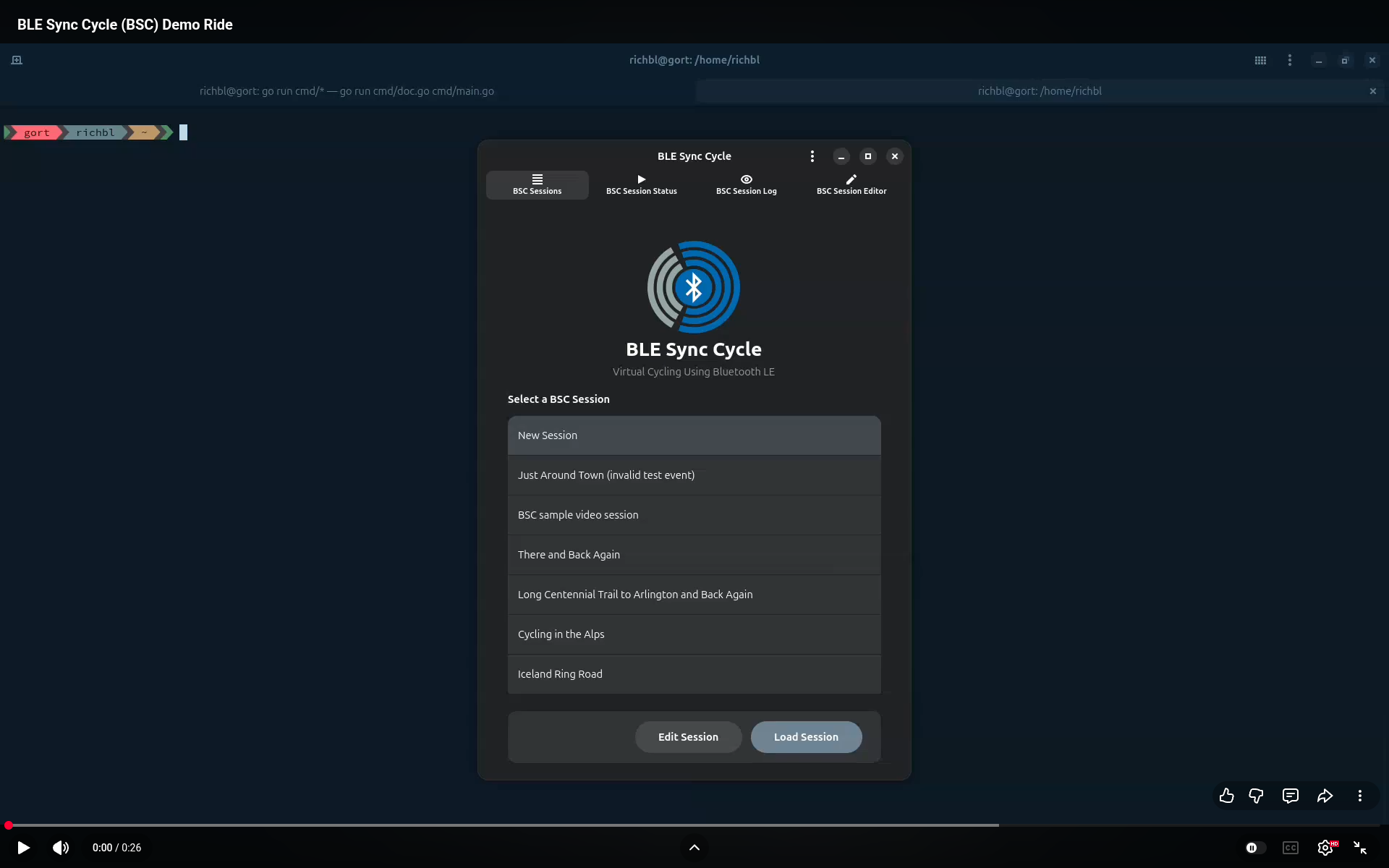
Here's a short (~30 seconds) YouTube video demonstrating how BLE Sync Cycle works:
## Features
* Real-time synchronization of cycling speed and video playback
* Support for compliant BLE Cycling Speed and Cadence (CSC) sensors (in speed mode)
* Integrates with [mpv](https://mpv.io) and [VLC](https://www.videolan.org) media players
* Highly configurable TOML-based configuration files for:
* BLE sensor address (BD\_ADDR) and scan timeout
* Wheel circumference (for accurate speed)
* Speed units (mph or km/h)
* Speed smoothing for natural playback
* Choice of media player (mpv or VLC)
* Video file selection
* Seek to a specific start time in the video
* Display options:
* On-screen display (OSD) for speed and time remaining
* Video window scaling (fullscreen, etc.)
* OSD position and font size
* Choice of running modes:
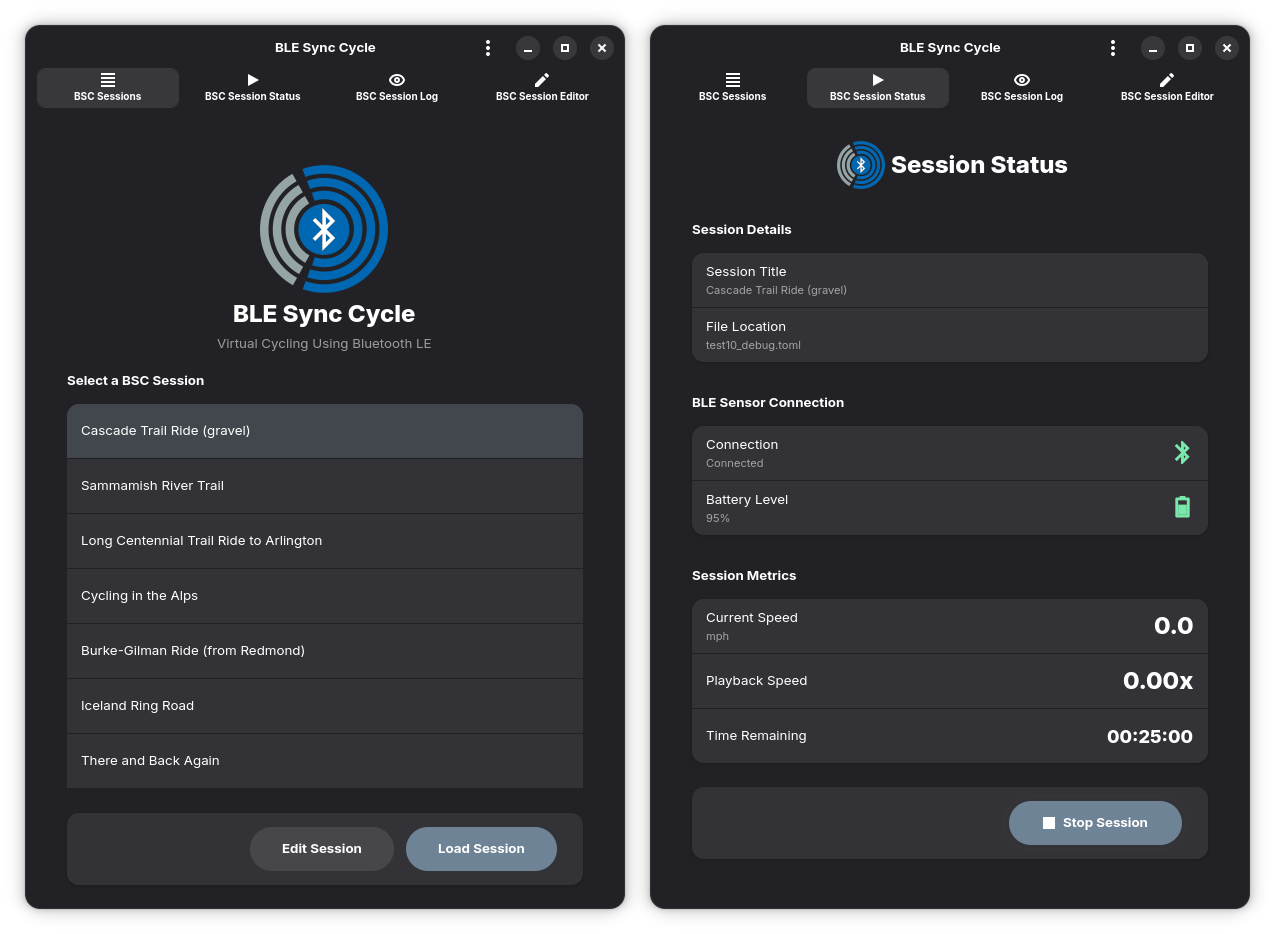
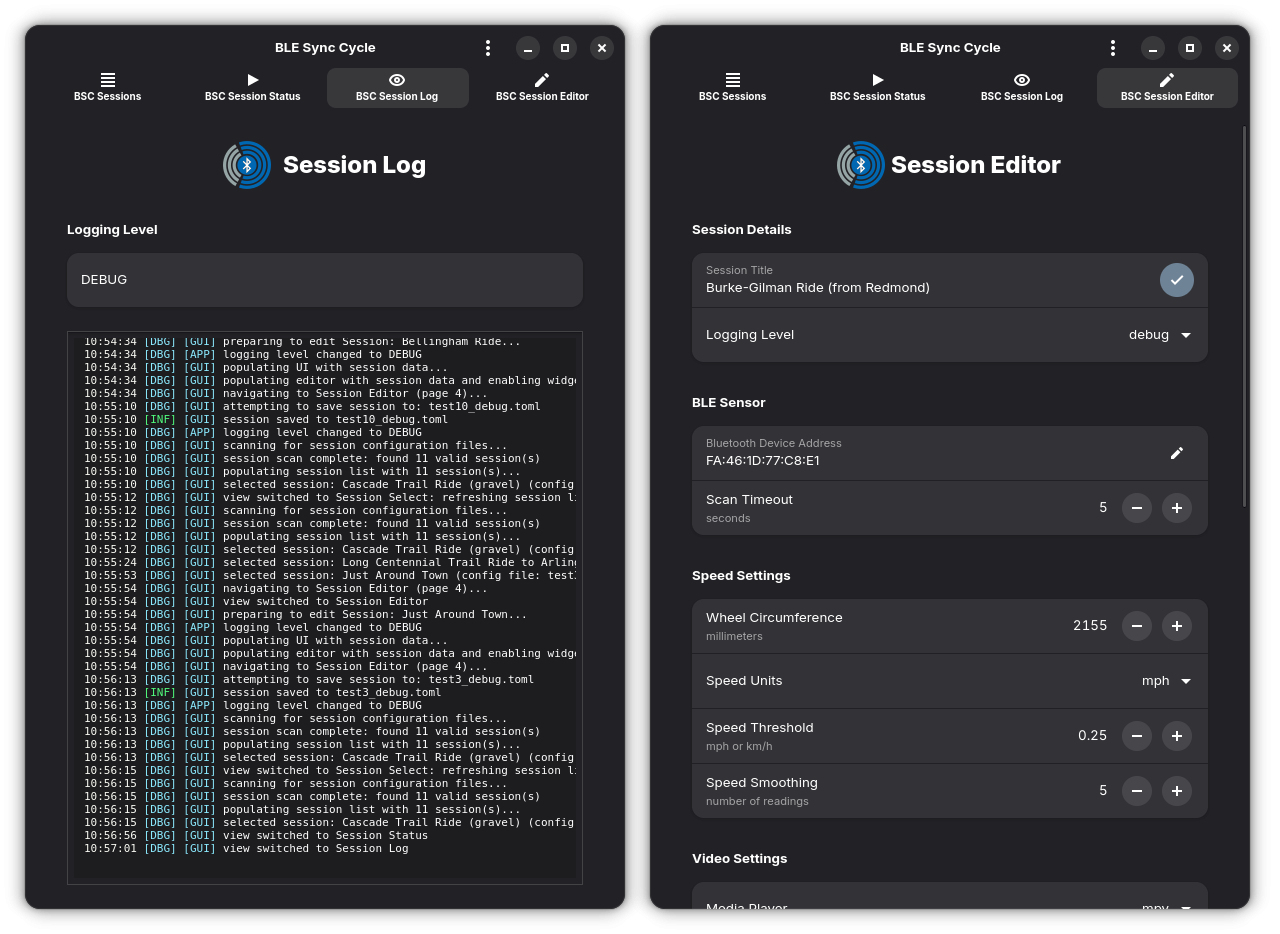
* GUI Mode: a modern GTK4/Adwaita design with interactive graphical support for:
* Cycling session selection
* Session status (including cycling speed and session time remaining), and video playback
* Session logging
* Session editing and management
* CLI Mode: a simple command-line interface for real-time application status with minimal operational overhead
* Application flags to override configuration file settings:
* Configuration file path (allows for multiple profiles)
* Video start time (seek)
* Help/usage information
* Configurable logging levels (debug, info, warn, error)
* On every application startup, the battery level of the BLE sensor is checked and displayed
* Graceful handling of connection interrupts and system signals for a clean shutdown
## Rationale
This project was developed to address a specific need:
**How can I continue cycling when the weather outside is not ideal?**
While there are several existing solutions that allow for virtual indoor cycling, such as [Zwift](https://www.zwift.com/) and [Rouvy](https://rouvy.com/), these typically require the purchase of specialized training equipment (often precluding the use of your own bike), a subscription to compatible online virtual cycling services, and a reliable broadband Internet connection.
My needs are different:
* I want to train _using my own bicycle_. In my own case, I prefer riding recumbents, so it wouldn’t make sense for me to train on a traditional upright trainer
* I need a solution that can operate with minimal dependencies and without requiring an Internet connection, as I live in a rural part of the Pacific Northwest where both electricity and Internet services can be unreliable
> Check out my [**Watchfile Remote [Rust Edition] project**](https://github.com/richbl/rust-watchfile-remote) for an example of how I handle the notification of our regular loss of Internet service here in the woods of the Pacific Northwest
* Finally, I want flexibility in the solutions and components that I use, as I typically like to tweak the systems I work with. I suspect it's my nature as an engineer to tinker...
Since I already use an analog bicycle trainer while riding indoors, it made sense for me to find a way to pair Bluetooth cycling sensors with a local computer which could then drive some kind of interesting video feedback while cycling. This project was created to fit that need.
## Would You Like to Know More?
For more information about **BLE Sync Cycle**, check out the [BLE Sync Cycle project wiki](https://github.com/richbl/go-ble-sync-cycle/wiki). The wiki includes the following sections:
### BLE Sync Cycle
* Home
* Features
* Rationale
#### Requirements
* Hardware
* Software
#### Installation
* Application Dependencies
* Building the Application
* Installing the Application
#### Basic Usage
* Overview
* Running the Application
* GUI Mode
* CLI Mode
* Using the Command Line Options
* Setting the Configuration File Path
* Seeking to a Specific Time in the Video
* Displaying Help in BLE Sync Cycle
* Anatomy of a BSC TOML File
* The App Section
* The BLE Section
* The Speed Section
* The Video Section
* The Video On-Screen Display Section
* FAQ
* Roadmap
* Acknowledgements
* License
Enjoy!