https://github.com/rickyarians/expense-tracker-app
Simple Expense Tracker
https://github.com/rickyarians/expense-tracker-app
android ios javascript mobile-app mobile-application mobile-development react-native redux typescript
Last synced: 3 months ago
JSON representation
Simple Expense Tracker
- Host: GitHub
- URL: https://github.com/rickyarians/expense-tracker-app
- Owner: Rickyarians
- Created: 2024-04-21T18:50:49.000Z (about 2 years ago)
- Default Branch: main
- Last Pushed: 2024-04-21T21:19:45.000Z (about 2 years ago)
- Last Synced: 2025-01-20T09:46:18.268Z (over 1 year ago)
- Topics: android, ios, javascript, mobile-app, mobile-application, mobile-development, react-native, redux, typescript
- Language: TypeScript
- Homepage:
- Size: 270 KB
- Stars: 0
- Watchers: 1
- Forks: 0
- Open Issues: 0
-
Metadata Files:
- Readme: README.md
Awesome Lists containing this project
README
# Expense Tracker PMTBNK
## Tech Stack
- [React Native]
- [Redux]
## Folder Structure
```
├── App.tsx
├── component
│ ├── addEditExpenseForm.tsx
│ ├── const.ts
│ ├── expenseList.tsx
│ └── headerExpensesStatus.tsx
├── data
│ └── redux
│ ├── actions
│ │ └── expenseActions.ts
│ ├── const
│ │ └── expenseConst.ts
│ ├── reducer
│ │ └── expenseReducer.ts
│ └── store.ts
├── helper
│ ├── alert.ts
│ ├── format.ts
│ └── scale.ts
└── main.tsx
```
## Getting Started
## Step 1: Preparation
> **Note**: Make sure you have completed the [React Native - Environment Setup](https://reactnative.dev/docs/environment-setup) instructions till "Creating a new application" step, before proceeding.
```bash
git clone https://github.com/Rickyarians/expense-tracker-pmtbnk.git
```
```bash
cd expense-tracker-pmtbnk
```
## Step 2: Start the Metro Server
First, you will need to start **Metro**, the JavaScript _bundler_ that ships _with_ React Native.
To start Metro, run the following command from the _root_ of your React Native project:
```bash
# using npm
npm start
# OR using Yarn
yarn start
```
## Step 3: Start your Application
Let Metro Bundler run in its _own_ terminal. Open a _new_ terminal from the _root_ of your React Native project. Run the following command to start your _Android_ or _iOS_ app:
### For Android
```bash
# using npm
npm run android
# OR using Yarn
yarn android
```
### For iOS
```bash
# using npm
npm run ios
# OR using Yarn
yarn ios
```
If everything is set up _correctly_, you should see your new app running in your _Android Emulator_ or _iOS Simulator_ shortly provided you have set up your emulator/simulator correctly.
This is one way to run your app — you can also run it directly from within Android Studio and Xcode respectively.
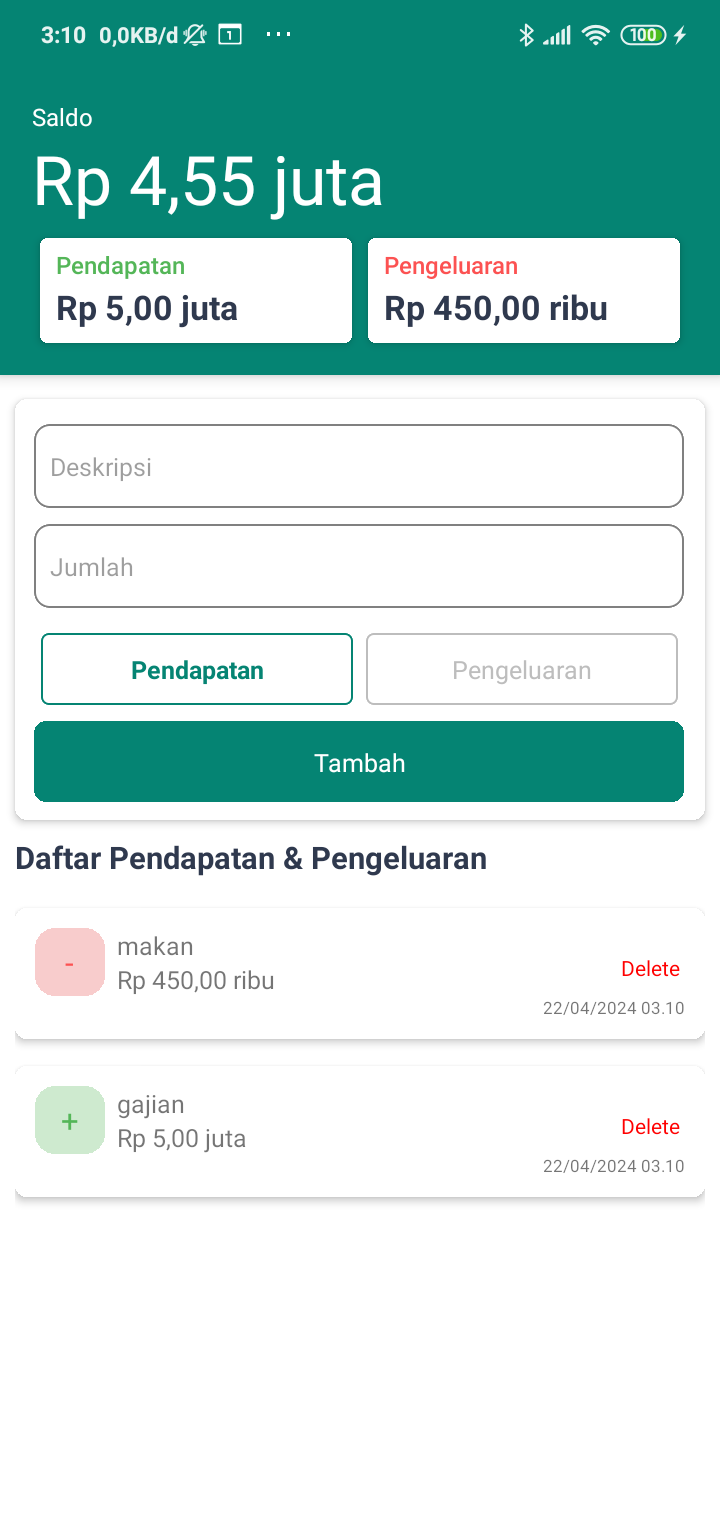
## Screenshot
[React Native]:
[Redux]: