https://github.com/riki-pedia/ft-to-inv
Converts FreeTube data to Invidious JSON
https://github.com/riki-pedia/ft-to-inv
cli convert converter fortheloveofcode freetube ft hackathon invidious iv youtube yt
Last synced: 7 months ago
JSON representation
Converts FreeTube data to Invidious JSON
- Host: GitHub
- URL: https://github.com/riki-pedia/ft-to-inv
- Owner: riki-pedia
- License: mit
- Created: 2025-07-23T00:10:19.000Z (about 1 year ago)
- Default Branch: master
- Last Pushed: 2025-10-06T00:32:59.000Z (10 months ago)
- Last Synced: 2025-10-06T02:21:08.821Z (10 months ago)
- Topics: cli, convert, converter, fortheloveofcode, freetube, ft, hackathon, invidious, iv, youtube, yt
- Language: JavaScript
- Homepage: https://dev.riki-pedia.org/projects/ft-to-inv.html
- Size: 938 KB
- Stars: 2
- Watchers: 0
- Forks: 0
- Open Issues: 6
-
Metadata Files:
- Readme: README.md
- License: LICENSE
- Security: SECURITY.md
Awesome Lists containing this project
README
# ft-to-inv





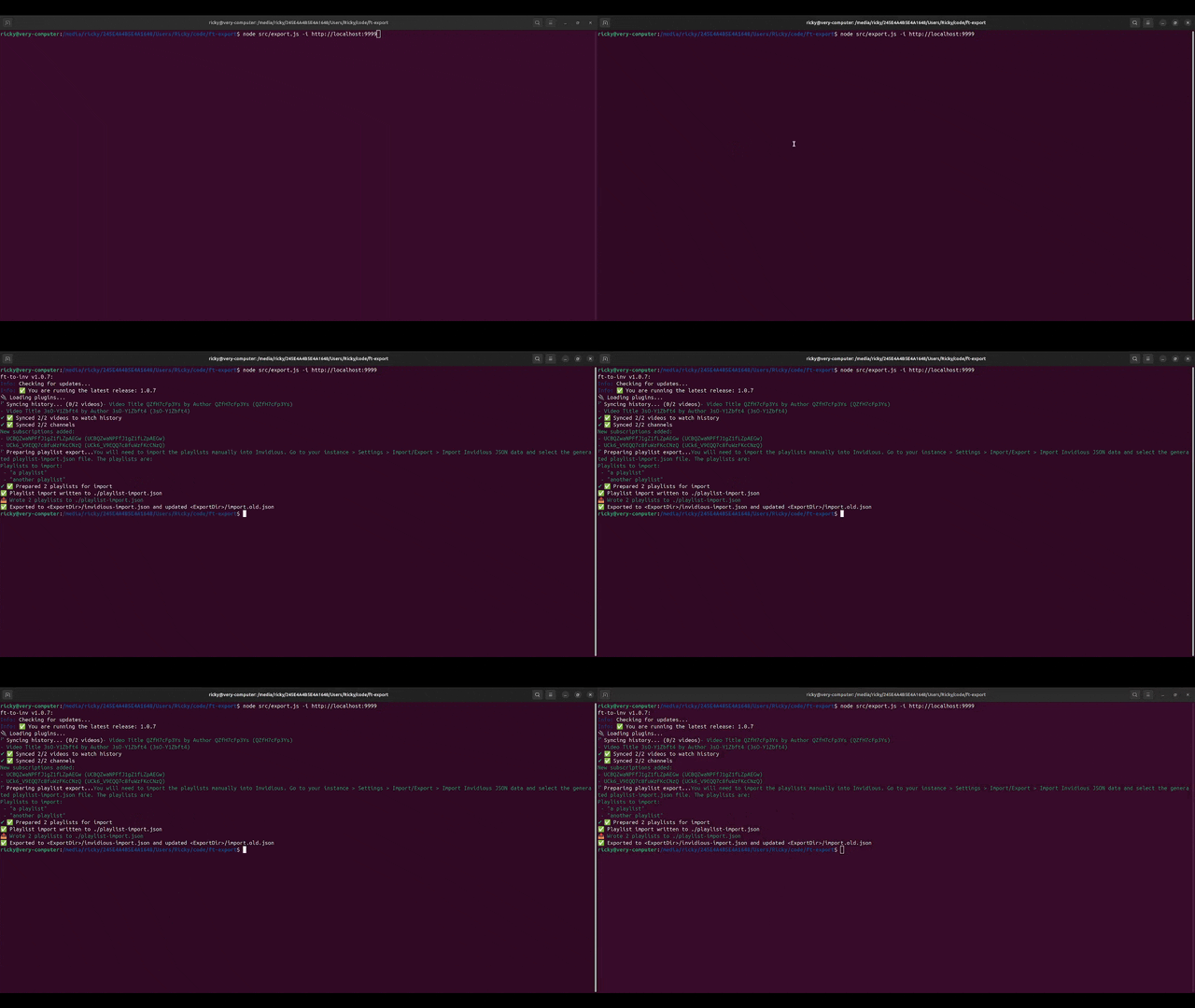
Takes FreeTube data and exports it to invidious-import.json, where it can be optionally imported to Invidious via the API. You can also schedule runs via the --cron flag, see below.
## Demo
## Why?
"FreeTube is great for local use, but it doesn’t sync across devices. Invidious does. This tool bridges the gap so your history, subscriptions, and playlists stay consistent." - albert einstein i think
### Warnings:
- wsl isnt supported right now, if you want to run on windows, use cmd, powershell, or windows terminal. Wsl has issues with keytar and system keychains.
- also its ur fault if my tool eats your files or something like that. you should back them up next time instead of blaming my hungry tool or me.
- and i dont have a mac so pls report any macos issues if you have one (tested on windows 11 and ubuntu noble)
## Installation
```
# npm
npm i -g ft-to-inv
# yarn
yarn global add ft-to-inv
# pnpm
pnpm add -g ft-to-inv
```
### Or Import (still in testing)
ESM:
```
import main from "ft-to-inv";
// overrides here
await main({
token: "abc123",
// etc...
})
```
CommonJS:
```
const main = require("ft-to-inv");
// overrides here
await main({
token: "abc123",
// etc...
})
```
## Quick Start
After installing, run the package to begin syncing
```
ft-to-inv # its really that simple!
```
## Highlights
- Automatically detects your FreeTube data directory
- Supported anywhere you can run Node.js (Windows, Linux, MacOS)
- Optionally contacts the Invidious API to sync your data
- Can be scheduled to run on a cron schedule
- Supports environment variables, CLI args, and a config file
- Dry run mode to check for errors without making changes
- Retries with exponential backoff
- Encrypted token storage
- some other stuff install it to find out
### Why should I give you my Invidious token?
Your Invidious token is only used to authenticate with the Invidious API. It is optional to use the API, you can run in no-sync mode to generate the invidious-import.json file without contacting the API. If you do give me the token, it's encrypted at rest using your system keychain via the keytar package. The encryption is done using a passphrase that you provide, which is stored securely in your system keychain. The passphrase is only used to encrypt and decrypt the token. The default passphrase is "ilikewaffles" + 8 random hex characters. If you want to change the passphrase, you can delete it from your keychain and the tool will prompt you again.
### Config
There's a config file that you can use to further change the program. The config is read after environment variables and CLI arguments, here's the order:
`cli args > environment variables > config`.
The config is a simple jsonc file, here's an excerpt:
```
{
"token":"abc123",
// make sure to include the protocol (http or https) and no trailing slash
"instance":"http://localhost:3000",
"verbose": true,
"dont_shorten_paths": false
}
```
If you need help with any of the config options, there's comments in the config file, and there's a help menu. If there's anything else, please open an issue on the repo.
#### Usage with args
```
npx ft-to-inv -t abc123 -i localhost:3000
```
### Environment Variables
This tool also supports using environment variables to control the config! Every variable has only a few possible aliases. Here's an example for `token`.
```
FT_TO_INV_TOKEN
FT_TO_INV_CONFIG_TOKEN
TOKEN
```
Most other flags have those 3 prefixes.
Here's the full list of config options:
Click to expand table of args
### CLI Arguments
| Argument | Aliases | Explanation | Usage |
| ------- | -------- | ------- | ----- |
| --token| -t | Your Invidious SID token. This is required unless using no-sync or dry-run. You can get it by going to your instance > Settings/Preferences > Manage Tokens. | -t abc123 |
|--instance| -i | Your Invidious instance. Required unless you have no-sync or dry-run enabled. | -i https://invidious.example.com |
|--freetube-dir| -dir, -cd, -f| Path to the FreeTube data directory. Defaults to a certain path based on which OS you have. On Windows, it's yourUser\AppData\Roaming\FreeTube. On Linux, it's yourUsersHome/.config/FreeTube/. On MacOS, it defaults to you/Library/Application Support/FreeTube/. If it's not there you need to specify where it is with this flag.| -dir ./ |
| --export-dir | -e | Where export files should be saved. The default is wherever the command is being run from (./). Exports 2 files, 3 if there are playlists, *invidious-import.json,* *import.old.json*, and *playlist-import.json*. *invidious-import.json* is for you to import into invidious (if there's no API), *import.old.json* is a copy of *invidious-import.json* used for tracking diffs, and *playlist-import.json* is used for importing playlists specifically into Invidious as there's no API endpoint. | -e .\ |
| --verbose | -v | Enables more verbose logging (WIP!). Useful for debugging or seeing how it works| -v |
| --dry-run | none | Dry Run mode is useful for checking if you have correct files. It only reads the FreeTube files, checks what it would sync, then exits | --dry-run |
| --quiet | -q | Enables less verbose logging, suppresses all non-error messages. | -q |
| --no-sync | none | No-sync mode generates an *invidious-import.json* file but does not contact the Invidious API. Useful for cases where the API is disabled or where you don't feel comfortable pasting your Invidious token. | --no-sync |
| --dont-shorten-paths | none | Disables path shortening, by default your export and FreeTube data directories are replaced with *\* and *\*| --dont-shorten-paths |
| --dont-run-first-time-setup | -drs, --dont-run-setup| Skip the first time setup prompts and get straight to syncing. Useful for automated runs. | -drs |
| --run-first-time-setup | -fts, --first-time-setup | Runs the first time setup even if all the files are detected. Useful if there are malformed or corrupt entries, or something changed. | -fts |
| --insecure | --http | Tells the script to run in HTTP mode, rather than HTTPS. This is automatically set based on the protocol entered in --instance | --insecure |
| --cron-schedule | --cron, -cron | Allows you to schedule a run on a cron schedule. If not used with an = or quotes, it checks the next 4-5 args | --cron 0 * * * * |
| --config | -c | Path to the config file. | -c config.example.jsonc
| --help | -h, -?, /? | Displays a help message that is only slightly better than this README | -h |
| --logs | -l | Specifies whether to log console output to a file. The only name for this is ft-to-inv-(time).log | -l |
## Contributing
This repo follows the standard approach to contributing, just make a fork of the repo and submit a PR.
## License
MIT