https://github.com/rkbalgi/keedoh
Keedoh - An ISO8583 simulator built with Java
https://github.com/rkbalgi/keedoh
client-server iso8583 java simulator
Last synced: over 1 year ago
JSON representation
Keedoh - An ISO8583 simulator built with Java
- Host: GitHub
- URL: https://github.com/rkbalgi/keedoh
- Owner: rkbalgi
- Created: 2016-09-14T15:05:40.000Z (almost 10 years ago)
- Default Branch: main
- Last Pushed: 2023-06-14T22:33:52.000Z (about 3 years ago)
- Last Synced: 2025-03-30T00:31:40.746Z (over 1 year ago)
- Topics: client-server, iso8583, java, simulator
- Language: Java
- Size: 12.6 MB
- Stars: 19
- Watchers: 2
- Forks: 12
- Open Issues: 2
-
Metadata Files:
- Readme: README.md
Awesome Lists containing this project
README
# keedoh
Keedoh - An ISO8583 simulator built with Java
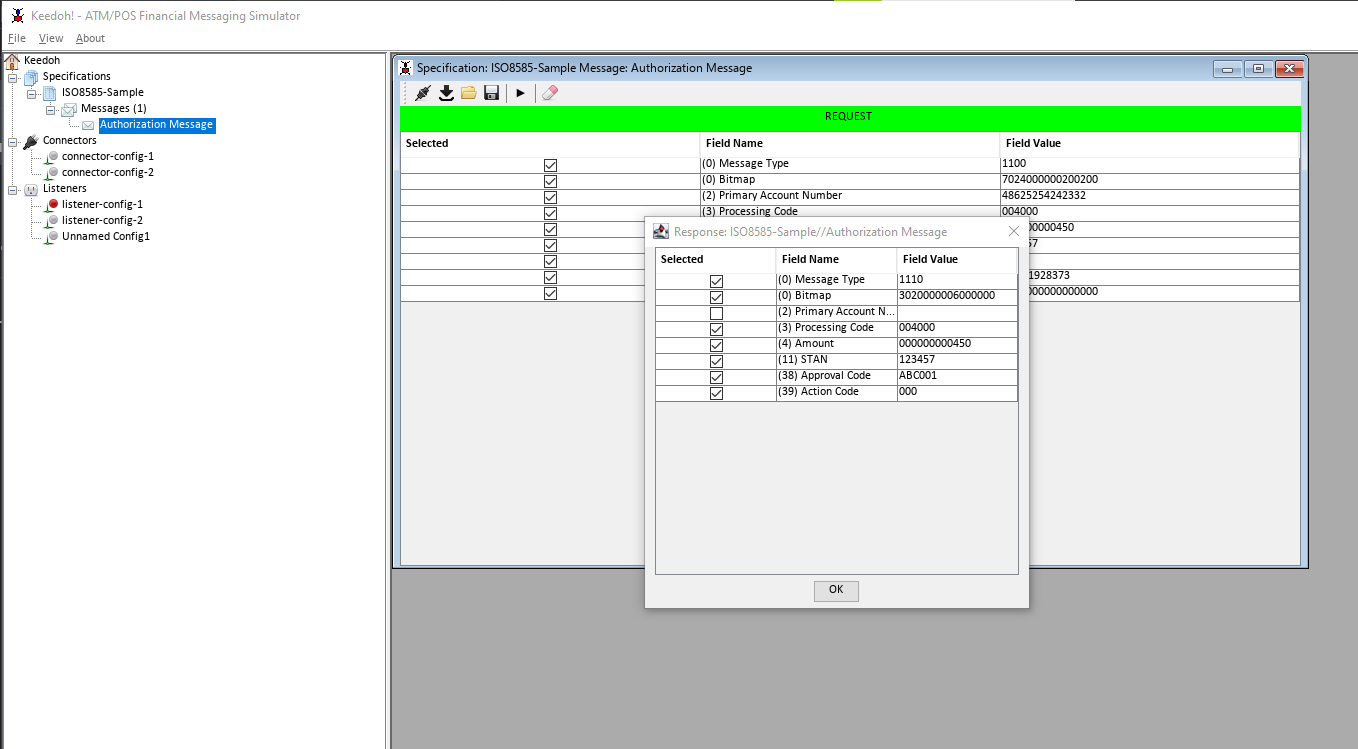
Keedoh is a simple ISO8583 simulator built with Java. It has a ISO8583 client which can generate message
as well as a server that can be programmed to respond to client messages using a simple groovy script.
Here are some introductory slides https://drive.google.com/open?id=1Hl2f84_p9C3Aftz9-MZEKGAMep5W0MI7sxT9cwZsiGQ
__Also checkout [isosim](https://github.com/rkbalgi/isosim), a web based ISO8583 simulator built with Go!__
## Quick Run
### Start Listener
1. Right click on listener-config-1 (under listeners)
2. Click Start (This will start a listener on port 127.0.0.1:9876), using MLI 2E and a host script - test_iso8583_host.groovy
### Send Message
1. Right click on __Authorization Message__ (under Specifications>ISO8583-Sample>Messages (1)) and click __Open__
2. Click __Connector Settings__ (first button on toolbar) on the newly opened Messaging Window and select __connector-config-1__
3. Click __Import Trace__ button on toolbar and provide this as the trace 31313030702400000020020031343438363235323534323432333332303034303030303030303030303030343530313233343537f2f3f0f40011c1c2c3f0f1f9f2f8f3f7f3f0f80000000000000000
4. Now Click the __Fire Trace__ button and you should now see the response in a new dialog!
## Notes
* The host script is a simple groovy script that produces different results (action codes/approval code) based on the Amount field
* You can edit this script under __src\main\resources\scripts\test_iso8583_host.groovy__ or you can write your own!
* Create your own spec and put it under __resources/specs__ and list it inside __src\main\resources\keedoh-specs.json__
* You can get a history of message by going into View>Message Store and see client/server messages (Maximize the window, as few things are hidden when it's not maximized)