https://github.com/rlazoti/dotfiles
This repository contains all my dot files used in both Linux and Mac
https://github.com/rlazoti/dotfiles
dotfiles linux macosx shell tmux zsh
Last synced: 2 months ago
JSON representation
This repository contains all my dot files used in both Linux and Mac
- Host: GitHub
- URL: https://github.com/rlazoti/dotfiles
- Owner: rlazoti
- License: mit
- Created: 2013-05-16T17:49:19.000Z (about 13 years ago)
- Default Branch: master
- Last Pushed: 2024-04-10T03:16:18.000Z (about 2 years ago)
- Last Synced: 2024-04-10T04:57:46.892Z (about 2 years ago)
- Topics: dotfiles, linux, macosx, shell, tmux, zsh
- Language: Shell
- Homepage:
- Size: 1.06 MB
- Stars: 3
- Watchers: 2
- Forks: 0
- Open Issues: 0
-
Metadata Files:
- Readme: README.md
- License: LICENSE
Awesome Lists containing this project
README
dotfiles
========
This repository contains all my dot files used in both Linux and Mac.
It contains definitions for:
* zsh
* git
* tmux
* aliases
* oh-my-zsh
* tmux-powerline
* environment variables (AKA $PATH and others)
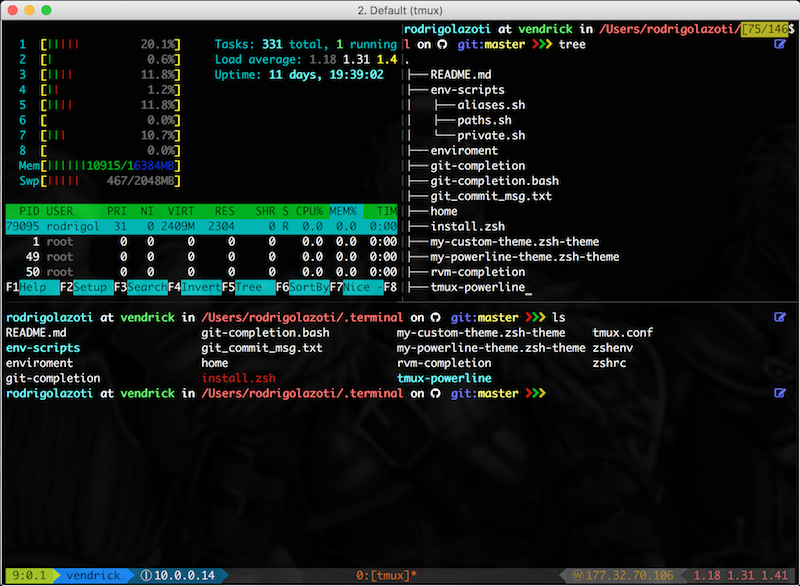
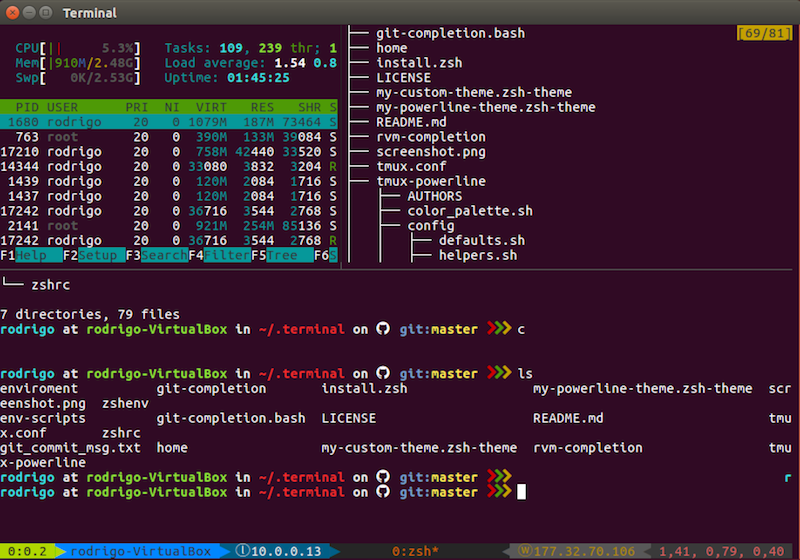
Screenshot
==========
#### Mac OS
#### Linux
Installation
=============
To it works properly you need to ensure that all prerequisites have been done correctly.
### Prerequisites
* Install **[zsh](http://www.zsh.org/)** and define it as you default shell.
* Install **[tmux](https://tmux.github.io/)**.
* Install **[Font Awesome](http://fontawesome.io/)** and define it as your terminal's non ASCII font (It can be done easly in both linux terminal and mac iterm2).
* If needed, back up the following files from your home directory (they'll be replaced):
```sh
~/.zshenv
~/.zshrc
~/.tmux.conf
~/.gitignore
```
### Install
After all prerequisites' steps, clone this repository into your home directory as .terminal:
```sh
$ git clone https://github.com/rlazoti/dotfiles ~/.terminal
```
Edit the file *~/.terminal/home*, and add your current home directory (Ex: /home/rlazoti).
Then run the script below to create all symbolic links and install its dependencies:
```sh
$ ~/.terminal/install.zsh
```
Restart your terminal and have fun! :)
### MacOS Users
To add *opendiff* as your default difftool/mergetool, run the following commands:
```
git config --global diff.tool opendiff
git config --global merge.tool opendiff
git config --global difftool.prompt false
sudo xcode-select -switch /Applications/Xcode.app/Contents/Developer/
```
### Iterm2 Settings
Open iterm2 settings and change "Load preferences from a custom folder or URL" field to
```
~/.terminal/iterm2-preferences
```
Author
======
Rodrigo Lazoti - rodrigolazoti@gmail.com