https://github.com/robbield/fontawesomeiconfinder
An umbraco property editor which integrates Font Awesome icons, and is user upgradable to user the latest icons
https://github.com/robbield/fontawesomeiconfinder
List: fontawesomeiconfinder
Last synced: 4 months ago
JSON representation
An umbraco property editor which integrates Font Awesome icons, and is user upgradable to user the latest icons
- Host: GitHub
- URL: https://github.com/robbield/fontawesomeiconfinder
- Owner: RobbieLD
- License: gpl-3.0
- Created: 2018-11-09T09:19:11.000Z (over 7 years ago)
- Default Branch: master
- Last Pushed: 2023-08-30T11:41:10.000Z (almost 3 years ago)
- Last Synced: 2025-08-24T22:27:48.031Z (10 months ago)
- Language: JavaScript
- Homepage: https://faif.robdavis.dev
- Size: 674 KB
- Stars: 0
- Watchers: 1
- Forks: 2
- Open Issues: 2
-
Metadata Files:
- Readme: README.md
- License: LICENSE
Awesome Lists containing this project
README
# Font Awesome Icon Finder
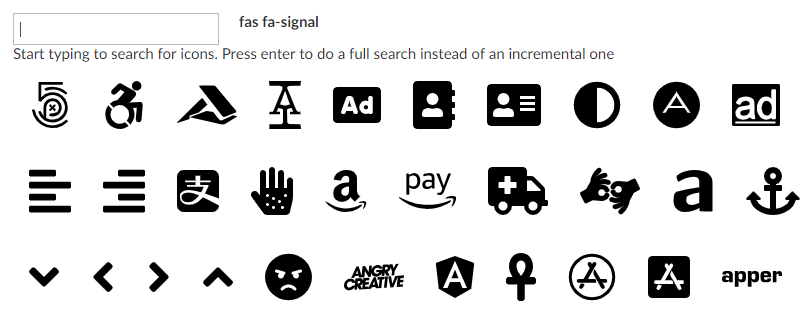
Font Awesome Icon Finder is an umbraco property editor which integrates Font Awesome icons into the Umbraco back office. It provides a searchable icon grid which uses fast and eccicient trie sorting the filter the icons in real time. It is also user upgradable which allows it to use the latest versions of the icons.
## Demo
For a live demo have a look [here](https://faif.robdavis.dev).
## Usage
Using this property editor is quite simple. Simply add it to a document type in umbraco and the try editing the property in the back office. You can type in the search box to refine the icons options or press enter to search from the start again. The value persisted to the umbraco database is a string (which is also displayed in the property editor to the right of the search box) containing the css class which needs to be applied to an element (usually a ``) to make it dispay the selected icon. Clicking on an icon in the result view changes the selected icon.
## Upgrading
To upgrad the icons it's using to the very latest icons from Font Awesome simply do the following. The current version of the font awesome icons is v5.5.0.
1. Download the icon pack from [Font Awesome](https://fontawesome.com/) for the web and extract the files.
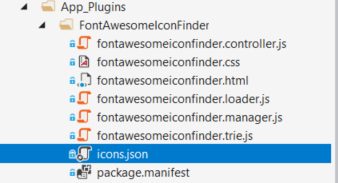
2. Replace the [icons.json](src/icons.json) in this plugin (wich will be stored in \App_Plugins\FontAwesomeIconFinder\) with the icons.json from the Font Awesome download.
## Compilation
To get the required node modules for the compilationsimply run ```npm install```
If you'd like to modify the source in the src directory you simply need to run the following command to build code
```npm run build```
This will compile the code out to the dist directory. The compilation uses babel to transform the code into a ES2015.
You don't need to bother with compilation if you're only looking to support modern browsers which understand the ES2016 syntax.
## Supported Browsers
This has been tested on Chrome, Fire Fox, Edge and Internet Explorer 11.
## Trouble shooting
There are a couple of JavaScript methods in the code which are useful should you encounter an issue. The [fontawesomeiconfinder.manager.js](src/fontawesomeiconfinder.manager.js) contains a public method `dumpTrie()` which prints a json representation of the search trie the code has consutrcted from the icons.json file.
```javascript
function dumpTrie() {
console.log(JSON.stringify(this.trie.root, this.trie.replacer));
}
```
There is also a line in [fontawesomeiconfinder.trie.js](src/fontawesomeiconfinder.trie.js) in the `_nodeFindLeaves(func, foundkey)` method which when uncommented will print the trie paths as they are searched. This will however impact performance so don't do this in production.
```javascript
function _nodeFindLeaves(func, foundKey) {
if (this.icons.length > 0) {
// this is a valid path even if it doesn't end in a leaf
func(this);
// This is a debugging line. It will impact performance heavily. Dont use in production
//this.printPath();
}
if (this.children) {
for (var index in this.children) {
if ((foundKey && index !== foundKey) || !foundKey) {
this.children[index].findLeaves(func);
}
}
}
}
```
Finally if you want to change the path or name of the icons file (which can be server from anywhere an you're client code has access to (since it's pulled in via a Fetch call) simply change the path listed in fontawesomeiconfinder.manager.js in the `setup(selectedCallback)` method as shown below.
```javascript
function setup(selectedCallback) {
loader.load('/App_Plugins/FontAwesomeIconFinder/icons.json')
.then((response) => {
_loadIcons(response, selectedCallback, this.container, this.trie);
}).catch((error) => {
console.error(error);
});
}
```