https://github.com/robdmac/talkito
TalkiTo lets developers interact with AI systems through speech across multiple channels (terminal, API, phone). It can be used as both a command-line tool and a Python library.
https://github.com/robdmac/talkito
bolt-new claude claude-ai claude-code claude-code-communication claude-code-mcp codex-cli mcp-server openai-codex openai-codex-cli voice-ai whispercpp
Last synced: 4 months ago
JSON representation
TalkiTo lets developers interact with AI systems through speech across multiple channels (terminal, API, phone). It can be used as both a command-line tool and a Python library.
- Host: GitHub
- URL: https://github.com/robdmac/talkito
- Owner: robdmac
- License: agpl-3.0
- Created: 2025-06-20T06:21:54.000Z (about 1 year ago)
- Default Branch: main
- Last Pushed: 2026-01-29T18:45:01.000Z (5 months ago)
- Last Synced: 2026-01-30T04:48:55.581Z (5 months ago)
- Topics: bolt-new, claude, claude-ai, claude-code, claude-code-communication, claude-code-mcp, codex-cli, mcp-server, openai-codex, openai-codex-cli, voice-ai, whispercpp
- Language: Python
- Homepage: http://talkito.com/
- Size: 3.76 MB
- Stars: 52
- Watchers: 1
- Forks: 4
- Open Issues: 3
-
Metadata Files:
- Readme: README.md
- Contributing: CONTRIBUTING.md
- License: LICENSE
Awesome Lists containing this project
README
# TalkiTo
[](https://github.com/robdmac/talkito/stargazers)
[](https://github.com/robdmac/talkito/network/members)
[](https://github.com/robdmac/talkito/blob/main/LICENSE)
[](https://discord.gg/WbP58Tym)
TalkiTo lets developers talk, slack and whatsapp with Claude Code and OpenAI Codex. It can be used as a command-line tool, a web extension, and as a Python library.
## 🚀 Quick Install
### Option 1: One-liner Install Script (Recommended)
```bash
curl -sSL https://raw.githubusercontent.com/robdmac/talkito/main/install.sh | bash
```
### Option 2: PyPI
```bash
pip install talkito
```
Then just run:
```bash
talkito claude
```
## Install for End Users
### From Source (Stable)
```bash
# Clone the repository
git clone https://github.com/robdmac/talkito.git
cd talkito
# Create and activate virtual environment (recommended)
python3 -m venv venv
source venv/bin/activate
# Install system dependencies (macOS)
brew install portaudio
# Install package (normal install - gets updates via git pull)
pip install .
# Run this in a directory you want to use claude with
talkito claude
```
## Install for Developers
### Editable Install (Development)
```bash
# Clone the repository
git clone https://github.com/robdmac/talkito.git
cd talkito
# Create and activate virtual environment (recommended)
python3 -m venv venv
source venv/bin/activate
# Install system dependencies (macOS)
brew install portaudio
# Install in development mode (editable install)
pip install -e .
# Run this in a directory you want to use claude with
talkito claude
```
or for the web extension run as
```commandline
talkito --mcp-sse-server
```
then go to chrome://extensions/ and load unpacked the extensions/chrome/ dir
## Demo Video
[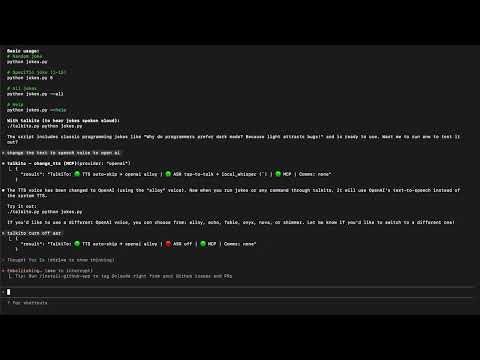](https://youtu.be/dliBN7pNAuw)
## AI Assistant Compatibility
| AI Assistant | Method | Status |
|-----------------|---------------|---------------------|
| **Claude Code** | Terminal | **Fully Supported** |
| **Codex Cli** | Terminal | **Fully Supported** |
| bolt.new | Web Extension | Output Only |
| v0.dev | Web Extension | Output Only |
| replit.com | Web Extension | Output Only |
| Other agents | Terminal | In Progress |
### Run with Claude Code
run `talkito claude`
### Run with Codex Cli
run `talkito codex`
### Run as an MCP server
run `talkito --mcp-server`
### Run the TalkiTo configuration menu
run `talkito`
#### Advanced Options
```bash
# Disable auto-skip to newer content (auto-skip is on by default)
talkito --dont-auto-skip-tts claude
# Use different TTS providers
talkito --tts-provider polly --tts-voice Matthew --tts-region us-west-2 echo "Hello with AWS"
talkito --tts-provider azure --tts-voice en-US-JennyNeural echo "Hello with Azure"
talkito --tts-provider gcloud --tts-voice en-US-Journey-F echo "Hello with Google"
talkito --tts-provider kittentts --tts-voice expr-voice-3-f echo "Hello with KittenTTS"
talkito --tts-provider kokoro --tts-voice af_heart echo "Hello with Kokoro (local)"
# Use different ASR providers
talkito --asr-provider gcloud --asr-language en-US claude
AZURE_SPEECH_KEY=... AZURE_SPEECH_REGION=eastus talkito --asr-provider azure claude
WHISPER_MODEL=small WHISPER_COMPUTE_TYPE=int8 talkito --asr-provider local_whisper claude
talkito --asr-language es-ES echo "Hola mundo" # Spanish recognition
# Enable remote communication (configure via environment variables)
talkito --slack-channel '#alerts' python manage.py runserver
talkito --whatsapp-recipients +1234567890 long-running-command
talkito --sms-recipients +1234567890,+0987654321 server-monitor.sh
```
### Using tts.py (Standalone TTS)
The TTS module can be used independently for text-to-speech operations:
```python
#!/usr/bin/env python3
import tts
# Initialize TTS
engine = tts.detect_tts_engine()
tts.start_tts_worker(engine)
# Speak text
tts.queue_for_speech("Hello from the TTS module!")
# Wait and cleanup
import time
time.sleep(2)
tts.shutdown_tts()
```
### Using asr.py (Standalone ASR)
The ASR module can be used independently for speech recognition:
```python
#!/usr/bin/env python3
import asr
# Define callback for recognized text
def handle_text(text):
print(f"You said: {text}")
# Start dictation
asr.start_dictation(handle_text)
# Keep running (press Ctrl+C to stop)
try:
import time
while True:
time.sleep(1)
except KeyboardInterrupt:
asr.stop_dictation()
```
## Provider Configuration
### Text-to-Speech (TTS) Providers
#### System TTS (Default)
- **macOS**: Uses built-in `say` command
- **Linux**: Uses `espeak`, `festival`, or `flite` (install via package manager)
- **Setup**: No API key needed
#### OpenAI TTS
- **Get API Key**: https://platform.openai.com/api-keys
- **Voices**: alloy, echo, fable, onyx, nova, shimmer
- **Usage**: `--tts-provider openai --tts-voice nova`
#### AWS Polly
- **Get Credentials**: https://aws.amazon.com/polly/getting-started/
- **Setup**: Set `AWS_ACCESS_KEY_ID` and `AWS_SECRET_ACCESS_KEY`
- **Voices**: Joanna, Matthew, Amy, Brian, and more
- **Usage**: `--tts-provider polly --tts-voice Matthew`
#### Azure Speech Services
- **Get API Key**: https://azure.microsoft.com/en-us/services/cognitive-services/speech-services/
- **Setup**: Set `AZURE_SPEECH_KEY` and `AZURE_REGION`
- **Voices**: en-US-JennyNeural, en-US-AriaNeural, and many more
- **Usage**: `--tts-provider azure --tts-voice en-US-JennyNeural`
#### Google Cloud Text-to-Speech
- **Get Credentials**: https://cloud.google.com/text-to-speech/docs/quickstart
- **Setup**: Set `GOOGLE_APPLICATION_CREDENTIALS` to service account JSON path
- **Voices**: en-US-Journey-F, en-US-News-N, and more
- **Usage**: `--tts-provider gcloud --tts-voice en-US-Journey-F`
#### ElevenLabs
- **Get API Key**: https://elevenlabs.io/
- **Setup**: Set `ELEVENLABS_API_KEY`
- **Voices**: Various voice IDs available
- **Usage**: Configure in code or .env file
#### Deepgram
- **Get API Key**: https://deepgram.com/
- **Setup**: Set `DEEPGRAM_API_KEY`
- **Voices**: aura-asteria-en, aura-luna-en, aura-stella-en, and more
- **Usage**: `--tts-provider deepgram --tts-voice aura-asteria-en`
#### KittenTTS (Local / Offline)
- **Install**: `pip install https://github.com/KittenML/KittenTTS/releases/download/0.1/kittentts-0.1.0-py3-none-any.whl soundfile phonemizer`
- **Setup**: No API key required. First run prompts to download the selected model (default `kitten-tts-nano-0.2`) into the Hugging Face cache. Configure `KITTENTTS_MODEL` and `KITTENTTS_VOICE` to pick different quality/voice options.
- **Best for**: Ultra-lightweight CPU-only voices that stay on-device.
- **Usage**: `KITTENTTS_MODEL=kitten-tts-nano-0.2 talkito --tts-provider kittentts --tts-voice expr-voice-3-f`
#### Kokoro (Local / Offline)
- **Install**: `pip install 'kokoro>=0.9.4' soundfile phonemizer`
- **Setup**: No API key required. TalkiTo will download Kokoro weights the first time you run it (set `KOKORO_LANGUAGE`, `KOKORO_VOICE`, `KOKORO_SPEED` to control defaults).
- **Best for**: High-quality multilingual voices without sending audio to a cloud provider.
- **Usage**: `talkito --tts-provider kokoro --tts-voice af_heart --tts-language en-US`
### Automatic Speech Recognition (ASR) Providers
#### Google Speech Recognition (Default)
- **Free**: No API key required
- **Limitations**: Best for short utterances, requires internet
- **Usage**: Default when no provider specified
#### Google Cloud Speech-to-Text
- **Get Credentials**: https://cloud.google.com/speech-to-text/docs/quickstart
- **Setup**: Set `GOOGLE_APPLICATION_CREDENTIALS`
- **Features**: Better accuracy, streaming support
- **Usage**: `--asr-provider gcloud`
#### AssemblyAI
- **Get API Key**: https://www.assemblyai.com/
- **Setup**: Set `ASSEMBLYAI_API_KEY`
- **Features**: Real-time transcription, speaker detection
- **Usage**: Configure in code or .env file
#### Deepgram
- **Get API Key**: https://deepgram.com/
- **Setup**: Set `DEEPGRAM_API_KEY`
- **Features**: Fast, accurate real-time transcription
- **Usage**: Configure in code or .env file
#### Houndify
- **Get Credentials**: https://www.houndify.com/
- **Setup**: Set `HOUNDIFY_CLIENT_ID` and `HOUNDIFY_CLIENT_KEY`
- **Features**: Natural language understanding
- **Usage**: `--asr-provider houndify`
#### AWS Transcribe
- **Get Credentials**: https://aws.amazon.com/transcribe/
- **Setup**: Set AWS credentials
- **Features**: Streaming transcription
- **Usage**: `--asr-provider aws --aws-region us-west-2`
#### Azure Speech Services
- **Get API Key**: https://azure.microsoft.com/en-us/services/cognitive-services/speech-services/
- **Setup**: Set `AZURE_SPEECH_KEY` and `AZURE_SPEECH_REGION`, then `pip install azure-cognitiveservices-speech`
- **Features**: Low-latency streaming dictation with automatic punctuation
- **Usage**: `AZURE_SPEECH_KEY=... AZURE_SPEECH_REGION=eastus talkito --asr-provider azure`
#### Local Whisper (On-Device)
- **Install**: `pip install faster-whisper` (default) or `WHISPER_COREML=1 pip install pywhispercpp` for Apple Silicon/CoreML acceleration
- **Setup**: No API key required. Configure `WHISPER_MODEL` (e.g., `small`, `medium`), `WHISPER_DEVICE` (`cpu`, `cuda`, or `mps`), and `WHISPER_COMPUTE_TYPE` (`int8`, `int8_float16`, etc.). Models are cached locally and TalkiTo will prompt before downloading unless `TALKITO_AUTO_APPROVE_DOWNLOADS=1`.
- **Usage**: `WHISPER_MODEL=small WHISPER_COMPUTE_TYPE=int8 talkito --asr-provider local_whisper`
### Communication Providers (Remote Interaction)
#### Twilio SMS
- **Get Account**: https://www.twilio.com/try-twilio
- **Setup**: Set `TWILIO_ACCOUNT_SID`, `TWILIO_AUTH_TOKEN`, `TWILIO_PHONE_NUMBER` you will need to a verified number to avoid being filtered.
- **Features**: Send command output via SMS, receive input via SMS
- **Usage**: `--sms-recipients +1234567890`
#### Twilio WhatsApp
- **Get Started**: https://www.twilio.com/whatsapp
- **Setup Instructions**: Run `talkito --setup-whatsapp` for detailed setup guide
- **Required Environment Variables**:
- `TWILIO_ACCOUNT_SID`: Your Twilio account SID
- `TWILIO_AUTH_TOKEN`: Your Twilio auth token
- `TWILIO_WHATSAPP_NUMBER`: Twilio's WhatsApp number (usually +14155238886)
- `WHATSAPP_RECIPIENTS`: Your WhatsApp number
- `ZROK_RESERVED_TOKEN`: Your zrok reserved share token
- **Quick Setup**:
- Join Twilio WhatsApp Sandbox at https://www.twilio.com/console/sms/whatsapp/sandbox
- Send the join code via WhatsApp to +1 415 523 8886
- Install zrok and create a reserved share: `zrok reserve public http://localhost:8080`
- Set webhook URL in Twilio Console to: `https://YOUR-TOKEN.share.zrok.io/whatsapp`
- **Usage**: `--whatsapp-recipients +1234567890`
#### Slack
- **Create App**: https://api.slack.com/apps
- **Setup**: Set `SLACK_BOT_TOKEN` and optionally `SLACK_APP_TOKEN`
- **Features**: Send output to channels, receive commands
- **Usage**: `--slack-channel '#channel-name'`
### Environment Configuration
Talkito supports two environment files:
- `.env` - Primary configuration (takes precedence)
- `.talkito.env` - Secondary configuration (won't override `.env`)
Copy `.env.example` to `.env` and add your API keys:
```bash
cp .env.example .env
# Edit .env with your API keys
```
For WhatsApp setup with zrok tunneling:
- `ZROK_RESERVED_TOKEN`: Your zrok reserved share token for webhook tunneling
## Requirements
- Python 3.10+
- macOS (with `say` command) or Linux (with `espeak`, `festival`, or `flite`)
- Optional: `SpeechRecognition` and `pyaudio` for ASR support
- Optional: Provider-specific Python packages (installed as needed)
## Contributing
See [CONTRIBUTING.md](CONTRIBUTING.md) for details on our code of conduct and the process for submitting pull requests.
## License
This project is licensed under the GNU Affero General Public License v3.0 or later - see the [LICENSE](LICENSE) file for details.
Copyright (C) 2025 Robert Macrae