https://github.com/robinmiau/vscode-ruffle
Open and play SWF files in VS Code using Ruffle
https://github.com/robinmiau/vscode-ruffle
ruffle vscode vscode-extension
Last synced: 29 days ago
JSON representation
Open and play SWF files in VS Code using Ruffle
- Host: GitHub
- URL: https://github.com/robinmiau/vscode-ruffle
- Owner: robinmiau
- License: mit
- Created: 2025-08-24T20:27:39.000Z (10 months ago)
- Default Branch: main
- Last Pushed: 2025-09-07T02:12:34.000Z (9 months ago)
- Last Synced: 2025-09-07T04:16:11.991Z (9 months ago)
- Topics: ruffle, vscode, vscode-extension
- Language: TypeScript
- Homepage: https://marketplace.visualstudio.com/items?itemName=RobinMiau.ruffle
- Size: 114 KB
- Stars: 0
- Watchers: 0
- Forks: 0
- Open Issues: 0
-
Metadata Files:
- Readme: README.md
- Changelog: CHANGELOG.md
- License: LICENSE
Awesome Lists containing this project
README
# VS Code Ruffle Extension
A VS Code extension that provides a custom editor for SWF (Flash) files using [Ruffle](https://ruffle.rs/), a Flash Player emulator.
> **Note**: This is an unofficial, community-created extension and is not affiliated with or endorsed by the official Ruffle project.
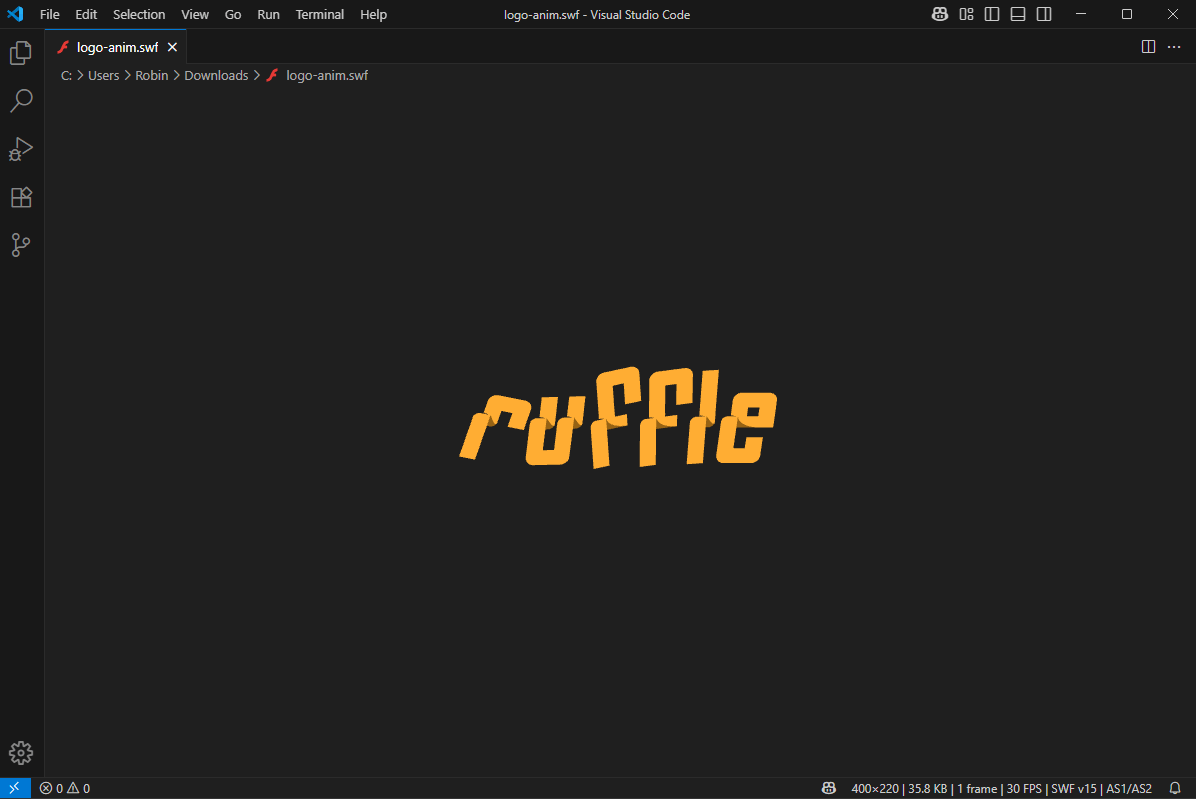
## Features
- **SWF File Player**: Open and play SWF files directly in VS Code using Ruffle
- **Offline Support**: Works completely offline with Ruffle bundled directly in the extension
- **Status Bar Information**: Display detailed metadata including dimensions, file size, frame count, FPS, SWF version, and ActionScript type
- **Configurable Settings**: Customize autoplay, scaling, quality, and other Ruffle options
- **Responsive Design**: Automatic scaling for different screen sizes
- **Live Reload**: Automatically reload SWF when the file changes
- **Local Resource Loading**: Support for loading additional SWF files and resources required by the main SWF file
## Requirements
- VS Code 1.103.0 or higher
## Extension Settings
This extension contributes the following settings:
- `ruffle.autoplay`: Control autoplay behavior (`"on"`, `"off"`, `"auto"`)
- `ruffle.letterbox`: Letterbox handling (`"fullscreen"`, `"on"`, `"off"`)
- `ruffle.contextMenu`: Show context menu (`"on"`, `"off"`)
- `ruffle.scale`: Scaling mode (`"showAll"`, `"exactFit"`, `"noBorder"`, `"noScale"`)
- `ruffle.quality`: Rendering quality (`"low"`, `"medium"`, `"high"`, `"best"`)
## Development
### Releasing
To create a new release:
1. **Bump the version and generate changelog:**
```bash
npm version patch # or minor, or major
```
This automatically runs `npm run changelog` and commits the updated `CHANGELOG.md`
2. **Push the version commit and tag:**
```bash
git push && git push --tags
```
3. **The GitHub Actions workflow** triggers on the pushed tag, builds and packages the extension, creates a GitHub release with the `.vsix` file, and publishes to VS Code Marketplace (if `VSCE_PAT` secret is configured).
## Acknowledgments
This extension uses:
- [Ruffle](https://ruffle.rs/) - A Flash Player emulator written in Rust
- The Ruffle logo and branding (used with respect to the Ruffle project)
Special thanks to the Ruffle development team for creating an amazing tool for Flash content preservation.
## License
MIT License - see [LICENSE](LICENSE) file for details.