https://github.com/robintail/imgur
Sample Imgur client
https://github.com/robintail/imgur
Last synced: 9 months ago
JSON representation
Sample Imgur client
- Host: GitHub
- URL: https://github.com/robintail/imgur
- Owner: RobinTail
- Created: 2015-12-06T08:40:16.000Z (over 10 years ago)
- Default Branch: master
- Last Pushed: 2015-12-09T10:32:44.000Z (over 10 years ago)
- Last Synced: 2025-10-03T20:44:43.474Z (9 months ago)
- Language: JavaScript
- Size: 1.58 MB
- Stars: 1
- Watchers: 1
- Forks: 0
- Open Issues: 0
-
Metadata Files:
- Readme: README.md
Awesome Lists containing this project
README
# Imgur
Sample Imgur client shows categories, images and videos with flexible preview grid, comments hierarchy.
# Demo
[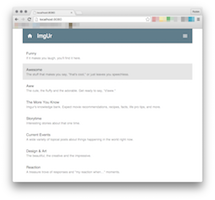](https://raw.githubusercontent.com/RobinTail/imgur/master/images/demo/screen1.png)
[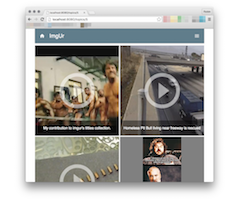](https://raw.githubusercontent.com/RobinTail/imgur/master/images/demo/screen2.png)
[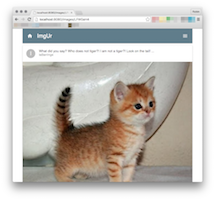](https://raw.githubusercontent.com/RobinTail/imgur/master/images/demo/screen3-1.png)
[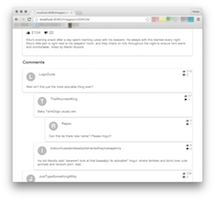](https://raw.githubusercontent.com/RobinTail/imgur/master/images/demo/screen3-2.png)
# Technologies
* Express webserver
* Webpack dev middleware
* React (with React-Router)
* Flux (with Reflux)
* Material-UI (Material Degisn UI)
* ES6 and JSX
* SASS styles (SCSS)
* Fetch
* Dynamic grid columns with window size handler
* JSCS
# Requirements
* NPM
* Due to security reasons this repository does not contain Imgur API key, so you have to register your own.
# Installation
* Clone this repository.
* Follow the URL: [https://api.imgur.com/oauth2/addclient](https://api.imgur.com/oauth2/addclient).
* Fill the form. Select the option "Anonymous usage without user authentication".
* Create new file: /source/settings.jsx
* Fill it with this text (where YOUR_API_KEY is the API key given by Imgur)
```
module.exports = {
apiKey: 'YOUR_API_KEY'
};
```
* Execute this command (this will install required modules)
```
npm install
```
* Execute command (this will launch the webserver on port 8080 with Webpack Dev Middleware)
```
npm start
```
**or** (this will build webpack app and launch webserver)
```
npm run build
```
* Follow the URL: [http://localhost:8080](http://localhost:8080) and have fun ^_^