https://github.com/roboplc/jmeter
Jitter meter for Linux hosts
https://github.com/roboplc/jmeter
Last synced: about 1 year ago
JSON representation
Jitter meter for Linux hosts
- Host: GitHub
- URL: https://github.com/roboplc/jmeter
- Owner: roboplc
- License: apache-2.0
- Created: 2024-04-21T17:15:02.000Z (about 2 years ago)
- Default Branch: main
- Last Pushed: 2024-06-20T22:19:40.000Z (about 2 years ago)
- Last Synced: 2025-05-04T14:11:19.850Z (about 1 year ago)
- Language: Rust
- Size: 220 KB
- Stars: 3
- Watchers: 1
- Forks: 0
- Open Issues: 0
-
Metadata Files:
- Readme: README.md
- License: LICENSE
Awesome Lists containing this project
README
# Jitter meter for Linux hosts
General-purpose Linux distributions require special setup for real-time
applications. If installed on general-purpose hardware, some aspects may be
also tuned. See [Configuring the system for
RoboPLC](https://info.bma.ai/en/actual/roboplc/config.html).
Furthermore, the applications can behave differently on different CPU cores due
to IRQs or little-big architecture peculiarities.
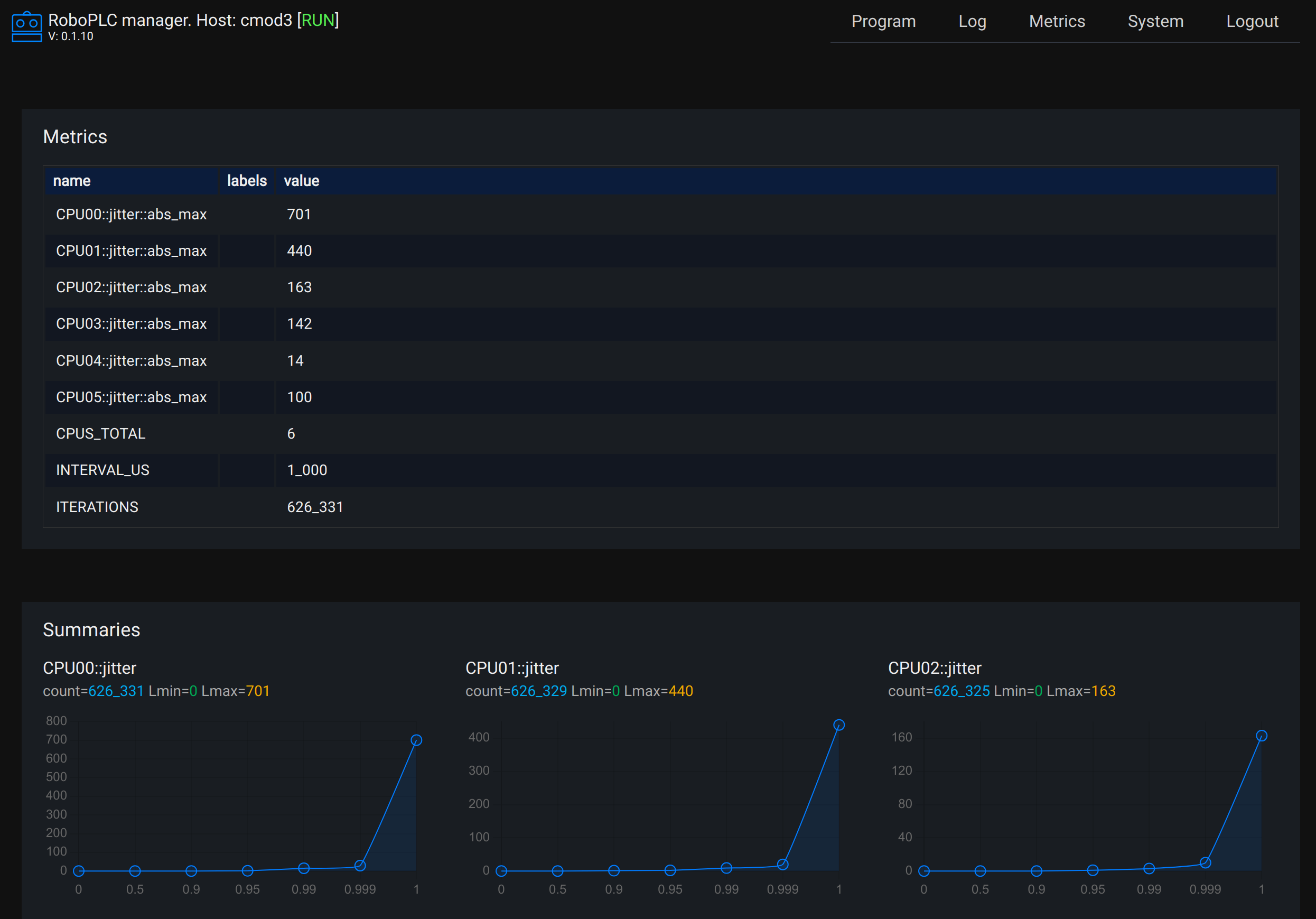
This tool measures jitters for each CPU core (difference between specified and
real loop time) and provides a report.
## Usage
Clone the repository to the local machine.
### With RoboPLC Manager installed
If RoboPLC Manager is installed on the target machine, the tool can be flashed
with the following command (see
[Flashing](https://info.bma.ai/en/actual/roboplc/flashing.html)):
```bash
robo flash
```
(either edit `robo.toml` or use proper command-line arguments to specify the
destination). After flashing, the report can be viewed at RoboPLC Manager
`Metrics` page.
### Without RoboPLC Manager installed
Install Rust and compile:
```bash
curl --proto '=https' --tlsv1.2 -sSf https://sh.rustup.rs | sh
cargo build --release
```
Copy the binary to the target machine and run it. The report can be obtained with
```bash
curl -s http://IP:9000
```
and optionally connected to any Prometheus-compatible monitoring system.
### Loop interval
By default, the program uses 1000us (1ms) loop interval. It can be changed with
"INTERVAL" environment variable at compile-time:
```bash
INTERVAL=500 cargo build --release # for 500us
```
If using [cross](https://crates.io/crates/cross) for cross-compilation, the
variable must be set as a Docker option:
```bash
DOCKER_OPTS="-e INTERVAL=500" cross build --release
```
(the provided script `flash.sh` can help with this as well).