https://github.com/roboplc/metrics-exporter-scope
An oscilloscope for the Rust metrics ecosystem
https://github.com/roboplc/metrics-exporter-scope
metrics real-time rust
Last synced: 10 months ago
JSON representation
An oscilloscope for the Rust metrics ecosystem
- Host: GitHub
- URL: https://github.com/roboplc/metrics-exporter-scope
- Owner: roboplc
- License: apache-2.0
- Created: 2024-08-22T18:23:54.000Z (almost 2 years ago)
- Default Branch: main
- Last Pushed: 2024-11-10T20:04:01.000Z (over 1 year ago)
- Last Synced: 2025-05-04T14:09:57.560Z (about 1 year ago)
- Topics: metrics, real-time, rust
- Language: Rust
- Homepage: https://www.roboplc.com
- Size: 1.98 MB
- Stars: 12
- Watchers: 1
- Forks: 0
- Open Issues: 0
-
Metadata Files:
- Readme: README.md
- License: LICENSE
Awesome Lists containing this project
README
metrics-exporter-scope


An oscilloscope for the Rust [metrics
ecosystem](https://github.com/metrics-rs/metrics).
# Introduction
`metrics-exporter-scope` is an exporter for
[metrics](https://crates.io/crates/metrics) which is designed to output
frequently changed metrics as snapshots. The functionality pretty is similar to
a classic oscilloscope and use cases are similar as well: the crate is
developed to sample metrics with high (1Hz+) frequencies and is mostly used to
display real-time data from embedded systems, industrial automation
controllers, robotics, network devices, etc.
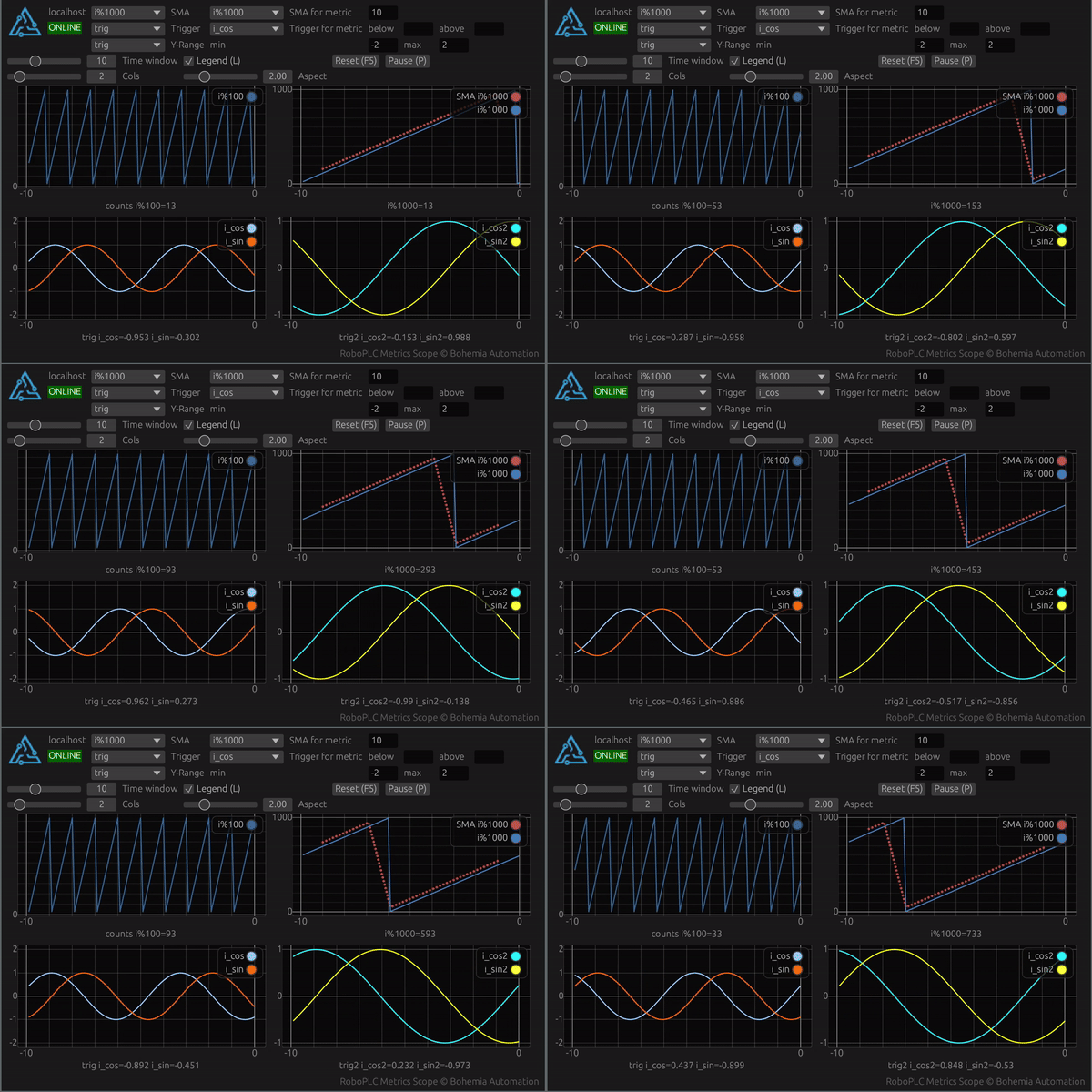
`metrics-exporter-scope` is a part of the [RoboPLC](https://roboplc.com)
project.
## Usage
### Setup
Installing the exporter with the default settings (binds to `0.0.0.0:5001`):
```rust,no_run
metrics_exporter_scope::ScopeBuilder::new().install().unwrap();
```
### Defining metrics
**The exporter works with `Gauge` metrics only**.
The crate is designed as a secondary metrics exporter, all scope-metrics, must
be prefixed with `~` char. Metrics without the prefix are either ignored or
exported by the primary program exporter.
```rust,no_run
use metrics::gauge;
gauge!("~my_metric").set(42.0);
```
### Metric labels
Metrics can have additional labels, some are used by the client program to
configure plots using `plot` label key.
```rust,no_run
use metrics::gauge;
gauge!("~my_metric", "plot" => "plot1").set(42.0);
gauge!("~my_metric2", "plot" => "plot1").set(42.0);
```
The above example groups two metrics into the same plot.
### Metric colors
`color` label key is used as a hint for the client program to set the color of
a plot line the metric is associated with.
```rust,no_run
use metrics::gauge;
gauge!("~my_metric", "color" => "blue").set(42.0);
gauge!("~my_metric2", "color" => "#99ccff").set(42.0);
```
Colors, supported by the client program are: `red`, `green`, `blue`, `yellow`,
`cyan`, `magenta`, `orange`, `white`, `black`. A color also can be set as a
RGB, using either `#RRGGBB` or `#RGB` format.
### Falling back to the primary exporter
If a metric is not prefixed with `~`, it is processed by the primary exporter.
```rust,ignore
let primary_recorder = SomePrimaryMetricsRecorder::new().build();
metrics_exporter_scope::ScopeBuilder::new()
.with_fallback(Box::new(primary_recorder))
.install()
.unwrap();
```
A fall-back example can be found in
[examples/with-fallback.rs](https://github.com/roboplc/metrics-exporter-scope/blob/main/examples/with-fallback.rs).
## Client installation
The repository contains a client implementation for the oscilloscope, which is
available for all major desktop platforms:
```shell
cargo install metrics-scope
```
Client features:
* Real-time data visualization
* Multiple metrics support
* Simple moving averages
* Triggers
Navigation:
* `L` - toggle chart legends
* `F5` - reset chart views and clear active trigger events
* `P` - pause/resume chart updates
* `Mouse click + drag` - move chart view (X-axis is moved for all charts)
* `Ctrl + mouse wheel` - zoom charts in/out
* `Mouse double click` - reset chart view
## Real-time safety
The exporter does not contain any locks and is safe to be used in real-time
programs. It is recommended to install the server in a dedicated thread.
## MSRV
By default, the crate supports the latest `metrics` version, follow the
[metrics README](https://github.com/metrics-rs/metrics) for the actual minimum
supported Rust version details.
The crate also can be built to support MSRV 1.68.0, by disabling the default
features and enabling the `msrv` feature:
```toml
[dependencies]
metrics-exporter-scope = { version = "0.1", default-features = false, features = ["msrv"] }
```
If set, `metrics` version 0.22 is used.