https://github.com/rodik-dev/csi-contentful-starter-d0e08
Jamstack site created with Stackbit
https://github.com/rodik-dev/csi-contentful-starter-d0e08
Last synced: 10 days ago
JSON representation
Jamstack site created with Stackbit
- Host: GitHub
- URL: https://github.com/rodik-dev/csi-contentful-starter-d0e08
- Owner: rodik-dev
- Created: 2022-11-22T18:01:08.000Z (over 3 years ago)
- Default Branch: master
- Last Pushed: 2022-11-24T08:09:57.000Z (over 3 years ago)
- Last Synced: 2025-02-25T20:36:12.487Z (over 1 year ago)
- Language: JavaScript
- Homepage: https://jamstack.new
- Size: 279 KB
- Stars: 0
- Watchers: 1
- Forks: 0
- Open Issues: 1
-
Metadata Files:
- Readme: README.md
Awesome Lists containing this project
README
# Next.js + Contentful Stackbit Starter
This is a minimal starting point for new Stackbit projects. It is built with Next.js and equipped with visual editing capabilities using Stackbit. It uses Contentful as the content source. See below for [other Stackbit example projects](#other-stackbit-projects).
## Getting Started
The typical development process is to begin by working locally.
Create local Stackbit project from this repo:
```txt
npx create-stackbit-app@latest --starter contentful
```
Change into the project directory and add the Contentful tokens to the `.env` file (see `.env.example` for reference). **If you don't have a Contentful space with the proper content**, [see below](#importing-contentful-content) for importing default content and schema into Contentful.
```txt
cd my-stackbit-site
```
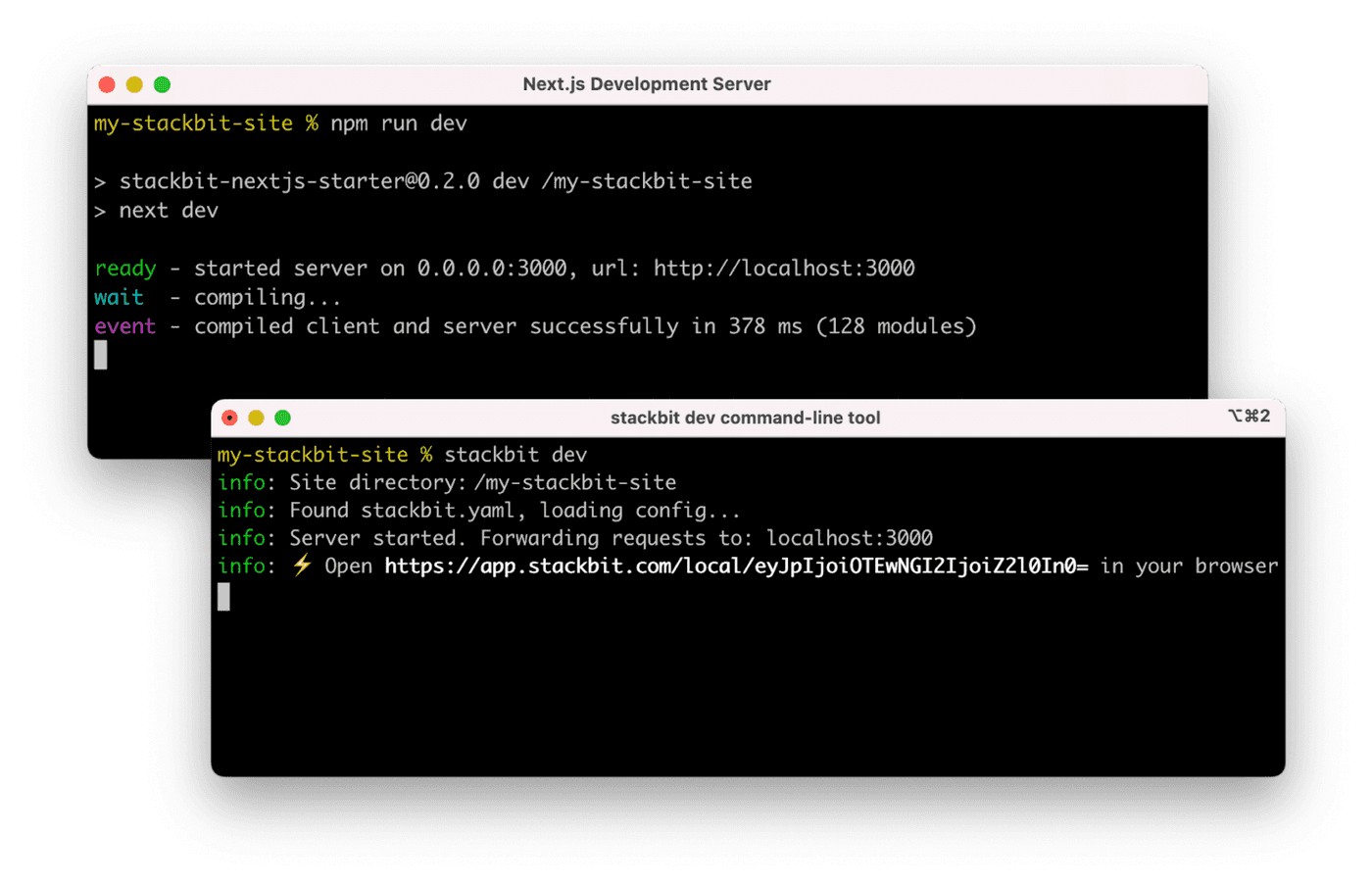
Run the Next.js development server:
```txt
npm run dev
```
Install the Stackbit CLI. Then open a new terminal window in the same project directory and run the Stackbit Dev server:
```txt
npm install -g @stackbit/cli
stackbit dev -c contentful --contentful-space-id --contentful-preview-token --contentful-access-token
```
This outputs your own Stackbit URL. Open this, register or sign in, and you will be directed to Stackbit's visual editor for your new project.
## Importing Contentful Content
If you don't have a Contentful space set up and ready to go, you can import the starting content provided by this project.
1. Create a new Space in Contentful
1. Create new Contentful Personal Access Tokens [here](https://app.contentful.com/account/profile/cma_tokens/).
1. Import the Contentful data stored in the `contentful/export.json` file to the new space by running the following command. Replace the `` with your Personal Access Token and the `` with the new space ID.
```txt
./contentful/import.js
```
1. Create **Content Preview API - Access Token** for the new space via Contentful app **Settings** => **API Keys** => **Content delivery / preview tokens** => **Add API Key**. Add these keys to `.env` file(s) as mentioned above.
## Next Steps
Here are a few suggestions on what to do next if you're new to Stackbit:
- Learn [how Stackbit works](https://docs.stackbit.com/conceptual-guides/how-stackbit-works/)
- Follow the [_Getting Started_ tutorial](https://docs.stackbit.com/getting-started/)
- Explore the [how-to guides](https://docs.stackbit.com/how-to-guides/) for help while developing your site
## Other Stackbit Projects
Stackbit has a number of examples that you can use to create a new project or evaluate Stackbit. Run the following command to see a list of available examples:
```txt
npx create-stackbit-app@latest --help
```
You can also visit [our `stackbit-themes` GitHub organization](https://github.com/stackbit-themes)
## Join the Community
[Join us on Discord](https://discord.gg/HUNhjVkznH) for community support and to showcase what you build with this starter.