https://github.com/rodrigodagostino/svelte-sortable-list
Create accessible drag-and-drop sortable lists in Svelte, with keyboard, mouse, and touch support.
https://github.com/rodrigodagostino/svelte-sortable-list
drag-and-drop sortable-list svelte svelte-component
Last synced: about 2 months ago
JSON representation
Create accessible drag-and-drop sortable lists in Svelte, with keyboard, mouse, and touch support.
- Host: GitHub
- URL: https://github.com/rodrigodagostino/svelte-sortable-list
- Owner: rodrigodagostino
- License: mit
- Created: 2024-01-04T03:43:57.000Z (over 2 years ago)
- Default Branch: main
- Last Pushed: 2026-04-02T05:37:13.000Z (about 2 months ago)
- Last Synced: 2026-04-02T18:39:28.591Z (about 2 months ago)
- Topics: drag-and-drop, sortable-list, svelte, svelte-component
- Language: TypeScript
- Homepage: https://svelte-sortable-list.netlify.app
- Size: 17.3 MB
- Stars: 113
- Watchers: 1
- Forks: 8
- Open Issues: 4
-
Metadata Files:
- Readme: README.md
- Changelog: CHANGELOG.md
- License: LICENSE.md
Awesome Lists containing this project
README

# Svelte Sortable List
A comprehensive package for creating accessible, sortable lists in Svelte applications.
[](https://www.npmjs.com/package/@rodrigodagostino/svelte-sortable-list) [](https://github.com/rodrigodagostino/svelte-sortable-list/releases/latest) [](LICENSE.md) [](https://app.netlify.com/projects/svelte-sortable-list/deploys)
> [!IMPORTANT]
> **Version Compatibility**
>
> - **v2.x.x** (current): Compatible with **Svelte 5**
> - **v1.x.x**: Compatible with **Svelte 4 and 5** (available on the [v1 branch](https://github.com/rodrigodagostino/svelte-sortable-list/tree/v1))
>
> Make sure to use the appropriate version for your Svelte project.
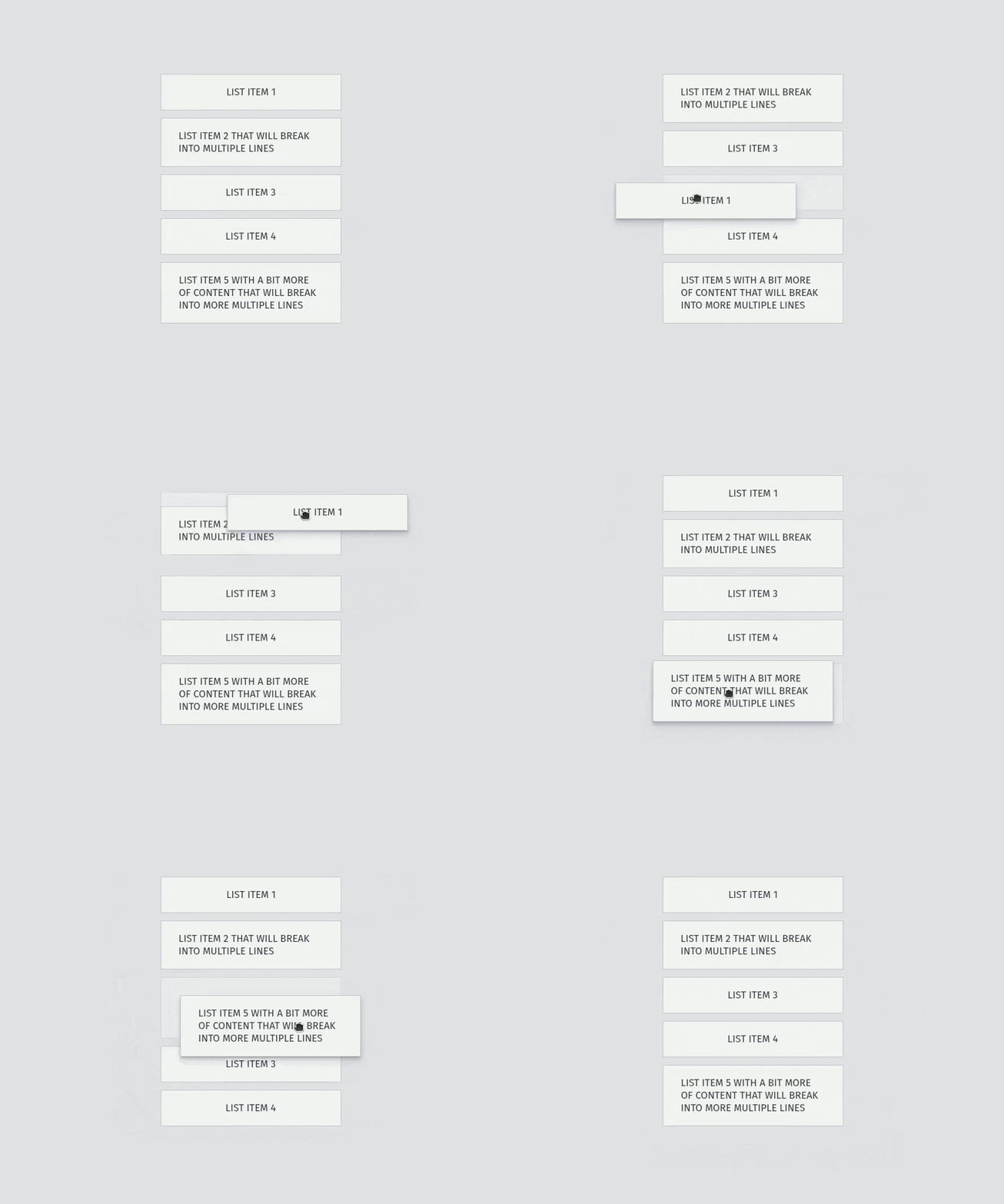)
---
## Live demos
- [Netlify](https://svelte-sortable-list.netlify.app)
- [Cloudflare](https://svelte-sortable-list.pages.dev)
---
## Table of contents
- [Features](#features)
- [Get started](#get-started)
- [Install it](#install-it)
- [Import it](#import-it)
- [Use it](#use-it)
- [Accessibility](#accessibility)
- [Keyboard navigation](#keyboard-navigation)
- [Screen reader announcements customization](#screen-reader-announcements-customization)
- [Components](#components)
- [`` props](#sortablelistroot-props)
- [`` events](#sortablelistroot-events)
- [`` props](#sortablelistitem-props)
- [`` props](#sortablelistitemhandle-props)
- [`` props](#sortablelistitemremove-props)
- [Utilities](#utilities)
- [Transitions](#transitions)
- [Types](#types)
- [Styles](#styles)
- [Selectors](#selectors)
- [Custom properties](#custom-properties)
- [CSS frameworks](#css-frameworks)
- [Motivation](#motivation)
---
## Features
- **Multi-input support**: Mouse, keyboard, and touch interactions.
- **Accessibility-first**: Screen reader support with customizable announcements.
- **Flexible layouts**: Vertical and horizontal orientations with varying item heights.
- **Enhanced UX**: Drag handles, auto-scrolling, and customizable transitions.
- **Advanced options**: Axis locking, boundary constraints, and remove-on-drop-outside functionality.
- **Integration**: Support for nested interactive elements and the `` element.
- **Internationalization**: RTL language support.
- **Developer-friendly**: TypeScript definitions, unopinionated styling, and zero dependencies.
---
## Get started
### Install it
```bash
pnpm install @rodrigodagostino/svelte-sortable-list
```
```bash
npm install @rodrigodagostino/svelte-sortable-list
```
```bash
yarn add @rodrigodagostino/svelte-sortable-list
```
### Import it
```svelte
import { SortableList } from '@rodrigodagostino/svelte-sortable-list';
```
### Use it
[REPL](https://svelte.dev/playground/35d0e5a2c5c44ebbb2e03ffb2553a020)
```svelte
import { SortableList, sortItems } from '@rodrigodagostino/svelte-sortable-list';
let items: SortableList.ItemData[] = $state([
{
id: 'list-item-1',
text: 'List Item 1',
},
{
id: 'list-item-2',
text: 'List Item 2',
},
{
id: 'list-item-3',
text: 'List Item 3',
},
{
id: 'list-item-4',
text: 'List Item 4',
},
{
id: 'list-item-5',
text: 'List Item 5',
},
]);
function handleDragEnd(e: SortableList.RootEvents['ondragend']) {
const { draggedItemIndex, targetItemIndex, isCanceled } = e;
if (!isCanceled && typeof targetItemIndex === 'number' && draggedItemIndex !== targetItemIndex)
items = sortItems(items, draggedItemIndex, targetItemIndex);
}
{#each items as item, index (item.id)}
{item.text}
{/each}
```
---
## Accessibility
This package prioritizes accessibility with comprehensive keyboard navigation and screen reader support.
### Keyboard navigation
**Navigation and interaction steps:**
1. Press `Tab` to focus the list.
2. Use `Arrow Up`, `Arrow Left`, `Arrow Down`, `Arrow Right`, `Home`, or `End` to focus the first item.
3. Navigate between items:
- `Arrow Up` or `Arrow Left`: Move to previous item.
- `Arrow Down` or `Arrow Right`: Move to next item.
- `Home`: Jump to first item.
- `End`: Jump to last item.
4. Press `Space` to start dragging the focused item.
5. While dragging:
- Use arrow keys to move the item to different positions.
- `Home`: Move to first position.
- `End`: Move to last position.
- `Space`: Drop the item at current position.
- `Escape`: Cancel drag and return item to original position.
### Screen reader announcements customization
Customize screen reader announcements using two main approaches:
**1. Navigation instructions** (`aria-description` attribute):
Default: `"Press the arrow keys to move through the list items. Press Space to start dragging an item. When dragging, use the arrow keys to move the item around. Press Space again to drop the item, or Escape to cancel."`
**2. Drag-and-drop announcements** (`announcements` prop):
Customize announcements for lift, drag, drop, and cancel operations.
**Additional customization options:**
- `aria-label`: Provide a name for the list
- `aria-labelledby`: Reference an element that names the list
**Example: Spanish translations**
The following example demonstrates how to translate announcements to Spanish (adapted from the “With custom announcements” demo):
```svelte
import { SortableList } from '@rodrigodagostino/svelte-sortable-list';
const announcements: SortableList.RootProps['announcements'] = {
lifted: (_, draggedItemIndex) => {
return `Ha levantado un item en la posición ${draggedItemIndex + 1}.`;
},
dragged: (_, draggedItemIndex, __, targetItemIndex) => {
const startPosition = draggedItemIndex + 1;
const endPosition = targetItemIndex + 1;
const result =
startPosition !== endPosition
? `desde la posición ${startPosition} a la posición ${endPosition}`
: `de vuelta a su posición inicial de ${startPosition}`;
return `Ha movido el item ${result}.`;
},
dropped: (_, draggedItemIndex, __, targetItemIndex) => {
const startPosition = draggedItemIndex + 1;
const endPosition = typeof targetItemIndex === 'number' ? targetItemIndex + 1 : null;
const result =
endPosition === null
? `Se ha mantenido en su posición inicial de ${startPosition}`
: startPosition !== endPosition
? `Se ha movido desde la posición ${startPosition} a la posición ${endPosition}`
: `Ha vuelto a su posición inicial de ${startPosition}`;
return `Ha soltado el item. ${result}.`;
},
canceled: (_, draggedItemIndex) => {
return `Ha cancelado el arrastre. El item ha vuelto a su posición inicial de ${draggedItemIndex + 1}.`;
},
};
{item.text}
```
---
## Components
This package follows the [Compound Component Pattern](https://www.smashingmagazine.com/2021/08/compound-components-react/), inspired in the remarkable work of [Hunter Johnston](https://github.com/huntabyte) in [Bits UI](https://github.com/huntabyte/bits-ui). This pattern allows you to access modular components that work together seamlessly, all stemming from a single source.
| Component | Description |
| --------------------------- | --------------------------------------------------------------------------------------------------------------------------------------------------------------------------- |
| `` | The primary container that provides the main structure, drag-and-drop interactions, and emits available events. |
| `` | An individual list item that holds data and content, and can contain `` and `` components. |
| `` | An element that restricts the draggable area of a list item to itself. Including this inside a `` directly activates handle functionality for that item. |
| `` | A `` element that removes an item when pressed. Including this inside a `` enables it to dispatch the `remove` event for that item. |
> [!WARNING]
> While you can use a standard `` element instead of `` to trigger item removal, the provided component offers additional benefits. It automatically focuses the next item in the list when a user removes an item via keyboard, preventing focus from falling back to the `` element.
### `` props
| Prop | Type | Default | Possible values | Description |
| -------------------- | --------------------------------------- | ----------------------------------------------------------- | ----------------------------------------------------- | ------------------------------------------------------------------------------------------------------------------------------------------------------------------------------------------------------------------------------------------------------------------------------------------------------------------------------------------------------------------------------------------------------------------------------ |
| `ref` `[$bindable]` | `HTMLUListElement \| null \| undefined` | `null` | `HTMLUListElement \| null \| undefined` | Reference to the list element. |
| `gap` | `number \| undefined` | `12` | Number ≥ `0` | Separation between items in pixels. |
| `direction` | `string \| undefined` | `'vertical'` | `'vertical'` \| `'horizontal'` | Items orientation. |
| `transition` | `object \| undefined` | `{ duration: 320, easing: 'cubic-bezier(0.2, 1, 0.1, 1)' }` | `duration`: number ≥ `0`
`easing`: easing function | `duration`: Time in milliseconds for ghost (dropping) and item (translation, addition, removal) transitions. Set to `0` to disable animations.
`easing`: Mathematical function describing transition rate changes. Accepts any value valid for the CSS [`transition-timing-function`](https://developer.mozilla.org/en-US/docs/Web/CSS/transition-timing-function) property. Currently only affects ghost drop transitions. |
| `hasWrapping` | `boolean \| undefined` | `false` | `true` \| `false` | When `true`, allows items to wrap onto multiple lines. |
| `hasLockedAxis` | `boolean \| undefined` | `false` | `true` \| `false` | When `true`, constrains dragged items to the main axis only. |
| `hasBoundaries` | `boolean \| undefined` | `false` | `true` \| `false` | When `true`, restricts item dragging to within list boundaries. |
| `canClearOnDragOut` | `boolean \| undefined` | `false` | `true` \| `false` | When `true`, clears the target item when a dragged item (via pointing device) doesn't collide with any list items. This causes the dragged item to return to its initial position when dropped, rather than taking the position of the last item it collided with. |
| `canRemoveOnDropOut` | `boolean \| undefined` | `false` | `true` \| `false` | When `true`, removes items that are dragged and dropped outside list boundaries. Must be used with the `on:remove` event handler to complete the removal process. |
| `isLocked` | `boolean \| undefined` | `false` | `true` \| `false` | When `true`, allows list items to be focused but prevents dragging (both pointer and keyboard). Interactive elements within items continue to function normally. |
| `isDisabled` | `boolean \| undefined` | `false` | `true` \| `false` | When `true`, allows list items to be focused but prevents dragging (both pointer and keyboard) and applies dimmed styling. Interactive elements within items are disabled. |
| `announcements` | `function \| undefined` | `undefined` | Object | Custom announcements for screen readers during drag-and-drop operations. |
> [!WARNING]
> **Wrapping limitations**: Currently, wrapping support is limited to horizontal lists with items of identical width and height. Other variations may produce unexpected results.
### `` events
> [!NOTE]
> Events fire in the order listed below.
| Event | Type | Trigger | Returns |
| ------------- | ---------------------------------------- | ------------------------------------------------------------------------------------------ | ----------------------------------------------------------------------------------------------------------------------------------------------------------------------------------------------------------------------------------------------------------------------------------------------------------------------------------------------------------------------------------------------------------------------------------------------------------------------------------------------------------------------------------------------------------------------------------------------------------------------------------------------- |
| `onmounted` | `SortableList.RootEvents['onmounted']` | Component is mounted |
event: {
detail: null
} |
| `ondragstart` | `SortableList.RootEvents['ondragstart']` | Item begins being dragged by pointer device or keyboard | event: {
detail: {
deviceType: 'pointer' \| 'keyboard',
draggedItem: HTMLLIElement,
draggedItemId: string,
draggedItemIndex: number,
isBetweenBounds: boolean,
canRemoveOnDropOut: boolean
}
} |
| `ondrag` | `SortableList.RootEvents['ondrag']` | Dragged item is moved by pointer device or keyboard (fires every few hundred milliseconds) | event: {
detail: {
deviceType: 'pointer' \| 'keyboard',
draggedItem: HTMLLIElement,
draggedItemId: string,
draggedItemIndex: number,
targetItem: HTMLLIElement \| null,
targetItemId: string \| null,
targetItemIndex: number \| null,
isBetweenBounds: boolean,
canRemoveOnDropOut: boolean
}
} |
| `ondrop` | `SortableList.RootEvents['ondrop']` | Dragged item is released by pointer device or keyboard | event: {
detail: {
deviceType: 'pointer' \| 'keyboard',
draggedItem: HTMLLIElement,
draggedItemId: string,
draggedItemIndex: number,
targetItem: HTMLLIElement \| null,
targetItemId: string \| null,
targetItemIndex: number \| null,
isBetweenBounds: boolean,
canRemoveOnDropOut: boolean
}
} |
| `ondragend` | `SortableList.RootEvents['ondragend']` | Dragged item reaches its final destination after being released | event: {
detail: {
deviceType: 'pointer' \| 'keyboard',
draggedItem: HTMLLIElement,
draggedItemId: string,
draggedItemIndex: number,
targetItem: HTMLLIElement \| null,
targetItemId: string \| null,
targetItemIndex: number \| null,
isBetweenBounds: boolean,
canRemoveOnDropOut: boolean,
isCanceled: boolean
}
} |
| `ondestroyed` | `SortableList.RootEvents['ondestroyed']` | Component is destroyed | event: {
detail: null
} |
### `` props
| Prop | Type | Default | Possible values | Description |
| ------------------- | ------------------------------------------------------- | ----------- | ------------------------------------ | ----------------------------------------------------------------------------- |
| `ref` `[$bindable]` | `HTMLLIElement \| null \| undefined` | `null` | `HTMLLIElement \| null \| undefined` | Reference to the item element. |
| `id` | `string` | `undefined` | Unique string | Unique identifier for each item. |
| `index` | `number` | `undefined` | Unique number | Position of the item in the list. |
| `isLocked` | `boolean \| undefined` | `false` | `true` \| `false` | When `true`, prevents the item from being dragged. |
| `isDisabled` | `boolean \| undefined` | `false` | `true` \| `false` | When `true`, prevents the item from being dragged and applies dimmed styling. |
| `transitionIn` | `(node: HTMLElement, params?: any) => TransitionConfig` | `scaleFly` | Function | Animation played when the item is added to the list. |
| `transitionOut` | `(node: HTMLElement, params?: any) => TransitionConfig` | `scaleFly` | Function | Animation played when the item is removed from the list. |
### `` props
| Prop | Type | Default | Possible values | Description |
| ------------------- | -------------------------------------- | ------- | -------------------------------------- | -------------------------------- |
| `ref` `[$bindable]` | `HTMLSpanElement \| null \| undefined` | `null` | `HTMLSpanElement \| null \| undefined` | Reference to the handle element. |
### `` props
| Prop | Type | Default | Possible values | Description |
| ------------------- | ---------------------------------------- | ------- | ---------------------------------------- | -------------------------------- |
| `ref` `[$bindable]` | `HTMLButtonElement \| null \| undefined` | `null` | `HTMLButtonElement \| null \| undefined` | Reference to the remove element. |
---
## Utilities
Utility functions to simplify common list operations:
| Function | Description |
| ---------------------------- | ------------------------------------------------------------------------------------------------------- |
| `sortItems(items, from, to)` | Reorders items in your list. Use in combination with the [`ondragend` event](#sortablelistroot-events). |
| `removeItem(items, index)` | Removes an item from your list. Use in combination with the [`ondrop` event](#sortablelistroot-events). |
**Example:**
[REPL](https://svelte.dev/playground/04976cd9375447c497a2e809be5f80ef)
```svelte
import { SortableList, removeItem, sortItems } from '@rodrigodagostino/svelte-sortable-list';
function handleDragEnd(event: SortableList.RootEvents['dragend']) {
const { draggedItemIndex, targetItemIndex, isCanceled } = event.detail;
if (!isCanceled && typeof targetItemIndex === 'number' && draggedItemIndex !== targetItemIndex)
items = sortItems(items, draggedItemIndex, targetItemIndex);
}
function handleRemoveClick(event: MouseEvent) {
const target = event.target as HTMLElement;
const item = target.closest<HTMLLIElement>('.ssl-item');
const itemIndex = Number(item?.dataset.itemIndex);
if (!item || itemIndex < 0) return;
items = removeItem(items, itemIndex);
}
{item.text}
```
---
## Transitions
Built-in transition functions for smooth animations:
| Function | Description | Parameters |
| ---------- | --------------------------------------------- | ------------------------------------------------------------------------------------------------------------------------------------------------------------------------------------------------------------------------------- |
| `scaleFly` | Animates an element scaling and flying in/out |
{
delay: number
duration: number
easing: function
axis: 'x' \| 'y'
x: number
y: number
opacity: number
} |
**Example:**
[REPL](https://svelte.dev/playground/af72849dee3f4c5bb5e7e25a723545ca)
```svelte
import { SortableList, scaleFly } from '@rodrigodagostino/svelte-sortable-list';
{#each items as item, index (item.id)}
scaleFly(node, { duration: 320, x: -200 })}
transitionOut={(node) => scaleFly(node, { duration: 320, x: 200 })}
>
{item.text}
{/each}
```
---
## Types
TypeScript definitions for type-safe development:
| Type | Description |
| ---------------------------------------- | ----------------------------------------------------------------------------------------------- |
| `SortableList.RootProps` | Type definitions for the [`` component](#sortablelistroot-props). |
| `SortableList.ItemProps` | Type definitions for the [`` component](#sortablelistitem-props). |
| `SortableList.ItemData` | Type definitions for your items list data. |
| `SortableList.RootEvents['onmounted']` | Type definitions for the [`` `onmounted` event](#sortablelistroot-events). |
| `SortableList.RootEvents['ondragstart']` | Type definitions for the [`` `ondragstart` event](#sortablelistroot-events). |
| `SortableList.RootEvents['ondrag']` | Type definitions for the [`` `ondrag` event](#sortablelistroot-events). |
| `SortableList.RootEvents['ondrop']` | Type definitions for the [`` `ondrop` event](#sortablelistroot-events). |
| `SortableList.RootEvents['ondragend']` | Type definitions for the [`` `ondragend` event](#sortablelistroot-events). |
| `SortableList.RootEvents['ondestroyed']` | Type definitions for the [`` `ondestroyed` event](#sortablelistroot-events). |
**Example:**
```svelte
import type { SortableList } from '@rodrigodagostino/svelte-sortable-list';
function handleDrop(e: SortableList.RootEvents['ondrop']) {
const { draggedItemIndex, isBetweenBounds, canRemoveOnDropOut } = e;
if (!isBetweenBounds && canRemoveOnDropOut) items = removeItem(items, draggedItemIndex);
}
function handleDragEnd(e: SortableList.RootEvents['ondragend']) {
const { draggedItemIndex, targetItemIndex, isCanceled } = e;
if (!isCanceled && typeof targetItemIndex === 'number' && draggedItemIndex !== targetItemIndex)
items = sortItems(items, draggedItemIndex, targetItemIndex);
}
```
---
## Styles
### Importing default styles
To use the demo page styles in your project:
[REPL](https://svelte.dev/playground/7cbf814cdbb041e3ab81fa9e42c5398f)
```svelte
import '@rodrigodagostino/svelte-sortable-list/styles.css';
```
### Selectors
Use these CSS selectors to customize the appearance of list components:
> [!IMPORTANT]
> **Styling best practices**: To prevent conflicts with core styles and transitions, avoid applying transitions directly through the `.ssl-item` and `.ssl-ghost` selectors. Instead, create a content wrapper element (like `.ssl-item-content`) as a child of `.ssl-item`. The ghost element will automatically mirror the list item’s content and appearance.
| Selector | Description |
| ------------------------------------------------ | ----------------------------------------------------------------------------------------------- |
| `.ssl-root` | List element inside ``. |
| `.ssl-root[aria-orientation="vertical"]` | Vertically oriented list. |
| `.ssl-root[aria-orientation="horizontal"]` | Horizontally oriented list. |
| `.ssl-root[data-has-locked-axis="true"]` | List with movement restricted to main axis. |
| `.ssl-root[data-has-boundaries="true"]` | List with boundary-constrained movement. |
| `.ssl-root[data-can-clear-on-drag-out="true"]` | List that clears target item when dragged outside boundaries. |
| `.ssl-root[data-can-remove-on-drop-out="true"]` | List that removes items when dropped outside boundaries. |
| `.ssl-root[data-is-locked="true"]` | List with dragging disabled for all items. |
| `.ssl-root[data-is-disabled="true"]` | List with dragging and interactivity disabled for all items. |
| `.ssl-root[aria-disabled="true"]` | List with dragging and interactivity disabled for all items. |
| `.ssl-item` | Individual list item inside ``. |
| `.ssl-item[data-drag-state="idle"]` | Item in default, inactive state. |
| `.ssl-item[data-drag-state="ptr-drag-start"]` | Item starting pointer drag. |
| `.ssl-item[data-drag-state="ptr-drag"]` | Item during pointer drag. |
| `.ssl-item[data-drag-state="ptr-drop"]` | Item during pointer drop. |
| `.ssl-item[data-drag-state="ptr-cancel"]` | Item during canceled pointer drag. |
| `.ssl-item[data-drag-state="kbd-drag-start"]` | Item starting keyboard drag. |
| `.ssl-item[data-drag-state="kbd-drag"]` | Item during keyboard drag. |
| `.ssl-item[data-drag-state="kbd-drop"]` | Item during keyboard drop. |
| `.ssl-item[data-drag-state="kbd-cancel"]` | Item during keyboard canceled drag. |
| `.ssl-item[data-is-ghost="true"]` | Item displayed as placeholder inside shadow element during drag. |
| `.ssl-item[data-is-between-bounds="true"]` | Item positioned within list boundaries. |
| `.ssl-item[data-is-locked="true"]` | Item that cannot be dragged. |
| `.ssl-item[data-is-disabled="true"]` | Item that cannot be dragged or interacted with. |
| `.ssl-item[aria-disabled="true"]` | Item that cannot be dragged or interacted with. |
| `.ssl-ghost` | Shadow element displayed under pointer during drag operations. |
| `.ssl-ghost[data-ghost-state="idle"]` | Shadow element in default, inactive state. |
| `.ssl-ghost[data-ghost-state="ptr-drag-start"]` | Shadow element starting pointer drag. |
| `.ssl-ghost[data-ghost-state="ptr-drag"]` | Shadow element during pointer drag. |
| `.ssl-ghost[data-ghost-state="ptr-predrop"]` | Shadow element repositioned for pointer drop. |
| `.ssl-ghost[data-ghost-state="ptr-drop"]` | Shadow element during pointer drop. |
| `.ssl-ghost[data-ghost-state="ptr-remove"]` | Shadow element during pointer drop outside list boundaries (with `canRemoveOnDropOut` enabled). |
| `.ssl-ghost[data-can-clear-on-drop-out="true"]` | Shadow element with `canClearOnDropOut` enabled. |
| `.ssl-ghost[data-can-remove-on-drop-out="true"]` | Shadow element with `canRemoveOnDropOut` enabled. |
| `.ssl-item-handle` | Handle element inside ``. |
| `.ssl-item-remove` | Remove button element inside ``. |
> [!TIP]
> **Advanced selector combinations**: Combine the available selectors to target specific states.
> For example, to style the content of an item that is being dragged outside the list when `canRemoveOnDropOut` is enabled:
>
> ```css
> .ssl-ghost[data-can-remove-on-drop-out='true']
> .ssl-item[data-is-between-bounds='false']
> .ssl-item-content {
> background-color: var(--ssl-rose-300);
> border-color: var(--ssl-rose-400);
> }
> ```
>
> If you find that your particular case is not covered, please, feel free to submit a request :)
### Custom properties
CSS custom properties for global styling control:
| Custom property | Description |
| --------------------------- | --------------------------------------------------------------------------------------------------------------------------------------------------------------------------------------------------------------------------------------------------------------------- |
| `--ssl-gap` | Separation between items (in pixels). |
| `--ssl-wrap` | Whether list items are forced onto one line (`nowrap`) or can wrap onto multiple lines (`wrap`). |
| `--ssl-transition-duration` | Time it takes for ghost (dropping) and item (translation, addition, removal) transitions to complete (in milliseconds). |
| `--ssl-transition-easing` | Mathematical function describing transition rate changes. Accepts any value valid for the CSS [`transition-timing-function`](https://developer.mozilla.org/en-US/docs/Web/CSS/transition-timing-function) property. Currently only affects the ghost drop transition. |
### CSS frameworks
Use your favorite CSS framework to style the SSL components.
> [!IMPORTANT]
> **Styling best practices**: To prevent conflicts with core styles and transitions, avoid applying transitions directly to the `` and `` components.
**Example using Tailwind CSS:**
[REPL](https://svelte.dev/playground/55d51548e4804adc85064ee232f543ef#H4sIAAAAAAAAA5VW247bNhD9lVm1iLyFaGudddKqVtEgCdAAecr2zfIDLVIyG4oUyJHXhmEgH9Ev7JcUpCSvb3Ud-MHSXM4czo3aBopWPEiCpxWXyOFJG6QLyeGzsAirMfzz7W94wo3kDJ4FLuFPKuSzUAzePz0FUVAIyW2QzLYBbmqH4wRB1KO-q-uh9chBFCyo5ZfkuVbIFdogCaY2N6JGkFSVaRagzYLfMpWhqGptELZ7fo5eBFYb_IS8srCDwugKwt-NZkaUmtFSWxRKj9owxHaORAqL4a8HoDf6jKzLgh3m1np3laHkCMKFT454DR2lDxTpbA4p_GiRIh_MnEOG2_YvQ8ESCB0ucQjkIYx6DfI1JhD6Ajgk2Ot20XWQ8RWQ8a0gr6-AvL4V5PEKyOOtIJMrIJNjkPl9V5KiUTkKrWBJFZP8g6HlR8UG_KRCX7TGjyvXdLNQK2ZoyRUL5_fQccm1sq7dnKbkzIX8pBhfR4DUlBwPBMK-pyrnbkB2kAL3rZWhKGBwd6B79QrchOjiFAHSNIVQNdWCm9CZncaEuzQ9dbrfp8x3f_oyCQMvif6fuc8Y7jI1HbVD5wZNTc_S5KxySa1Ns8DoRjHOyCwevhlPDK_mUOi8sWQlrFhInugGpVCcjE_kpFfoorAcyfjuPxyFYqLU5Oc4vssCF3pfnXR7VNJdpvxm2P7Aab5sxxCo9Q8RCJ84n4uhYPe7Nl3Hh3OZ6NO4HQ6HzrgzzHDrEfavfQJKo5sa-jRUrDuF24xCnZ3-RNyf_bL27OSZr4gPP2Vi1T-_kCkkX7cHJzlXyA381VgUxaZ_PeC5KPsAkziGek3eQr0hYxDKUTJClQePB1wADVVWuJEiswXNv7oMKEZyLbWJFnpN7JIy_TwHnxpydLSXoG_iuDOYzRhFSlxRid-MP6Xh1wXzgnA-P_B5vNmnpUBk-X32XZxf4nj0dnzFtUbz3fQOfW6hd8H-Cj1hSbnUFtOwoNLycJ4s9Yqb-bWMn_lcZuEI6JrmAjck7hvxoBUznNqaKuibsNqQ8XACbkETd8GD5JS5HkJRLhEKrZBUnImmam2elwI5NHXNTU4t7-73_rf1E-sM96OX4XTkIr4Mw4iJVfc2HZ2NdLsVRm4r-OV2ttDaPedvc2-blFIvqBwsNNvsLwAmbC3pJoHSCNat9FrSnPurySbQjtiRpvuOOdE5AIK8qiVFZyObStkEKqEquh7EETwUpt3FGZa0TuBh6FdrJ1pyl8cEaIO6E1VCkV6cU5kPHuJ4tQQCj4ZXPdQlI3ZmVVPmipXA-CViRU0pVAJx9-5LWNBKyE0C74ygMoI_uFxxFDmNwFJlieVGFAcXSpfcIApcLYMETcN38yjA7uuxk_wLvZl0034KAAA)
```svelte
{#each items as item, index (item.id)}
{item.text}
{/each}
```
---
## Motivation
While working on a SvelteKit project, I ran into the need of adding drag-and-drop capabilities to a couple of item lists, for which I decided to go with [SortableJS](https://sortablejs.github.io/Sortable) (a very popular option). I implemented it through a Svelte Action providing just what I needed, or so it seemed. After a while, I realized I was not only missing touch screen support (since it was built using the HTML Drag and Drop API), but also accessibility was nowhere to be seen, and seems there were [no plans to work on it](https://github.com/SortableJS/Sortable/issues/1176).
I was not able to find any other suitable option, so this problem felt like a good opportunity to build my own package. And so, while doing some research to try and understand the implications of such feature, I ran into a very [interesting article](https://baseweb.design/blog/drag-and-drop-list) and a very [interesting talk](https://youtu.be/y_XkQ2qMTSA) by Vojtech Miksu, which really guided me through the different paths available, their advantages, pain points and limitations to create a drag-and-drop system, putting particular focus on accessibility and touch screen support.
Even though [React Movable](https://github.com/tajo/react-movable) was built for React, it served as my main inspiration when building this package. So thank you again, Vojtech :)