https://github.com/romainl/vim-malotru
A relatively comfortable Vim colorscheme primarily designed for 16color terminal emulators
https://github.com/romainl/vim-malotru
colorscheme vim
Last synced: 10 months ago
JSON representation
A relatively comfortable Vim colorscheme primarily designed for 16color terminal emulators
- Host: GitHub
- URL: https://github.com/romainl/vim-malotru
- Owner: romainl
- Created: 2022-05-01T09:35:25.000Z (about 4 years ago)
- Default Branch: master
- Last Pushed: 2023-02-21T15:25:44.000Z (over 3 years ago)
- Last Synced: 2025-03-13T08:18:42.338Z (over 1 year ago)
- Topics: colorscheme, vim
- Language: Vim Script
- Homepage:
- Size: 21.5 KB
- Stars: 1
- Watchers: 2
- Forks: 0
- Open Issues: 0
-
Metadata Files:
- Readme: README.md
Awesome Lists containing this project
README
# Malotru
A relatively comfortable Vim colorscheme primarily designed for 16color terminal emulators.
## Goals
- Be comfortable in 16c xterm.
- Be even more comfortable in 256c or GUI via small color tweaks.
- Be colorblind-friendly.
- Have the same colors in 256c and GUI.
- Keep the template simple.
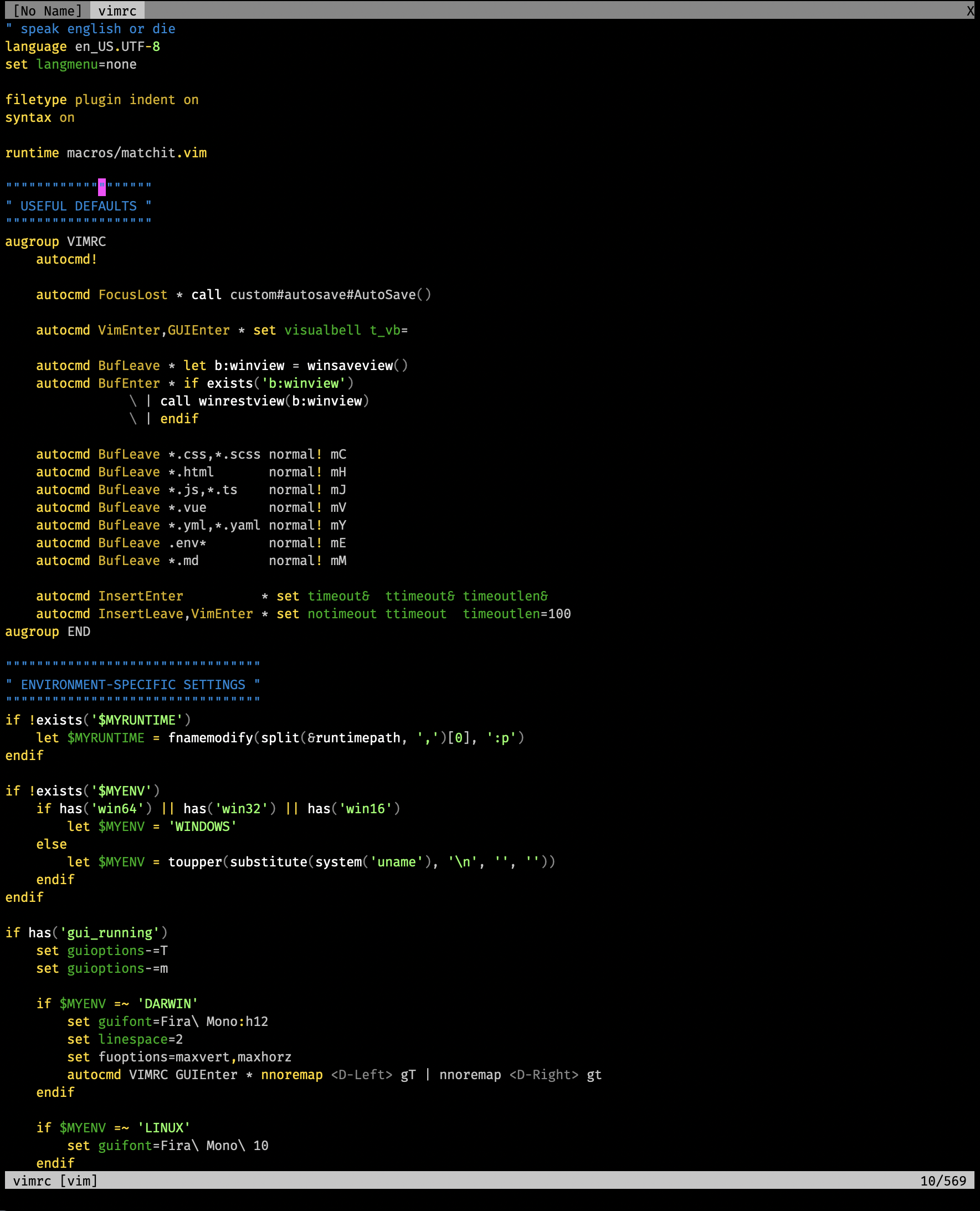
### Someone's `vimrc` in 256c
## Instructions
1. Install this the same way you installed your other plugins.
See `:help package` if you are beginning with Vim plugins.
2. Add the line below to your `vimrc`:
colorscheme malotru
## Tips
If you want to see your terminal emulator's background through Vim, add the following snippet to your `vimrc` *before* `colorscheme malotru`:
augroup TransparentMalotru
autocmd!
autocmd ColorScheme malotru hi Normal ctermbg=NONE | hi EndOfBuffer ctermbg=NONE | hi NonText ctermbg=NONE
augroup END
See [this gist](https://gist.github.com/romainl/379904f91fa40533175dfaec4c833f2f) for the rationale.
## FAQ
- Rochant or Hergé?
Rochant.