https://github.com/rootshelll/php-web-shell
Learn how to use the PHP Web Shell to manage your server's file system through a user-friendly web interface. This guide provides step-by-step instructions and insights into its features and functionalities.
https://github.com/rootshelll/php-web-shell
file-management file-operations php-web-shell server-management web-interface
Last synced: over 1 year ago
JSON representation
Learn how to use the PHP Web Shell to manage your server's file system through a user-friendly web interface. This guide provides step-by-step instructions and insights into its features and functionalities.
- Host: GitHub
- URL: https://github.com/rootshelll/php-web-shell
- Owner: RootShelll
- License: mit
- Created: 2025-03-06T07:26:21.000Z (over 1 year ago)
- Default Branch: main
- Last Pushed: 2025-03-06T08:07:33.000Z (over 1 year ago)
- Last Synced: 2025-03-06T08:32:46.679Z (over 1 year ago)
- Topics: file-management, file-operations, php-web-shell, server-management, web-interface
- Language: PHP
- Homepage: https://r00t-shell.com/mastering-php-web-shell-a-comprehensive-guide-to-server-file-management/
- Size: 469 KB
- Stars: 0
- Watchers: 1
- Forks: 0
- Open Issues: 0
-
Metadata Files:
- Readme: README.md
- License: LICENSE
Awesome Lists containing this project
README
# Mastering PHP Web Shell: A Comprehensive Guide to Server File Management
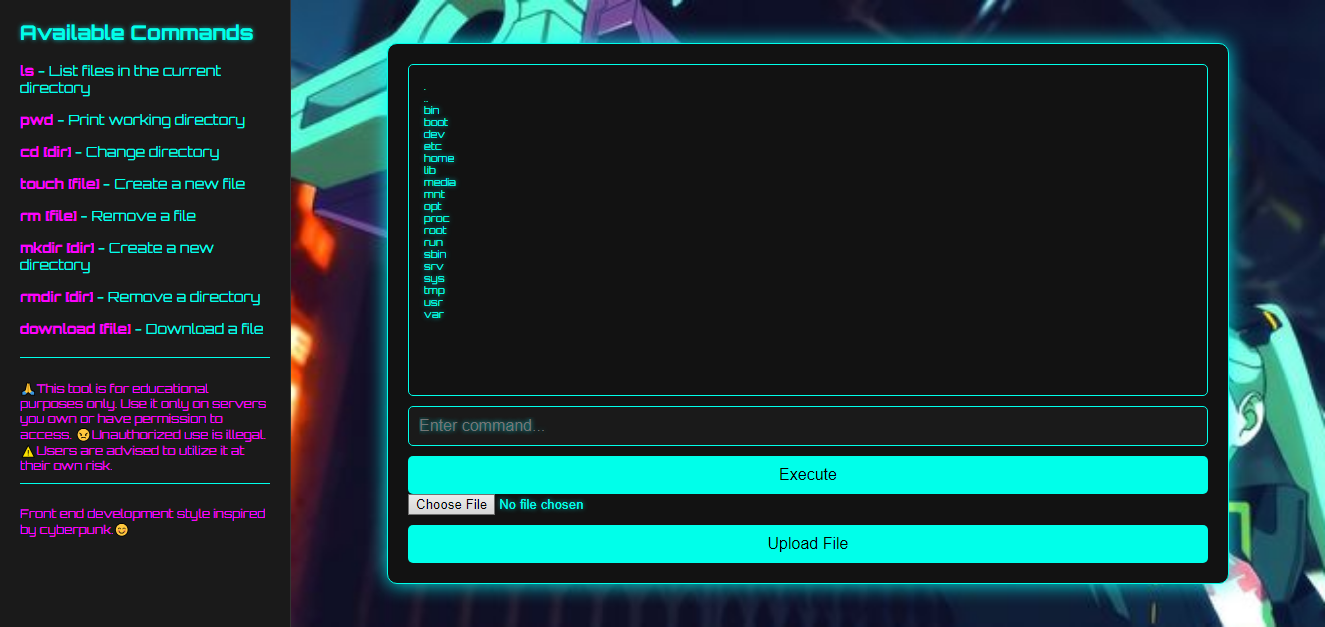
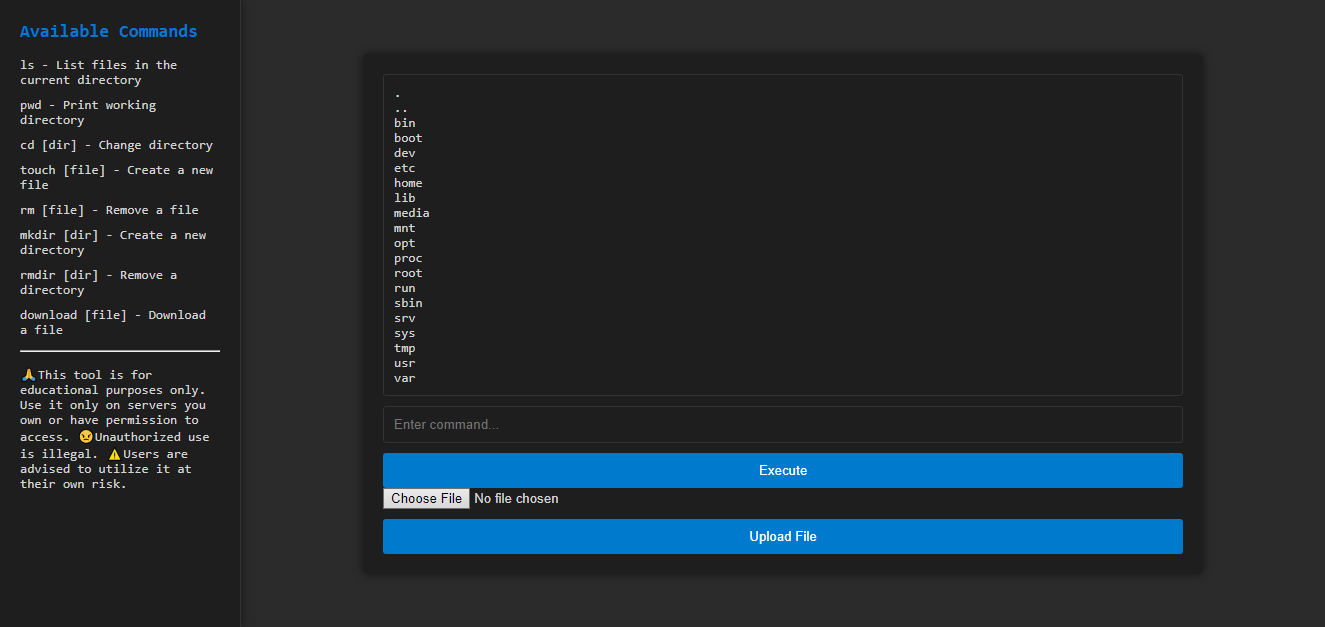
The **PHP Web Shell** is a straightforward and versatile tool that enables users to manage data on a web server directly through a web interface. It supports a variety of commands such as `ls`, `pwd`, `cd`, `touch`, `rm`, `mkdir`, `rmdir`, **download**, and **upload**, offering a comprehensive set of functionalities for handling files and directories.
## Capabilities
It's important to note that the PHP Web Shell does not provide direct access to the server's shell (e.g., bash, sh). Instead, it utilizes predefined PHP functions to perform file system operations, ensuring a controlled and secure environment.
## Features ✨
- **Command Execution:** Supports a wide range of commands for file and directory operations.
- **File Upload and Download:** Securely upload and download files through the web interface.
- **Session Management:** Maintains the current directory state using session management.
- **User-Friendly Interface:** Includes a sidebar with available commands and documentation, enhancing usability.
- **Comprehensive Documentation:** Provides detailed guidance directly within the interface to assist users.
## Usage
To effectively utilize the PHP Web Shell, familiarize yourself with the following available commands:
- `ls` - List files in the current directory
- `pwd` - Print working directory
- `cd [dir]` - Change directory
- `touch [file]` - Create a new file
- `rm [file]` - Remove a file
- `mkdir [dir]` - Create a new directory
- `rmdir [dir]` - Remove a directory
- **download [file]** - Download a file
- **upload** - Upload a file
### Example: Creating and Listing a Directory
To create a new directory named `new_folder` and list its contents:
```bash
mkdir new_folder
ls new_folder
```
### Example: Uploading a File
To upload a file:
1. Click on the **upload** option in the sidebar.
2. Select the file from your local system.
3. Confirm the upload to transfer the file to the server.
Note: Ensure that the server has appropriate permissions set to allow file uploads.
## Security Considerations
While the PHP Web Shell is a powerful tool for managing server files, it's crucial to implement security measures to prevent unauthorized access:
- **Authentication:** Implement password protection to restrict access.
- **IP Whitelisting:** Limit access to specific IP addresses.
- **SSL/TLS:** Use HTTPS to encrypt data transmitted between the client and server.

Warning: Deploying a web shell without proper security measures can expose your server to potential threats. Always ensure that access is tightly controlled and monitored.
## Conclusion
The PHP Web Shell offers a convenient and efficient way to manage server files through a web interface. By understanding its features and implementing necessary security protocols, users can maintain control over their server environments effectively.