https://github.com/rootshelll/wso-shell
WSO WebShell is a PHP-based web management tool for managing server files, controlling SQL databases, and viewing system information efficiently.
https://github.com/rootshelll/wso-shell
cybersecurity ethical-hacking file-manager php-7-compatible-web-shell php-shell php-web-shell security-and-cybersecurity-tool server-management sql-database-management webshell-guide wso-shell wso-web wso-webshell
Last synced: over 1 year ago
JSON representation
WSO WebShell is a PHP-based web management tool for managing server files, controlling SQL databases, and viewing system information efficiently.
- Host: GitHub
- URL: https://github.com/rootshelll/wso-shell
- Owner: RootShelll
- License: mit
- Created: 2025-02-27T07:41:16.000Z (over 1 year ago)
- Default Branch: main
- Last Pushed: 2025-02-27T08:44:51.000Z (over 1 year ago)
- Last Synced: 2025-02-27T10:36:25.568Z (over 1 year ago)
- Topics: cybersecurity, ethical-hacking, file-manager, php-7-compatible-web-shell, php-shell, php-web-shell, security-and-cybersecurity-tool, server-management, sql-database-management, webshell-guide, wso-shell, wso-web, wso-webshell
- Language: PHP
- Homepage: https://r00t-shell.com/wso-webshell-advanced-php-based-web-management-tool/
- Size: 340 KB
- Stars: 0
- Watchers: 1
- Forks: 0
- Open Issues: 0
-
Metadata Files:
- Readme: README.md
- License: LICENSE
Awesome Lists containing this project
README
# WSO Webshell: Comprehensive Guide
WSO Webshell is a PHP-based webshell tool used for managing web servers remotely. It provides file management, command execution, and other advanced features. This guide explains its installation, usage, and best practices.
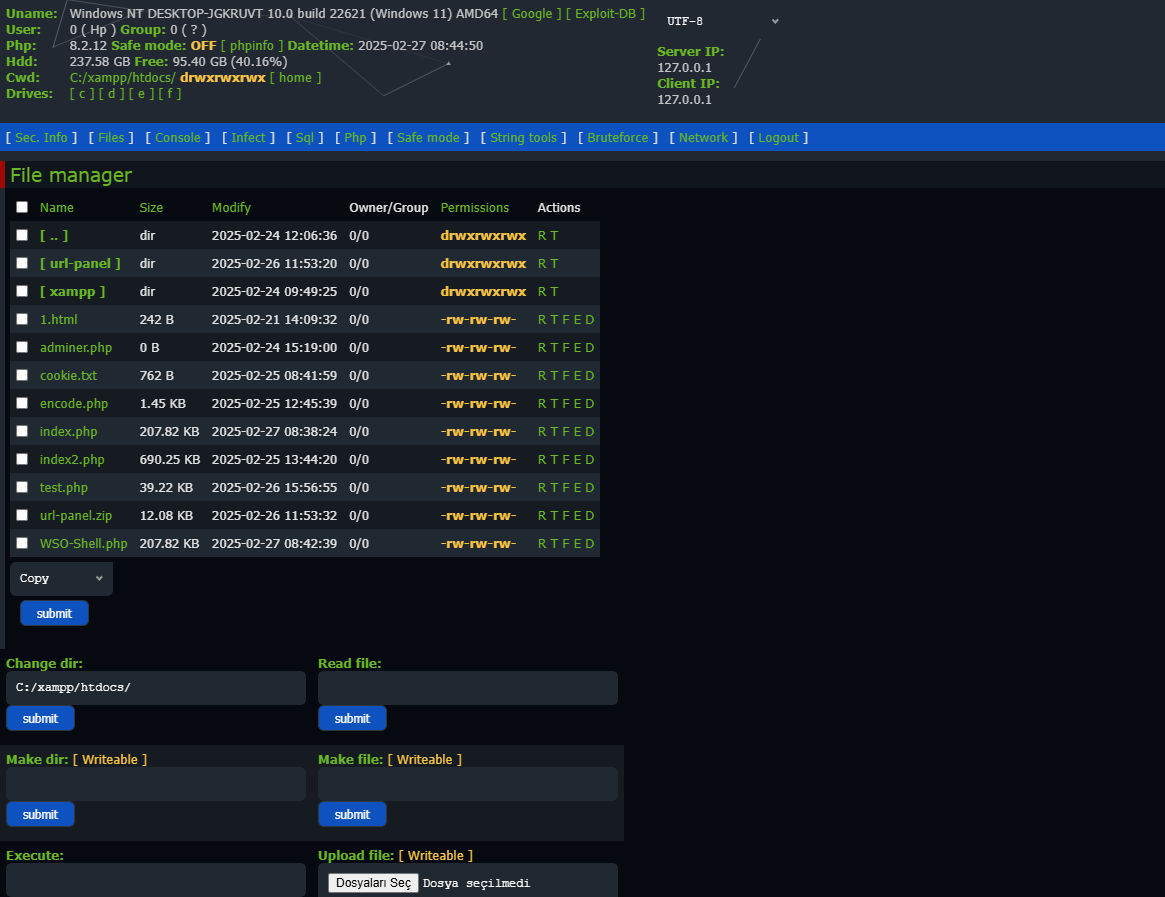
### WSO WebShell Panel
## Default Panel Password
**Default Panel Password:** `R00t`
```bash
R00t
```
## What is WSO Webshell?
WSO Webshell is a PHP script designed for administrators to manage files, execute commands, and perform system diagnostics remotely. It is commonly used in penetration testing but should be handled responsibly.
> **Warning:** Use WSO Webshell only for legal purposes. Unauthorized use may violate laws and result in severe consequences.
## Features
- **File Manager:** Upload, edit, delete, and move files.
- **Command Execution:** Run shell commands remotely.
- **Database Management:** Access and modify databases.
- **Security Features:** Password protection and encryption options.
## How to Install?
To install WSO Webshell, follow these steps:
```bash
1. Download the PHP script from the repository.
2. Upload the script to your web server.
3. Access it via your web browser (e.g., http://yourdomain.com/WSO-Shell.php).
4. Set up authentication for security.
```
## How to Use?
After accessing the webshell, you can:
- Navigate through directories using the file manager.
- Execute commands in the command shell.
- Modify server configurations.
> **Note:** Always secure the script with a strong password to prevent unauthorized access.
## Screenshots
### Login Page

### WSO WebShell Panel

### Logout Page

```