https://github.com/ross-g/io_pdx_mesh
Import/Export files for the Clausewitz game engine
https://github.com/ross-g/io_pdx_mesh
blender clausewitz-game-engine maya python
Last synced: over 1 year ago
JSON representation
Import/Export files for the Clausewitz game engine
- Host: GitHub
- URL: https://github.com/ross-g/io_pdx_mesh
- Owner: ross-g
- License: gpl-3.0
- Created: 2017-02-05T16:22:48.000Z (over 9 years ago)
- Default Branch: master
- Last Pushed: 2025-01-08T23:52:00.000Z (over 1 year ago)
- Last Synced: 2025-01-09T00:52:10.045Z (over 1 year ago)
- Topics: blender, clausewitz-game-engine, maya, python
- Language: Python
- Homepage:
- Size: 854 KB
- Stars: 90
- Watchers: 6
- Forks: 11
- Open Issues: 16
-
Metadata Files:
- Readme: readme.md
- Funding: .github/FUNDING.yml
- License: license.txt
Awesome Lists containing this project
- awesome-game-file-format-reversing - io_pdx_mesh - Blender addon for importing Paradox Interactive mesh formats. (Game & Studio Tools / Paradox Interactive)
README


## IO PDX MESH
This project aims to allow editing of mesh and animation files used in the various [Clausewitz Engine games](https://en.wikipedia.org/wiki/Paradox_Development_Studio#List_of_games_developed) created by [Paradox Development Studios](https://www.paradoxplaza.com).
It's designed to run in *both* Maya (2018+) and Blender (3.64+).
### Download
Click here to view the [latest release](https://github.com/ross-g/io_pdx_mesh/releases/latest) and download the __*io_pdx_mesh.zip*__ file (this works with both Maya and Blender).
| Maya | Blender |
| ------------- | ------------- |
| 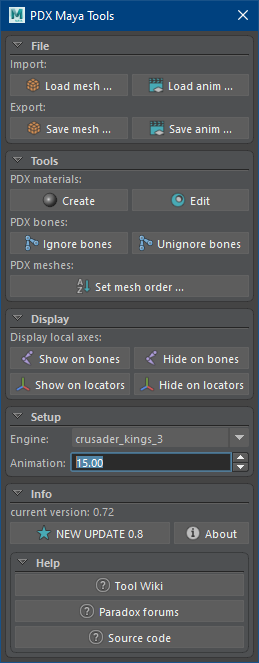 | 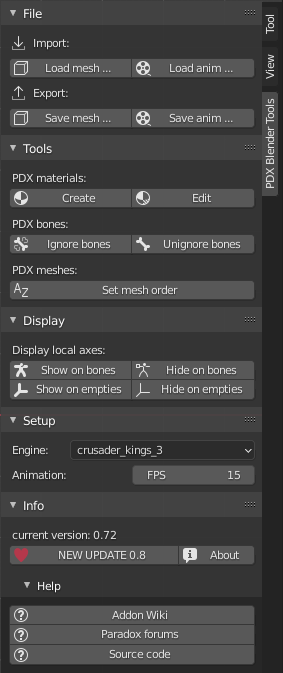 |
### Installation
#### Setup for Maya (2018+)
* Go to your Maya user scripts path. (eg on Windows: `C:\Users\...\Documents\maya\scripts`)
* Extract the contents of the zip file directly into this path.
* Start Maya and change the `Command Line` to Python by clicking the label.
* Then use the command `import io_pdx_mesh;reload(io_pdx_mesh)` to launch the tool.
* You can highlight this command and use the middle-mouse button to drag it into a shelf button to save it.
* The tool window will now open.
#### Setup for Blender (3.64+)
* Start Blender and open the `User Preferences` panel (`Edit > Preferences...`).
* Version 4.2.0+
* Switch to the `Get Extensions` category and select `Install from Disk...` from the dropdown corner menu. Pick the zip file you have downloaded.
* Version 3.64+
* Switch to the `Add-ons` category and select `Install...`. Pick the zip file you have downloaded.
* Tick the checkbox to enable the add-on and you should see a new tab in the `Sidebar` of the `3D Viewport`. (`View > Sidebar` if you have it closed)
* The `Sidebar` will now have a `PDX Blender Tools` tab.
---
#### Supporters
El Tyranos, creator of CK3's [Community Flavor Pack](https://communityflavorpack.com/)
Kindly provided a PyCharm license from JetBrains for [Open Source projects](https://jb.gg/OpenSourceSupport).