https://github.com/royalicing/burntcaramel.github.io
My portfolio
https://github.com/royalicing/burntcaramel.github.io
Last synced: 4 months ago
JSON representation
My portfolio
- Host: GitHub
- URL: https://github.com/royalicing/burntcaramel.github.io
- Owner: RoyalIcing
- Created: 2016-10-10T04:13:14.000Z (over 9 years ago)
- Default Branch: master
- Last Pushed: 2016-10-17T03:08:01.000Z (over 9 years ago)
- Last Synced: 2025-03-12T10:09:04.001Z (over 1 year ago)
- Language: HTML
- Size: 443 KB
- Stars: 0
- Watchers: 4
- Forks: 1
- Open Issues: 0
-
Metadata Files:
- Readme: README.md
Awesome Lists containing this project
README
## Aim
My intention was to create a clean design, focusing more on the content. I used bold colours for the branding of each page. I decided to go with separate pages for each section, instead of a one-pager, as some of my pages are quite long (influences, blog).
### Home
This is the first page that people will see, so I want a very clear navigation structure so they can to where they want. I have thought about adding a nice big image in the background, but haven’t found one yet that works.
### Projects
I used a dark, almost black background, as I wanted a professional vibe. I felt that a strong colour like on the other pages would clash with the projects’ logos.
### Influences
This is my list of articles, talks, and podcasts that I have found very influential. I provide it so that people who are interested in development, design, or making digital products have a handy resource that hopefully they get some value out of!
### About
This has a summary of my history and current work situation. I tried to summarise it to just two paragraphs.
It has links to my online presences, such as LinkedIn, GitHub, CodePen, Behance, because that’s what I want potential employers — or in the case of Coder Factory, students — to click on and read and follow.
## Designs
I sketched out a rough image of my home page — the layout and the colour scheme.
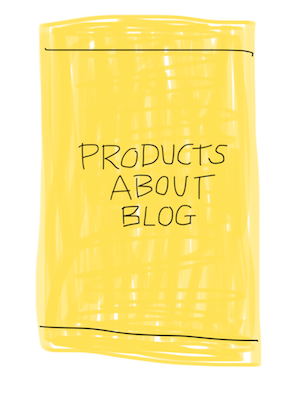
I used the design tool Figma to create my page designs: https://www.figma.com/file/HYojeascIHBqCCYSjvJQROYs/Burnt-Caramel-2016
I went mobile-first, because I wanted it to design to the most constrained size first, and also it is becoming ever more popular — I want someone on the go to be able to look at my website on their phone without any trouble.
## Codepen Prototypes
- Home: http://codepen.io/burntcaramel/pen/mApQjJ
- About: http://codepen.io/burntcaramel/pen/zKpmZd
- Influences: http://codepen.io/burntcaramel/pen/pEpqPx
## Building
I tried to go as minimal as possible with HTML & CSS.
### HTML
I built my website in HTML5, using tags such as `` and `` to add more meaning to my structure.
### Meta tags
I add `description` and `author` meta tags to my primary pages: Home, Products, and About. The others I may still add down the road.
### CSS
I wrote my CSS mobile-first. I actually didn’t even have any media queries! I sadly used `!important` in one instance, I’m still not proud of it, and will think up a way so I can avoid it.
### Images & Icons
My images are pretty minimal — just the logos on the Products page. I exported them from Figma at 2x resolution, so they would look good on high resolution screens. I used PNGs because they suit graphics better — if I add any photos I would use JPEG instead. Their file sizes were small, just a few 10s of KB.
The icons on my About page are the logos of the various services I have accounts with. I use [Font Awesome](http://fontawesome.io/), as they have good catalog of logos. I sized the logos to 200% size, using `font-size: 200%` in CSS.
## Asset Links
- [CSS](/css/main.css)
- [Home HTML](/index.html)
- [About HTML](/about/index.html)
- [Influences HTML](/influences/index.html)
- [Blog HTML](/blog/index.html)
- [Products HTML](/products/index.html)
## Live Website
https://burntcaramel.github.io/