https://github.com/royashbrook/fuzzy-sniffle
https://github.com/royashbrook/fuzzy-sniffle
Last synced: 2 months ago
JSON representation
- Host: GitHub
- URL: https://github.com/royashbrook/fuzzy-sniffle
- Owner: royashbrook
- License: mit
- Created: 2022-05-13T17:00:47.000Z (about 4 years ago)
- Default Branch: main
- Last Pushed: 2023-03-01T20:04:06.000Z (over 3 years ago)
- Last Synced: 2024-05-28T17:57:58.648Z (about 2 years ago)
- Language: JavaScript
- Homepage: fuzzy-sniffle-gamma.vercel.app
- Size: 3.25 MB
- Stars: 1
- Watchers: 2
- Forks: 0
- Open Issues: 5
-
Metadata Files:
- Readme: README.md
- License: LICENSE
Awesome Lists containing this project
README
# New Project
✨ Project template using:
- [Svelte](https://svelte.dev)
- [Snowpack](https://snowpack.dev/)
- [Simple.css](https://simplecss.org/)
- [svelte-spa-router](https://github.com/ItalyPaleAle/svelte-spa-router)
- [Microsoft MSAL.js](https://docs.microsoft.com/en-us/azure/active-directory/develop/msal-overview)
- [Microsoft Graph API](https://docs.microsoft.com/en-us/azure/active-directory/develop/microsoft-graph-intro)
- [Office 365](https://www.office.com/)
- [CosmosDB (SQLAPI)](https://docs.microsoft.com/en-us/azure/cosmos-db/sql/create-sql-api-nodejs)
This project is based on [laughing-barnacle](https://github.com/royashbrook/laughing-barnacle).
It provides an example of:
- A SPA application that
- Auto authenticates using MSAL.js upon startup
- Automatically gets a token for Microsoft Graph API upon successful authenication
- Pulls credentials to use for CosmosDB and Azure Blob Storage
Note: Currently, this project uses some custom caching as the assumption is the files will be updated in a central location, and there may be multiple files that need to be merged from a standardized json format. This caching could be removed and instead of polling a folder for all files, then caching them, you could just pull a single file.
# Install
## Overview
Installation is pretty simple once you have things setup. See [laughing-barnacle](https://github.com/royashbrook/laughing-barnacle) for initial setup comments. Note that you will have to have Cosmos and Azure Storage setup properly as well.
- Clone this repository however you prefer
- `npm install`
- configure `auth.config.js`
- clientId: "your app registration client id",
- authority: "https://login.microsoftonline.com/your tenant id",
- and `graph.config.js`
- const drive = 'drive id for your sharepoint site'
- const item = 'item id for your sharepoint site'
- and secret.json
- must be properly configured and stored on o365 to match graph config
- `npm run start` and you are good to go!
## Getting details for auth.config.js
See [laughing-barnacle](https://github.com/royashbrook/laughing-barnacle)
## Getting details for graph.config.js
See [laughing-barnacle](https://github.com/royashbrook/laughing-barnacle)
## secrets.json?
Secrets.json is the file that will hold the keys for accessing Cosmos and Azure Storage. This file will be stored on O365, that you will access via MS Graph. This file needs to be in the format below and zipped up unless changes are made to remove the caching setup. See [laughing-barnacle](https://github.com/royashbrook/laughing-barnacle) for more details on that.
```json
{
"cosmosConnection": "",
"cosmosDatabase": "",
"cosmosContainer": "",
"cosmosQuery": "",
"storageURI": "",
"storageSAS": ""
}
```
cosmosConnection must be a connection string with the AccountEndpoint and AccountKey values in it. This can be modified to test, but I thought this would give a good example of pulling these values out of a connection string as well, so I left it in. The rest of the values are self explanatory. We are using SAS key for storage.
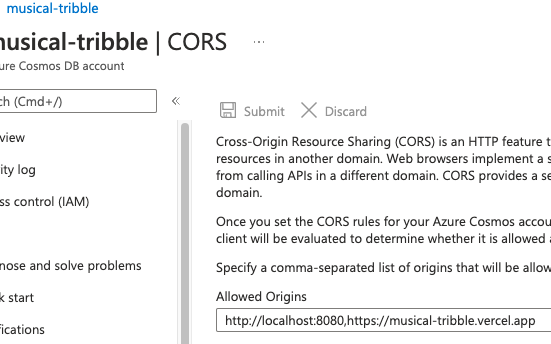
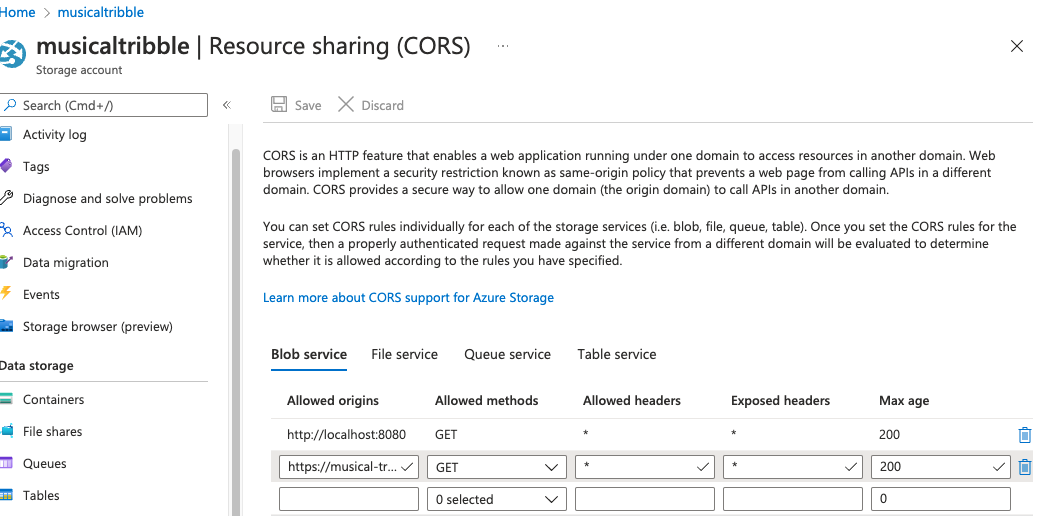
Note that CORS must be setup properly on both Cosmos and Azure Storage for this to work as-is.
Cosmos CORS:
Azure Blob Storage CORS:
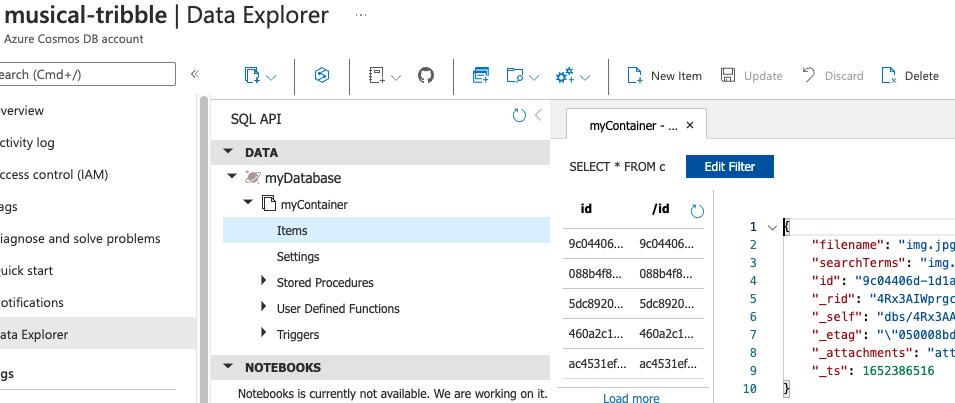
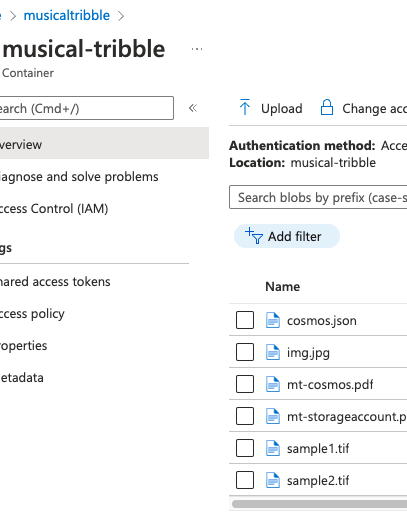
Sample data used to seed both is in the sample_data folder. Cosmos.json was simply uploaded to Cosmos once the DB and collection were setup.
Cosmos with sample data loaded:
Azure Blob Storage with sample data loaded:
# See it
Unfortunately, since part of the pattern here is auto-authentication using MSAL, you'll just keep seeing a 'redirect' to the microsoft login or an error in the console. But you can set things up yourself and deploy a copy to vercel to see it. =)
[](https://musical-tribble.vercel.app/)
https://musical-tribble.vercel.app/
Screenshot of the vercel site after I hit the button:
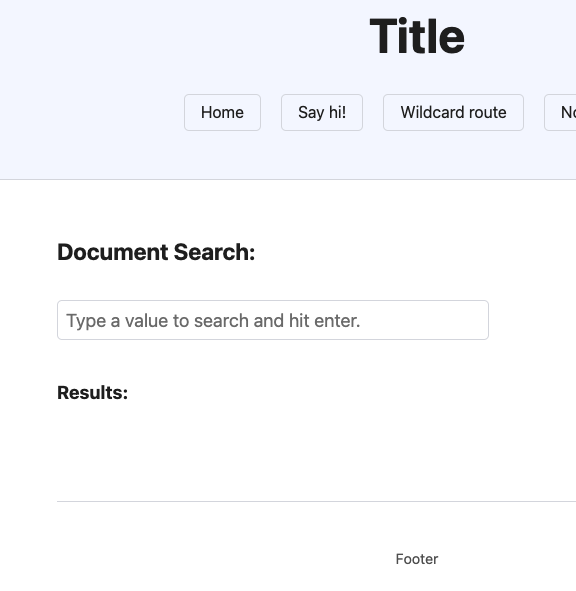
After auto login and getting secrets, default page shows like:
Then after typing some text and hitting enter:
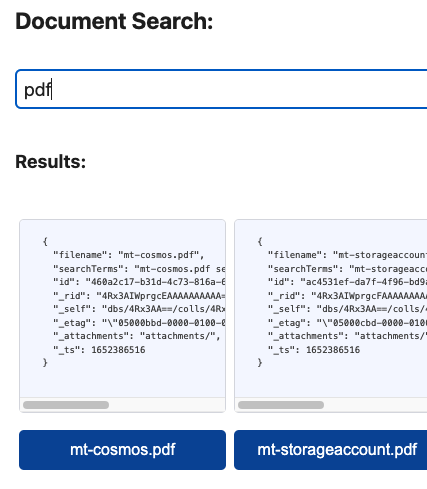
Changing criteria and hitting enter return fresh results. As this is just a sample, the file data in cosmos simply has a field called `searchTerms` which has a word list in it that we wildcard search. So searching for something like just the letter `g` will bring back more search results like:
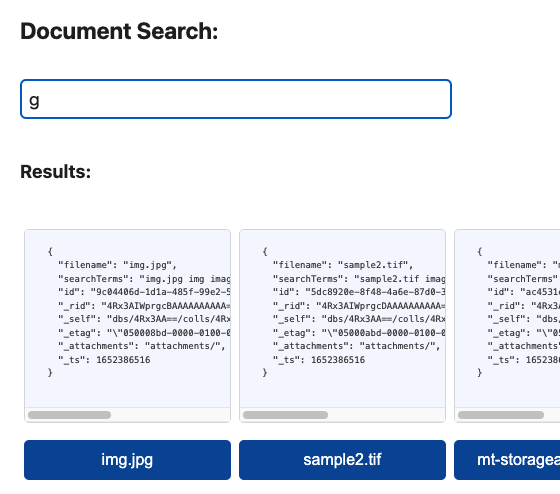
The download buttons are anchor wrapped buttons that use the SAS token to generate a direct link with a `target="blank"` so they will behave like any other link.
# Note
When deploying to vercel, ensure the output folder name matches. As configured currently, this template requires the override be set on a project of type 'other' on vercel config.
