https://github.com/rs-labhub/github-username-validator
Validate, detect duplicates, and identify invalid Github accounts in BULK.
https://github.com/rs-labhub/github-username-validator
bulk-validation data-cleaning developer-tools github-api username-checker username-validator
Last synced: 11 months ago
JSON representation
Validate, detect duplicates, and identify invalid Github accounts in BULK.
- Host: GitHub
- URL: https://github.com/rs-labhub/github-username-validator
- Owner: RS-labhub
- License: mit
- Created: 2025-08-22T08:24:32.000Z (11 months ago)
- Default Branch: master
- Last Pushed: 2025-08-22T08:26:45.000Z (11 months ago)
- Last Synced: 2025-09-02T04:46:22.174Z (11 months ago)
- Topics: bulk-validation, data-cleaning, developer-tools, github-api, username-checker, username-validator
- Language: TypeScript
- Homepage: https://github-username-validator.vercel.app
- Size: 842 KB
- Stars: 0
- Watchers: 0
- Forks: 0
- Open Issues: 0
-
Metadata Files:
- Readme: README.md
- License: LICENSE
Awesome Lists containing this project
README
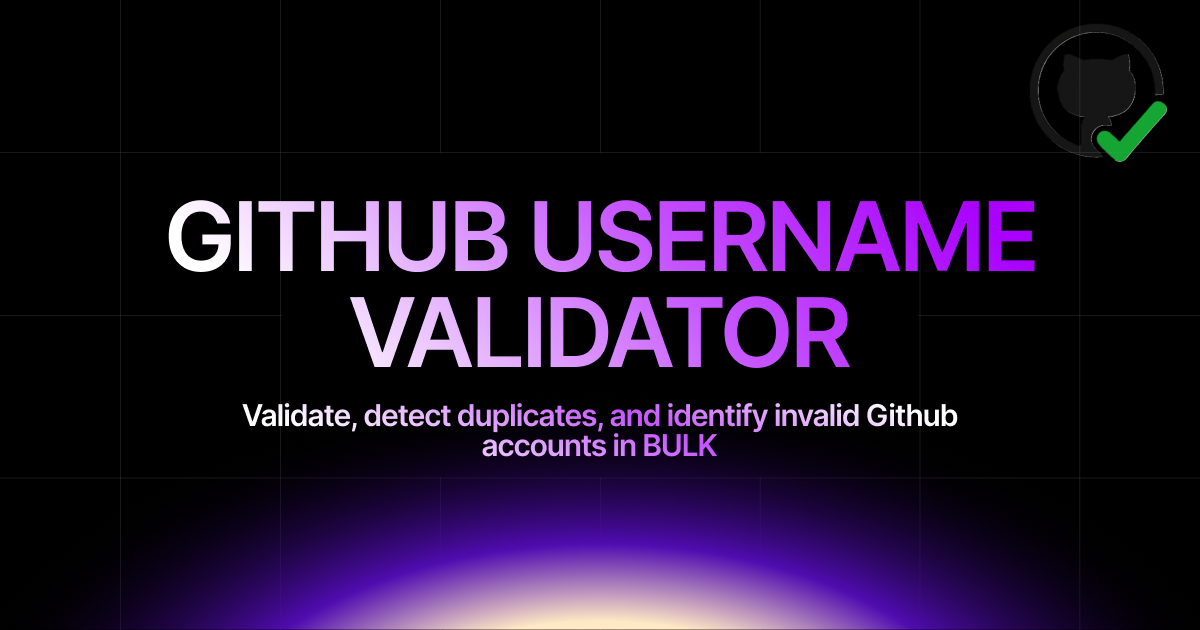
# 🔍 GitHub Username Validator
A powerful web application for validating GitHub usernames from various file formats. Efficiently processes large datasets to identify valid, invalid, deleted, and duplicate GitHub accounts.
## ✨ Features
### 📁 **Multi-Format File Support**
- **CSV Files**: Automatic delimiter detection and column selection
- **Excel Files**: Support for .xlsx and .xls formats with header detection
- **Word Documents**: Basic .docx file processing
- **Text Files**: Line-by-line username processing
- **Manual Input**: Direct text input with processing
### 🎯 **Intelligent Username Extraction**
- **GitHub URLs**: `https://github.com/username`
- **Direct Usernames**: `username`, `@username` (@ is automatically stripped)
- **Mixed Formats**: Handles different formats in a single file
- **Auto-detection**: Automatically finds GitHub username columns in files
### ⚡ **Advanced Validation Engine**
- **Dual API Support**: GraphQL for authenticated users, REST for fallback
- **Batch Processing**: Validate up to 5,000 usernames at once
- **Smart Batching**: Processes large datasets in manageable chunks
- **Progress Tracking**: Real-time progress with estimated completion time
- **Pause/Resume/Cancel**: Full control over validation process
### 🔐 **Authentication & Rate Limits**
- **GitHub PAT Support**: Use Personal Access Token for higher rate limits (5,000/hour)
- **Unauthenticated Mode**: 60 requests/hour without token
- **Rate Limit Display**: Shows current API usage and limits
- **Token Security**: Tokens are never stored, cleared on refresh
### 📊 **Repository Analysis** *(Optional Feature)*
- **Star Tracking**: Check which validated users starred a specific repository
- **Fork Detection**: Identify users who forked a repository
- **Engagement Statistics**: Shows starred/forked counts in results
### 🔍 **Advanced Filtering & Search**
- **Status Filters**: Valid, Invalid, Deleted, Duplicate, Error, Pending
- **Repository Filters**: Starred, Forked, Engaged, Not Engaged *(when repository analysis is used)*
- **Account Age Filters**: 2+ months, 3+ months, 6+ months, 1+ year old
- **Search**: Search by username, name, or original value
- **Sorting**: Multiple sorting options
### 📈 **Comprehensive Statistics**
- **Validation Metrics**: Total, Valid, Invalid, Deleted, Duplicates, Errors
- **Fake Entries**: Count of all non-valid accounts (excludes pending/errors)
- **Repository Engagement**: Starred/Forked counts *(when repository URL provided)*
- **Account Age Distribution**: Shows account creation date patterns
### 💾 **Data Management**
- **CSV Export**: Export all results with complete data
- **Duplicate Detection**: Automatic identification and counting
- **Error Handling**: Retry functionality for failed validations
- **Session Persistence**: Results maintained during browser session
### 🎮 **User Experience**
- **Drag & Drop**: Easy file upload interface
- **Real-time Updates**: Live progress and statistics
- **Loading States**: Clear feedback for all operations
- **Mobile Responsive**: Works on all device sizes
- **Column Selection**: Choose the correct column for Excel files
## 🚀 **Performance**
### **Validation Speed**
- **With GitHub PAT**: Fast GraphQL-based validation for large datasets
- **Without PAT**: Slower REST API with rate limiting
- **Repository Analysis**: Additional processing time for engagement data
### **Capacity**
- **Maximum Users**: 5,000 usernames per validation session
- **Batch Processing**: Intelligent chunking for optimal performance
- **File Support**: Handles large files efficiently
## 🔒 **Privacy & Security**
- **No Data Storage**: All processing happens in your browser
- **Token Security**: GitHub PAT tokens are never stored or logged
- **Session-only**: Data cleared when you refresh the page
- **Client-side Processing**: Your data never leaves your device
## 🎯 **Perfect For**
- **Developers**: Validate contributor lists and team member accounts
- **Data Cleaning**: Remove invalid/deleted accounts from user lists
- **Community Management**: Verify participant GitHub accounts
- **Repository Analysis**: Check engagement with specific repositories
## 🌟 **Key Benefits**
- **🚀 Efficient**: Processes thousands of usernames quickly
- **🔧 Flexible**: Supports multiple file formats and input methods
- **📊 Detailed**: Comprehensive validation results and statistics
- **🎯 Accurate**: Identifies valid, invalid, deleted, and duplicate accounts
- **📱 Accessible**: Works on any modern device
- **🔒 Private**: No data storage or tracking
- **💡 Smart**: Intelligent duplicate detection and error handling
## Contributing
We welcome contributions! Please follow these steps:
1. Fork the repository
2. Create a feature branch: `git checkout -b feature/amazing-feature`
3. Commit your changes: `git commit -m 'Add amazing feature'`
4. Push to the branch: `git push origin feature/amazing-feature`
5. Open a Pull Request
## License
This project is licensed under the MIT License - see the [LICENSE](LICENSE) file for details.
## Setup and Contributing Guidelines
**Set Up Your Environment**
1. `Fork` our repository to your GitHub account.
2. `Clone` your fork to your local machine.
Use the command `git clone https://github.com/RS-labhub/github-username-validator.git`.
3. Create a new branch for your work.
Use a descriptive name, like `fix-login-bug` or `add-user-profile-page`.
**Commit Your Changes**
- Commit your changes with a _clear commit message_.
e.g `git commit -m "Fix login bug by updating auth logic"`.
**Submit a Pull Request**
- Push your branch and changes to your fork on GitHub.
- Create a pull request, compare branches and submit.
- Provide a detailed description of what changes you've made and why.
Link the pull request to the issue it resolves. 🔗
**Review and Merge**
- I will review your pull request and provide feedback or request changes if necessary.
- Once your pull request is approved, we will merge it into the main codebase 🥳
## Meet the Author

### Contact
- Email: rs4101976@gmail.com
- Head over to my github handle from [here](https://github.com/RS-labhub)



Thank you for visting this Repo
If you like it, [star](https://github.com/RS-labhub/github-username-validator) ⭐ it