https://github.com/rssnyder/discord-nerd-stats
docker compose resources for standing up a discord monitoring stack
https://github.com/rssnyder/discord-nerd-stats
Last synced: about 2 months ago
JSON representation
docker compose resources for standing up a discord monitoring stack
- Host: GitHub
- URL: https://github.com/rssnyder/discord-nerd-stats
- Owner: rssnyder
- Created: 2021-06-10T22:00:15.000Z (about 5 years ago)
- Default Branch: master
- Last Pushed: 2021-08-07T14:37:15.000Z (almost 5 years ago)
- Last Synced: 2025-06-20T06:07:25.062Z (12 months ago)
- Size: 8.79 KB
- Stars: 2
- Watchers: 1
- Forks: 0
- Open Issues: 0
-
Metadata Files:
- Readme: README.md
Awesome Lists containing this project
README
# discord-nerd-stats
Docker compose resources for standing up a discord monitoring stack
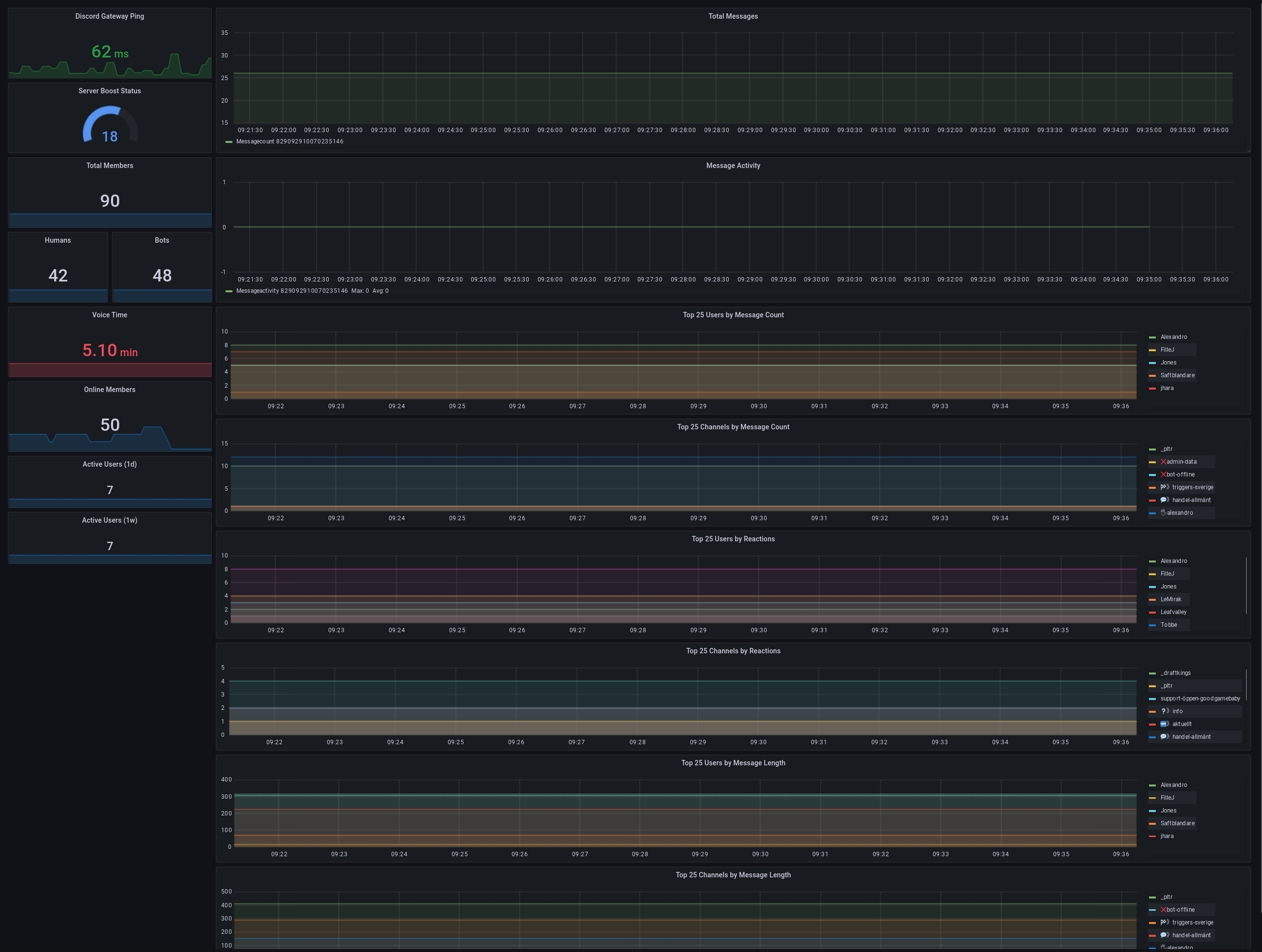
[promcord](https://github.com/nimarion/promcord) + [prometheus](https://prometheus.io/) + [grafana](https://grafana.com/) = :heart:
## Self hosting
Install docker and docker-compose
Create a new discord bot (or use an existing one) that at least has read permissions to your server, and it also needs the guid and guid users intents turned on
Fill in the bot token in `docker-compose.yml`
Fill in your machine's IP address in `prometheus.yml`
Run `docker-compose up -d`
Navigate to grafana at `http://localhost:3000`
Default login is `admin:admin`
Add your prometheus instance as a data source in grafana, [instructions here](https://prometheus.io/docs/visualization/grafana/#creating-a-prometheus-data-source)
Go back to the home page and over over the `+` button on the left and select `import`
Paste the contents of `dash.json` into `Import via panel json`
Give it a name and modify the other optional setting, and `import`
Once on the dashboard, go to the settings gear in the top right
Go to the `variables` options
Select the `giud` variable, and edit the `Constant Options` to be your guid id
Click `update`, return to your dashbaord, and save the current state
Enjoy your stats!
## Premium hosting
I also host a managed version of grafana, and provide interested discord admins with the ability to log in and view their server stats. To get your server set up with access, do the following steps:
- Get your server id, [instructions here](https://support.discord.com/hc/en-us/articles/206346498-Where-can-I-find-my-User-Server-Message-ID-)
- Install the bot for stat collection, [click here](https://discord.com/oauth2/authorize?client_id=852273993994207294&permissions=34669568&scope=bot)
- Send your **server name** and **server id** from step 1 to `jonesbooned#1111` on discord, or the email address in my github profile page
- Wait for a reply with an invite link. Use this link to sign up (you can use a fake email address)
- You are free to share this login with anyone else you want to have access
- When you login, click the magnifying glass on the left and select the graph with the same name as your server