https://github.com/rtippin/messenger-ui
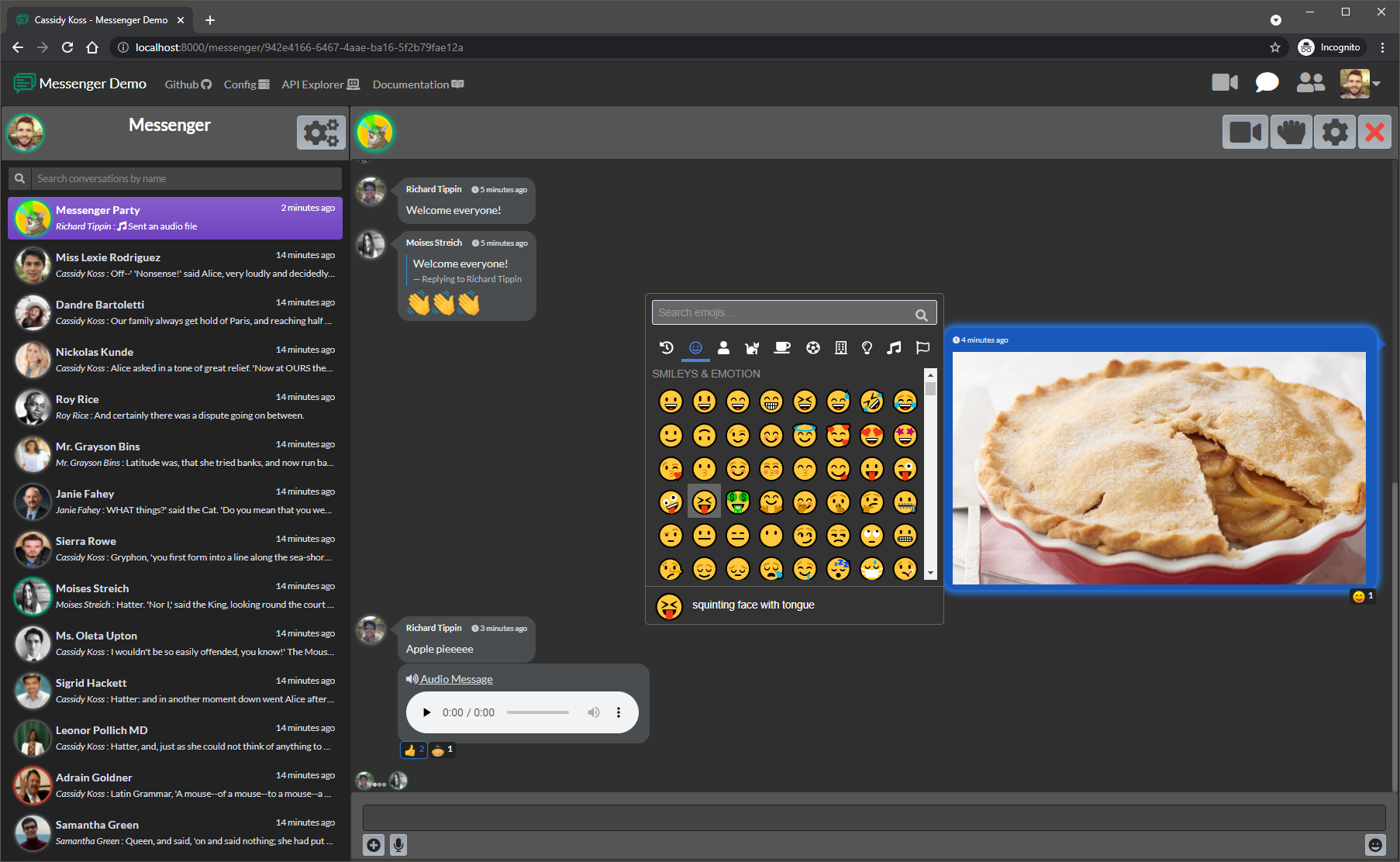
Ready-made UI and web routes for core rtippin/messenger.
https://github.com/rtippin/messenger-ui
Last synced: about 1 year ago
JSON representation
Ready-made UI and web routes for core rtippin/messenger.
- Host: GitHub
- URL: https://github.com/rtippin/messenger-ui
- Owner: RTippin
- License: mit
- Created: 2021-06-23T22:25:55.000Z (almost 5 years ago)
- Default Branch: master
- Last Pushed: 2023-07-06T01:03:27.000Z (almost 3 years ago)
- Last Synced: 2024-10-12T17:29:22.112Z (over 1 year ago)
- Language: JavaScript
- Homepage:
- Size: 3.83 MB
- Stars: 14
- Watchers: 2
- Forks: 14
- Open Issues: 0
-
Metadata Files:
- Readme: README.md
- Funding: .github/FUNDING.yml
- License: LICENSE.md
Awesome Lists containing this project
README
# Messenger UI
[![Latest Version on Packagist][ico-version]][link-packagist]
[![Total Downloads][ico-downloads]][link-downloads]
[![StyleCI][ico-styleci]][link-styleci]
[![License][ico-license]][link-license]
---
---
## Ready-made UI and web routes for use with [rtippin/messenger][link-messenger]
### Notes
- This package provides web routes and a published UI to consume `messenger's` API. No authentication routes/system will be setup for you.
- Our compiled `NotifyManager.js` uses laravel echo, with the `pusher-js` library.
- For websockets, this package supports [pusher.com][link-pusher] directly, or the drop-in replacement [laravel-websockets][link-laravel-websockets].
- Instructions are located below for setting up the websocket implementation of your choosing.
- After publishing our `views`, you may wish to edit them to fit your needs.
- Future versions planned will be crafted in `react`.
---
# Installation
### Via Composer
``` bash
composer require rtippin/messenger-ui
```
### Publish Assets and Config
- This will publish our JS assets, images, views, and config.
```bash
php artisan messenger:ui:publish
```
- When using composer to update this package, we recommend republishing our JS/CSS assets:
```bash
php artisan vendor:publish --tag=messenger-ui.assets --force
```
---
# Config
***Default:***
```php
'site_name' => env('MESSENGER_SITE_NAME', 'Messenger'),
'websocket' => [
'pusher' => env('MESSENGER_SOCKET_PUSHER', false),
'host' => env('MESSENGER_SOCKET_HOST', 'localhost'),
'auth_endpoint' => env('MESSENGER_SOCKET_AUTH_ENDPOINT', '/api/broadcasting/auth'),
'key' => env('MESSENGER_SOCKET_KEY'),
'port' => env('MESSENGER_SOCKET_PORT', 6001),
'use_tsl' => env('MESSENGER_SOCKET_TLS', false),
'cluster' => env('MESSENGER_SOCKET_CLUSTER'),
],
'routing' => [
'domain' => null,
'prefix' => 'messenger',
'middleware' => ['web', 'auth', 'messenger.provider'],
'invite_middleware' => ['web', 'messenger.provider'],
],
```
- `site_name` is used in our views to inject the name in the navbar.
- `websocket`:
- When using the real `pusher.com`, you need to set `pusher` to `true`, add in your `cluster`, and your `key`.
- When using `laravel-websockets`, you leave `pusher` to `false`, ignore `cluster`, and set your `host`, `port`, and `key`.
- The `auth_endpoint` is for your laravel's backend to authorize access to our messenger channels. The default `messenger.php` config prefixes the channel routes with `api`, hence our default config above uses `/api/broadcasting/auth` when not set.
- `routing` you may choose your desired endpoint domain, prefix and middleware.
- Invite join web route you can define separate middleware from the rest of the web routes, as you may want a guest allowed to view that page.
- The default `messenger.provider` middleware is included with `messenger` and simply sets the active messenger provider by grabbing the authenticated user from `$request->user()`.
---
# Using [Pusher][link-pusher]
- After you have your pusher credentials ready, you should install the pusher SDK:
```bash
composer require pusher/pusher-php-server
```
- Once installed, set your `.env` variables:
***Default `broadcasting.php` config***
```php
'pusher' => [
'driver' => 'pusher',
'key' => env('PUSHER_APP_KEY'),
'secret' => env('PUSHER_APP_SECRET'),
'app_id' => env('PUSHER_APP_ID'),
'options' => [
'cluster' => env('PUSHER_APP_CLUSTER'),
'useTLS' => false,
],
],
```
***`.env` keys for both pusher and our UI***
```dotenv
BROADCAST_DRIVER=pusher
PUSHER_APP_ID=YourPusherId
PUSHER_APP_KEY=YourPusherKey
PUSHER_APP_SECRET=YourPusherSecret
PUSHER_APP_CLUSTER=YourPusherCluster
MESSENGER_SOCKET_PUSHER=true
MESSENGER_SOCKET_KEY="${PUSHER_APP_KEY}"
MESSENGER_SOCKET_CLUSTER="${PUSHER_APP_CLUSTER}"
```
- You are all set! Our UI will connect to your pusher account. Be sure to enable `client events` within your pusher account if you want our client to client events enabled.
---
# Using [laravel-websockets][link-laravel-websockets]
- First, you need to have installed the websocket package (This package has been tested using laravel-websockets v1.12).
- Ideally, you should follow the official [Installation Documentation][link-laravel-websockets-install] from `beyondcode` if you are doing a fresh installation.
```bash
composer require beyondcode/laravel-websockets "^1.12"
```
- Once you have installed and configured the websocket package, set your `.env` variables and update the default pusher config:
***Updated `broadcasting.php` config per `beyondcode's` documentation***
```php
'pusher' => [
'driver' => 'pusher',
'key' => env('PUSHER_APP_KEY'),
'secret' => env('PUSHER_APP_SECRET'),
'app_id' => env('PUSHER_APP_ID'),
'options' => [
'cluster' => env('PUSHER_APP_CLUSTER'),
'encrypted' => true,
'host' => 'localhost',
'port' => 6001,
'scheme' => 'http'
],
],
```
***`.env` keys for both `laravel-websockets` and our UI***
```dotenv
BROADCAST_DRIVER=pusher
PUSHER_APP_ID=MakeYourID
PUSHER_APP_KEY=MakeYourKey
PUSHER_APP_SECRET=MakeYourSecret
MESSENGER_SOCKET_HOST=localhost
MESSENGER_SOCKET_KEY="${PUSHER_APP_KEY}"
```
- You are all set! Our UI will connect to your server running `php artisan websockets:serve`. Be sure to enable `client events` in your `laravel-websockets` config if you want our client to client events enabled.
[link-messenger]: https://github.com/RTippin/messenger
[link-author]: https://github.com/rtippin
[ico-version]: https://img.shields.io/packagist/v/rtippin/messenger-ui.svg?style=plastic&cacheSeconds=3600
[ico-downloads]: https://img.shields.io/packagist/dt/rtippin/messenger-ui.svg?style=plastic&cacheSeconds=3600
[ico-styleci]: https://styleci.io/repos/379743201/shield?style=plastic&cacheSeconds=3600
[ico-license]: https://img.shields.io/github/license/RTippin/messenger-ui?style=plastic
[link-packagist]: https://packagist.org/packages/rtippin/messenger-ui
[link-downloads]: https://packagist.org/packages/rtippin/messenger-ui
[link-license]: https://packagist.org/packages/rtippin/messenger-ui
[link-styleci]: https://styleci.io/repos/379743201
[link-laravel-websockets]: https://beyondco.de/docs/laravel-websockets/getting-started/introduction
[link-laravel-websockets-install]: https://beyondco.de/docs/laravel-websockets/getting-started/installation
[link-pusher]: https://pusher.com/