https://github.com/rtts/photog
Static photography website generator
https://github.com/rtts/photog
photography python3 static-site-generator
Last synced: about 1 year ago
JSON representation
Static photography website generator
- Host: GitHub
- URL: https://github.com/rtts/photog
- Owner: rtts
- License: agpl-3.0
- Created: 2018-11-13T00:17:49.000Z (over 7 years ago)
- Default Branch: main
- Last Pushed: 2025-02-16T16:19:34.000Z (over 1 year ago)
- Last Synced: 2025-04-05T21:13:59.647Z (about 1 year ago)
- Topics: photography, python3, static-site-generator
- Language: JavaScript
- Homepage:
- Size: 5.01 MB
- Stars: 27
- Watchers: 3
- Forks: 2
- Open Issues: 1
-
Metadata Files:
- Readme: README.md
- License: LICENSE
Awesome Lists containing this project
README
Photog!
=======
**Photog! turns a directory tree of source images into a beautiful
photography website that maximizes the ease of both viewing and
downloading the pictures.**
Photog! was created by
[Return to the Source](https://returntothesource.nl/en/)
for
[Super Formosa Photography](https://www.superformosa.nl/)
and provided here for everyone to use under the terms of the
[AGPL](https://www.gnu.org/licenses/agpl-3.0.html)
license as part of our
[free and open source philosophy](https://www.gnu.org/licenses/copyleft.en.html).
Features
--------
Photog! stands on the shoulders of giants.
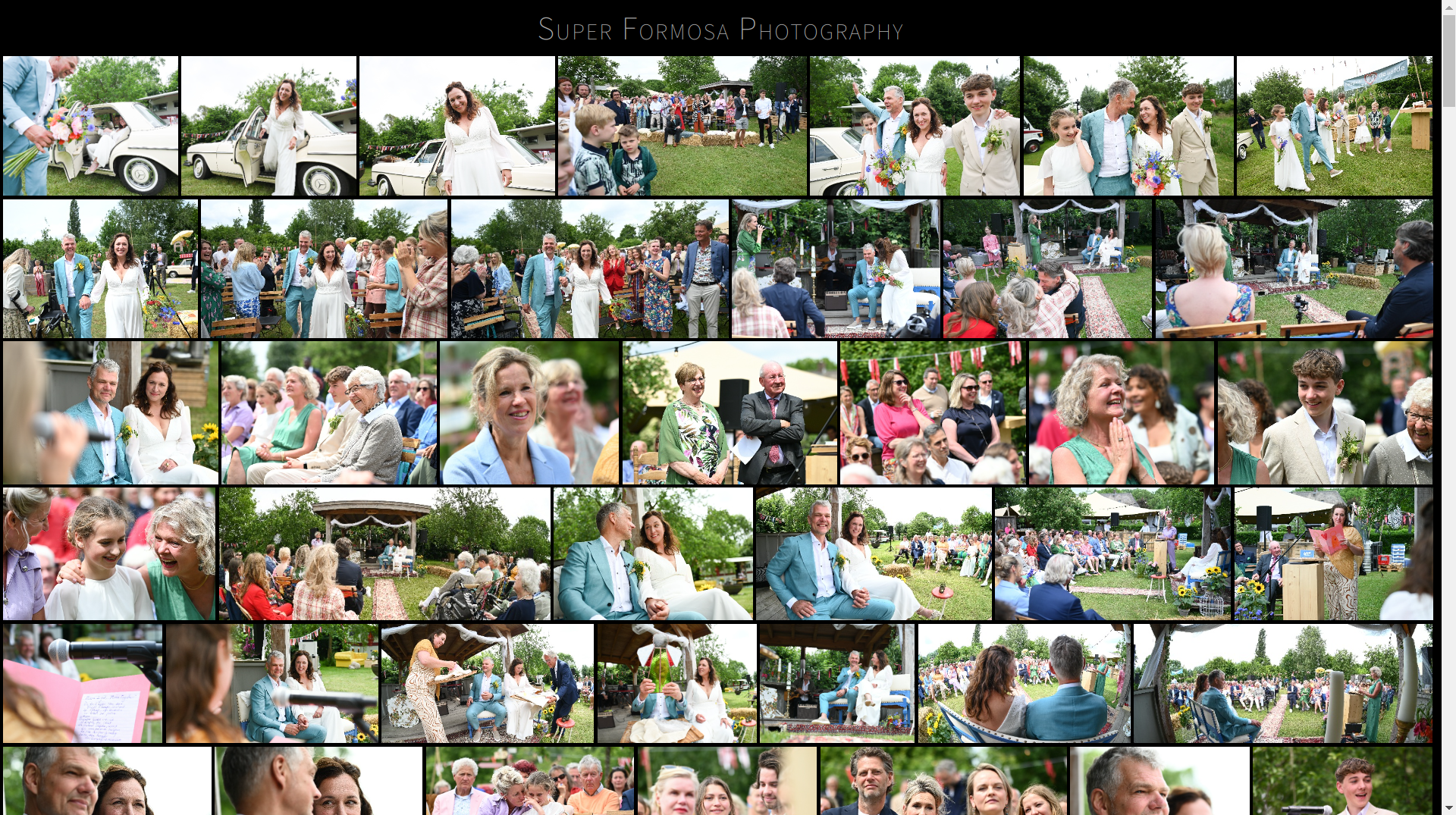
- The thumbnails are displayed in a responsive gallery that
recalculates the correct image dimensions in an aesthetically
pleasing way, based on the algorithm from
.
- Clicking a thumbnail opens the [PhotoSwipe](https://photoswipe.com/)
gallery by [@dimsemenov](https://github.com/dimsemenov), with the
following features of its own:
- Touch gestures
- Browser History API
- Progressive loading
- Fullscreen support
- Adding `/all.zip` to the end of the URL will download a ZIP file
containing all the images in two different resolutions:
1. The original images, unmodified, in the subfolder "print"
2. Images scaled to a width of 2000 pixels, in the subfolder "web"
- The default template shows the logo Super Formosa Photography
at the top and license terms at the bottom. To override this, see
the section "Customization" below.
Installation
------------
Photog! requires Python 3.8 or higher. You can check if this is
available on your system by running the following command:
$ python3 --version
Now you can install Photog! with `pip`:
$ python3 -m pip install photog
Usage
-----
First, navigate to your Pictures directory:
$ cd ~/Pictures
Now, run the `photog` command:
$ photog
Photog! will now traverse your pictures folder and generate HTML files
, image thumbnails, and zipfiles. If you want to only update a
specific subdirectory and not regenerate the entire website, run
`photog` inside that directory:
$ cd ~/Pictures/wedding
$ photog
After Photog! has completed its run, you can use Python's built-in
webserver to view your website:
$ python3 -m http.server
Your website will now be available at the following URL:
`http://localhost:8000/`
Configuration
-------------
You can configure the behavior of Photog! in a file called
`photog.ini`. This file holds the configuration variables per
directory. The configuration variables are:
### Sorting
- `sort = ascending` to sort photos ascending according to EXIF date
- `sort = descending` to sort photos descending according to EXIF date
- `sort = random` to randomize the order of photos
### Zipping
- `zip = true` creates a zipfile called `all.zip`
- `zip = false` disables the creation of zipfiles
Customization
-------------
It is expected that you customize [the default template][1]. Save this
file as `template.html` in the root of your Pictures folder and edit
as needed. Then, run `photog` to use your customized template instead
of the default one.
[1]: https://raw.githubusercontent.com/rtts/photog/master/photog/template.html