https://github.com/ruiiiijiiiiang/rs-top
Remote System Top
https://github.com/ruiiiijiiiiang/rs-top
performance-monitoring ssh system-admin visualization
Last synced: 14 days ago
JSON representation
Remote System Top
- Host: GitHub
- URL: https://github.com/ruiiiijiiiiang/rs-top
- Owner: ruiiiijiiiiang
- License: mit
- Created: 2026-04-16T04:02:32.000Z (about 2 months ago)
- Default Branch: master
- Last Pushed: 2026-04-21T03:55:56.000Z (about 2 months ago)
- Last Synced: 2026-04-21T05:38:12.423Z (about 2 months ago)
- Topics: performance-monitoring, ssh, system-admin, visualization
- Language: Rust
- Homepage:
- Size: 692 KB
- Stars: 55
- Watchers: 0
- Forks: 0
- Open Issues: 2
-
Metadata Files:
- Readme: README.md
- License: LICENSE
Awesome Lists containing this project
README
# rs-top (Remote-System-Top)
`rs-top` is a lightweight, agentless, and read-only remote system monitor. It provides a real-time TUI dashboard for monitoring multiple remote hosts simultaneously via SSH. Heavily influenced by classic tools like `top`, `htop`, and `btop`, it aims to provide a similar experience for remote servers.
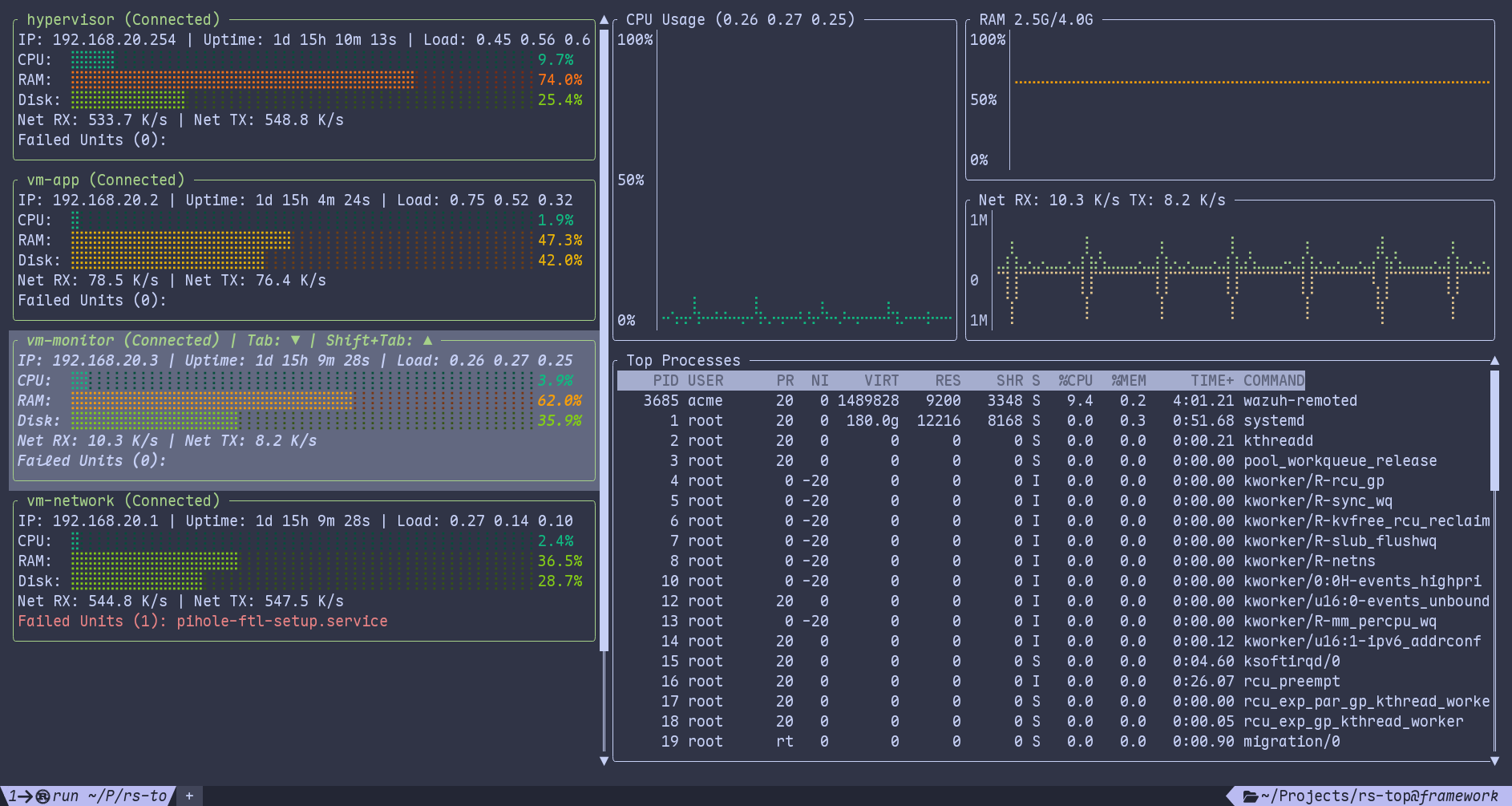
## Key Features
- **Agentless**: No software installation is required on the remote hosts. It uses standard Linux tools (like `top`, `cat`, and `systemctl`) already present on most systems.
- **Read-Only**: The tool only fetches system statistics and does not perform any modifications to the remote hosts. No `sudo` privilege is required.
- **SSH-Based**: Relies on the host's native `ssh` binary and configuration (e.g., `~/.ssh/config`, `known_hosts`). It seamlessly integrates with your existing SSH setup, including identity files and multiplexing.
## Installation
### From Cargo
```bash
cargo install rs-top
```
### From Nix (Flakes)
Run directly:
```bash
nix run github:ruiiiijiiiiang/rs-top
```
### From AUR (Arch Linux)
Install using an AUR helper like `yay`:
```bash
yay -S rs-top
```
## Configuration
`rs-top` looks for a configuration file named `rs-top.toml` in your system's standard configuration directory (e.g., `~/.config/rs-top.toml` on Linux).
### Example `rs-top.toml`
```toml
[[hosts]]
address = "192.168.1.10"
user = "admin"
port = 22
[[hosts]]
address = "my-web-server.com"
user = "root"
identity_file = "/home/user/.ssh/id_ed25519"
[[hosts]]
address = "backup-node"
# if omitted, uses the following defaults:
# user = $USER
# port = 22
# identity_file = "~/.ssh/"
```
## Controls
| Key | Action |
| ------------- | ------------------------------------------------ |
| `Tab` | Focus next host |
| `Shift+Tab` | Focus previous host |
| `Enter` | Exit and open an SSH session to the focused host |
| `m` | Toggle compact mode |
| `j` or `Down` | Scroll process list down |
| `k` or `Up` | Scroll process list up |
| `q` | Quit |
## Requirements
- Local machine: `ssh` binary installed and accessible in the system path.
- Remote hosts: Standard Linux environment with access to `cat`, `top` and `systemctl`.
- Authentication: SSH key-based authentication must be configured. Password access is not allowed.
## Technologies Used
- **[Ratatui](https://ratatui.rs)**: Terminal UI library for the interactive dashboard.
- **[Tokio](https://tokio.rs/)**: Async runtime for concurrent host monitoring.
- **[openssh-rust](https://github.com/openssh-rust/openssh)**: Rust wrapper for managing SSH connections.
## Contributing
Contributions are welcome! Whether it's reporting bugs, suggesting features, or submitting pull requests, your help is appreciated. Please feel free to open an issue or submit a PR on GitHub.