https://github.com/runmaxde/chrome-github-open-with-github1s
A small Chrome addon to open a GitHub repo directly in GitHub1s.
https://github.com/runmaxde/chrome-github-open-with-github1s
chrome-extension github github1s
Last synced: 3 months ago
JSON representation
A small Chrome addon to open a GitHub repo directly in GitHub1s.
- Host: GitHub
- URL: https://github.com/runmaxde/chrome-github-open-with-github1s
- Owner: runmaxde
- Created: 2021-06-22T12:21:55.000Z (about 5 years ago)
- Default Branch: master
- Last Pushed: 2021-06-23T12:40:07.000Z (about 5 years ago)
- Last Synced: 2025-03-16T19:28:05.575Z (over 1 year ago)
- Topics: chrome-extension, github, github1s
- Language: JavaScript
- Homepage: https://github.com/runmaxde/chrome-github-open-with-github1s/releases/latest
- Size: 19.5 KB
- Stars: 0
- Watchers: 1
- Forks: 0
- Open Issues: 0
-
Metadata Files:
- Readme: README.md
Awesome Lists containing this project
README
# chrome-github-open-with-github1s
A small Chrome addon to open a GitHub repo directly in GitHub1s.
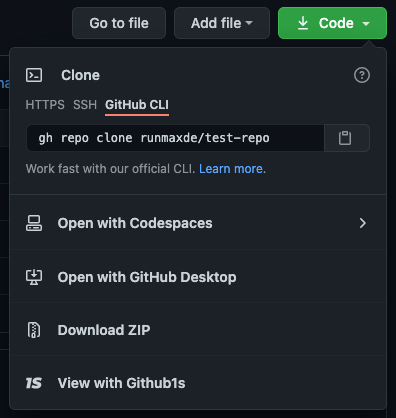
## Demo
## Installation
1. Download the latest stable release
[Download latest](https://github.com/runmaxde/chrome-github-open-with-github1s/releases/latest)
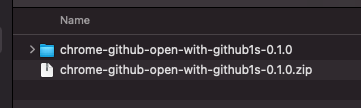
2. Unzipped the downloaded folder
3. Open Chrome and go to `chrome://extensions/`

4. Enable developer mode

5. Load Addon by clicking `Load unpacked` and pick the unzipped folder

## Expand / API
If you want to add another service like **GitPod**, you can add a new `createAction` to the `injectionScript.js` and provide an object like below.
``` javascript
DomWorkerInstance.createAction({
TITLE: "Your Action",
FN: function () {
console.log("Hello World");
},
LOGO: `
`
});
```