https://github.com/rupertavery/diffusiontoolkit
Metadata-indexer and Viewer for AI-generated images
https://github.com/rupertavery/diffusiontoolkit
csharp dotnet image-indexing image-viewer pnginfo stable-diffusion wpf
Last synced: 10 months ago
JSON representation
Metadata-indexer and Viewer for AI-generated images
- Host: GitHub
- URL: https://github.com/rupertavery/diffusiontoolkit
- Owner: RupertAvery
- License: mit
- Created: 2022-11-29T13:49:02.000Z (over 3 years ago)
- Default Branch: master
- Last Pushed: 2025-09-14T11:06:00.000Z (11 months ago)
- Last Synced: 2025-09-14T11:44:01.954Z (11 months ago)
- Topics: csharp, dotnet, image-indexing, image-viewer, pnginfo, stable-diffusion, wpf
- Language: C#
- Homepage:
- Size: 5.66 MB
- Stars: 889
- Watchers: 27
- Forks: 60
- Open Issues: 99
-
Metadata Files:
- Readme: README.md
- License: LICENSE
Awesome Lists containing this project
README
# Diffusion Toolkit
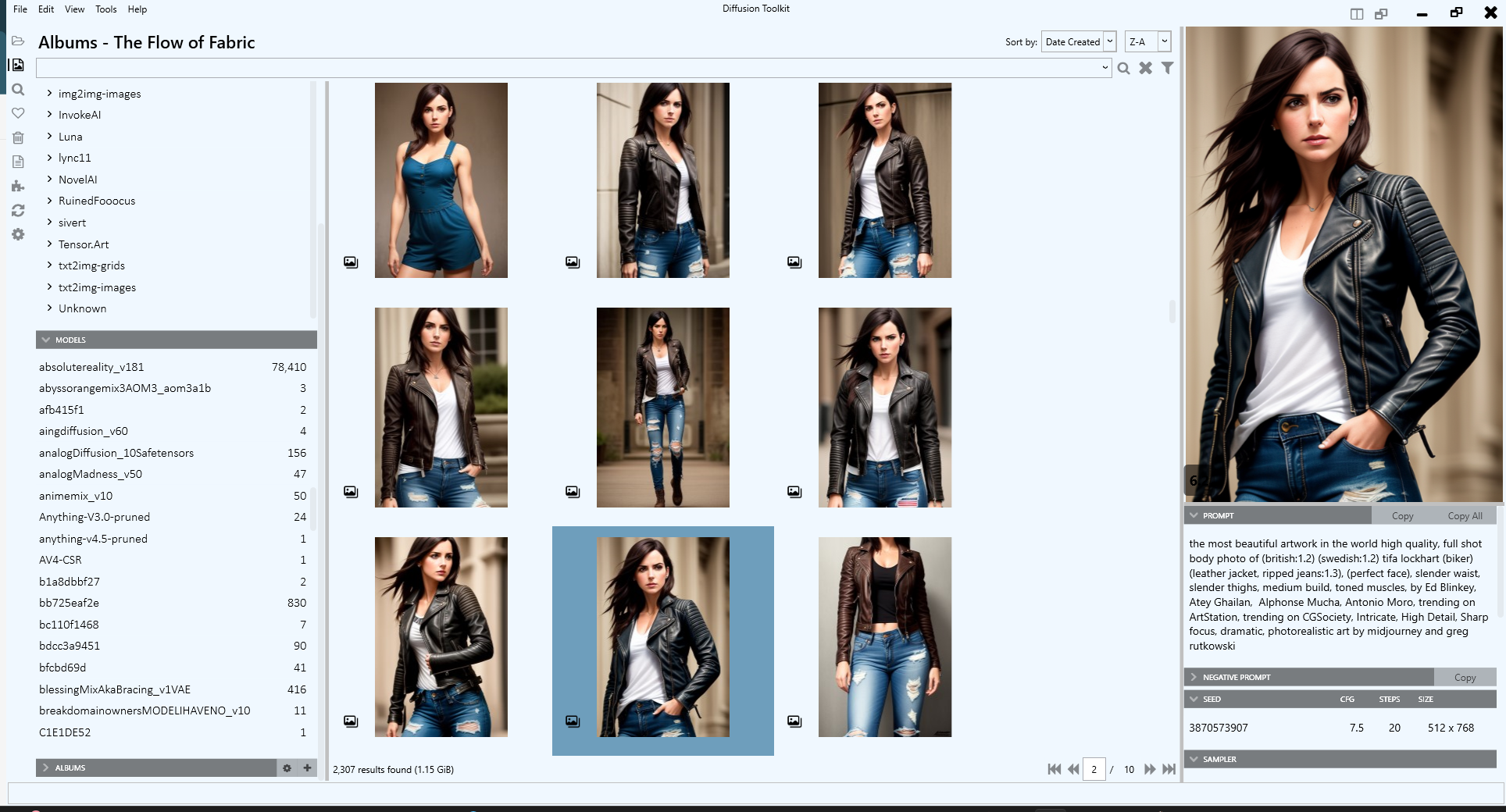
Diffusion Toolkit is an image metadata-indexer and viewer for AI-generated images. It aims to help you organize, search and sort your ever-growing collection.
# Usage
Usage should be pretty straightforward, but there are a lot of tips and tricks and shortcuts you can learn. See the documentation for [Getting Started](https://github.com/RupertAvery/DiffusionToolkit/tree/master/Diffusion.Toolkit/Tips.md)
Thanks to Bill Meeks for putting together a demonstration video. This is for an older version.
[](https://www.youtube.com/watch?v=r7J3n1LjojE&ab_channel=BillMeeks)
# Installation
* Currently runs on Windows only
* [Download](https://github.com/RupertAvery/DiffusionToolkit/releases/latest
) the latest release
* Look for **> Assets** under the latest release, expand it, then grab the zip file **Diffusion.Toolkit.v1.x.zip**.
* Unzip all the files to a folder
* You may need to install the [.NET 6 Desktop Runtime](https://dotnet.microsoft.com/en-us/download/dotnet/6.0) if you haven't already
# Build from source
## Prerequisites
* Requires Visual Studio 2022
* [.NET 6 SDK](https://dotnet.microsoft.com/en-us/download/dotnet/6.0) (includes the desktop runtime)
## Building
* Clone this repository
* Run `publish.cmd`
A folder named `build` will be created, containing all the necessary files.
# Features
* Scan images, store and index prompts and other metadata (PNGInfo)
* Search for your images
* Using a simple query
* Using the filter
* View images and the metadata easily
* Toggle PNGInfo
* Tag your images
* Favorite
* Rating (1-10)
* NSFW
* Sort images
* by Date Created
* by Aesthetic Score
* by Rating
* Auto tag NFSW by keywords
* Blur images tagged as NSFW
* NSFW
* Albums
* Select images, right-click > Add to Album
* Drag and drop images to albums
* Folder View
* View and search prompts
* List Prompts and usage
* List Negative Prompts and usage
* List images associated with prompts
* Drag and Drop
* Drag and drop images to another folder to move (CTRL-drag to copy)
# Supported formats
* JPG/JPEG + EXIF
* PNG
* WebP
* .TXT metadata
# Supported Metadata formats
* AUTOMATIC1111 and A1111-compatible metadata such as
* Tensor.Art
* SDNext
* InvokeAI (Dream/sd-metadata/invokeai_metadata)
* NovelAI
* Stable Diffusion
* EasyDiffusion
* RuinedFooocus
* Fooocus
* FooocusMRE
* Stable Swarm
You can even use it on images without metadata and still use the other features such as rating and albums!
# Donate

or

# Screenshots

# FAQ
## How do I view my image's metadata (PNGInfo)?
With the Preview Pane visible, press I in the thumbnail view or with the Preview Pane in focus to show or hide the metadata. You can also click the eye icon at the botton right of the Preview Pane.
## What is Rebuild Metadata and when should I use it?
Rebuild Metadata will rescan all your images and update the database with any new or updated metadata found. It doesn't affect your custom tags (rating, favorite, nsfw).
You only need to Rebuild Metadata if a new version of Diffusion Toolkit comes out with support for metadata that exists in your existing images.
## Can I move my images to a different folder?
I you want to move your images to a different folder, but still within a Diffusion folder, you should use the **right-click > Move** command. This allows Diffusion Toolkit to handle the moving of images, and know to keep all the Diffusion Toolkit metadata (Favorites, Rating, NSFW) intact while moving.
If you use Explorer or some other application to move the files, but still under the Diffusion folders, when you Rescan Folders or Rebuild Images Diffusion Toolkit will detect that the images have been removed, then will detect new files added. You will lose any Favorites, Ratings or other Toolkit-specific information.