https://github.com/rushisangani/rsmastertableviewkit
All-In-One UITableView Kit with inbuilt PullToRefresh, Pagination, EmptyDataSet, Indicator, Networking and much more..
https://github.com/rushisangani/rsmastertableviewkit
codable emptydataset emptydataset-swift indicator ios loading-indicator networking pagination pull-to-refresh searchview swift4 uitableview
Last synced: 10 months ago
JSON representation
All-In-One UITableView Kit with inbuilt PullToRefresh, Pagination, EmptyDataSet, Indicator, Networking and much more..
- Host: GitHub
- URL: https://github.com/rushisangani/rsmastertableviewkit
- Owner: rushisangani
- License: mit
- Created: 2018-03-18T04:58:00.000Z (over 8 years ago)
- Default Branch: master
- Last Pushed: 2019-04-23T04:28:52.000Z (over 7 years ago)
- Last Synced: 2025-04-10T00:01:20.183Z (over 1 year ago)
- Topics: codable, emptydataset, emptydataset-swift, indicator, ios, loading-indicator, networking, pagination, pull-to-refresh, searchview, swift4, uitableview
- Language: Swift
- Homepage:
- Size: 2.13 MB
- Stars: 19
- Watchers: 3
- Forks: 13
- Open Issues: 1
-
Metadata Files:
- Readme: README.md
- License: LICENSE
Awesome Lists containing this project
README
# RSMasterTableViewKit
### Why to use RSMasterTableViewKit?
UITableview is the most used UIKit control for all iOS applications. Simply using UITableview does not complete the functionality of any screen.
Based on the functionality, a developer also need to code for implementing PullToRefresh, SearchBar, Pagination, Showing loading indicator, Empty data set and many more other complex scenarios. As a developer aren't you tired doing this for all your applications by repeating code everytime?
**RSMasterTableViewKit is built to help developers to quickly integrate UITableView with customization they want with minimal coding effort.**
## Features
- Easy to use datasource implementation (No need to write **cellForRowAtIndexPath**)
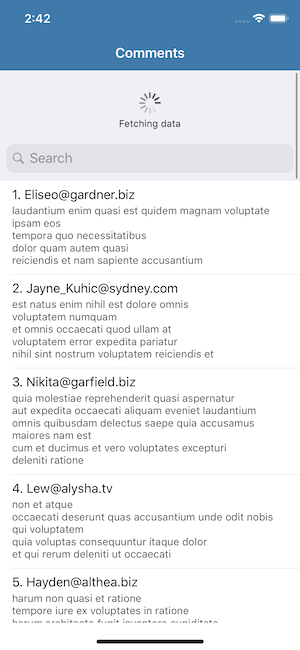
- PullToRefresh
- Pagination
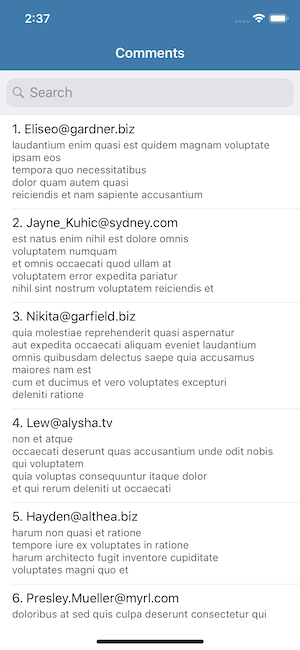
- SearchBar (Local & Web Search)
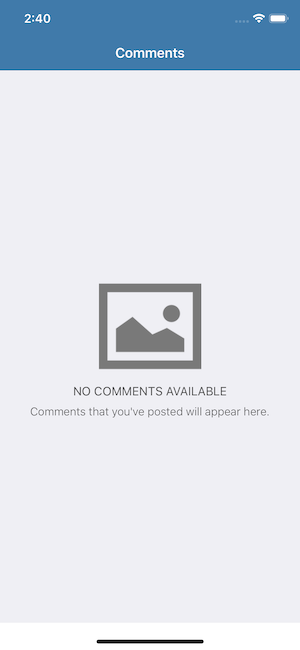
- EmptyDataSet
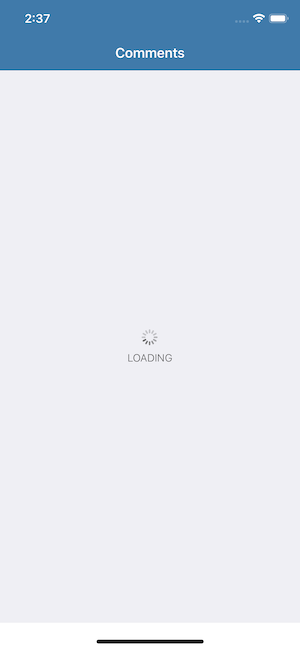
- Loading Indicator with title
- JSON to Codable conversion
- Networking (WebAPI request: GET, POST etc)
- Network Reachabilty Check
## Requirements
```swift
iOS 10.0+ | Xcode 8.3+ | Swift 4.0+
```
## Installation
### CocoaPods
```ruby
pod 'RSMasterTableViewKit' or pod 'RSMasterTableViewKit', '~> 1.2'
```
## Usage
### Generic DataSource
```swift
// connect UITableview outlet from storyboard
@IBOutlet weak var tableView: RSTableView!
// declare a dataSource
var dataSource: RSTableViewDataSource? //here Comment is the datamodel
// setup tableview
dataSource = RSTableViewDataSource(tableView: tableView, identifier: "cell") { (cell, comment, indexPath) in
cell.textLabel?.text = "\(indexPath.row+1). \(comment.email)"
cell.detailTextLabel?.text = comment.body
}
```
### Empty DataSet
```swift
// set image, title, description
tableView.setEmptyDataView(title: NSAttributedString(string: "NO COMMENTS AVAILABLE"), description: NSAttributedString(string: "Comments that you've posted will appear here."), image: UIImage(named: "nodata-comments"), background: nil)
// or
// customize background color
tableView.setEmptyDataView(title: NSAttributedString(string: "No Data found"), description: nil, image: nil, background: RSEmptyDataBackground.color(color: UIColor.white))
// or
// background view or image
tableView.setEmptyDataView(title: nil, description: NSAttributedString(string: "No Results"), image: nil, background: RSEmptyDataBackground.view(view: imageView))
```
### PullToRefresh
```swift
tableView.addPullToRefresh { [weak self] in
// your code to handle pull to refresh action
DispatchQueue.global().asyncAfter(deadline: .now()+2, execute: {
// refresh data
})
}
// customize title and color
tableView.setPullToRefresh(tintColor: UIColor.darkGray, attributedText: NSAttributedString(string: "Fetching data"))
```
### Pagination
```swift
tableView.addPagination { (page) in
// url for next page
let url = self?.getURLForPage(page)
// fetch & append data
self?.fetchDataFromServer(url: url!, completion: { (list) in
self?.dataSource?.appendData(data: list)
})
}
// set pagination parameters (Default: Start = 0 & Size = 20)
let paginationParams = PaginationParameters(page: 1, size: 50)
tableView.addPagination(parameters: paginationParams) { [weak self] (page) in
}
```
### SearchBar
```swift
tableView.addSearchBar()
// or
tableView.addSearchBar(placeHolder: "Search..", noResultMessage: NSAttributedString(string: "No result matching your search criteria"))
// search handler
dataSource?.searchResultHandler = { [weak self] (searchString, dataArray) in
// filter
let result = dataArray.filter({ $0.email.starts(with: searchString) })
self?.dataSource?.setSearchResultData(result, replace: false)
// Note:
// replace: true - will replace your main dataSource (use in case you want to search data from web)
// replace: false - will maintain your main dataSource (use in case you want to search within existing data)
}
```
### Loading Indicator
```swift
tableView.showIndicator(title: NSAttributedString(string: "LOADING"), tintColor: UIColor.darkGray)
```
### Networking
```swift
// prepare request -> This returns array of comments
let request = DataModelRequest<[Comment]>(url: "URL Here")
// execute request
request.execute(success: { [weak self] (comments) in
self?.dataSource?.appendData(data: comments)
}) { [weak self] (error) in
self?.tableView.hideAllAnimations()
}
// or
// JSON Request
let jsonrequest = JSONRequest(url: "", method: .POST, headers: nil, parameters: nil, responeKeyPath: "data")
// Note: Specify keypath here, if you want only key specific json data
// "data" or "data.contents" etc.
```
### DataSource Operations
```swift
// append rows to datasource
self.dataSource?.appendData(data: list)
// append at top
self.dataSource?.prependData(data: list)
// set or replace existing data with new
self.dataSource?.setData(data: list)
// clear
self.dataSource?.clearData()
```
### Network Reachabilty
```swift
if ReachabilityManager.isReachable {
// your code
}
// handler reachability changes
NotificationCenter.default.addObserver(self, selector: #selector(handleReachabiltyChanges(notification:)), name: NSNotification.Name.init(reachabilityChangedNotification), object: nil)
@objc func handleReachabiltyChanges(notification: Notification) {
let isReachable = notification.userInfo?[reachabilityStatus] as? Bool ?? false
if isReachable {
// inform user
}
}
```
### Example
See [Example](https://github.com/rushisangani/RSMasterTableViewKit/tree/master/RSMasterTableViewKitExample) for more details.
## License
RSMasterTableViewKit is released under the MIT license. [See LICENSE](https://github.com/rushisangani/RSMasterTableViewKit/blob/master/LICENSE) for details.