https://github.com/s-ayanide/flutter-tictactoe
A normal 2 player tic tac toe game which has auto reset feature after winning as well as a manual reset. ⭕️ ✖️
https://github.com/s-ayanide/flutter-tictactoe
Last synced: over 1 year ago
JSON representation
A normal 2 player tic tac toe game which has auto reset feature after winning as well as a manual reset. ⭕️ ✖️
- Host: GitHub
- URL: https://github.com/s-ayanide/flutter-tictactoe
- Owner: S-ayanide
- Created: 2020-05-05T20:50:12.000Z (about 6 years ago)
- Default Branch: master
- Last Pushed: 2020-05-05T20:51:02.000Z (about 6 years ago)
- Last Synced: 2025-04-06T12:06:48.890Z (over 1 year ago)
- Language: Dart
- Size: 95.7 KB
- Stars: 3
- Watchers: 1
- Forks: 3
- Open Issues: 0
-
Metadata Files:
- Readme: README.md
Awesome Lists containing this project
README
# Tic Tac Toe
[](https://GitHub.com/Naereen/StrapDown.js/graphs/commit-activity) [](https://GitHub.com/Naereen/ama) [](https://code.visualstudio.com/)
[](https://github.com/S-ayanide/Flutter-TicTacToe/network) [](https://github.com/S-ayanide/Flutter-TicTacToe/stargazers) [](https://github.com/ellerbrock/open-source-badges/)
[](https://github.com/S-ayanide/Flutter-TicTacToe/blob/master/LICENSE)
A Tic Tac Toe Flutter game which auto resets after you win, it also has a reset everything feature. ⭕️ ✖️
### 👉 If you like this repo then please give it a ⭐️
## Short Description
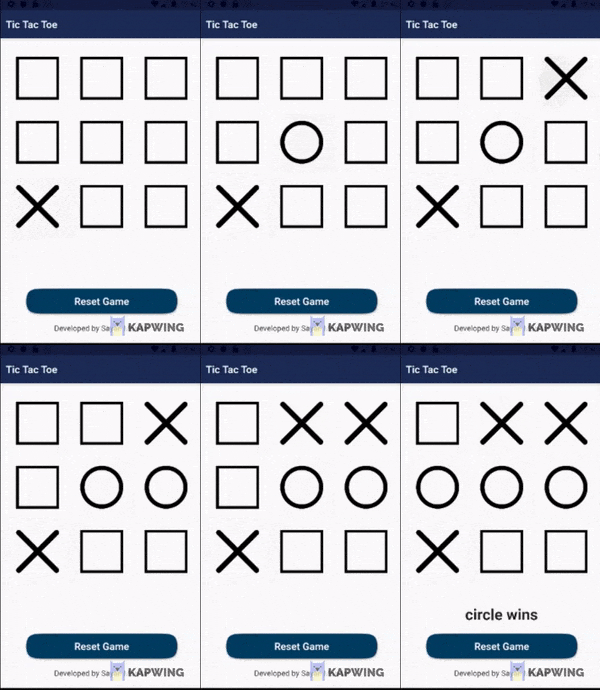
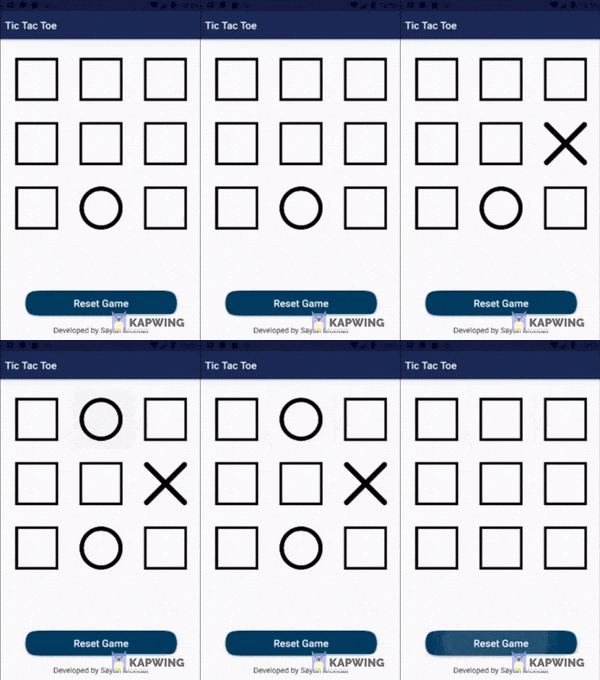
This Flutter game is a very famous yet easy start for beginners. Its a Tic Tac Toe game which is built using one Stateless and a Stateful widget, You can change the assets if you wish too, everything is properly documented including the game logic and the state changes, It has a delay feature which auto resets the game after a winner is declared, you can also manually reset the game if you want to.
## Screenshots


## NOTE:
This project is subject to change by the developer and is still in development
## How to run this
Running this is as simple as it gets. Follow this steps
1. Open your terminal (NOTE: git bash prefered/ Terminal on VS Code)
2. Navigate to the project folder where you have cloned this repo.
3. Open an emulator or plug in a real device
4. Type the following command in the terminal
```
flutter run
```
## Pull Request
Pull Requests are welcome. Please follow these rules for the ease of understanding:
* Make sure to check for available issues before raising one
* Give me a maximum of 24-48 hours to respond
* Have proper documentation on the parts you are changing/adding
#### Feel free to contribute
## Developed & Maintained by
[Sayan Mondal](https://github.com/S-ayanide)
[📷 Insta](https://www.instagram.com/s_ayanide/)
[🐤 Twitter](https://www.instagram.com/s_ayanide/) [](https://twitter.com/intent/tweet?text=Wow:&url=https%3A%2F%2Fgithub.com%2FS-ayanide%2FFlutter-TicTacToe%2Fblob%2Fmaster%2FREADME.md)
## License
[](https://github.com/S-ayanide/Flutter-TicTacToe/blob/master/LICENSE)
```Copyright 2019 Sayan Mondal
Licensed under the Apache License, Version 2.0 (the "License");
you may not use this file except in compliance with the License.
You may obtain a copy of the License at
http://www.apache.org/licenses/LICENSE-2.0
Unless required by applicable law or agreed to in writing, software
distributed under the License is distributed on an "AS IS" BASIS,
WITHOUT WARRANTIES OR CONDITIONS OF ANY KIND, either express or implied.
See the License for the specific language governing permissions and
limitations under the License.
```
## Getting Started
For help getting started with Flutter, view our online [documentation](https://flutter.dev/docs).