https://github.com/saada/thoth
https://github.com/saada/thoth
Last synced: 11 months ago
JSON representation
- Host: GitHub
- URL: https://github.com/saada/thoth
- Owner: saada
- Created: 2013-02-16T05:34:58.000Z (over 13 years ago)
- Default Branch: master
- Last Pushed: 2015-01-07T04:30:32.000Z (over 11 years ago)
- Last Synced: 2025-04-03T01:23:59.665Z (over 1 year ago)
- Language: JavaScript
- Size: 10.1 MB
- Stars: 4
- Watchers: 7
- Forks: 3
- Open Issues: 0
-
Metadata Files:
- Readme: README.md
Awesome Lists containing this project
README
#Thoth: A Multimedia-enabled Virtual Education Platform with Live Interaction and Collaboration
##Summary
What is Thoth, what is the overall goal of this project?
##What does 'Thoth' mean?
Since I'm from Egypt, the team decided to pick something related to my background. Le proposed Thoth and we liked it.
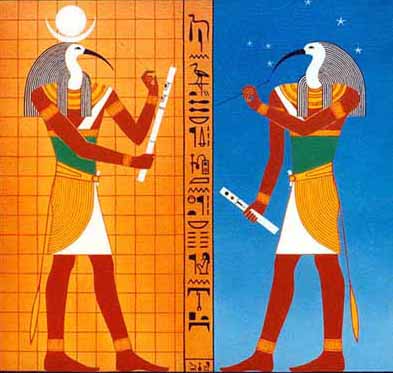
In Ancient Egypt, Thoth was the name of the mythical God of Knowledge. The name also rhymes with the word 'thought', think, **Thoth!**
##What problems are you intending to solve?
Existing remote education platforms usually allow online students to watch a pre-recorded lecture, which discourages students from interacting with the instructor and other peers.
For students who cannot attend the real-time class session, they will have access to a fully-recorded lecture including the live questions and their answers during the lecture. Our system can be used by not only professors, but also teaching assistants for live Q&A sessions.
Lack of a modern virtual classroom with real-time video conferencing and multiple remote desktop sharing based on cloud virtual resources.
High expense and complexity for establishing a physical laboratory for hands-on educational experiments. Lack of flexibility to re-configure and manage the physical resources. (space, time, management restrictions for physical lab)
Current online education platforms lack the management of student groups within a class which is crucial to a productive, successful learning experience in group projects as well as building layered communications for the classroom. (Personalized/customizable, reconfigurable, collaborative...)
Current online education platforms lack role-based access control on student activities and educational resources.
##What is the technological approach, or development roadmap?
###Technologies used in the project:
Web platform:
NodeJS
Websockets (node-ws)
HTML5
CSS3
jQuery
Twitter Bootstrap
mxGraph
Video conferencing:
WebRTC
Virtual resource allocation and management:
XenServer
XenAPI
Remote desktop control/sharing:
noVNC, VNC proxy
###Timeline
December 2012: Design and feasibility study;
January 2013: Implementation for back-end;
February 2013: Implementation for front-end;
March 2013: First working demo;
April 3rd 2013: Enhanced, more thorough demonstration.
###Completed Features:
V-Lab ID and user management
V-Lab VM resource management APIs and Web interface
V-Lab Virtual Network resource management APIs and Web interface
Web-based virtual resource management tool jGraph (validation, animation, dynamic loading, XML parsing, Configuration storage)
Node.js Web server that integrates both Http and WebSocket servers.
HTML5 & CSS3: Single-page & Responsive Web application design
P2P video / audio streaming via WebRTC
Remote VNC control of virtual resources with the ability to share view / control with online users in the group.
###In-Progress:
P2P file sharing via WebRTC.
Chatting system
Automatic volume control to show currently speaking user in the middle of a group conference
Future Work:
User Desktop Sharing
Face-detection and camera animation support
Real-time dynamic adjustments on the video quality and the number of concurrent video streams according to the user’s network conditions (bandwidth / delay) and hardware capacity.
In addition to using XenServer for virtual computing, we plan to integrate OpenFlow switch to control the data flow and network quality based on user privilege and real-time conditions.
Augmented Reality features.
##How will end users interact with it, and how will they benefit?
The project follows a pedagogical model with virtual classrooms, hands-on laboratories, and live interaction between students and instructors. There will also be features like a classroom management system, interactive online lecturing, mentoring, Q/A, tutoring, and assessments. Our main goal for the app's users is to provide an online social classroom environment with community-based knowledge sharing. You can imagine students, TAs, and professors discussing, learning, and solving sophisticated problems using our platform.
The main interface runs on a modern browser using technologies like HTML5, WebRTC, and Websockets. The result is a web-based classroom where students and professors can see their own Virtual Machines concurrently in real-time and control them as they please. The users can also share these machines' screen with others and choose to allow control or not.
Mobile remote education, field study
##How will your app leverage the 1Gbps, sliceable and deeply programmable network? (required)
Our platform will take advantage of such high bandwidth to achieve real-time HD video-conferencing between a large number of online students, professors, teaching assistants, and tutors.
In every classroom, each student is provided multiple virtual machines with remote control and screen sharing to other participants in the class. This requires a high throughput and low delay network with programmable capacity.
Incorporate our system with GENI’s resource allocation API and use Internet 2 to build virtual network system.
##Describe yourself and your Team (if applicable) (required)
Mahmoud Saada: Lead architect for web design, video conferencing implementation, and remote desktop control/sharing implementation. Le Xu: Lead architect for system design, back-end XenAPIs and database development. Qingyun Li: Front-end development. Wenxian Yang: Front-end graphic design. Dr. Dijiang Huang: Project Mentor.
Video demo:
Figure 1: Web-based remote desktop sharing and control via VNC
Figure 2: Video Conference
##Current stage:
1) We have a couple of features in the beta stage. We currently have our own cloud server that we maintain on campus.
We are now able to have multiple users in a conference with audio and video. We can also give users the ability to control virtual machine desktops from their browser simultaneously. For example, you can have eight people controlling the same desktop. This is of course not a common use case, but we wanted just a proof of concept. The real advantage to this would be to share this remote desktop screen with others with access control. That is what we are currently working on. We want to allow the users to "share" control with others on demand.
2) Among other things we are working on is a graph web application that users can design their virtual networks on. Users can draw and design virtual resources, networks, and physically create them on thee cloud. We hope to have this experience to be shared a-la Google Doc; a collaborative application.
The combination of #1 and #2 is our goal to release this app for students at ASU for this coming Fall semester 2013.