https://github.com/safishamsi/graphify
AI coding assistant skill (Claude Code, Codex, OpenCode, Cursor, Gemini CLI, and more). Turn any folder of code, SQL schemas, R scripts, shell scripts, docs, papers, images, or videos into a queryable knowledge graph. App code + database schema + infrastructure in one graph.
https://github.com/safishamsi/graphify
antigravity claude-code codex gemini graphrag knowledge-graph leiden openclaw rag skills tree-sitter
Last synced: about 2 months ago
JSON representation
AI coding assistant skill (Claude Code, Codex, OpenCode, Cursor, Gemini CLI, and more). Turn any folder of code, SQL schemas, R scripts, shell scripts, docs, papers, images, or videos into a queryable knowledge graph. App code + database schema + infrastructure in one graph.
- Host: GitHub
- URL: https://github.com/safishamsi/graphify
- Owner: safishamsi
- License: mit
- Created: 2026-04-03T15:49:07.000Z (4 months ago)
- Default Branch: v8
- Last Pushed: 2026-06-03T22:08:56.000Z (about 2 months ago)
- Last Synced: 2026-06-04T00:02:35.282Z (about 2 months ago)
- Topics: antigravity, claude-code, codex, gemini, graphrag, knowledge-graph, leiden, openclaw, rag, skills, tree-sitter
- Language: Python
- Homepage: https://graphifylabs.ai/
- Size: 3.46 MB
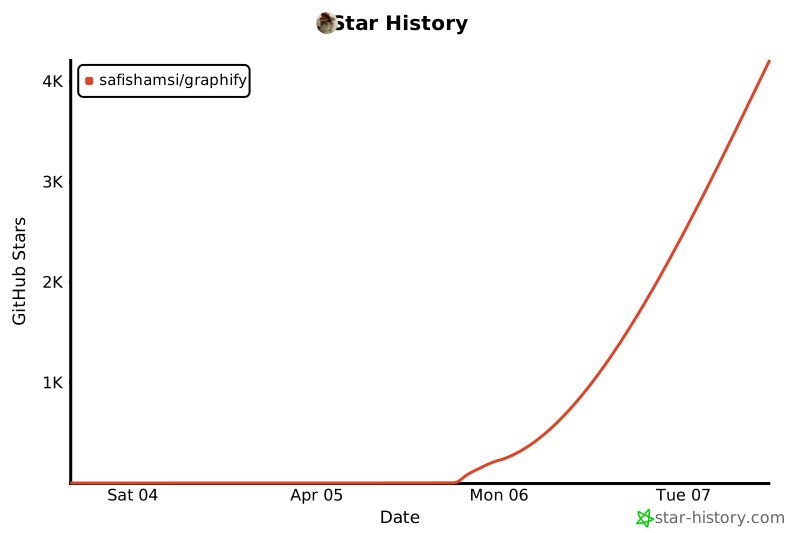
- Stars: 58,900
- Watchers: 205
- Forks: 6,144
- Open Issues: 285
-
Metadata Files:
- Readme: README.md
- Changelog: CHANGELOG.md
- Funding: .github/FUNDING.yml
- License: LICENSE
- Security: SECURITY.md
- Agents: AGENTS.md
Awesome Lists containing this project
- awesome-ccamel - safishamsi/graphify - AI coding assistant skill (Claude Code, Codex, OpenCode, Cursor, Gemini CLI, and more). Turn any folder of code, SQL schemas, R scripts, shell scripts, docs, papers, images, or videos into a queryable knowledge graph. App code + database schema + infrastructure in one graph. (Python)
- awesome-ai-tools - 点击进入
- my-awesome - safishamsi/graphify - code,codex,gemini,graphrag,knowledge-graph,leiden,openclaw,rag,skills,tree-sitter pushed_at:2026-06 star:67.2k fork:6.8k AI coding assistant skill (Claude Code, Codex, OpenCode, Cursor, Gemini CLI, and more). Turn any folder of code, SQL schemas, R scripts, shell scripts, docs, papers, images, or videos into a queryable knowledge graph. App code + database schema + infrastructure in one graph. (Python)
- stars - safishamsi/graphify
- awesome-python - graphify - Turn any folder of code, SQL schemas, docs, papers, images, or videos into a queryable knowledge graph. (Projects / AI and Agents)
- awesome-ai-coding - Graphify - square&label=%E2%98%85)](https://github.com/safishamsi/graphify) | safishamsi | Turn code, schemas, scripts, docs, and media into queryable knowledge graphs. | Claude Code / Codex / Gemini CLI / Cursor | (🔌 Custom Agent Skills & Plugins)
- awesome-ai - Graphify
- awesome-github-repos - safishamsi/graphify - AI coding assistant skill (Claude Code, Codex, OpenCode, Cursor, Gemini CLI, and more). Turn any folder of code, SQL schemas, R scripts, shell scripts, docs, papers, images, or videos into a queryable (Python)
- awesome-claude-code-and-skills - safishamsi/graphify - square) (Productivity Tools / Memory & Context Management)
- awesome-agentic-knowledge-base - safishamsi/graphify - compiler | Code/docs/papers/images → graph; Python lib distributed as Claude Code skill + 10 sibling-IDE bundles ([survey](surveys/safishamsi__graphify.md)) | (Open-source repos)
- awesome-claude-code - graphify
- awesome-local-llms - graphify
- awesome-ai-agent-skills - Graphify - CLI-backed Agent Skill that turns codebases, docs, schemas, papers, images, and videos into a queryable knowledge graph for Claude Code, Codex, OpenCode, Cursor, Gemini CLI, OpenClaw, Hermes, and more. (Codebase Understanding)
- awesome-ChatGPT-repositories - graphify - AI coding assistant skill (Claude Code, Codex, OpenCode, Cursor, Gemini CLI, and more). Turn any folder of code, SQL schemas, R scripts, shell scripts, docs, papers, images, or videos into a queryable knowledge graph. App code + database schema + infrastructure in one graph. (CLIs)
- fucking-awesome-python - graphify - Turn any folder of code, SQL schemas, R scripts, shell scripts, docs, papers, images, or videos into a queryable knowledge graph. (Projects / AI and Agents)
- awesome-claude-code - **graphify**
- claude-code-skills-zh - graphify
- awesome-opensource-ai - Graphify - AI coding assistant skill that indexes codebases, databases, and documents into a queryable knowledge graph for coding agents. MIT licensed.  (4. Agentic AI & Multi-Agent Systems)
- awesome - safishamsi/graphify - AI coding assistant skill (Claude Code, Codex, OpenCode, Cursor, Gemini CLI, and more). Turn any folder of code, SQL schemas, R scripts, shell scripts, docs, papers, images, or videos into a queryable knowledge graph. App code + database schema + infrastructure in one graph. (Python)
- awesome-ai-coding-agent-tools - graphify - Skill that turns code, docs, and media into navigable knowledge graphs. (Extensions, Skills & Rules / Claude Code Skills & Plugins)
- awesome-agent-harness - GitHub - 69984-f4b400?style=flat-square)](https://github.com/safishamsi/graphify) | knowledge-graph, skills, codex | Cross-agent skill and CLI that turns code, docs, schemas, and media into a queryable knowledge graph with Codex and Claude Code hooks. | (Catalog / Context & Working-State Engineering)
- StarryDivineSky - safishamsi/graphify
- awesome-agent-skills - graphify - AI coding assistant skill (Claude Code, Codex, OpenCode, OpenClaw, Factory Droid, Trae). (Coding and Refactoring Skills)
- awesome-repo - graphify
- awesome-starz - safishamsi/graphify - AI coding assistant skill (Claude Code, Codex, OpenCode, Cursor, Gemini CLI, and more). Turn any folder of code, SQL schemas, R scripts, shell scripts, docs, papers, images, or videos into a queryable (Python)
README

🇺🇸 English | 🇨🇳 简体中文 | 🇯🇵 日本語 | 🇰🇷 한국어 | 🇩🇪 Deutsch | 🇫🇷 Français | 🇪🇸 Español | 🇮🇳 हिन्दी | 🇧🇷 Português | 🇷🇺 Русский | 🇸🇦 العربية | 🇮🇹 Italiano | 🇵🇱 Polski | 🇳🇱 Nederlands | 🇹🇷 Türkçe | 🇺🇦 Українська | 🇻🇳 Tiếng Việt | 🇮🇩 Bahasa Indonesia | 🇸🇪 Svenska | 🇬🇷 Ελληνικά | 🇷🇴 Română | 🇨🇿 Čeština | 🇫🇮 Suomi | 🇩🇰 Dansk | 🇳🇴 Norsk | 🇭🇺 Magyar | 🇹🇭 ภาษาไทย | 🇺🇿 Oʻzbekcha | 🇹🇼 繁體中文 | 🇵🇭 Filipino







Type `/graphify` in your AI coding assistant and it maps your entire project — code, docs, PDFs, images, videos — into a knowledge graph you can query instead of grepping through files.
Works in Claude Code, Codex, OpenCode, Kilo Code, Cursor, Gemini CLI, GitHub Copilot CLI, VS Code Copilot Chat, Aider, Amp, OpenClaw, Factory Droid, Trae, Hermes, Kimi Code, Kiro, Pi, Devin CLI, and Google Antigravity.
```
/graphify .
```
That's it. You get three files:
```
graphify-out/
├── graph.html open in any browser — click nodes, filter, search
├── GRAPH_REPORT.md the highlights: key concepts, surprising connections, suggested questions
└── graph.json the full graph — query it anytime without re-reading your files
```
For a readable architecture page with Mermaid call-flow diagrams, run:
```bash
graphify export callflow-html
```
---
## Prerequisites
| Requirement | Minimum | Check | Install |
|---|---|---|---|
| Python | 3.10+ | `python --version` | [python.org](https://www.python.org/downloads/) |
| uv *(recommended)* | any | `uv --version` | `curl -LsSf https://astral.sh/uv/install.sh \| sh` |
| pipx *(alternative)* | any | `pipx --version` | `pip install pipx` |
**macOS quick install (Homebrew):**
```bash
brew install python@3.12 uv
```
**Windows quick install:**
```powershell
winget install astral-sh.uv
```
**Ubuntu/Debian:**
```bash
sudo apt install python3.12 python3-pip pipx
# or install uv:
curl -LsSf https://astral.sh/uv/install.sh | sh
```
---
## Install
> **Official package:** The PyPI package is `graphifyy` (double-y). Other `graphify*` packages on PyPI are not affiliated. The CLI command is still `graphify`.
**Step 1 — install the package:**
```bash
# Recommended (uv puts graphify on PATH automatically):
uv tool install graphifyy
# Alternatives:
pipx install graphifyy
pip install graphifyy # may need PATH setup — see note below
```
**Step 2 — register the skill with your AI assistant:**
```bash
graphify install
```
That's it. Open your AI assistant and type `/graphify .`
To install the assistant skill into the current repository instead of your user
profile, add `--project`:
```bash
graphify install --project
graphify install --project --platform codex
```
Project-scoped installs write under the current directory, for example
`.claude/skills/graphify/SKILL.md` or `.agents/skills/graphify/SKILL.md` (plus a
`references/` sidecar the skill loads on demand), and
print a `git add` hint for files that can be committed.
Per-platform commands that support project-scoped installs accept the same flag,
for example `graphify claude install --project` or `graphify codex install --project`.
> **PowerShell note:** Use `graphify .` not `/graphify .` — the leading slash is a path separator in PowerShell.
> **`graphify: command not found`?** Use `uv tool install graphifyy` or `pipx install graphifyy` — both put the CLI on PATH automatically. With plain `pip`, add `~/.local/bin` (Linux) or `~/Library/Python/3.x/bin` (Mac) to your PATH, or run `python -m graphify`.
> **Avoid `pip install` on Mac/Windows** if possible. The skill resolves Python at runtime from `graphify-out/.graphify_python`; if that points to a different environment than where `pip` installed the package, you'll get `ModuleNotFoundError: No module named 'graphify'`. `uv tool install` and `pipx install` isolate the package in their own env and avoid this entirely.
> **Git hooks and uv tool / pipx:** `graphify hook install` embeds the current interpreter path directly into the hook scripts at install time, so the post-commit hook fires correctly even in GUI git clients and CI runners where `~/.local/bin` is not on PATH. If you reinstall or upgrade graphify, re-run `graphify hook install` to refresh the embedded path.
### Pick your platform
| Platform | Install command |
|----------|----------------|
| Claude Code (Linux/Mac) | `graphify install` |
| Claude Code (Windows) | `graphify install` (auto-detected) or `graphify install --platform windows` |
| CodeBuddy | `graphify install --platform codebuddy` |
| Codex | `graphify install --platform codex` |
| OpenCode | `graphify install --platform opencode` |
| Kilo Code | `graphify install --platform kilo` |
| GitHub Copilot CLI | `graphify install --platform copilot` |
| VS Code Copilot Chat | `graphify vscode install` |
| Aider | `graphify install --platform aider` |
| OpenClaw | `graphify install --platform claw` |
| Factory Droid | `graphify install --platform droid` |
| Trae | `graphify install --platform trae` |
| Trae CN | `graphify install --platform trae-cn` |
| Gemini CLI | `graphify install --platform gemini` |
| Hermes | `graphify install --platform hermes` |
| Kimi Code | `graphify install --platform kimi` |
| Amp | `graphify amp install` |
| Kiro IDE/CLI | `graphify kiro install` |
| Pi coding agent | `graphify install --platform pi` |
| Cursor | `graphify cursor install` |
| Devin CLI | `graphify devin install` |
| Google Antigravity | `graphify antigravity install` |
Codex users also need `multi_agent = true` under `[features]` in `~/.codex/config.toml` for parallel extraction. CodeBuddy uses the same Agent tool and PreToolUse hook mechanism as Claude Code. Factory Droid uses the `Task` tool for parallel subagent dispatch. OpenClaw and Aider use sequential extraction (parallel agent support is still early on those platforms). Trae uses the Agent tool for parallel subagent dispatch and does **not** support PreToolUse hooks — AGENTS.md is the always-on mechanism.
> Codex uses `$graphify` instead of `/graphify`.
### Optional extras
Install only what you need:
| Extra | What it adds | Install |
|---|---|---|
| `pdf` | PDF extraction | `uv tool install "graphifyy[pdf]"` |
| `office` | `.docx` and `.xlsx` support | `uv tool install "graphifyy[office]"` |
| `google` | Google Sheets rendering | `uv tool install "graphifyy[google]"` |
| `video` | Video/audio transcription (faster-whisper + yt-dlp) | `uv tool install "graphifyy[video]"` |
| `mcp` | MCP stdio server | `uv tool install "graphifyy[mcp]"` |
| `neo4j` | Neo4j push support | `uv tool install "graphifyy[neo4j]"` |
| `svg` | SVG graph export | `uv tool install "graphifyy[svg]"` |
| `leiden` | Leiden community detection (Python < 3.13 only) | `uv tool install "graphifyy[leiden]"` |
| `ollama` | Ollama local inference | `uv tool install "graphifyy[ollama]"` |
| `openai` | OpenAI / OpenAI-compatible APIs | `uv tool install "graphifyy[openai]"` |
| `gemini` | Google Gemini API | `uv tool install "graphifyy[gemini]"` |
| `anthropic` | Anthropic Claude API (`--backend claude`, uses `ANTHROPIC_API_KEY`) | `uv tool install "graphifyy[anthropic]"` |
| `bedrock` | AWS Bedrock (uses IAM, no API key) | `uv tool install "graphifyy[bedrock]"` |
| `azure` | Azure OpenAI Service (`--backend azure`, uses `AZURE_OPENAI_API_KEY` + `AZURE_OPENAI_ENDPOINT`) | `uv tool install "graphifyy[openai]"` |
| `sql` | SQL schema extraction | `uv tool install "graphifyy[sql]"` |
| `postgres` | Live PostgreSQL introspection (`--postgres DSN`) | `uv tool install "graphifyy[postgres]"` |
| `dm` | BYOND DreamMaker `.dm`/`.dme` AST extraction (may need a C compiler + `python3-dev` if no wheel matches your platform) | `uv tool install "graphifyy[dm]"` |
| `terraform` | Terraform / HCL `.tf`/`.tfvars`/`.hcl` AST extraction | `uv tool install "graphifyy[terraform]"` |
| `chinese` | Chinese query segmentation (jieba) | `uv tool install "graphifyy[chinese]"` |
| `all` | Everything above | `uv tool install "graphifyy[all]"` |
---
## Make your assistant always use the graph
Run this once in your project after building a graph:
| Platform | Command |
|----------|---------|
| Claude Code | `graphify claude install` |
| CodeBuddy | `graphify codebuddy install` |
| Codex | `graphify codex install` |
| OpenCode | `graphify opencode install` |
| Kilo Code | `graphify kilo install` |
| GitHub Copilot CLI | `graphify copilot install` |
| VS Code Copilot Chat | `graphify vscode install` |
| Aider | `graphify aider install` |
| OpenClaw | `graphify claw install` |
| Factory Droid | `graphify droid install` |
| Trae | `graphify trae install` |
| Trae CN | `graphify trae-cn install` |
| Cursor | `graphify cursor install` |
| Gemini CLI | `graphify gemini install` |
| Hermes | `graphify hermes install` |
| Kimi Code | `graphify install --platform kimi` |
| Amp | `graphify amp install` |
| Kiro IDE/CLI | `graphify kiro install` |
| Pi coding agent | `graphify pi install` |
| Devin CLI | `graphify devin install` |
| Google Antigravity | `graphify antigravity install` |
This writes a small config file that tells your assistant to consult the knowledge graph for codebase questions — preferring scoped queries like `graphify query ""` over reading the full report or grepping raw files. On platforms that support payload-bearing hooks (Claude Code, Gemini CLI), a hook fires automatically before search-style tool calls (and, on Claude Code, before reading source files one by one via the Read/Glob tools) and nudges your assistant toward the graph path. On the others (Codex, OpenCode, Cursor, etc.), the persistent instruction files (`AGENTS.md`, `.cursor/rules/`, etc.) provide the same query-first guidance. `GRAPH_REPORT.md` is still available for broad architecture review.
**CodeBuddy** does the same two things as Claude Code: writes a `CODEBUDDY.md` section telling CodeBuddy to read `graphify-out/GRAPH_REPORT.md` before answering architecture questions, and installs **PreToolUse hooks** (`.codebuddy/settings.json`) that fire before Bash search commands and file reads, nudging toward `graphify query` instead.
**Codex** writes to `AGENTS.md` and also installs a **PreToolUse hook** in `.codex/hooks.json` that fires before every Bash tool call — same always-on mechanism as Claude Code.
To remove graphify from all platforms at once: `graphify uninstall` (add `--purge` to also delete `graphify-out/`). Or use the per-platform command (e.g. `graphify claude uninstall`).
---
**Kilo Code** installs the Graphify skill to `~/.config/kilo/skills/graphify/SKILL.md` and a native `/graphify` command to `~/.config/kilo/command/graphify.md`. `graphify kilo install` also writes `AGENTS.md` plus a native **`tool.execute.before` plugin** (`.kilo/plugins/graphify.js` + `.kilo/kilo.json` or `.kilo/kilo.jsonc` registration) so Kilo gets the same always-on graph reminder behavior through native `.kilo` config.
**Cursor** writes `.cursor/rules/graphify.mdc` with `alwaysApply: true` — Cursor includes it in every conversation automatically, no hook needed.
## What's in the report
- **God nodes** — the most-connected concepts in your project. Everything flows through these.
- **Surprising connections** — links between things that live in different files or modules. Ranked by how unexpected they are.
- **The "why"** — inline comments (`# NOTE:`, `# WHY:`, `# HACK:`), docstrings, and design rationale from docs are extracted as separate nodes linked to the code they explain.
- **Suggested questions** — 4–5 questions the graph is uniquely positioned to answer.
- **Confidence tags** — every inferred relationship is marked `EXTRACTED`, `INFERRED`, or `AMBIGUOUS`. You always know what was found vs guessed.
---
## What files it handles
| Type | Extensions |
|------|-----------|
| Code (28 tree-sitter grammars) | `.py .ts .js .jsx .tsx .mjs .go .rs .java .c .cpp .h .hpp .rb .cs .kt .scala .php .swift .lua .luau .zig .ps1 .ex .exs .m .mm .jl .vue .svelte .astro .groovy .gradle .dart .v .sv .svh .sql .f .f90 .f95 .f03 .f08 .pas .pp .dpr .dpk .lpr .inc .dfm .lfm .lpk .sh .bash .json .dm .dme .dmi .dmm .dmf .sln .slnx .csproj .fsproj .vbproj .razor .cshtml` (`.dm`/`.dme` requires `uv tool install graphifyy[dm]`) |
| Salesforce Apex | `.cls .trigger` (regex-based; classes, interfaces, enums, methods, triggers, SOQL/DML edges) |
| Terraform / HCL | `.tf .tfvars .hcl` (requires `uv tool install graphifyy[terraform]`) |
| MCP configs | `.mcp.json` `mcp.json` `mcp_servers.json` `claude_desktop_config.json` — extracts server nodes, package refs, env var requirements |
| Docs | `.md .mdx .qmd .html .txt .rst .yaml .yml` |
| Office | `.docx .xlsx` (requires `uv tool install graphifyy[office]`) |
| Google Workspace | `.gdoc .gsheet .gslides` (opt-in; requires `gws` auth and `--google-workspace`; Sheets need `uv tool install graphifyy[google]`) |
| PDFs | `.pdf` |
| Images | `.png .jpg .webp .gif` |
| Video / Audio | `.mp4 .mov .mp3 .wav` and more (requires `uv tool install graphifyy[video]`) |
| YouTube / URLs | any video URL (requires `uv tool install graphifyy[video]`) |
Code is extracted locally with no API calls (AST via tree-sitter). Everything else goes through your AI assistant's model API.
Google Drive for desktop `.gdoc`, `.gsheet`, and `.gslides` files are shortcut
pointers, not document content. To include native Google Docs, Sheets, and Slides
in a headless extraction, install and authenticate the
[`gws` CLI](https://github.com/googleworkspace/cli), then run:
```bash
uv tool install "graphifyy[google]" # needed for Google Sheets table rendering
gws auth login -s drive
graphify extract ./docs --google-workspace
```
You can also set `GRAPHIFY_GOOGLE_WORKSPACE=1`. Graphify exports shortcuts into
`graphify-out/converted/` as Markdown sidecars, then extracts those files.
---
## Common commands
```bash
/graphify . # build graph for current folder
/graphify ./docs --update # re-extract only changed files
/graphify . --cluster-only # rerun clustering without re-extracting
/graphify . --cluster-only --resolution 1.5 # more granular communities
/graphify . --cluster-only --exclude-hubs 99 # suppress utility super-hubs from god-node rankings
/graphify . --no-viz # skip the HTML, just the report + JSON
/graphify . --wiki # build a markdown wiki from the graph
graphify export callflow-html # Mermaid architecture/call-flow HTML (auto-regenerates on every git commit if hook is installed)
/graphify query "what connects auth to the database?"
/graphify path "UserService" "DatabasePool"
/graphify explain "RateLimiter"
/graphify add https://arxiv.org/abs/1706.03762 # fetch a paper and add it
/graphify add # transcribe and add a video
graphify hook install # auto-rebuild on git commit
graphify merge-graphs a.json b.json # combine two graphs
graphify prs # PR dashboard: CI state, review status, worktree mapping
graphify prs 42 # deep dive on PR #42 with graph impact
graphify prs --triage # AI ranks your review queue (uses whatever backend is configured)
graphify prs --conflicts # PRs sharing graph communities — merge-order risk
```
See the [full command reference](#full-command-reference) below.
---
## Ignoring files
Create a `.graphifyignore` in your project root — same syntax as `.gitignore`, including `!` negation.
**`.gitignore` is respected automatically.** If no `.graphifyignore` is present in a directory, graphify falls back to the `.gitignore` in that directory. If both exist, `.graphifyignore` takes priority. Subdirectory scoping works the same way as git — an ignore file only affects its own subtree.
```
# .graphifyignore
node_modules/
dist/
*.generated.py
# only index src/, ignore everything else
*
!src/
!src/**
```
---
## Team setup
`graphify-out/` is meant to be committed to git so everyone on the team starts with a map.
**Recommended `.gitignore` additions:**
```
graphify-out/cost.json # local only
# graphify-out/cache/ # optional: commit for speed, skip to keep repo small
```
> `manifest.json` is now portable — keys are stored as relative paths and re-anchored on load, so committing it is safe and avoids a full rebuild on first checkout.
**Workflow:**
1. One person runs `/graphify .` and commits `graphify-out/`.
2. Everyone pulls — their assistant reads the graph immediately.
3. Run `graphify hook install` to auto-rebuild after each commit (AST only, no API cost). This also sets up a git merge driver so `graph.json` is never left with conflict markers — two devs committing in parallel get their graphs union-merged automatically.
4. When docs or papers change, run `/graphify --update` to refresh those nodes.
---
## Using the graph directly
```bash
# query the graph from the terminal
graphify query "show the auth flow"
graphify query "what connects DigestAuth to Response?" --graph graphify-out/graph.json
# expose the graph as an MCP server (for repeated tool-call access)
python -m graphify.serve graphify-out/graph.json
# register with Kimi Code:
kimi mcp add --transport stdio graphify -- python -m graphify.serve graphify-out/graph.json
# or serve over HTTP so a whole team points at one URL (no local graphify needed):
python -m graphify.serve graphify-out/graph.json --transport http --port 8080
python -m graphify.serve graphify-out/graph.json --transport http --host 0.0.0.0 --api-key "$SECRET"
```
The MCP server gives your assistant structured access: `query_graph`, `get_node`, `get_neighbors`, `shortest_path`, `list_prs`, `get_pr_impact`, `triage_prs`.
### Shared HTTP server
`--transport stdio` (the default) spawns one local server per developer. `--transport http` serves the same tools over the MCP Streamable HTTP transport, so a single shared process can serve the graph for the whole team — clients point their IDE MCP config at `http://:8080/mcp` instead of running graphify locally.
| Flag | Default | Purpose |
|---|---|---|
| `--transport {stdio,http}` | `stdio` | Transport to serve on |
| `--host` | `127.0.0.1` | HTTP bind host (use `0.0.0.0` to expose beyond localhost) |
| `--port` | `8080` | HTTP bind port |
| `--api-key` | env `GRAPHIFY_API_KEY` | Require `Authorization: Bearer ` (or `X-API-Key`) |
| `--path` | `/mcp` | HTTP mount path |
| `--json-response` | off | Return plain JSON instead of SSE streams |
| `--stateless` | off | No per-session state (for load-balanced / CI deployments) |
| `--session-timeout` | `3600` | Reap idle stateful sessions after N seconds (`0` disables) |
The default `127.0.0.1` bind is loopback-only. Set `--host 0.0.0.0` **and** `--api-key` together when exposing on a shared host. Run it in a container:
```bash
docker build -t graphify .
docker run -p 8080:8080 -v "$(pwd)/graphify-out:/data" graphify \
/data/graph.json --transport http --host 0.0.0.0 --api-key "$SECRET"
```
> **WSL / Linux note:** Ubuntu ships `python3`, not `python`. Use a venv to avoid conflicts:
> ```bash
> python3 -m venv .venv && .venv/bin/pip install "graphifyy[mcp]"
> ```
---
## Environment variables
These are only needed for **headless / CI extraction** (`graphify extract`). When running via the `/graphify` skill inside your IDE, the model API is provided by your IDE session — no extra keys needed.
| Variable | Used for | When required |
|---|---|---|
| `ANTHROPIC_API_KEY` | Claude (Anthropic) backend | `--backend claude` |
| `GEMINI_API_KEY` or `GOOGLE_API_KEY` | Google Gemini backend | `--backend gemini` |
| `OPENAI_API_KEY` | OpenAI or OpenAI-compatible APIs | `--backend openai` |
| `DEEPSEEK_API_KEY` | DeepSeek backend | `--backend deepseek` |
| `MOONSHOT_API_KEY` | Kimi Code backend | `--backend kimi` |
| `OLLAMA_BASE_URL` | Ollama local inference URL | `--backend ollama` (default: `http://localhost:11434`) |
| `OLLAMA_MODEL` | Ollama model name | `--backend ollama` (default: auto-detect) |
| `GRAPHIFY_OLLAMA_NUM_CTX` | Override Ollama KV-cache window size | optional — auto-sized by default |
| `GRAPHIFY_OLLAMA_KEEP_ALIVE` | Minutes to keep Ollama model loaded | optional — set `0` to unload after each chunk |
| `AZURE_OPENAI_API_KEY` | Azure OpenAI Service backend | `--backend azure` |
| `AZURE_OPENAI_ENDPOINT` | Azure resource endpoint URL | `--backend azure` (required alongside API key) |
| `AZURE_OPENAI_API_VERSION` | Azure API version override | optional — default `2024-12-01-preview` |
| `AZURE_OPENAI_DEPLOYMENT` or `GRAPHIFY_AZURE_MODEL` | Azure deployment name | optional — default `gpt-4o` |
| `AWS_*` / `~/.aws/credentials` | AWS Bedrock — standard credential chain | `--backend bedrock` (no API key, uses IAM) |
| `GRAPHIFY_MAX_WORKERS` | AST parallelism thread count | optional — also `--max-workers` flag |
| `GRAPHIFY_MAX_OUTPUT_TOKENS` | Raise output cap for dense corpora | optional — e.g. `32768` for large files |
| `GRAPHIFY_API_TIMEOUT` | Per-call timeout in seconds for HTTP, claude-cli, and Anthropic SDK backends (default: 600) | optional — also `--api-timeout` flag |
| `GRAPHIFY_FORCE` | Force graph rebuild even with fewer nodes | optional — also `--force` flag |
| `GRAPHIFY_GOOGLE_WORKSPACE` | Auto-enable Google Workspace export | optional — set to `1` |
| `GRAPHIFY_TRIAGE_BACKEND` | Backend for `graphify prs --triage` | optional — auto-detected from available keys |
| `GRAPHIFY_TRIAGE_MODEL` | Model override for triage | optional — e.g. `claude-opus-4-7` |
| `GRAPHIFY_QUERY_LOG` | Override query log path (default: `~/.cache/graphify-queries.log`) | optional — set to empty or `/dev/null` to silence |
| `GRAPHIFY_QUERY_LOG_DISABLE` | Set to `1` to disable query logging entirely | optional |
| `GRAPHIFY_QUERY_LOG_RESPONSES` | Set to `1` to also log full subgraph responses (off by default) | optional |
---
## Privacy
- **Code files** — processed locally via tree-sitter. Nothing leaves your machine. A code-only corpus requires no API key — `graphify extract` runs fully offline.
- **Video / audio** — transcribed locally with faster-whisper. Nothing leaves your machine.
- **Docs, PDFs, images** — sent to your AI assistant for semantic extraction (via the `/graphify` skill, using whatever model your IDE session runs). Headless `graphify extract` requires `GEMINI_API_KEY` / `GOOGLE_API_KEY` (Gemini), `MOONSHOT_API_KEY` (Kimi), `ANTHROPIC_API_KEY` (Claude), `OPENAI_API_KEY` (OpenAI), `DEEPSEEK_API_KEY` (DeepSeek), a running Ollama instance (`OLLAMA_BASE_URL`), AWS credentials via the standard provider chain (Bedrock - no API key needed, uses IAM), or the `claude` CLI binary (Claude Code - no API key needed, uses your Claude subscription). The `--dedup-llm` flag uses the same key.
- **Data residency** — `graphify extract` auto-detects which provider to use based on which API key is set (priority: Gemini → Kimi → Claude → OpenAI → DeepSeek → Azure → Bedrock → Ollama). For code with data-residency requirements, use `--backend ollama` (fully local) or pass an explicit `--backend` flag. Kimi (`MOONSHOT_API_KEY`) routes to Moonshot AI servers in China.
- No telemetry, no usage tracking, no analytics.
- **Query logging** — every `graphify query`, `graphify path`, `graphify explain`, and MCP `query_graph` call is logged to `~/.cache/graphify-queries.log` in JSON Lines format (timestamp, question, corpus, nodes returned, duration). Full subgraph responses are **not** stored by default. Set `GRAPHIFY_QUERY_LOG_DISABLE=1` to opt out, or `GRAPHIFY_QUERY_LOG=/dev/null` to silence without disabling the code path.
---
## Troubleshooting
**`graphify: command not found` after `pip install graphifyy`**
pip installs scripts to a user bin directory that may not be on your PATH. Fix:
- macOS: add `~/Library/Python/3.x/bin` to your PATH in `~/.zshrc`
- Linux: add `~/.local/bin` to your PATH in `~/.bashrc`
- Or use `uv tool install graphifyy` / `pipx install graphifyy` — both manage PATH automatically.
**`python -m graphify` works but `graphify` command doesn't**
Your shell's PATH doesn't include the Python scripts directory. Use `uv` or `pipx` instead of plain `pip`.
**`/graphify .` causes "path not recognized" in PowerShell**
PowerShell treats a leading `/` as a path separator. Use `graphify .` (no slash) on Windows.
**Graph has fewer nodes after `--update` or rebuild**
If a refactor deleted files, the old nodes linger. Pass `--force` (or set `GRAPHIFY_FORCE=1`) to overwrite even when the rebuild has fewer nodes.
**Graph has duplicate nodes for the same entity (ghost duplicates)**
Ghost duplicates (same symbol appearing twice — once from AST extraction with a source location, once from semantic extraction without) are now automatically merged at build time. If you see this in a graph built before v0.8.33, run a full re-extract to clean up:
```bash
graphify extract . --force
```
**Ollama runs out of VRAM / context window exceeded**
The KV-cache window is auto-sized but may be too large for your GPU. Reduce it:
```bash
GRAPHIFY_OLLAMA_NUM_CTX=8192 graphify extract ./docs --backend ollama --token-budget 4000
```
**Graph HTML is too large to open in a browser (>5000 nodes)**
Skip HTML generation and use the JSON directly:
```bash
graphify cluster-only ./my-project --no-viz
graphify query "..."
```
**`graph.json` has conflict markers after two devs commit at once**
Run `graphify hook install` — it sets up a git merge driver that union-merges `graph.json` automatically so conflicts never happen.
**Extraction returns empty nodes/edges for docs or PDFs**
Docs, PDFs, and images require an LLM call — code-only corpora need no key. Check that your API key is set and the backend is correct:
```bash
ANTHROPIC_API_KEY=sk-... graphify extract ./docs --backend claude
```
**Skill version mismatch warning in your IDE**
Your installed graphify version is different from the skill file. Update:
```bash
uv tool upgrade graphifyy
graphify install # overwrites the skill file
```
---
## Full command reference
```
/graphify # run on current directory
/graphify ./raw # run on a specific folder
/graphify ./raw --mode deep # more aggressive relationship extraction
/graphify ./raw --update # re-extract only changed files
/graphify ./raw --directed # preserve edge direction
/graphify ./raw --cluster-only # rerun clustering on existing graph
/graphify ./raw --no-viz # skip HTML visualization
/graphify ./raw --obsidian # generate Obsidian vault
/graphify ./raw --wiki # build agent-crawlable markdown wiki
/graphify ./raw --svg # export graph.svg
/graphify ./raw --graphml # export for Gephi / yEd
/graphify ./raw --neo4j # generate cypher.txt for Neo4j
/graphify ./raw --neo4j-push bolt://localhost:7687
/graphify ./raw --watch # auto-sync as files change
/graphify ./raw --mcp # start MCP stdio server
/graphify add https://arxiv.org/abs/1706.03762
/graphify add
/graphify add https://... --author "Name" --contributor "Name"
/graphify query "what connects attention to the optimizer?"
/graphify query "..." --dfs --budget 1500
/graphify path "DigestAuth" "Response"
/graphify explain "SwinTransformer"
graphify uninstall # remove from all platforms in one shot
graphify uninstall --purge # also delete graphify-out/
graphify uninstall --project --platform codex # remove project-scoped install files only
graphify hook install # post-commit + post-checkout hooks
graphify hook uninstall
graphify hook status
# always-on assistant instructions - platform-specific
graphify claude install # CLAUDE.md + PreToolUse hook (Claude Code)
graphify claude uninstall
graphify codebuddy install # CODEBUDDY.md + PreToolUse hook (CodeBuddy)
graphify codebuddy uninstall
graphify codex install # AGENTS.md + PreToolUse hook in .codex/hooks.json (Codex)
graphify opencode install # AGENTS.md + tool.execute.before plugin (OpenCode)
graphify kilo install # native Kilo skill + /graphify command + AGENTS.md + .kilo plugin
graphify kilo uninstall
graphify cursor install # .cursor/rules/graphify.mdc (Cursor)
graphify cursor uninstall
graphify gemini install # GEMINI.md + BeforeTool hook (Gemini CLI)
graphify gemini uninstall
graphify copilot install # skill file (GitHub Copilot CLI)
graphify copilot uninstall
graphify aider install # AGENTS.md (Aider)
graphify aider uninstall
graphify claw install # AGENTS.md (OpenClaw)
graphify claw uninstall
graphify droid install # AGENTS.md (Factory Droid)
graphify droid uninstall
graphify trae install # AGENTS.md (Trae)
graphify trae uninstall
graphify trae-cn install # AGENTS.md (Trae CN)
graphify trae-cn uninstall
graphify hermes install # AGENTS.md + ~/.hermes/skills/ (Hermes)
graphify hermes uninstall
graphify amp install # skill file (Amp)
graphify amp uninstall
graphify kiro install # .kiro/skills/ + .kiro/steering/graphify.md (Kiro IDE/CLI)
graphify kiro uninstall
graphify pi install # skill file (Pi coding agent)
graphify pi uninstall
graphify devin install # skill file + .windsurf/rules/graphify.md (Devin CLI)
graphify devin uninstall
graphify antigravity install # .agents/rules + .agents/workflows (Google Antigravity)
graphify antigravity uninstall
graphify extract ./docs # headless LLM extraction for CI (no IDE needed)
graphify extract ./docs --backend gemini # explicit backend: gemini, kimi, claude, openai, deepseek, ollama, bedrock, or claude-cli
graphify extract ./docs --backend gemini --model gemini-3.1-pro-preview
graphify extract ./docs --backend ollama # local Ollama (set OLLAMA_BASE_URL / OLLAMA_MODEL) - no API key needed for loopback
GRAPHIFY_OLLAMA_NUM_CTX=32768 graphify extract ./docs --backend ollama # override KV-cache window (auto-sized by default)
GRAPHIFY_OLLAMA_KEEP_ALIVE=0 graphify extract ./docs --backend ollama # unload model after each chunk (saves VRAM on small GPUs)
graphify extract ./docs --backend bedrock # AWS Bedrock via IAM - no API key, uses AWS credential chain
graphify extract ./docs --backend claude-cli # route through Claude Code CLI - no API key, uses your Claude subscription
graphify extract ./docs --backend azure # Azure OpenAI (set AZURE_OPENAI_API_KEY + AZURE_OPENAI_ENDPOINT)
graphify extract ./docs --max-workers 16 # AST parallelism (also GRAPHIFY_MAX_WORKERS)
graphify extract --postgres "postgresql://user:pass@host/db" # introspect live PostgreSQL schema directly
graphify extract ./docs --token-budget 30000 # smaller semantic chunks for local/small models
graphify extract ./docs --max-concurrency 2 # fewer parallel LLM calls (useful for local inference)
graphify extract ./docs --api-timeout 900 # longer HTTP timeout for slow local models (default 600s)
graphify extract ./docs --google-workspace # export .gdoc/.gsheet/.gslides via gws before extraction
graphify extract ./docs --mode deep # richer semantic extraction via extended system prompt
graphify extract ./docs --no-cluster # raw extraction only, skip clustering
graphify extract ./docs --force # overwrite graph.json even if new graph has fewer nodes (use after refactors or to clear ghost duplicates)
graphify extract ./docs --dedup-llm # LLM tiebreaker for ambiguous entity pairs (uses same API key)
graphify extract ./docs --global --as myrepo # extract and register into the cross-project global graph
GRAPHIFY_MAX_OUTPUT_TOKENS=32768 graphify extract ./docs --backend claude # raise output cap for dense corpora
graphify export callflow-html # graphify-out/-callflow.html
graphify export callflow-html --max-sections 8 # cap generated architecture sections
graphify export callflow-html --output docs/arch.html
graphify export callflow-html ./some-repo/graphify-out
graphify global add graphify-out/graph.json myrepo # register a project graph into ~/.graphify/global.json
graphify global remove myrepo # remove a project from the global graph
graphify global list # show all registered repos + node/edge counts
graphify global path # print path to the global graph file
graphify prs # PR dashboard: CI, review, worktree, graph impact
graphify prs 42 # deep dive on PR #42
graphify prs --triage # AI triage ranking (auto-detects backend from env)
graphify prs --worktrees # worktree → branch → PR mapping
graphify prs --conflicts # PRs sharing graph communities (merge-order risk)
graphify prs --base main # filter to PRs targeting a specific base branch
graphify prs --repo owner/repo # run against a different GitHub repo
GRAPHIFY_TRIAGE_BACKEND=kimi graphify prs --triage # use a specific backend for triage
graphify clone https://github.com/karpathy/nanoGPT
graphify merge-graphs a.json b.json --out merged.json
graphify --version # print installed version
graphify watch ./src
graphify check-update ./src
graphify update ./src
graphify update ./src --no-cluster # skip reclustering, write raw AST graph only
graphify update ./src --force # overwrite even if new graph has fewer nodes
graphify cluster-only ./my-project
graphify cluster-only ./my-project --graph path/to/graph.json # custom graph location
graphify cluster-only ./my-project --resolution 1.5 # more, smaller communities
graphify cluster-only ./my-project --exclude-hubs 99 # exclude p99 degree nodes from partitioning
graphify cluster-only ./my-project --no-label # keep "Community N" placeholders
graphify cluster-only ./my-project --backend=gemini # backend for community naming
graphify label ./my-project # (re)name communities with the configured backend
graphify label ./my-project --backend=openai # force a specific backend
```
> **Community names:** inside an agent (Claude Code, Gemini CLI) the agent names communities itself. When you run the bare CLI, `cluster-only` auto-names them with the configured backend (built-in or custom OpenAI-compatible provider) — pass `--no-label` to keep `Community N`, or run `graphify label` to (re)generate names on demand.
---
## Learn more
- [How it works](docs/how-it-works.md) — the extraction pipeline, community detection, confidence scoring, benchmarks
- [ARCHITECTURE.md](ARCHITECTURE.md) — module breakdown, how to add a language
- [Optional integrations](docs/docker-mcp-sqlite.md) — Docker MCP Toolkit + SQLite
---
## Built on graphify — Penpax
[**Penpax**](https://graphifylabs.ai) is the always-on layer built on top of graphify — it applies the same graph approach to your entire working life: meetings, browser history, emails, files, and code, updating continuously in the background.
Built for people whose work lives across hundreds of conversations and documents they can never fully reconstruct. No cloud, fully on-device.
**Free trial launching soon.** [Join the waitlist →](https://graphifylabs.ai)
---
Contributing
### Development setup
The project uses [uv](https://docs.astral.sh/uv/) for dev workflow. Install it once, then:
```bash
git clone https://github.com/safishamsi/graphify.git
cd graphify
git checkout v8 # active development branch
# Create the project venv and install graphify + all extras + the dev group
# (pytest). uv installs the dev dependency group by default; pass --no-dev to
# skip it.
uv sync --all-extras
```
Verify the editable install:
```bash
uv run graphify --version
uv run python -c "import graphify; print(graphify.__file__)"
```
### Running tests
```bash
uv run pytest tests/ -q # run the full suite
uv run pytest tests/test_extract.py -q # one module
uv run pytest tests/ -q -k "python" # filter by name
```
> macOS note: the test suite includes both `sample.f90` and `sample.F90` fixtures. These collide on case-insensitive HFS+ / APFS file systems. Run on Linux or in a Docker container if you need to test both Fortran variants simultaneously.
### Git workflow
- Active development happens on the `v8` branch.
- Commit style: `fix: ` / `feat: ` / `docs: `
- Before opening a PR, run `uv run pytest tests/ -q` and confirm it passes.
- Add a fixture file to `tests/fixtures/` and tests to `tests/test_languages.py` for any new language extractor.
### What to contribute
**Worked examples** are the most useful contribution. Run `/graphify` on a real corpus, save the output to `worked/{slug}/`, write an honest `review.md` covering what the graph got right and wrong, and open a PR.
**Extraction bugs** — open an issue with the input file, the cache entry (`graphify-out/cache/`), and what was missed or wrong.
See [ARCHITECTURE.md](ARCHITECTURE.md) for module responsibilities and how to add a language.