https://github.com/saif-arshad/devfolio
Personal website & portfolio build using Next js , Tailwind css and Appwrite
https://github.com/saif-arshad/devfolio
appwrite devfolio framer-motion nextjs personal-website portfolio
Last synced: 8 months ago
JSON representation
Personal website & portfolio build using Next js , Tailwind css and Appwrite
- Host: GitHub
- URL: https://github.com/saif-arshad/devfolio
- Owner: Saif-Arshad
- Created: 2024-10-10T06:34:33.000Z (over 1 year ago)
- Default Branch: main
- Last Pushed: 2025-04-03T06:53:34.000Z (about 1 year ago)
- Last Synced: 2025-05-08T20:55:45.312Z (about 1 year ago)
- Topics: appwrite, devfolio, framer-motion, nextjs, personal-website, portfolio
- Language: TypeScript
- Homepage: https://saifurrehman.info
- Size: 3.38 MB
- Stars: 3
- Watchers: 1
- Forks: 2
- Open Issues: 0
-
Metadata Files:
- Readme: README.md
Awesome Lists containing this project
README
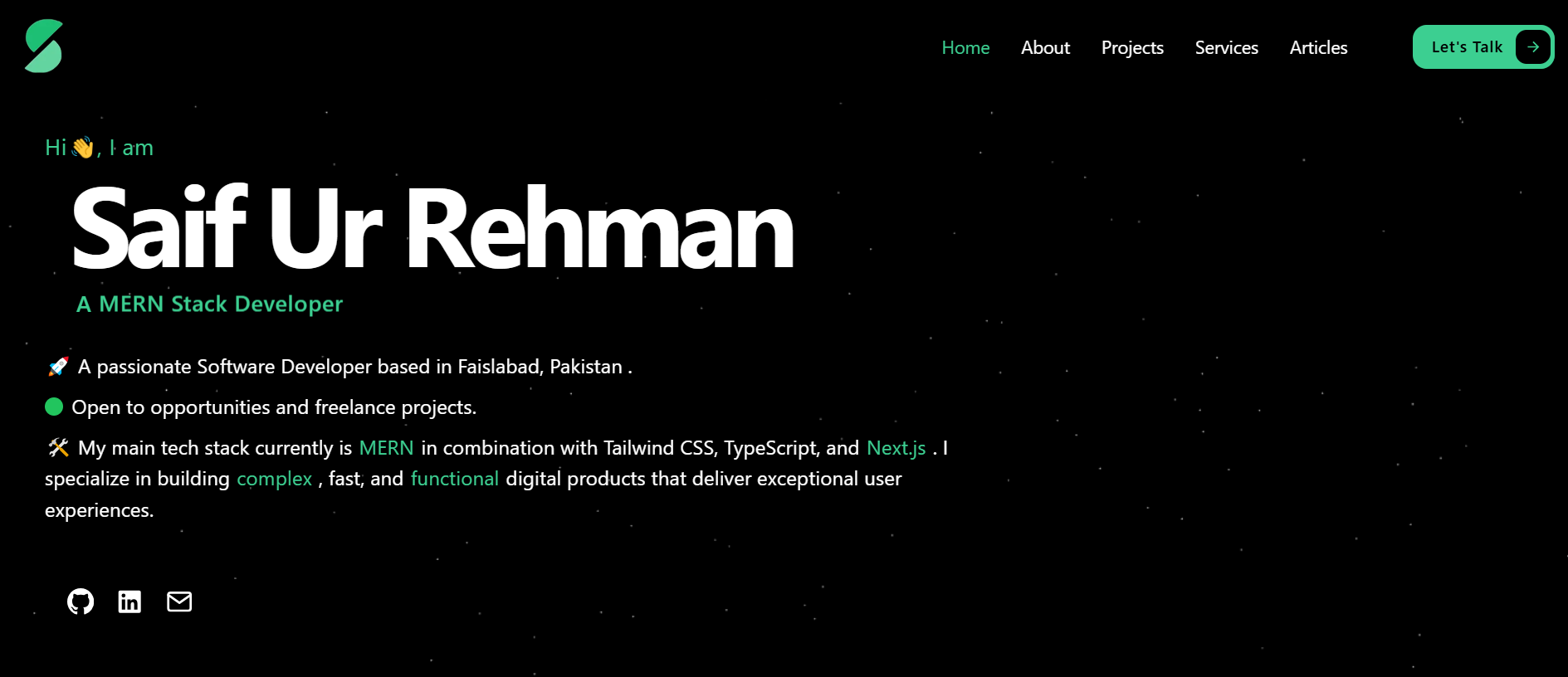
## Next.js Portfolio Website
This is a portfolio website that showcases my work using Next.js. The website is fully responsive and optimized for different devices and screen resolutions. It also features full-stack functionality that enables me to log in as an admin and manage all the projects and articles I have uploaded, such as editing, updating, or deleting them.
## Technologies used
- **Next.js**: A React framework for building fast and scalable web applications.
- **Tailwind CSS**: A utility-first CSS framework for rapid UI development.
- **TypeScript**: A superset of JavaScript that adds static type checking and other features.
- **Appwrite**: A backend server for managing authentication, databases, and storage.
## Features
- **Fully responsive**: The website adapts to different screen sizes and devices, ensuring a smooth user experience across all platforms.
- **Multipage layout**: The website consists of multiple pages, each with a specific purpose and content. You can navigate between the pages using the menu bar at the top.
- **My dashboard**: The website provides a secure and user-friendly dashboard for the admin to manage the projects and articles. The admin can log in, edit, update, or delete the projects as needed.
- **WakaTime Stats Integration**:Displays coding activity and project insights.
- **GitHub Contributions**:Highlights GitHub contributions for showcasing activity and involvement.
## Installation and setup instructions
1.Clone this repository to your local machine:
`git clone https://github.com/Saif-Arshad/devfolio`
2.Navigate to the project directory:
`cd devfolio`
3.Install the dependencies:
`npm install`
4.Create a .env file in the root directory and add the environment variables which are in:
`.env-example`
https://github.com/Saif-Arshad/devfolio/blob/main/.env.example
5.Start the development server:
`npm run dev`
Open http://localhost:3000 in your browser to view the website.
The website will reload automatically when you make changes to the code.
## Deployment
The live version of the website is available at: https://saifurrehman.info/.
Feel free to explore the website, and if you encounter any issues, please report them in the repository's issue tracker. Thank you for visiting!