https://github.com/samchon/nestia-sdk-template
Nestia SDK Template Repository for `@nestia/migrate`
https://github.com/samchon/nestia-sdk-template
Last synced: over 1 year ago
JSON representation
Nestia SDK Template Repository for `@nestia/migrate`
- Host: GitHub
- URL: https://github.com/samchon/nestia-sdk-template
- Owner: samchon
- License: mit
- Created: 2024-02-01T01:40:27.000Z (over 2 years ago)
- Default Branch: master
- Last Pushed: 2025-04-11T03:10:11.000Z (over 1 year ago)
- Last Synced: 2025-04-11T04:20:32.929Z (over 1 year ago)
- Language: TypeScript
- Size: 284 KB
- Stars: 2
- Watchers: 3
- Forks: 0
- Open Issues: 0
-
Metadata Files:
- Readme: README.md
- License: LICENSE
Awesome Lists containing this project
README
# Software Development Kit
This is a SDK library generated by [`@nestia/migrate`](https://nestia.io/docs/migrate) or [`@nestia/editor`](https://nestia.io/docs/editor).
With this SDK library, you can easily and safely interact with backend server.
Just import and call some API functions like gif image below:
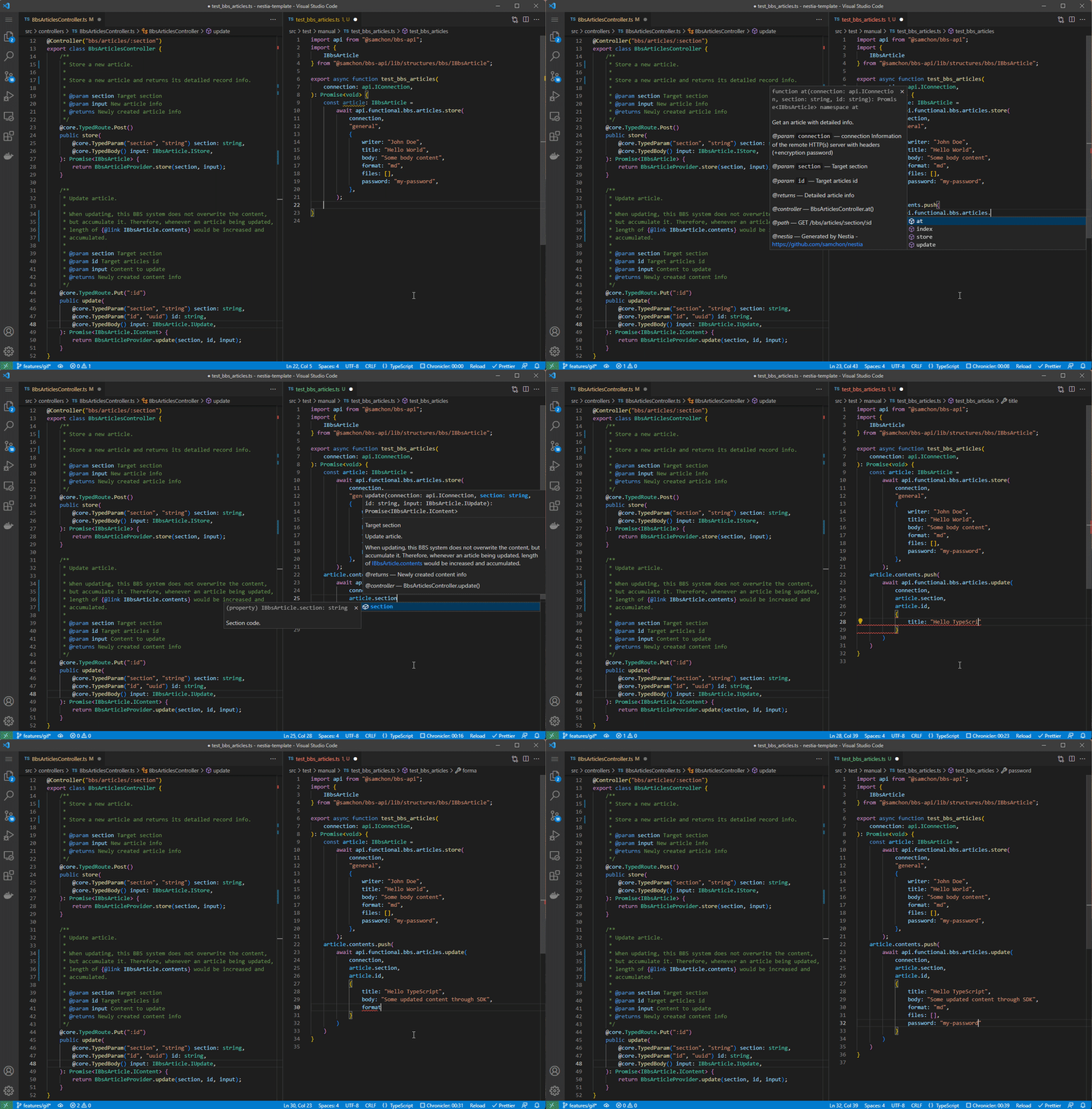
> Left is server code, and right is client code utilizing the SDK
## How to Test
```bash
npm install
npm start # run only "test/start.ts" file
npm run test # everything under the "test/features" directory
npm run test:simulate # "test/features" with mockup simulation mode
```
If you run `npm start` command, only [test/start.ts](test/start.ts) file would be executed.
Otherwise you run `npm run test` command instead, run everything in the [test/features](test/features) directory.
For reference, the [test/features](test/features) directory and E2E test functions (for each API endpoints) would be automatically composed only when you've configured the "E2E test function generation mode" of the `@nestia/migrate` (or `@nestia/editor`).
```bash
npm install -g @nestia/migrate
npx @nestia/migrate
? Migration mode (Use arrow keys):
NestJS
> SDK
? Swagger file location: assets/input/clickhouse.json
? Output directory path: assets/output/clickhouse-sdk-manual
? Mokup Simulator: true
? E2E Test Functions: true
```
## Deploy
```bash
npm install
npm run deploy
```
Just run `npm run deploy` command, then your SDK library would be published.
By the way, the initial package name of this template repository is `@ORGANIZATION/PROJECT-api`. I think it would better to change the word to your own organization and project name. If you're utilizing `VsCode`, you can do it through `Edit > Replace in Files` (*Ctrl + Shift + H*) feature.
-----------
> ## What [`Nestia`](https://nestia.io) is:
> 
>
> [](https://github.com/samchon/nestia/blob/master/LICENSE)
> [](https://www.npmjs.com/package/@nestia/core)
> [](https://www.npmjs.com/package/@nestia/core)
> [](https://github.com/samchon/nestia/actions?query=workflow%3Abuild)
> [](https://nestia.io/docs/)
>
> Nestia is a set of helper libraries for NestJS, supporting below features:
>
> - `@nestia/core`: Super-fast decorators
> - `@nestia/sdk`:
> - Swagger generator evolved than ever
> - SDK library generator for clients
> - Mockup Simulator for client applications
> - Automatic E2E test functions generator
> - `@nestia/migrate`: Migration from Swagger to NestJS
> - `@nestia/editor`: Online TypeScript Swagger Editor
> - `nestia`: Just CLI (command line interface) tool
>
>> **Note**
>>
>> - **Only one line** required, with pure TypeScript type
>> - Enhance performance **30x** up
>> - Runtime validator is **20,000x faster** than `class-validator`
>> - JSON serialization is **200x faster** than `class-transformer`
>> - Software Development Kit
>> - SDK is a collection of `fetch` functions with type definitions like [tRPC](https://> trpc.io/)
>> - Mockup simulator means embedded backend simulator in SDK
>> - similar with [msw](https://mswjs.io/), but fully automated