https://github.com/samsung/vscode-extension-tizentv
https://github.com/samsung/vscode-extension-tizentv
Last synced: over 1 year ago
JSON representation
- Host: GitHub
- URL: https://github.com/samsung/vscode-extension-tizentv
- Owner: Samsung
- License: apache-2.0
- Created: 2020-06-01T09:39:13.000Z (about 6 years ago)
- Default Branch: dev
- Last Pushed: 2024-05-02T02:17:25.000Z (about 2 years ago)
- Last Synced: 2025-04-11T18:22:11.492Z (over 1 year ago)
- Language: JavaScript
- Size: 6.94 MB
- Stars: 18
- Watchers: 11
- Forks: 13
- Open Issues: 8
-
Metadata Files:
- Readme: README.md
- License: LICENSE.txt
Awesome Lists containing this project
README

VS Code - TizenTV
Generate/Edit/Package/Launch(Run, Debug) your applications with Tizen Targets
'TizenTV' is a VS Code extension that provides a lightweight IDE for Tizen application developers, helps to generate, update and package an application, also launch (run, debug mode) an application on Tizen targets.
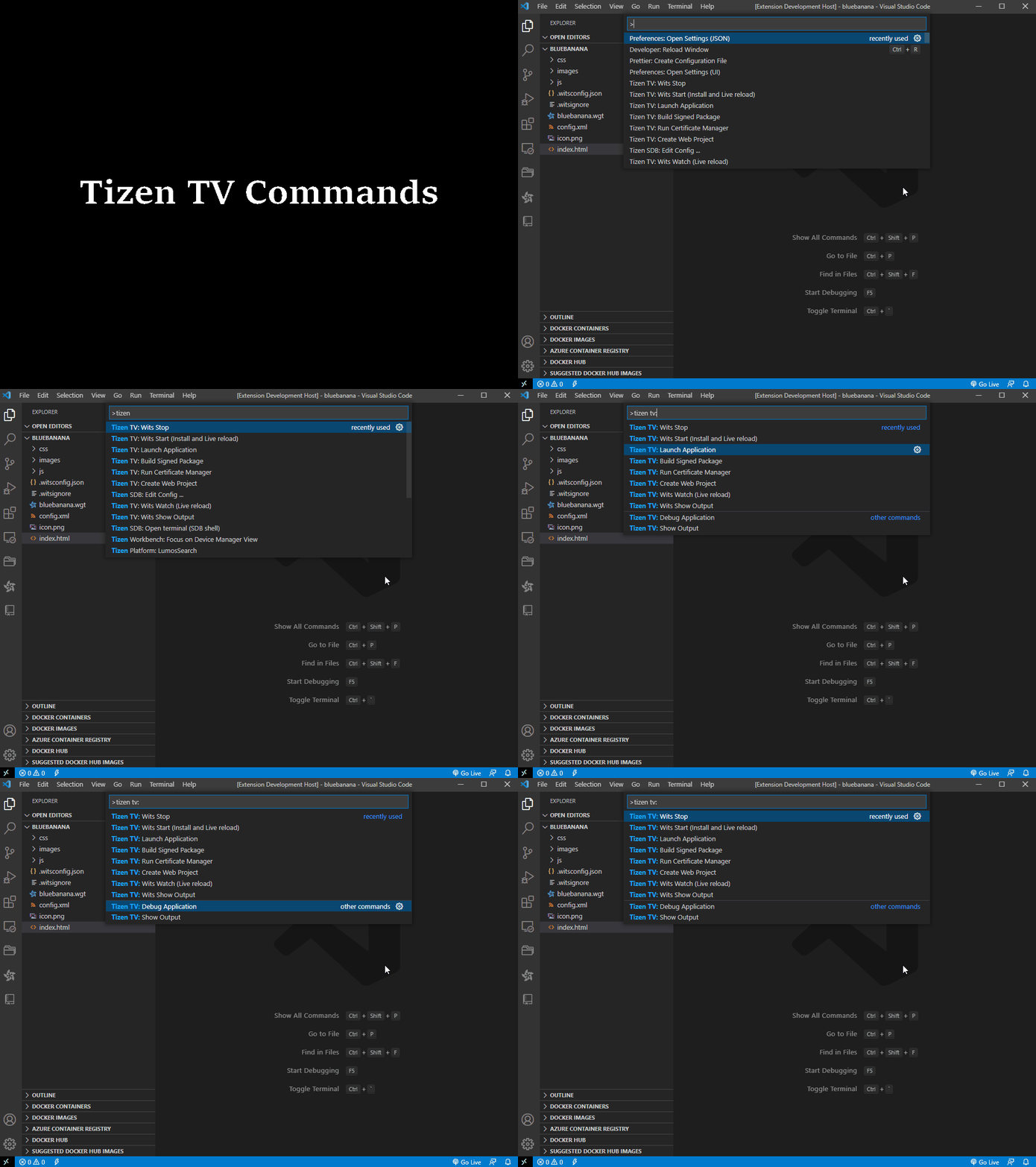
## Supported features
- Tizen TV: Create Web Project
Create a Tizen web application based on templates
- Tizen TV: Run Certificate Manager
Create/Retrieve/Update/Delete an author's profile by tizentv
- Tizen TV: Build Signed Package
Build the Tizen application into a Tizen package, the package will be located in workspace's root
- Tizen TV: Launch Application
Launch Tizen application on tizen TV, TV Emulator or TV Simulator, please configure the target address in user setting, also set TV as developer mode
- Tizen TV: Debug Application
Use google-chrome to debug with web inspector, please configure the chrome executable's path in user setting
- Tizen TV: Show Output
Open Tizen TV output channel for details
- Tizen TV: Wits Start (Install and Live reload)
Development tool for helping to run and develop your Tizen web application easily on your 2017+ Samsung TV. Find more details about Wits at *https://github.com/Samsung/Wits*
- Tizen TV: Wits Watch (Live reload)
Run `live reload` without installing the package again.
- Tizen TV: Wits Stop
Stop `live reload` feature.
- Tizen TV: Wits Show Output
Open Wits output channel for details
- Tizen TV: Set Target Device Address
Set Target device address to launch application.
- Tizen TV: Excluding files
Set excluding files not to build
## Getting Started
The extension supports most of the basic features required to develop a Tizen TV app. It supports to create application using predefined templates, package the application, sign the application using certificate profile, launch (run / debug) application on TV Simulator, Emulator and Tizen TV.
### Setup Environment
1. Install latest VS Code release
*https://code.visualstudio.com*
*https://code.visualstudio.com/docs/setup/setup-overview*
2. Execute _ext install tizentv_ in command pallete(or clone tizentv-x.x.x.vsix from github, install with terminal command)
_# code --install-extension tizentv-x.x.x.vsix_
3. Start or Reload VS Code
4. Use F1 to open the palette and input _>Tizen TV_ to find commands
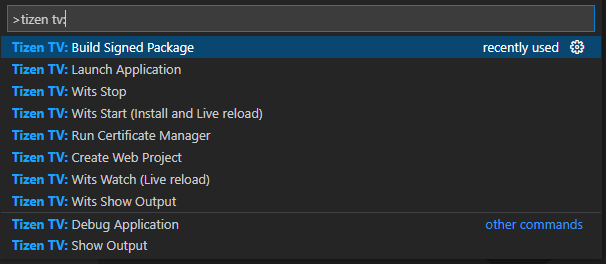
### Command Configuration
For running/debugging an app, please configure one of below items:
File > Preferences > User Settings or Code > Preferences > User Settings
- tizentv.hostPCAddress
Configuration of user's host PC IP address
- tizentv.targetDeviceAddress
Configuration of target TV's IP address
- tizentv.simulatorExecutable
Configuration of TV simulator's executable location
- tizentv.excludeFiles
Add files should be excluded
- tizentv.chromeExecutable
Configuration of chrome executable's path
- tizentv.portForward
Configuration of target TV's debug port

## FAQ
### How to launch/debug a web app on RTL TV (Remote Test Lab TV)?
- Refer the [Setting for "RTL TV" in "Tizentv extension"](https://github.com/Samsung/vscode-extension-tizentv/wiki/Setting-for-%22RTL-TV%22-in-%22Tizentv-extension%22)
### Simulator is not working on mac os.
- Open settings.json
- Check the value of "tizentv.simulatorExecutable"
- Try with "/Users/[your account]/tizen-studio/tools/sec-tv-simulator/nwjs.app/Contents/MacOS/nwjs"
## Footer
If you have any issue, please leave a [github issue](https://github.com/Samsung/vscode-extension-tizentv/issues/new).