https://github.com/samuelasherrivello/rmc-readme-authoring
Add custom readme to Unity Inspector Window
https://github.com/samuelasherrivello/rmc-readme-authoring
unity unity3d
Last synced: about 2 months ago
JSON representation
Add custom readme to Unity Inspector Window
- Host: GitHub
- URL: https://github.com/samuelasherrivello/rmc-readme-authoring
- Owner: SamuelAsherRivello
- License: mit
- Created: 2023-02-20T12:33:13.000Z (over 3 years ago)
- Default Branch: main
- Last Pushed: 2023-09-13T17:58:06.000Z (almost 3 years ago)
- Last Synced: 2025-04-02T03:43:14.054Z (over 1 year ago)
- Topics: unity, unity3d
- Language: C#
- Homepage: http://SamuelAsherRivello.com
- Size: 256 KB
- Stars: 0
- Watchers: 1
- Forks: 0
- Open Issues: 0
-
Metadata Files:
- Readme: README.md
- Contributing: CONTRIBUTING.md
- License: LICENSE
Awesome Lists containing this project
README
[](https://www.npmjs.com/package/com.rmc.rmc-readme-authoring)
[](https://opensource.org/licenses/MIT)

# RMC Readme Authoring
- [How To Use](#how-to-use)
- [Install](#install)
- [Via NPM](#via-npm)
- [Via Git URL](#via-git-url)
- [Tests](#tests)
- [Samples](#samples)
- [Configuration](#configuration)
## How to use
This is a custom library to **author** a custom ReadMe for the Unity Inspector Window.
If you only want to **display** a custom ReadMe, see the https://github.com/SamuelAsherRivello/rmc-readme-authoring.
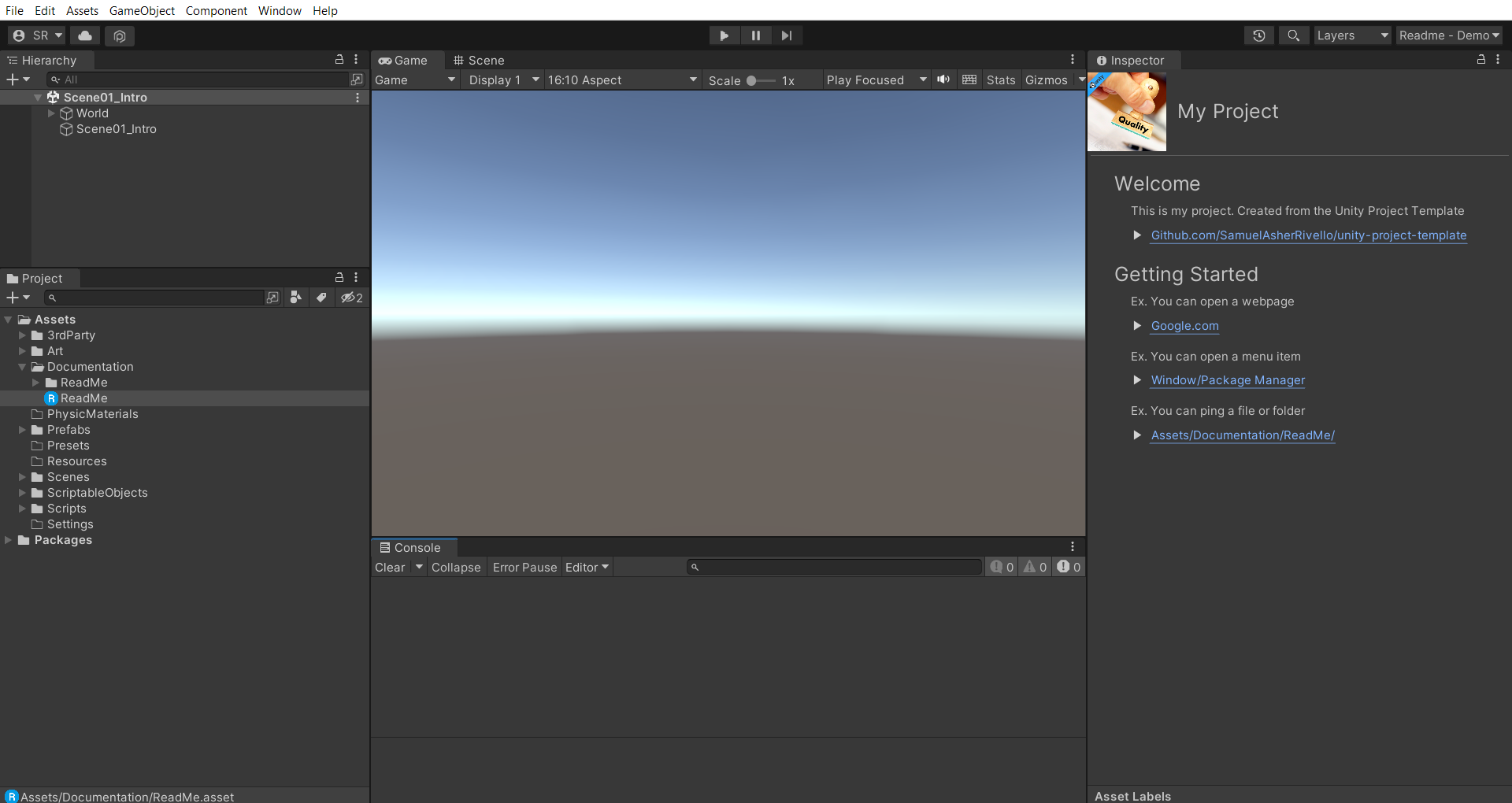
## Example Image
Here is the Unity editor with the RMC ReadMe displayed in the Inspector Window.
## Install
### Via NPM
You can either use the Unity Package Manager Window (UPM) or directly edit the manifest file. The result will be the same.
**UPM**
To use the [Package Manager Window](https://docs.unity3d.com/Manual/upm-ui.html), first add a [Scoped Registry](https://docs.unity3d.com/2023.1/Documentation/Manual/upm-scoped.html), then click on the interface menu ( `Status Bar → (+) Icon → Add Package By Name ...` ).
**Manifest File**
Or to edit the `Packages/manifest.json` directly with your favorite text editor, add a scoped registry then the following line(s) to dependencies block:
```json
{
"scopedRegistries": [
{
"name": "npmjs",
"url": "https://registry.npmjs.org/",
"scopes": [
"com.rmc"
]
}
],
"dependencies": {
"com.rmc.rmc-readme-authoring": "1.1.9",
"com.rmc.rmc-readme": "1.2.1"
}
}
```
Package should now appear in package manager.
### Via Git URL
You can either use the Unity Package Manager (UPM) Window or directly edit the manifest file. The result will be the same.
**UPM**
To use the [Package Manager Window](https://docs.unity3d.com/Manual/upm-ui.html) click on the interface menu ( `Status Bar → (+) Icon → Add Package From Git Url ...` ).
**Manifest File**
Or to edit the `Packages/manifest.json` directly with your favorite text editor, add following line(s) to the dependencies block:
```json
{
"dependencies": {
"com.rmc.rmc-readme-authoring": "https://github.com/SamuelAsherRivello/rmc-readme-authoring.git",
"com.rmc.rmc-readme": "https://github.com/SamuelAsherRivello/rmc-readme.git"
}
}
```
### Tests
The package can optionally be set as *testable*.
In practice this means that tests in the package will be visible in the [Unity Test Runner](https://docs.unity3d.com/2017.4/Documentation/Manual/testing-editortestsrunner.html).
Open `Packages/manifest.json` with your favorite text editor. Add following line **after** the dependencies block:
```json
{
"dependencies": {
},
"testables": [ "com.rmc.rmc-readme-authoring" ]
}
```
### Samples
Some packages include optional samples with clear use cases. To import and run the samples:
1. Open Unity
1. Complete the package installation (See above)
1. Open the [Package Manager Window](https://docs.unity3d.com/Manual/upm-ui.html)
1. Select this package
1. Select samples
1. Import
## Configuration
* `Unity Target` - [Standalone MAC/PC](https://support.unity.com/hc/en-us/articles/206336795-What-platforms-are-supported-by-Unity-)
* `Unity Version` - Any [Unity Editor](https://unity.com/download) 2021.x or higher
* `Unity Rendering` - Any [Unity Render Pipeline](https://docs.unity3d.com/Manual/universal-render-pipeline.html)
* `Unity Aspect Ratio` - Any [Unity Game View](https://docs.unity3d.com/Manual/GameView.html)
Created By
=============
- Samuel Asher Rivello
- Over 23 years XP with game development (2023)
- Over 10 years XP with Unity (2023)
Contact
=============
- Twitter - @srivello
- Resume & Portfolio - SamuelAsherRivello.com
- Source Code on Git - Github.com/SamuelAsherRivello
- LinkedIn - Linkedin.com/in/SamuelAsherRivello <--- Say Hello! :)
License
=============
Provided as-is under MIT License | Copyright © 2023 Rivello Multimedia Consulting, LLC