https://github.com/sander1095/vscode-readme-auto-open
A VSCode plug-in that opens the README when you open a project for the first time, ensuring people read it
https://github.com/sander1095/vscode-readme-auto-open
documentation hacktoberfest readme vscode vscode-extension
Last synced: 5 months ago
JSON representation
A VSCode plug-in that opens the README when you open a project for the first time, ensuring people read it
- Host: GitHub
- URL: https://github.com/sander1095/vscode-readme-auto-open
- Owner: sander1095
- License: mit
- Created: 2024-10-03T17:05:44.000Z (over 1 year ago)
- Default Branch: main
- Last Pushed: 2024-10-16T15:17:38.000Z (over 1 year ago)
- Last Synced: 2025-10-25T22:44:32.371Z (8 months ago)
- Topics: documentation, hacktoberfest, readme, vscode, vscode-extension
- Language: TypeScript
- Homepage:
- Size: 74.2 KB
- Stars: 1
- Watchers: 1
- Forks: 1
- Open Issues: 5
-
Metadata Files:
- Readme: README.md
- Changelog: CHANGELOG.md
- License: LICENSE
- Support: SUPPORT.MD
Awesome Lists containing this project
README
# README Auto Open: Help your team onboard!
A [VSCode plug-in](https://marketplace.visualstudio.com/items?itemName=sandertenbrinke.readme-auto-open) that automatically opens the project's README when you open a project for the first time, ensuring people read it. Once opened, this plug-in will not activate again until you reset the state.
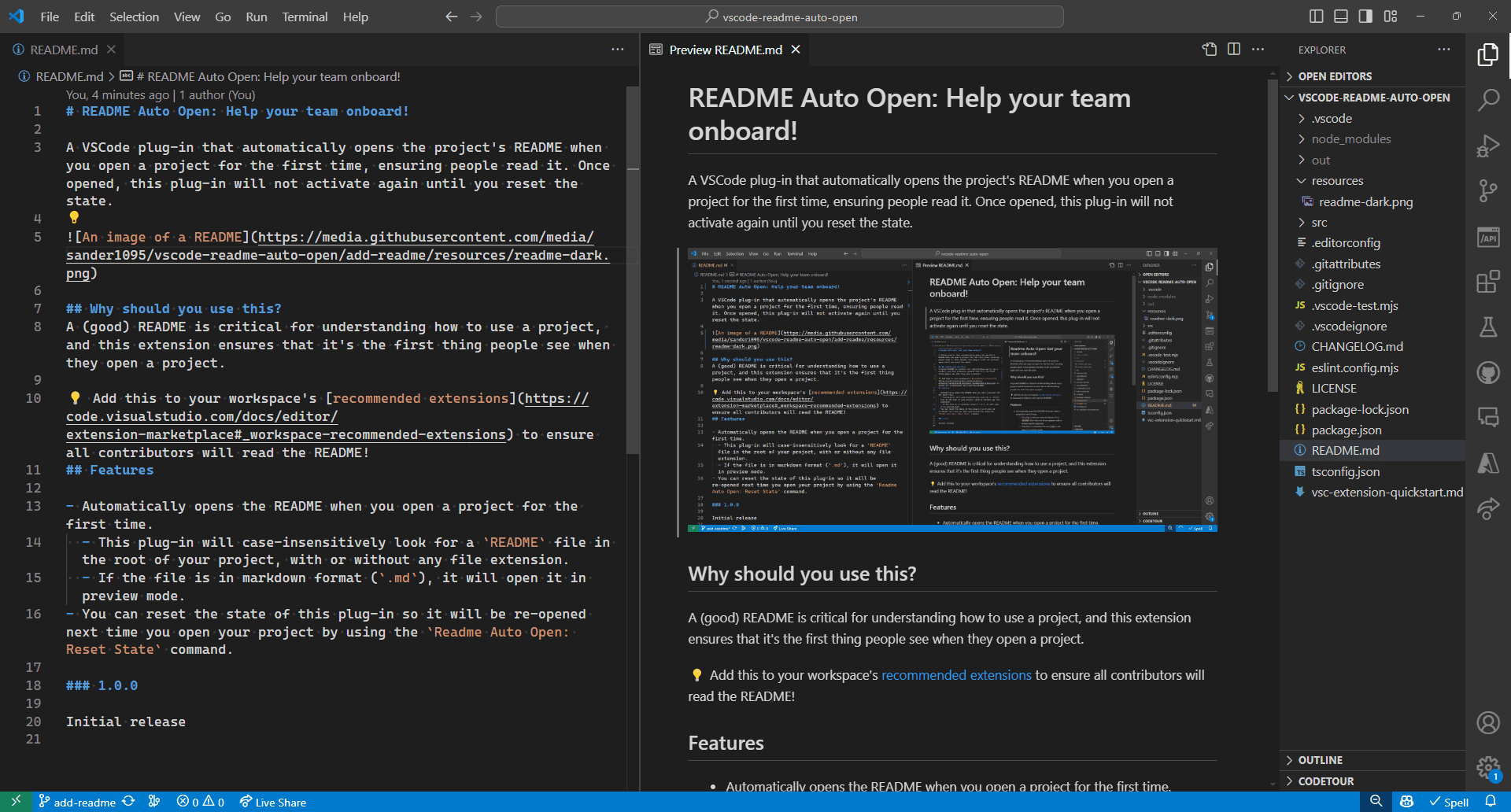
## Why should you use this?
A (good) README is critical for understanding how to use a project, and this extension ensures that it's the first thing people see when they open a project.
💡 Add this to your workspace's [recommended extensions](https://code.visualstudio.com/docs/editor/extension-marketplace#_workspace-recommended-extensions) to ensure all contributors will read the README!
## Features
- Automatically opens the README when you open a project for the first time.
- This plug-in will case-insensitively look for a `README` file in the root of your project, with or without any file extension.
- If the file is in markdown format (`.md`), it will open it in preview mode.
- You can reset the state of this plug-in so it will be re-opened next time you open your project by using the `Readme Auto Open: Reset State` command.