https://github.com/sandshellcreations/applesigninbutton
Integrate Apple SignIn into Xcode project in just some seconds using storyboard.
https://github.com/sandshellcreations/applesigninbutton
applesignin applesigninwrapper asauthorizationappleidbutton cocoacontrols cocoapods ios iosdevelopment kissmycode sandshellcreations swift swift5 xcode
Last synced: about 2 months ago
JSON representation
Integrate Apple SignIn into Xcode project in just some seconds using storyboard.
- Host: GitHub
- URL: https://github.com/sandshellcreations/applesigninbutton
- Owner: SandsHellCreations
- License: mit
- Created: 2020-04-28T05:17:00.000Z (about 6 years ago)
- Default Branch: master
- Last Pushed: 2020-04-28T06:58:56.000Z (about 6 years ago)
- Last Synced: 2025-11-11T12:32:53.723Z (8 months ago)
- Topics: applesignin, applesigninwrapper, asauthorizationappleidbutton, cocoacontrols, cocoapods, ios, iosdevelopment, kissmycode, sandshellcreations, swift, swift5, xcode
- Language: Swift
- Homepage: https://sandshellcreations.github.io/AppleSignInButton/
- Size: 3.04 MB
- Stars: 4
- Watchers: 1
- Forks: 0
- Open Issues: 0
-
Metadata Files:
- Readme: README.md
- License: LICENSE
Awesome Lists containing this project
README
# AppleSignInButton
[](http://cocoapods.org/pods/AppleSignInButton)
[](http://cocoapods.org/pods/AppleSignInButton)
[](http://cocoapods.org/pods/AppleSignInButton)
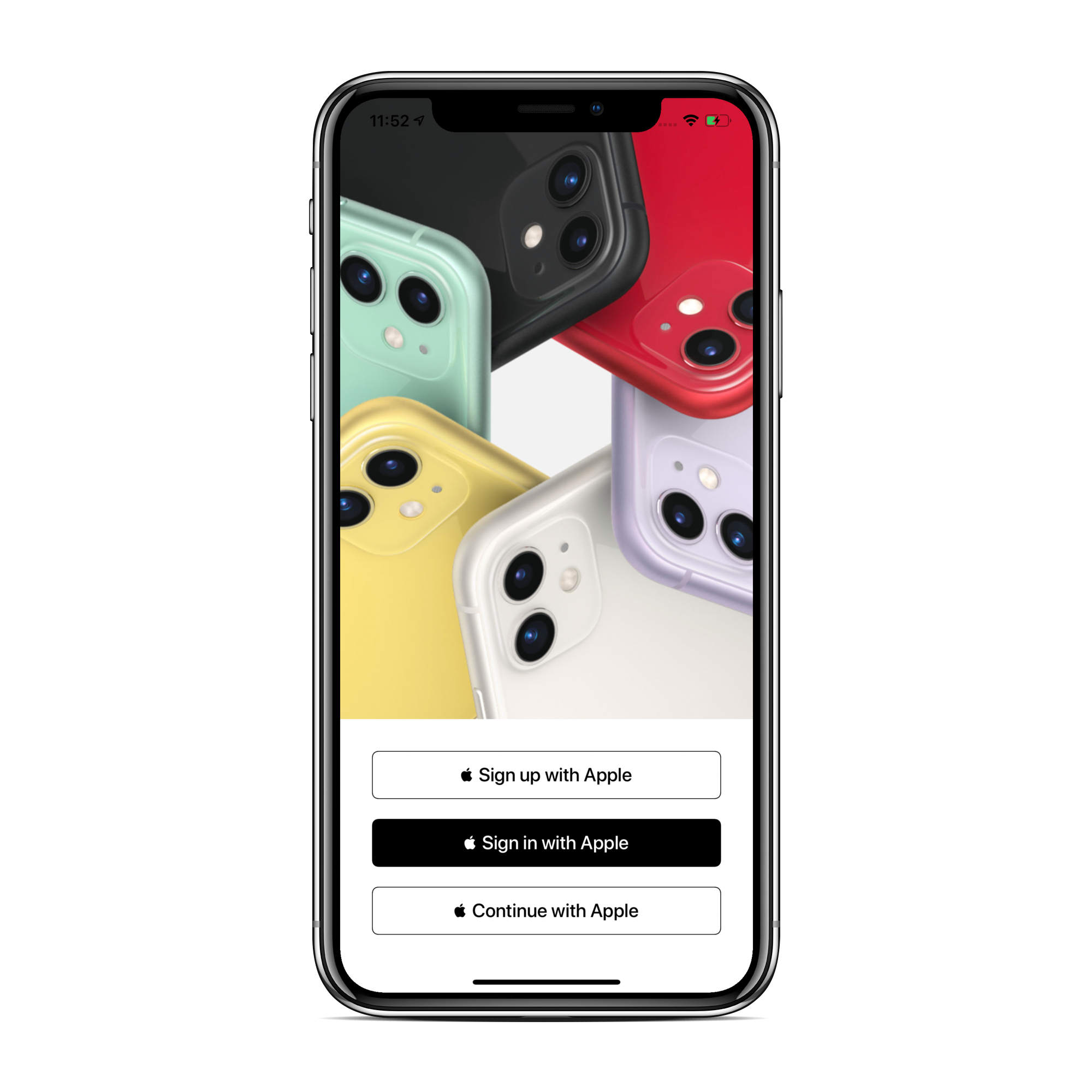
AppleSignInButton is a custom button class to use directly ASAuthorizationAppleIDButton from storyboard in just some seconds to get rid of a bunch of LOC from your viewcontroller and keep it clean.
## Installation
### CocoaPods:
[CocoaPods](http://cocoapods.org) is a dependency manager for Cocoa projects. You can install it with the following command:
```bash
$ gem install cocoapods
```
To integrate `AppleSignInButton` into your Xcode project using CocoaPods, specify it in your Podfile:
```ruby
source 'https://github.com/CocoaPods/Specs.git'
platform :ios, '9.0'
use_frameworks!
target '' do
pod ’AppleSignInButton’
end
```
Then, run the following command:
```bash
$ pod install
```
### Manually:
* Download AppleSignInButton.
* Drag and drop Source directory from code into your project.
## Requirements
- Xcode 10+
- iOS 9.0+
- Swift 5.0+
## Communication
- If you **found a bug**, open an issue.
- If you **have a feature request**, open an issue.
- If you **want to contribute**, submit a pull request.
## Usage
Here is how you can use `AppleSignInButton`.
Import AppleSignInButton to your viewcontroller,
```swift
import AppleSignInButton
```
Then add a UIView in storyboard and change it's class to AppleSignInButton, and you can change button's style and type from attributes inspector in storyboard.
Now make an outlet of AppleSignInButton to your Viewcontroller.
Now just call a block an finished good to go ........
```
appleSignInBtn.didCompletedSignIn = { (user) in
print(user.id ?? "", user.email ?? "", user.firstName ?? "", user.lastName ?? "")
}
```
## Author
Sandeep Kumar aka SandsHellCreations, sandeep.kumar811@gmail.com
## License
AppleSignInButton is available under the MIT license. See the LICENSE file for more info.