https://github.com/sanmeet007/file-manager
Monsterpress File Manager is web based file manager and it is a simple, fast and reliable file manager with advanced and great plugins pre-installed.....
https://github.com/sanmeet007/file-manager
ace-editor ajax chunked-uploads css directory-tree file-manager filesystem html5 javascript php pluploader
Last synced: 7 months ago
JSON representation
Monsterpress File Manager is web based file manager and it is a simple, fast and reliable file manager with advanced and great plugins pre-installed.....
- Host: GitHub
- URL: https://github.com/sanmeet007/file-manager
- Owner: Sanmeet007
- License: gpl-3.0
- Archived: true
- Created: 2021-05-30T16:17:23.000Z (about 5 years ago)
- Default Branch: main
- Last Pushed: 2023-01-28T06:58:52.000Z (over 3 years ago)
- Last Synced: 2025-03-01T17:27:33.833Z (over 1 year ago)
- Topics: ace-editor, ajax, chunked-uploads, css, directory-tree, file-manager, filesystem, html5, javascript, php, pluploader
- Language: PHP
- Homepage:
- Size: 132 KB
- Stars: 9
- Watchers: 1
- Forks: 0
- Open Issues: 0
-
Metadata Files:
- Readme: README.md
- License: LICENSE
Awesome Lists containing this project
README
# MonsterPress File Manager
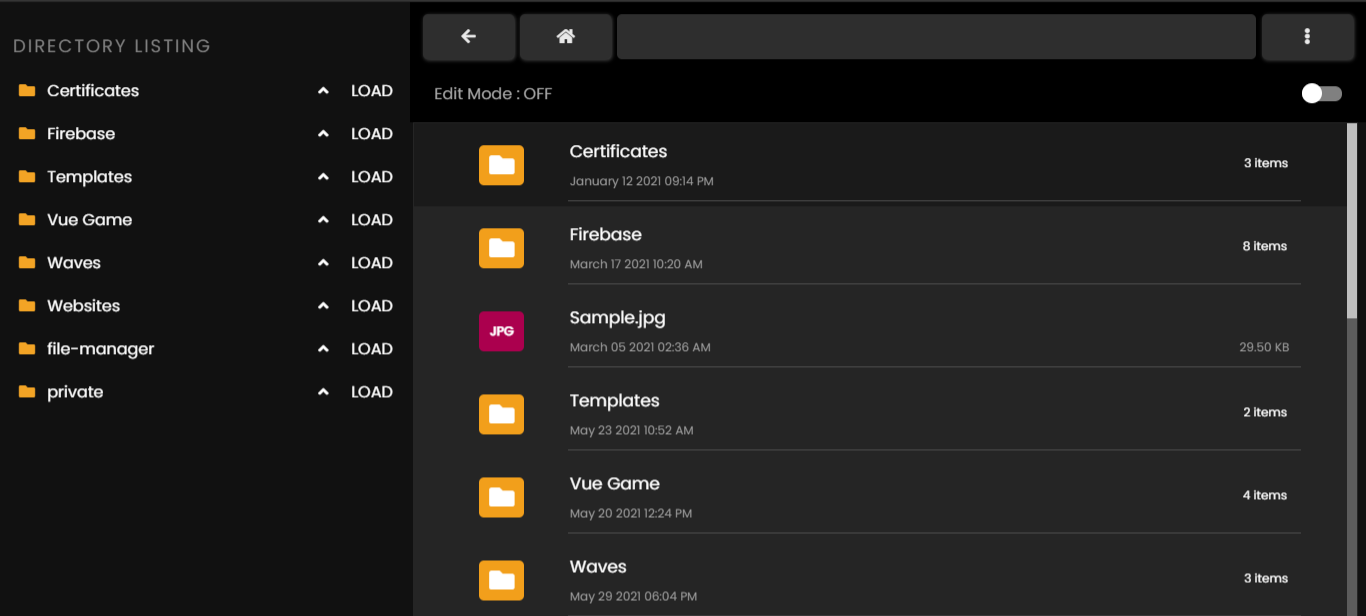
## Overview
* Open Source, light and extremely simple
* Uses Ajax to do various tasks !
* Mobile friendly view for touch devices
* Basic features likes Create, Delete, Modify, View , Download, Copy or Move files , multi-selection and much more.
* Fast , reliable and multi-runtime **Pluploader file uploader** configured. Upload multiple files
* Ability to create folders and files
* Ability to compress, extract files (zip)
* **Ace Editor** ( for editing purposes ) - Syntax highlighting for over 150+ languages, Over 35+ themes with your favorite programming styles .
* Lots more..
## Keyboard Shortcuts
```txt
Table of contents ( Commands ) :
CTRL + ALT + Z = Zip
CTRL + ALT + N = new file
CTRL + N = new folder
CTRL + A = Select or Deselect all
CTRL + I = rename
CTRL + O = refresh
CTRL + H = Home
CTRL + U = Open File Uploader
CTRL + C = Copy
CTRL + X = Cut
CTRL + V = Paste
CTRL + M = Mode
del = Delete
```
For complete documentation visit :
Developer contact : ssanmeet123@gmail.com