https://github.com/sasagawa888/eisl
ISLisp interpreter/compiler
https://github.com/sasagawa888/eisl
lisp
Last synced: about 2 months ago
JSON representation
ISLisp interpreter/compiler
- Host: GitHub
- URL: https://github.com/sasagawa888/eisl
- Owner: sasagawa888
- License: other
- Created: 2019-02-02T05:35:38.000Z (over 7 years ago)
- Default Branch: master
- Last Pushed: 2024-05-01T07:18:58.000Z (about 2 years ago)
- Last Synced: 2024-05-01T17:46:48.743Z (about 2 years ago)
- Topics: lisp
- Language: Common Lisp
- Homepage:
- Size: 10.2 MB
- Stars: 253
- Watchers: 22
- Forks: 22
- Open Issues: 3
-
Metadata Files:
- Readme: README-ja.md
- Funding: .github/FUNDING.yml
- License: license.txt
Awesome Lists containing this project
README
# Easy-ISLisp
Easy-ISLisp (EISL) はISLisp標準の解釈実行器及び翻訳系です。

Kenichi Sasagawa氏が制作しました。
ISLispについては英語版Wikipedia([ISLisp](https://en.wikipedia.org/wiki/ISLISP))もご覧下さい。
次の動画ではEISLの紹介と導入方法の説明を行っています。
[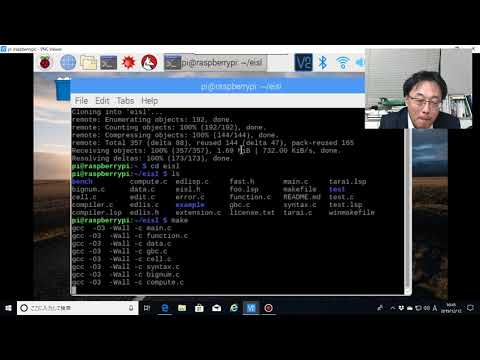](https://www.youtube.com/watch?v=OkDb4ttbAZU)
## 導入方法
1. Gitでクローンした,又は単にダウンロードしたEasy-ISLispのディレクトリに移動する。
- 端末上で`sudo make install`と入力する。
注意
Easy-ISLispはncursesライブラリを必要とします。ncursesライブラリをインストールしてください。
```sh
sudo apt install libncurses-dev
```
2. Easy-ISLispを更新する場合
- 端末上で`sudo make clean`と入力する。
- 端末上で`sudo make install`と入力する。
# サポートOS
- Raspberry Pi OS
- Ubuntu
- Linux MINT
上記以外のOSにつきましては自己責任でお願いします。
## 実行
* GNU/Linuxをお使いの場合: 端末上で`eisl`と入力する。
Linux版では,対話状態で編集ができます。
編集機能を無効にしたい場合は,`-r`オプションを付けて起動して下さい。
```console
$ eisl -r
```
### Emacs サポート
sasanidasさんによってISLisp-modeが開発、公開されています。ビデオをご覧ください。
https://gitlab.com/sasanidas/islisp-mode
https://vimeo.com/614514131
他の起動オプショオンについては下記を参照してください。
```
$ eisl -h
List of options:
-c -- EISL starts after reading compiler.lsp.
-f -- EISL starts after reading formatter.lsp.
-h -- display help.
-l filename -- EISL starts after reading the file.
-m N(mega) -- EISL starts with N*1000000(>=10mega) cells.
-n -- EISL starts as network child mode.
-r -- EISL does not use editable REPL.
-s filename -- EISL runs the file with script mode.
-v -- dislplay version number.
```
## 終了
(quit)と入力するか、Escキーを押したあとでQキーを押すと処理系が終了します。
-rオプションで起動した場合には(quit)あるいはCTRL+Dで処理系が終了します。
# 入門記事
M HiroiさんがISLispの入門記事を公開なさっています。
http://www.nct9.ne.jp/m_hiroi/clisp/islisp.html
## 対話状態での編集機能
キー束縛は次の通りです。
| キー入力 | 動作 |
|:---:|:---:|
| Ctrl+F又は→ | 右に移動
| Ctrl+B又は← | 左に移動
| Ctrl+P又は↑ | 履歴を遡る
| Ctrl+N又は↓ | 履歴を進む
| Ctrl+A | 行頭へ移動
| Ctrl+E | 行末へ移動
| Ctrl+J,ctrl+M又はEnter | 改行を挿入
| Ctrl+H又はback-space | 前方削除
| Ctrl+D | 後方削除
| EscTab | 補完
## 目標
Lispの知名度が向上することを願っています。
Lispをもっと多くの人々が楽しんでくれることを願っています。
EISLは簡単に操作できることを目的にしています。
## 翻訳系
EISLは翻訳系 (compiler) を備えています。
GCC向けのソースコード及び〔GCCを介して〕オブジェクトコードを生成します。
### 用法
```consloe
$ eisl -c # -cオプションを付けて起動する。
```
又は
```lisp
(load "library/compiler.lsp")
(compile-file "foo.lsp")
(load "foo.o")
```
### 使用例
```console
$ eisl -c
Easy-ISLisp Ver1.6
> (compile-file "tests/tarai.lsp")
type inference
initialize
pass1
pass2
compiling PACK
compiling TARAI
compiling FIB
compiling FIB*
compiling ACK
compiling GFIB
compiling TAK
compiling LISTN
compiling TAKL
compiling CTAK
compiling CTAK-AUX
finalize
invoke GCC
T
> (load "tests/tarai.o")
T
> (time (tarai 12 6 0))
Elapsed Time(second)=0.024106
> (time (ack 4 1))
Elapsed Time(second)=3.728262
>
```
## エディタを起動する
EISLはエディタを備えています。
エディタを利用するには`edit`関数を用いて下さい。
併せてご覧ください: [Edlis](documents/EDLIS.md)
### 用法
```scheme
(edit file-name-string)
```
### 例
```lisp
(edit "tests/foo.lsp")
```
## デバッグ用関数
documents/DEBUG.md を参照してください。
## 拡張関数
documents/EXTENDED.md を参照してください。
# 並列関数
documents/PARA.md を参照してください。
# TCP/IP
documents/TCPIP.md を参照してください。