https://github.com/sashminea/procedural-terrain-generation
This project generates procedurally created terrain for a 3D world.
https://github.com/sashminea/procedural-terrain-generation
3d cpp game-development opengl
Last synced: 2 months ago
JSON representation
This project generates procedurally created terrain for a 3D world.
- Host: GitHub
- URL: https://github.com/sashminea/procedural-terrain-generation
- Owner: sashminea
- License: mit
- Created: 2025-02-23T00:04:54.000Z (over 1 year ago)
- Default Branch: master
- Last Pushed: 2025-02-26T10:53:12.000Z (over 1 year ago)
- Last Synced: 2025-03-08T14:31:30.682Z (over 1 year ago)
- Topics: 3d, cpp, game-development, opengl
- Language: C++
- Homepage:
- Size: 863 KB
- Stars: 1
- Watchers: 1
- Forks: 0
- Open Issues: 0
-
Metadata Files:
- Readme: README.md
- License: LICENSE
Awesome Lists containing this project
README
# Procedural Terrain Generation
## Project Overview
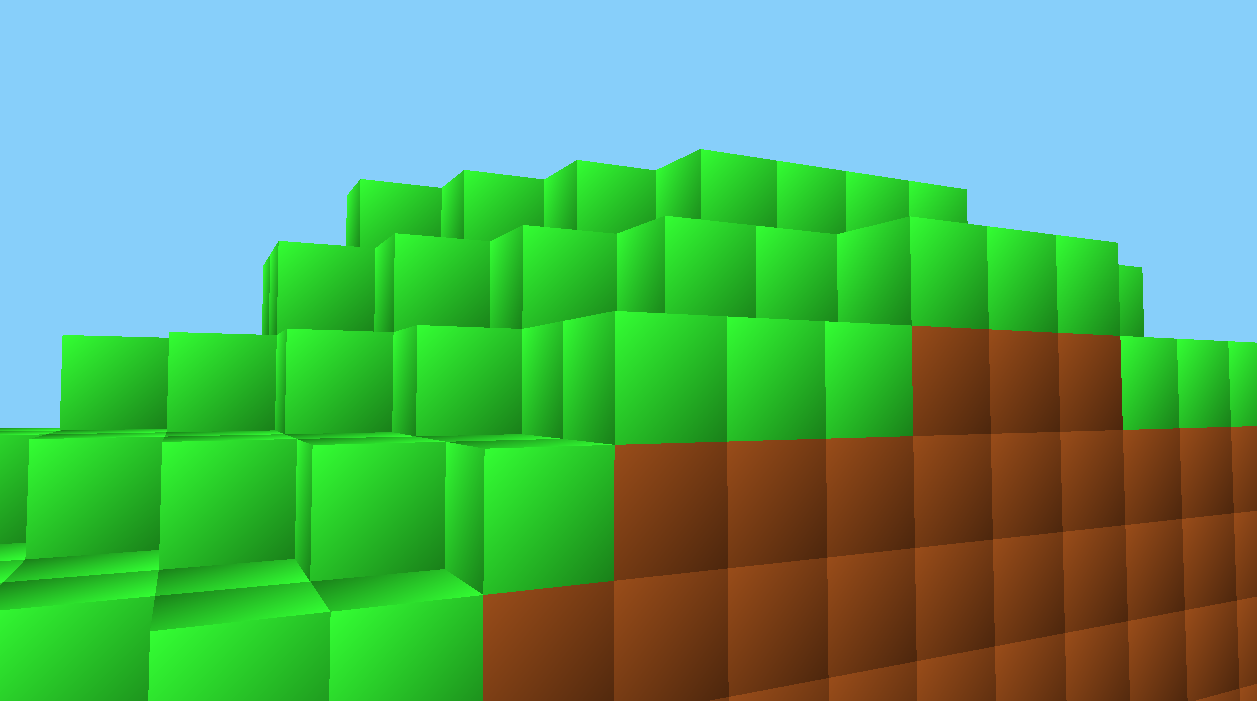
This project generates procedurally created terrain for a 3D world. Using a custom noise generation algorithm, the terrain can be dynamically generated with varying heights and world configurations. The terrain includes different block types such as grass, dirt, and air, and supports saving/loading of worlds to and from files.
The world generation is flexible, with both flat and procedurally generated worlds available. The project is designed for use with OpenGL and GLFW for rendering, and it leverages C++ for the core logic.
For a detailed walkthrough, check out my full documentation in this Medium article: [Click here](https://medium.com/@sashminadhikari/introduction-to-opengl-procedural-terrain-generation-using-c-dd1d981eebd5)
---
## Screenshots 📸
### Initial Commit (2/23)

---
## Features ✨
- **Procedural Terrain Generation**: Generate terrains using Perlin noise.
- **Flat World Option**: Create flat terrains as a default or fallback.
- **World Saving/Loading**: Save and load worlds from files.
- **3D Rendering**: Render the terrain with OpenGL and GLFW.
- **Camera Controls**: Move around the world to explore the generated terrain.
---
## **Prerequisites ⚙️**
Before running the project, make sure you have the following tools installed:
1. **C++ Compiler**: You’ll need a C++ compiler (such as `g++` or `clang`) installed and configured.
2. **CMake**: The build system is managed by CMake. Download and install it from [here](https://cmake.org/download/).
3. **GLFW**: A library for creating windows with OpenGL contexts. You can install it from [here](https://www.glfw.org/download.html).
4. **GLAD**: A library for managing OpenGL extensions. Download it from [here](https://glad.dav1d.de/).
5. **glm**: A header-only C++ mathematics library for graphics software. You can find it [here](https://github.com/g-truc/glm).
6. **Visual Studio Code**: Optional but recommended for editing the project. You can download it [here](https://code.visualstudio.com/).
---
## Controls
The following hotkeys are used for various actions within the program:
- **W**: Move the camera forward.
- **S**: Move the camera backward.
- **A**: Move the camera left.
- **D**: Move the camera right.
- **F**: Toggle wireframe mode (renders world in wireframe).
- **0**: Generate a new world with a random seed (between 0 and 9999).
- **5**: Save the current world to a file.
- **L**: Load the world from file or generate a flat world if the file is not found.
- **X**: Exit the application.
---
## Project Structure 📁
```
procedural-terrain-generation/
├── .gitignore # Specifies files to ignore in Git version control
├── CMakeLists.txt # CMake configuration for building the project
├── README.md # Project overview and setup instructions
├── build/ # Compiled binaries and build output
├── dependencies/ # External libraries and dependencies
├── include/ # Header files for project
├── src/ # Main source code files (.cpp, .c, etc.)
│ ├── World.cpp # Implements the World class and terrain logic
│ ├── Renderer.cpp # Handles OpenGL rendering of terrain
│ └── Camera.cpp # Manages camera controls and movement
├── textures/ # Textures and image assets
├── worlds/ # Directory for storing world data files
```
---
## Installation 🛠️
1. Clone the repository:
```bash
git clone https://github.com/sashminea/procedural-terrain-generation.git
```
2. Navigate to the project directory:
```bash
cd procedural-terrain-generation
```
3. Install dependencies using CMake:
```bash
cmake .
make
```
---
## Usage 🎮
### Creating a New World 🌍
1. Initialize a new world with a random seed or flat world configuration.
2. Generate terrain dynamically and render it using OpenGL.
### Saving/Loading Worlds 💾
- **Save**: The world can be saved into the `worlds/` directory with a specific filename (e.g., `1234.world`).
- **Load**: You can load an existing world from the `worlds/` directory using the `loadWorldFromFile` function.
---
## Folder Details 📂
### `build/`
This directory stores the build output such as compiled binaries and object files.
### `dependencies/`
Contains third-party libraries or dependencies that are required for the project.
### `include/`
Holds header files that declare the functions, classes, and variables used throughout the source files.
### `src/`
This directory contains the main source code files for the project:
- **World.cpp**: Implements terrain generation and world management.
- **Renderer.cpp**: Handles the rendering of blocks and faces using OpenGL.
- **Camera.cpp**: Manages the camera logic and movement.
### `textures/`
Stores image files or graphical assets used for rendering the world.
### `worlds/`
Directory for storing generated worlds in `.world` files. This is where worlds are saved and loaded from.
---
## Contributing 🤝
We welcome contributions! If you want to help improve this project, feel free to fork it and create a pull request with your changes. For bug fixes, enhancements, or new features, be sure to follow the project's coding guidelines.
---
## License 📝
This project is licensed under the MIT License - see the [LICENSE.md](LICENSE.md) file for details.
---
## Acknowledgments 🙏
- OpenGL, GLFW, and Glad for the rendering setup.
- Perlin noise algorithms for terrain generation.