https://github.com/sasjs/cli
Command line interface for creating, compiling, and building SAS® projects
https://github.com/sasjs/cli
sas sasjs viya
Last synced: 5 months ago
JSON representation
Command line interface for creating, compiling, and building SAS® projects
- Host: GitHub
- URL: https://github.com/sasjs/cli
- Owner: sasjs
- License: mit
- Created: 2020-07-07T20:39:25.000Z (almost 6 years ago)
- Default Branch: main
- Last Pushed: 2025-12-11T23:07:38.000Z (6 months ago)
- Last Synced: 2025-12-12T18:09:45.241Z (6 months ago)
- Topics: sas, sasjs, viya
- Language: TypeScript
- Homepage: https://cli.sasjs.io
- Size: 6.83 MB
- Stars: 39
- Watchers: 4
- Forks: 6
- Open Issues: 18
-
Metadata Files:
- Readme: README.md
- Contributing: .github/CONTRIBUTING.md
- Funding: .github/FUNDING.yml
- License: LICENSE
- Code of conduct: .github/CODE_OF_CONDUCT.md
- Security: .github/SECURITY.md
Awesome Lists containing this project
README
# SASjs CLI
[![npm package][npm-image]][npm-url]
[![Github Workflow][githubworkflow-image]][githubworkflow-url]
[]()

[](https://github.com/sasjs/cli/issues?q=is%3Aissue+is%3Aclosed)
[](https://github.com/sasjs/cli/issues)
[npm-image]: https://img.shields.io/npm/v/@sasjs/cli.svg
[npm-url]: http://npmjs.org/package/@sasjs/cli
[githubworkflow-image]: https://github.com/sasjs/cli/actions/workflows/run-tests.yml/badge.svg
[githubworkflow-url]: https://github.com/sasjs/cli/blob/main/.github/workflows/run-tests.yml
`@sasjs/cli` is a Command-Line Interface to assist with creating, building, and deploying Data Science projects and HTML5 Web Applications on the SAS platform (both SAS 9 and Viya). Features include:
- Scaffold a new SAS App in seconds (`sasjs create myApp -t jobs`)
- Compile / Build SAS Jobs, Services & Macros _locally_ and deploy / execute _remotely_, in isolation from other developers (`sasjs cbd`)
- No dependency on the server filesystem
- Optionally synchronise a local folder onto the server filesystem using `sasjs fs`
- Trigger Viya Jobs & Flows (`sasjs job execute` / `sasjs flow execute`)
- Enforce code quality rules with `sasjs lint`
- Generate HTML5 documentation (requires doxygen) with `sasjs doc`
- Create and execute SAS tests (`sasjs test`)
There is also a feature to let you deploy a frontend application as a set of streaming web services, bypassing the need to deploy to the SAS Web Server.
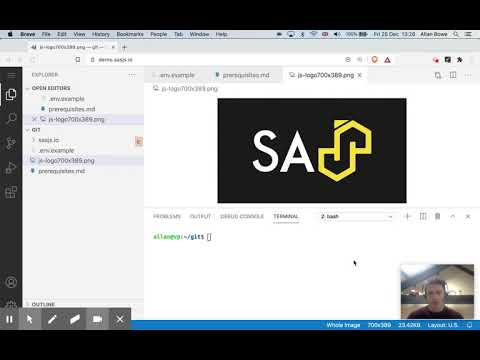
A quick demonstration of using it to compile, build and deploy a set of SAS Viya jobs is shown below.
[](https://www.youtube.com/watch?v=KKfUHTngSFo)
## Installation
1. Install globally using `npm` as follows:
```
npm i -g @sasjs/cli
```
You can also use the tool without deploying through NPX as follows:
```
npx @sasjs/cli
```
## Documentation
Additional documentation can be found on the [SASjs CLI documentation](https://cli.sasjs.io) site.
## Notes
Running `npm i -g @sasjs/cli@latest` does not always upgrade properly. This is due to a known bug in npm, which is fixed in npm 7.
If you are running NPM in version 6 or below, you can try running `npm update -g @sasjs/cli` instead, or - the sledgehammer approach - delete the files from the NPM folder and then do a fresh install.
## Star Gazing
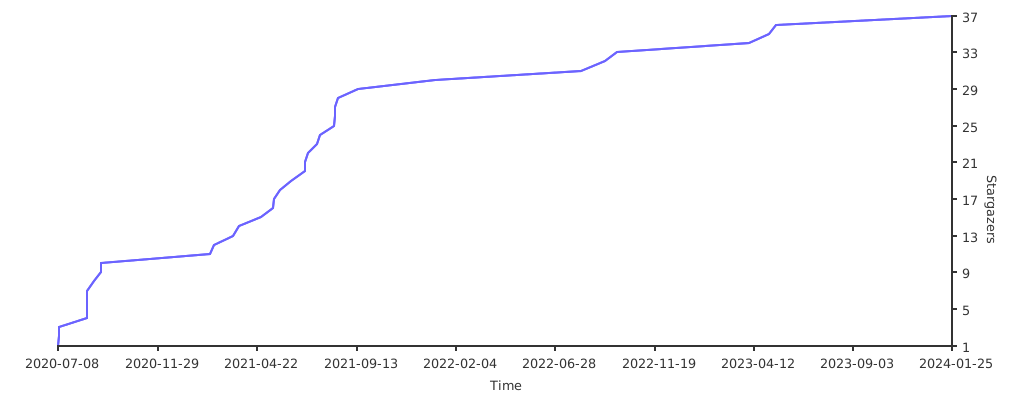
If you find this library useful, please leave a star and help us grow our star graph!
## Contributors ✨
Thanks goes to these wonderful people ([emoji key](https://allcontributors.org/docs/en/emoji-key)):

Muhammad Saad
💻 ⚠️ 👀 🧑🏫 📖

Yury Shkoda
💻 📆 ⚠️ 📹 📖

Krishna Acondy
💻 ⚠️ 🚇 🖋 🚧 📦 👀

Mihajlo Medjedovic
💻 🚇 ⚠️ 👀

Allan Bowe
💻 👀 ⚠️ 📹 📖

Sabir Hassan
💻 👀 ⚠️ 🤔

VladislavParhomchik
⚠️ 👀

Rud Faden
🐛
This project follows the [all-contributors](https://github.com/all-contributors/all-contributors) specification. Contributions of any kind welcome!