https://github.com/sbine/nova-route-viewer
Route viewer tool for Laravel Nova
https://github.com/sbine/nova-route-viewer
hacktoberfest laravel laravel-nova nova routes
Last synced: 3 months ago
JSON representation
Route viewer tool for Laravel Nova
- Host: GitHub
- URL: https://github.com/sbine/nova-route-viewer
- Owner: sbine
- License: mit
- Created: 2018-08-24T04:36:45.000Z (almost 8 years ago)
- Default Branch: main
- Last Pushed: 2026-03-25T12:33:43.000Z (3 months ago)
- Last Synced: 2026-03-26T15:37:29.943Z (3 months ago)
- Topics: hacktoberfest, laravel, laravel-nova, nova, routes
- Language: Vue
- Homepage:
- Size: 181 KB
- Stars: 57
- Watchers: 3
- Forks: 11
- Open Issues: 1
-
Metadata Files:
- Readme: README.md
- License: LICENSE
Awesome Lists containing this project
README
# Laravel Nova Route Viewer
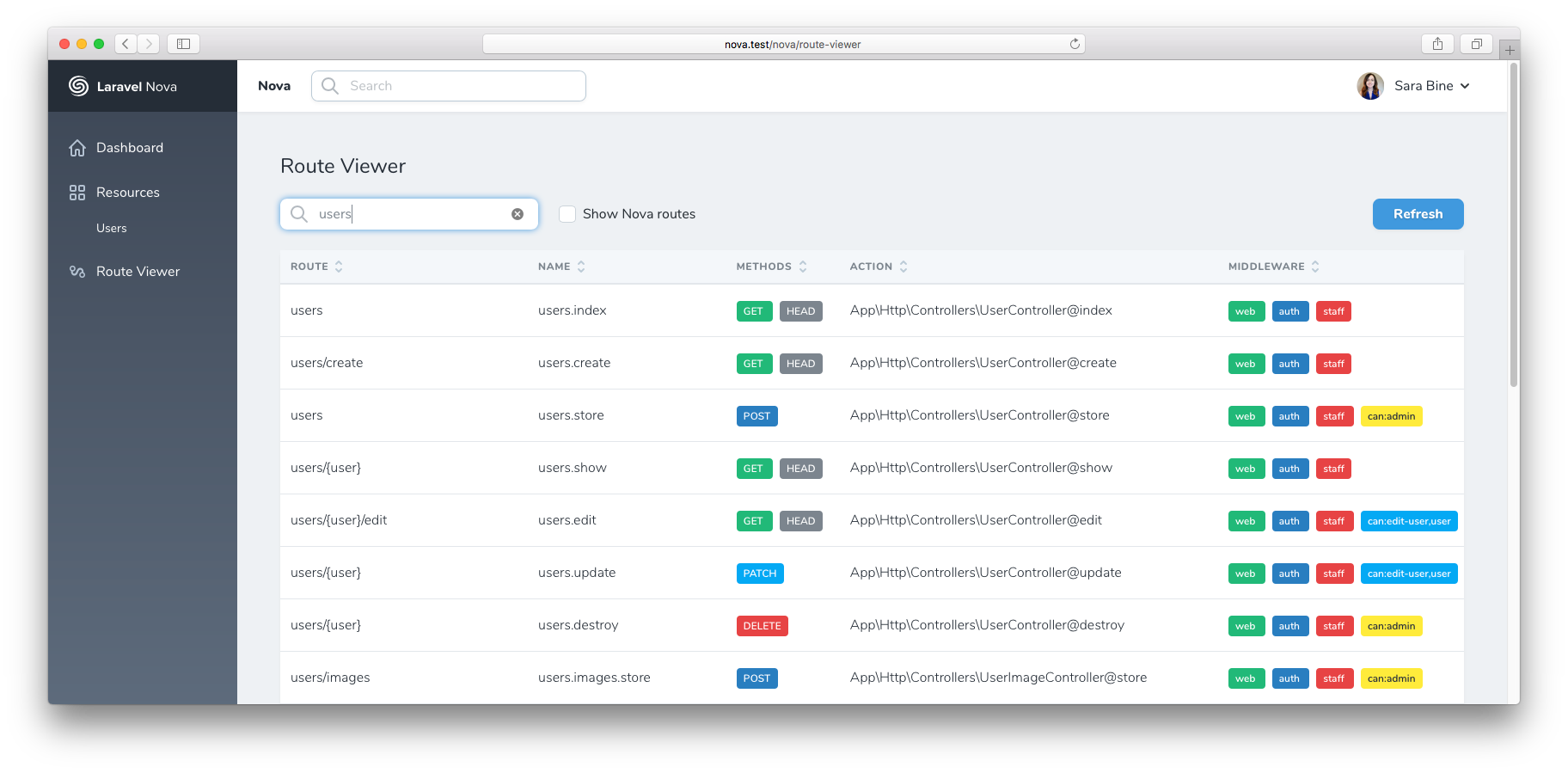
This [Nova](https://nova.laravel.com/) tool adds a route viewer section to the Nova sidebar.
It's like `php artisan route:list` for your browser. Supports sorting and filtering.
## Installation
Install via [Composer](https://getcomposer.org/):
```
composer require sbine/route-viewer
```
Register the tool in `app/Providers/NovaServiceProvider`:
```php
public function tools()
{
return [
new \Sbine\RouteViewer\RouteViewer,
];
}
```
You can customize the translations by publishing them to your local folder `resources/lang/vendor/route-viewer`:
```
php artisan vendor:publish --provider="Sbine\RouteViewer\ToolServiceProvider"
```
## Custom Columns
You can add custom columns to the route viewer table. Register them in your `NovaServiceProvider` or `AppServiceProvider`:
```php
use Sbine\RouteViewer\RouteViewer;
use Sbine\RouteViewer\Column;
// Simple per-route resolver
RouteViewer::addColumn(
Column::make('Domain', 'domain')
->using(fn (\Illuminate\Routing\Route $route) => $route->getDomain() ?? '—')
);
// Batch resolver (efficient for DB lookups, avoids N+1)
RouteViewer::addColumn(
Column::make('Hits', 'hits')
->usingBatch(function (array $routes): array {
$hits = DB::table('route_hits')
->whereIn('uri', array_column($routes, 'uri'))
->groupBy('uri')
->pluck(DB::raw('count(*)'), 'uri');
return array_map(fn ($r) => $hits[$r['uri']] ?? 0, $routes);
})
);
// Non-sortable column
RouteViewer::addColumn(
Column::make('Notes', 'notes')
->using(fn ($route) => config("route-notes.{$route->uri}", ''))
->sortable(false)
);
```
Custom columns are automatically searchable and sortable. Use `->sortable(false)` to opt out of sorting.
## Contributing
After updating frontend assets, rebuild for production:
```
npm install
npm run prod
```
> **Note:** This project uses Laravel Mix 6, which requires Node.js 20 LTS. It is not compatible with Node.js 25+.