https://github.com/schemar/solarc-theme
A flat theme with transparent elements. Based on the Arc theme: https://github.com/jnsh/arc-theme
https://github.com/schemar/solarc-theme
flat-theme gtk gtk-theme solarized
Last synced: 10 months ago
JSON representation
A flat theme with transparent elements. Based on the Arc theme: https://github.com/jnsh/arc-theme
- Host: GitHub
- URL: https://github.com/schemar/solarc-theme
- Owner: schemar
- License: gpl-3.0
- Created: 2016-08-01T16:02:40.000Z (almost 10 years ago)
- Default Branch: master
- Last Pushed: 2022-02-10T13:22:37.000Z (over 4 years ago)
- Last Synced: 2025-10-11T07:14:15.541Z (10 months ago)
- Topics: flat-theme, gtk, gtk-theme, solarized
- Language: Shell
- Homepage:
- Size: 10.7 MB
- Stars: 112
- Watchers: 5
- Forks: 14
- Open Issues: 5
-
Metadata Files:
- Readme: README.md
- License: COPYING
Awesome Lists containing this project
README
# SolArc Theme
SolArc is a flat theme with transparent elements for GTK 3, GTK 2 and GNOME Shell which supports GTK 3 and GTK 2 based desktop environments like GNOME, Unity, Pantheon, Xfce, MATE, Cinnamon (>=3.4), Budgie Desktop (10.4 for GTK+3.22) etc.
SolArc is a fork of the Arc theme: https://github.com/jnsh/arc-theme
Colours are based on the Solarized colour scheme by [Ethan Schoonover](https://github.com/altercation): https://github.com/altercation/solarized
Most of the work is done inside [solarize.sh](https://github.com/schemar/solarc-theme/blob/master/solarize.sh), which replaces various Arc colours with matching Solarized colours.
## ⚠️ Help Wanted
If you like SolArc and want to help improve it, please get in touch! I don't have the time anymore to maintain this properly.
## SolArc is available in three variants
### SolArc

### SolArc-Darker

### SolArc-Dark

## Installation
### Arch Linux
You can install the AUR package: [gtk-theme-solarc-git](https://aur.archlinux.org/packages/gtk-theme-solarc-git/)
### Manual Installation
**Important:** Remove all older versions of the theme from your system before you proceed any further.
sudo rm -rf /usr/share/themes/{SolArc,SolArc-Darker,SolArc-Dark}
rm -rf ~/.local/share/themes/{SolArc,SolArc-Darker,SolArc-Dark}
rm -rf ~/.themes/{SolArc,SolArc-Darker,SolArc-Dark}
To build the theme the following packages are required
* `autoconf`
* `automake`
* `wget` for pulling the Arc source
* `sassc` for GTK 3, Cinnamon, or GNOME Shell
* `pkg-config` or `pkgconfig` for Fedora
* `git` to clone the source directory
* `optipng` for GTK 2, GTK 3, or XFWM
* `inkscape` for GTK 2, GTK 3, or XFWM
The following packages are optionally required
* `gnome-shell`for auto-detecting the GNOME Shell version
* `libgtk-3-dev` for Debian based distros or `gtk3-devel` for RPM based distros, for auto-detecting the GTK3 version
**Note:** For distributions which don't ship separate development packages, just the GTK 3 package is needed instead of the `-dev` packages.
For the theme to function properly, install the following
* GNOME Shell 3.18 - 3.32, GTK 3.18 - 3.24
* The `gnome-themes-extra` package
* The murrine engine. This has different names depending on the distro.
* `gtk-engine-murrine` (Arch Linux)
* `gtk2-engines-murrine` (Debian, Ubuntu, elementary OS)
* `gtk-murrine-engine` (Fedora)
* `gtk2-engine-murrine` (openSUSE)
* `gtk-engines-murrine` (Gentoo)
Install the theme with the following commands
**1. Get the source**
If you want to install the latest version from git, clone the repository with
git clone https://github.com/schemar/solarc-theme --depth 1 && cd solarc-theme
**2. Download & patch the Arc theme source**
./solarize.sh
**3. Build and install the patched theme**
cd arc-theme-[version]
./autogen.sh --prefix=/usr
sudo make install
Other options to pass to autogen.sh are
--disable-transparency disable transparency in the GTK3 theme
--disable-light disable Arc Light support
--disable-darker disable Arc Darker support
--disable-dark disable Arc Dark support
--disable-cinnamon disable Cinnamon support
--disable-gnome-shell disable GNOME Shell support
--disable-gtk2 disable GTK2 support
--disable-gtk3 disable GTK3 support
--disable-metacity disable Metacity support
--disable-unity disable Unity support
--disable-xfwm disable XFWM support
--disable-plank disable Plank theme support
--disable-openbox disable Openbox support
--with-gnome-shell= build the gnome-shell theme for a specific version
--with-gtk3= build the GTK3 theme for a specific version
Note: Normally the correct version is detected automatically
and these options should not be needed.
After the installation is complete the theme can be activated with `gnome-tweak-tool` or a similar program by selecting `SolArc`, `SolArc-Darker` or `SolArc-Dark` as Window/GTK+ theme and `SolArc` or `SolArc-Dark` as GNOME Shell/Cinnamon theme.
If the `--disable-transparency` option was used, the theme will be installed as `SolArc-solid`, `SolArc-Darker-solid` and `SolArc-Dark-solid`.
**Uninstall the theme**
Run
sudo make uninstall
from the patched Arc source directory, or
sudo rm -rf /usr/share/themes/{SolArc,SolArc-Darker,SolArc-Dark}
## Contributing
Every contribution is very welcome! Please create an issue and/or a pull request.
## Troubleshooting
If you have Ubuntu with a newer GTK/Gnome version than the one included by default (i.e Ubuntu 14.04 with GTK 3.14 or Ubuntu 15.04 with GTK 3.16, etc.) the prebuilt packages won't work properly and you have to install the theme manually as described above.
This is also true for other distros with a different GTK/Gnome version than the one included by default
--
If you get artifacts like black or invisible backgrounds under Unity, disable overlay scrollbars with
gsettings set com.canonical.desktop.interface scrollbar-mode normal
## Bug reporting
If you find a bug, please report it at https://github.com/schemar/solarc-theme/issues
## License
SolArc is available under the terms of the GPL-3.0. See `COPYING` for details.
## Full Preview
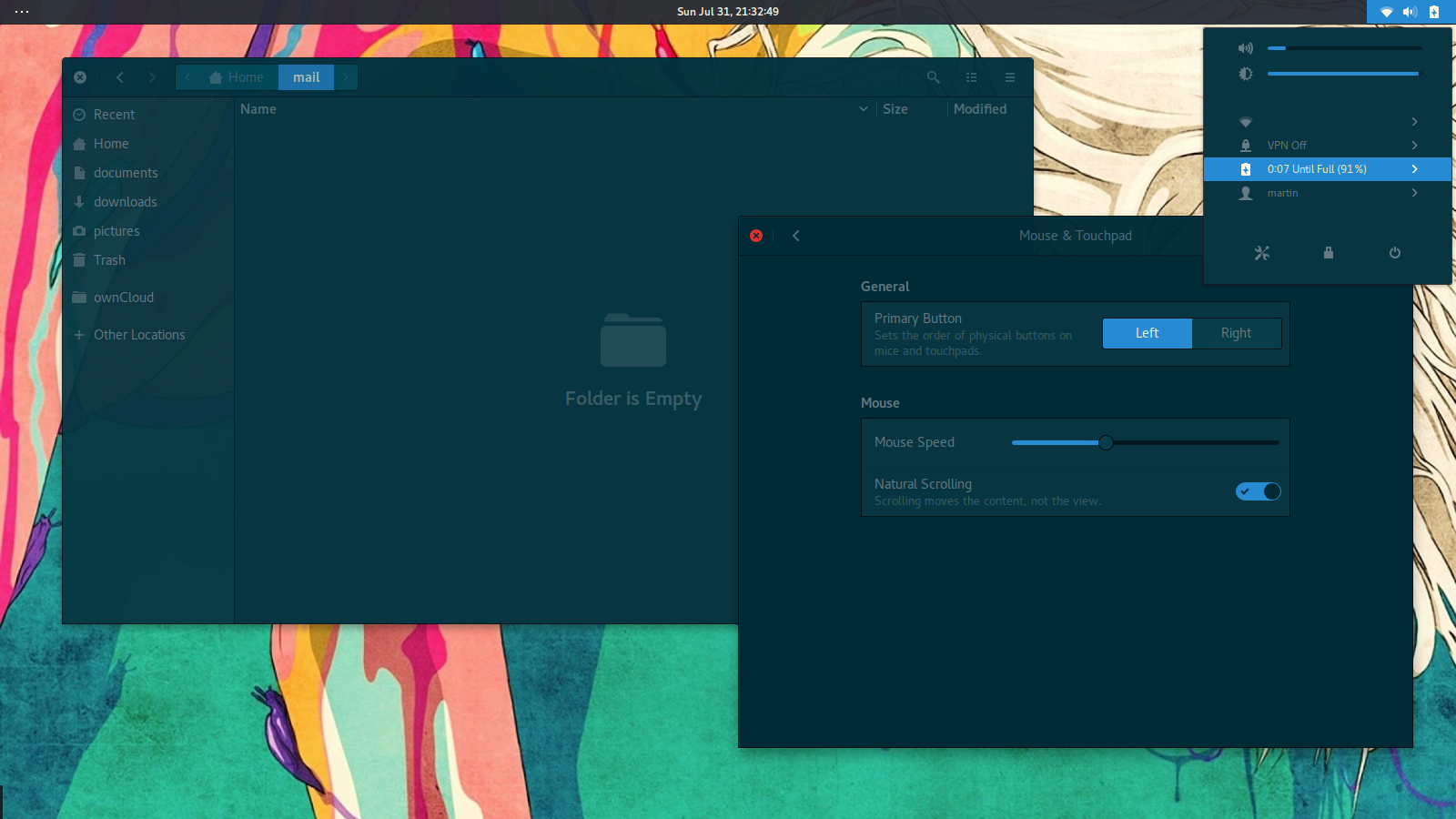
Screenshot Details: Icons: [Arc Icon Theme](https://github.com/horst3180/arc-icon-theme) | Wallpaper: [Jason Levesque](http://stuntkid.com/) | Font: [DejaVu Sans](http://dejavu-fonts.org/wiki/Main_Page)