https://github.com/scmn-dev/secman
[Archived] 👊 Human-friendly and amazing secrets manager.
https://github.com/scmn-dev/secman
cli crypto golang human-friendly manager password-manager secman secrets-manager terminal-based tui typescript
Last synced: 6 months ago
JSON representation
[Archived] 👊 Human-friendly and amazing secrets manager.
- Host: GitHub
- URL: https://github.com/scmn-dev/secman
- Owner: scmn-dev
- License: mit
- Archived: true
- Created: 2020-12-27T11:27:53.000Z (over 5 years ago)
- Default Branch: main
- Last Pushed: 2022-09-08T19:22:55.000Z (almost 4 years ago)
- Last Synced: 2026-01-12T18:37:11.733Z (6 months ago)
- Topics: cli, crypto, golang, human-friendly, manager, password-manager, secman, secrets-manager, terminal-based, tui, typescript
- Language: Vue
- Homepage: https://secman.dev
- Size: 32 MB
- Stars: 90
- Watchers: 5
- Forks: 10
- Open Issues: 0
-
Metadata Files:
- Readme: README.md
- Changelog: CHANGELOG.md
- Contributing: .github/CONTRIBUTING.md
- License: LICENSE
- Code of conduct: .github/CODE_OF_CONDUCT.md
- Codeowners: .github/CODEOWNERS
- Security: .github/SECURITY.md
Awesome Lists containing this project
README
## Archived
since 30 april 2022, secman has archived after two years of working, the reason is that there is not enough interest in this project
---


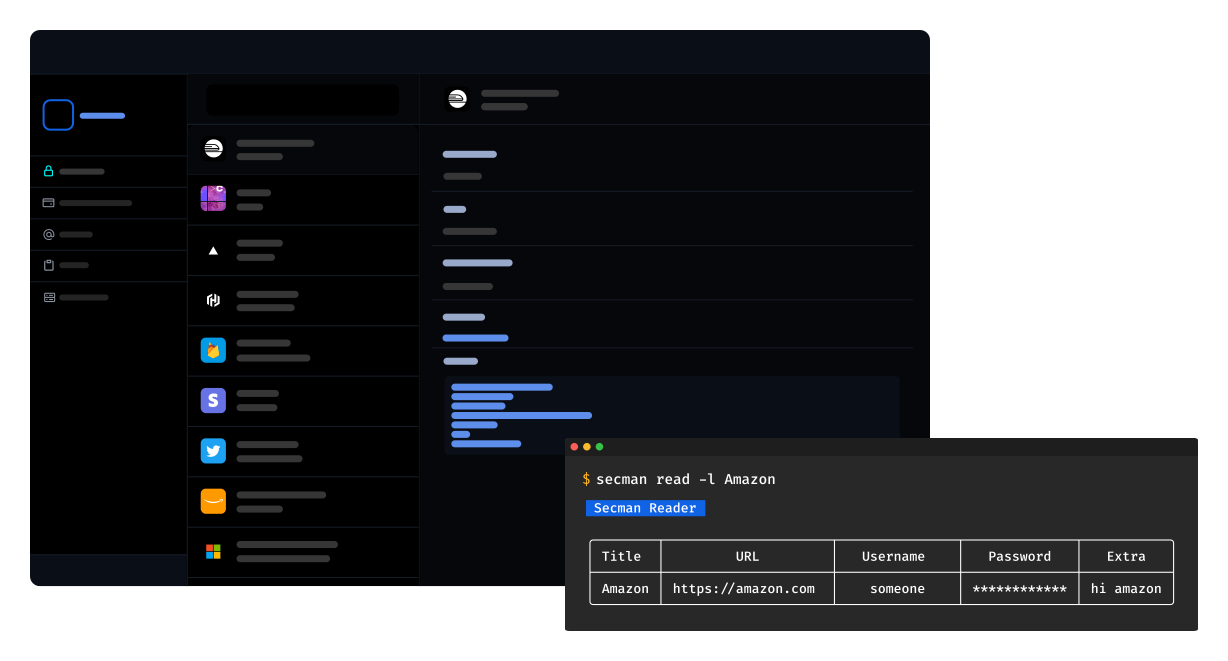
[**secman**][smweb] is a password manager can store, retrieves, generates, and synchronizes passwords, The most important difference is secman is not GPG cored. Instead, it uses a master password to securely store your passwords. and you can easily manage your passwords from everywhere with **Secman Cloud** 😉.
## Projects
| Project | Package | Version | Links |
| ---------- | ----------------------------------------------------------------------- | -------------------------------------------------------------------------------------------------------------------------------------------------------------------------------- | ------------------------------- |
| **CLI** | [`scmn-dev/secman`](https://pkg.go.dev/github.com/scmn-dev/secman/v6) |  | [`README.md`](README.md) |
| **Hub** | [`@secman/hub`](https://github.com/scmn-dev/secman/tree/main/hub) |  | [`README.md`](hub/README.md) |
| **Scc** | [`@secman/scc`](https://github.com/scmn-dev/secman/tree/main/scc) |  | [`README.md`](scc/README.md) |
| **Crypto** | [`@secman/crypto`](https://github.com/scmn-dev/secman/tree/main/crypto) |  | [`README.md`](crypto/README.md) |
## Featuers
- **Not GPG cored.**
- **It uses a master password to securely store your passwords.**
- **It syncs your passwords.**
- **Easy to use.**
- **It is written in Go to be fast.**
- **You can easily manage your passwords from everywhere, from desktop, web, command line, and more.**
#### to learn about secman types, check out the [secman types](https://secman.dev/docs/password-types) page.
## Installation ⬇
> ### Secman CLI
### Using script
- Shell
```bash
curl -sL https://u.secman.dev | bash
```
- PowerShell
```powershell
iwr -useb https://w.secman.dev | iex
```
**then restart your powershell**
### Homebrew
```
brew install scmn-dev/tap/secman
```
### Scoop
```
scoop bucket add secman https://github.com/scmn-dev/scoop
scoop install secman
```
> ### Secman Hub
Refer to [secman hub](https://secman.dev/docs/hub) instructions.
> ### Secman Web Extension
Check out [secman web extension](https://secman.dev/docs/extension) for installation instructions.
## Usage
## Some Resources
- [**website**][smweb]
- [**docs**](https://secman.dev/docs)
- [**blog**](https://secman.dev/blog)
- [**privacy policy of secman**](https://secman.dev/privacy)
## Contributing
Thanks for your interest in contributing to `secman`. You can start a development environment with [gitpod](https://www.gitpod.io)
[](https://gitpod.io/#https://github.com/scmn-dev/secman)
## Special thanks ❤
thanks to [**@charmbracelet**](https://github.com/charmbracelet) for thier awesome TUI libraries 🏗.
## License
[**secman**][smweb] is licensed under the terms of [MIT](https://github.com/scmn-dev/secman/blob/main/LICENSE) License
[smweb]: https://secman.dev