https://github.com/scriptex/itcss-emmet-snippets
Custom snippets for Emmet following the ITCSS pattern
https://github.com/scriptex/itcss-emmet-snippets
Last synced: 4 months ago
JSON representation
Custom snippets for Emmet following the ITCSS pattern
- Host: GitHub
- URL: https://github.com/scriptex/itcss-emmet-snippets
- Owner: scriptex
- License: mit
- Created: 2019-05-22T07:36:17.000Z (about 7 years ago)
- Default Branch: master
- Last Pushed: 2022-09-12T08:21:31.000Z (almost 4 years ago)
- Last Synced: 2025-10-24T10:53:33.821Z (9 months ago)
- Homepage: https://atanas.info/portfolio/open-source/itcss-emmet-snippets
- Size: 122 KB
- Stars: 2
- Watchers: 1
- Forks: 1
- Open Issues: 0
-
Metadata Files:
- Readme: README.md
- Funding: .github/FUNDING.yml
- License: LICENSE
Awesome Lists containing this project
README
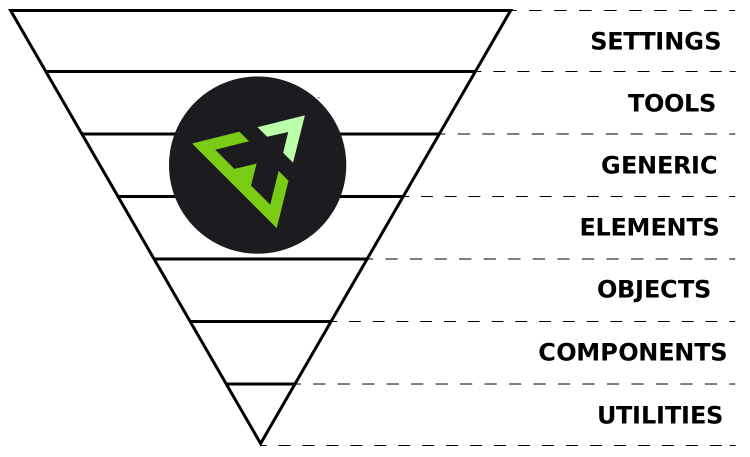
# ITCSS Emmet Snippets [](https://github.com/scriptex/itcss-emmet-snippets/)
> Custom snippets for Emmet following the ITCSS pattern
## Prerequisite
[Emmet](https://en.m.wikipedia.org/wiki/Emmet_(software)) is a set of plugins that allow for high-speed coding and editing in HTML, XML, XSL and other structured code formats (like CSS, SCSS, SASS, LESS, Stylus, etc).
For more information about Emmet, please visit the [official website](https://emmet.io/).
For more information about how Emmet works, please visit the [official documentation](https://docs.emmet.io/).
> Basically, most text editors out there allow you to store and re-use commonly used code chunks, called "snippets". While snippets are a good way to boost your productivity, all implementations have common pitfalls: you have to define the snippet first and you can’t extend them in runtime.
> Emmet takes the snippets idea to a whole new level: you can type CSS-like expressions that can be dynamically parsed, and produce output depending on what you type in the abbreviation. Emmet is developed and optimised for web-developers whose workflow depends on HTML/XML and CSS, but can be used with programming languages too.
## About
ITCSS Emmet snippets is a package which utilizes the power of ITCSS and Emmet and provides a customized, opinionated `snippets.json` file adapted to the ITCSS pattern and providing many useful snippets.
## Installation
In order to use this package you must [download](https://github.com/scriptex/itcss-emmet-snippets/archive/master.zip) it on your local machine, extract it and copy the `snippets.json` file to the preferred location.
You can also download only the [`snippets.json`](https://raw.githubusercontent.com/scriptex/itcss-emmet-snippets/master/snippets.json?token=ABDD5E4J4AZPORLHG2OOA5K44ZWF6) file alone.
After that in your preferred text editor, you should set the Emmet extensions path to point to the folder which contains our custom `snippets.json` file.
You can follow the [official documentation](https://docs.emmet.io/customization/snippets/) and overwrite the default snippets, but I would recommend overwriting only the settings for Emmet in your editor.
For example, in VS Code, this is done by adding/editing the following setting:
```json
"emmet.extensionsPath": "PATH_TO_YOUR_SNIPPETS_JSON_FOLDER"
```
In Sublime Text, you should define the `extensions_path` setting in `Emmet.sublime-settings` and make it point to your custom snippets folder.
## LICENSE
MIT
---
Connect with me:












---
Support and sponsor my work:








