https://github.com/scriptnull/atom-shippable-ci
Shippable CI package for Atom editor.
https://github.com/scriptnull/atom-shippable-ci
Last synced: over 1 year ago
JSON representation
Shippable CI package for Atom editor.
- Host: GitHub
- URL: https://github.com/scriptnull/atom-shippable-ci
- Owner: scriptnull
- License: gpl-3.0
- Created: 2016-01-28T13:05:12.000Z (over 10 years ago)
- Default Branch: master
- Last Pushed: 2016-03-22T19:13:14.000Z (over 10 years ago)
- Last Synced: 2025-02-10T03:26:54.639Z (over 1 year ago)
- Language: CoffeeScript
- Homepage:
- Size: 2.64 MB
- Stars: 1
- Watchers: 2
- Forks: 1
- Open Issues: 3
-
Metadata Files:
- Readme: README.md
- Changelog: CHANGELOG.md
- License: LICENSE.md
Awesome Lists containing this project
README
# Shippable CI
[Shippable](https://shippable.com) integration within atom.
### Features
- Get current status of the build.
- Shortcuts for navigating to Shippable web interface.
> All features are available for both public and private projects.
### Set up
Add project details in `shippable.yml` file.
```yml
atom:
projectId: 12345678910
```
You can find your project's id in the url of your project page.

If you want to set up private projects, you need to paste your `apiToken` in the settings page (`ctrl+,`) of the package.
### Commands
Press `Ctrl+Shift+P` to access command palette and search for Shippable.
You can activate all the shippable commands via command palette or through key bindings.
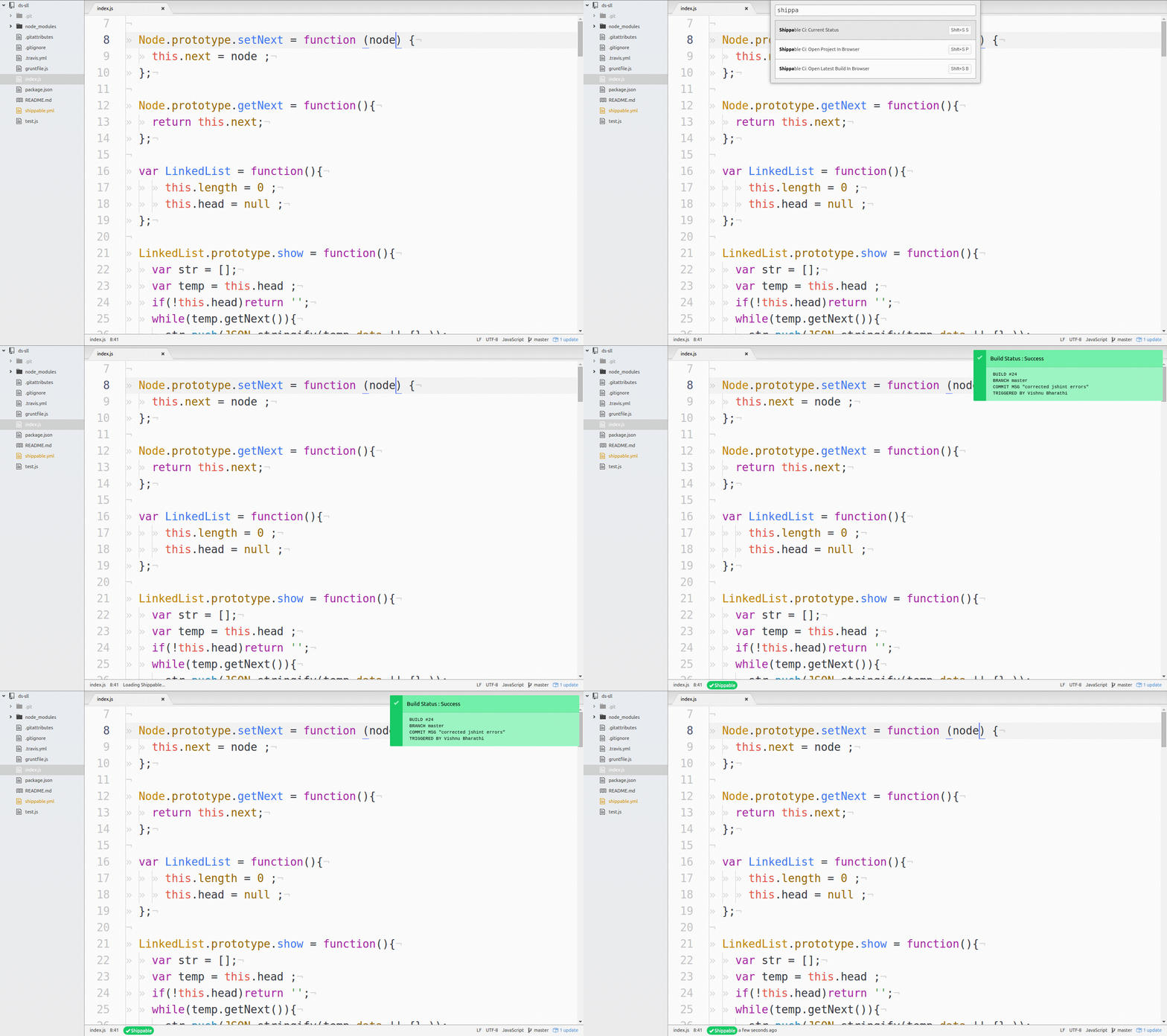
#### Current Status
> Keymap : Shift+S S
Check the current status of the latest build of a project.
#### Open Project in Browser
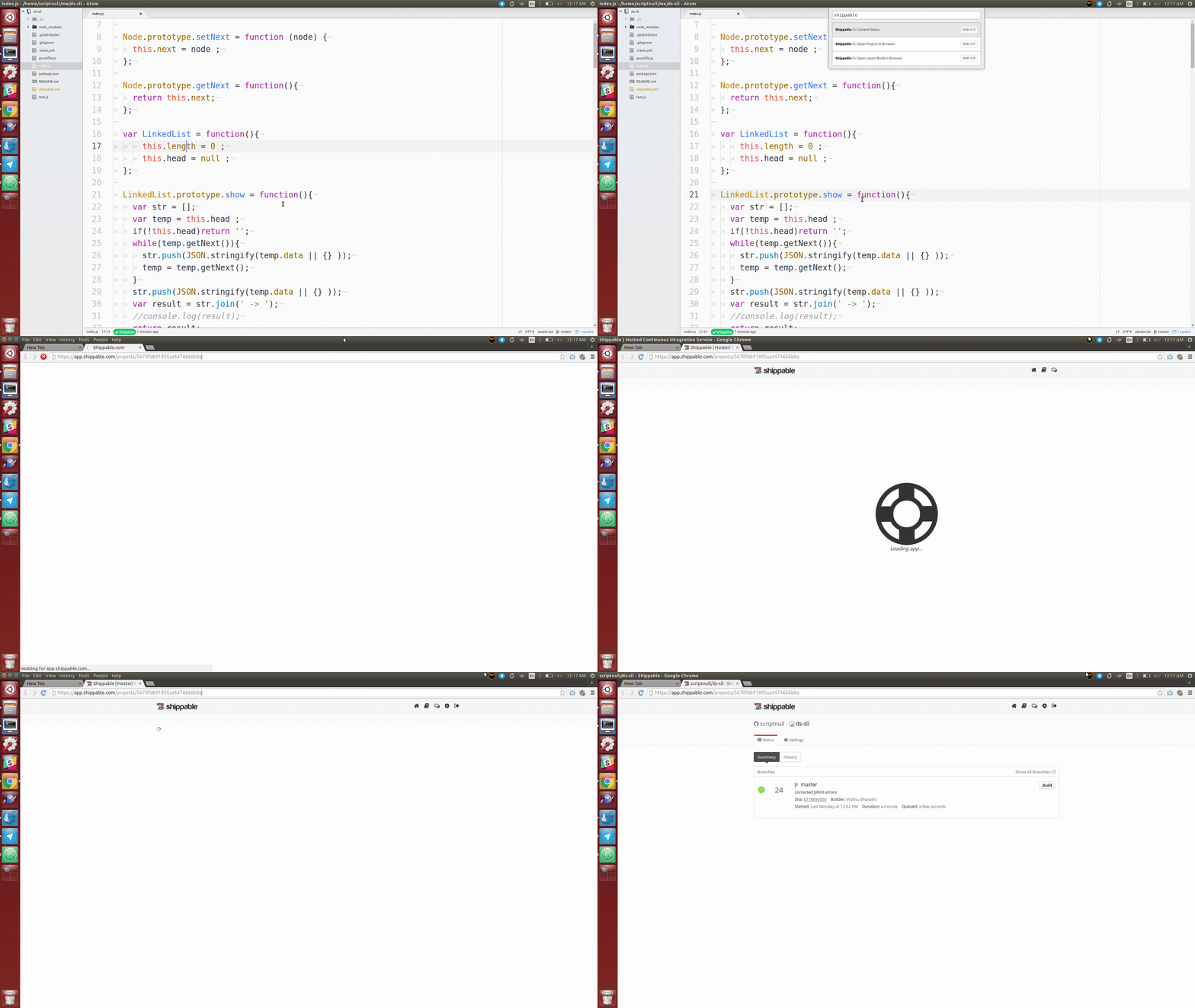
> keymap : Shift+S P
Opens project page of the current project in web browser.
#### Open Latest Build in Browser
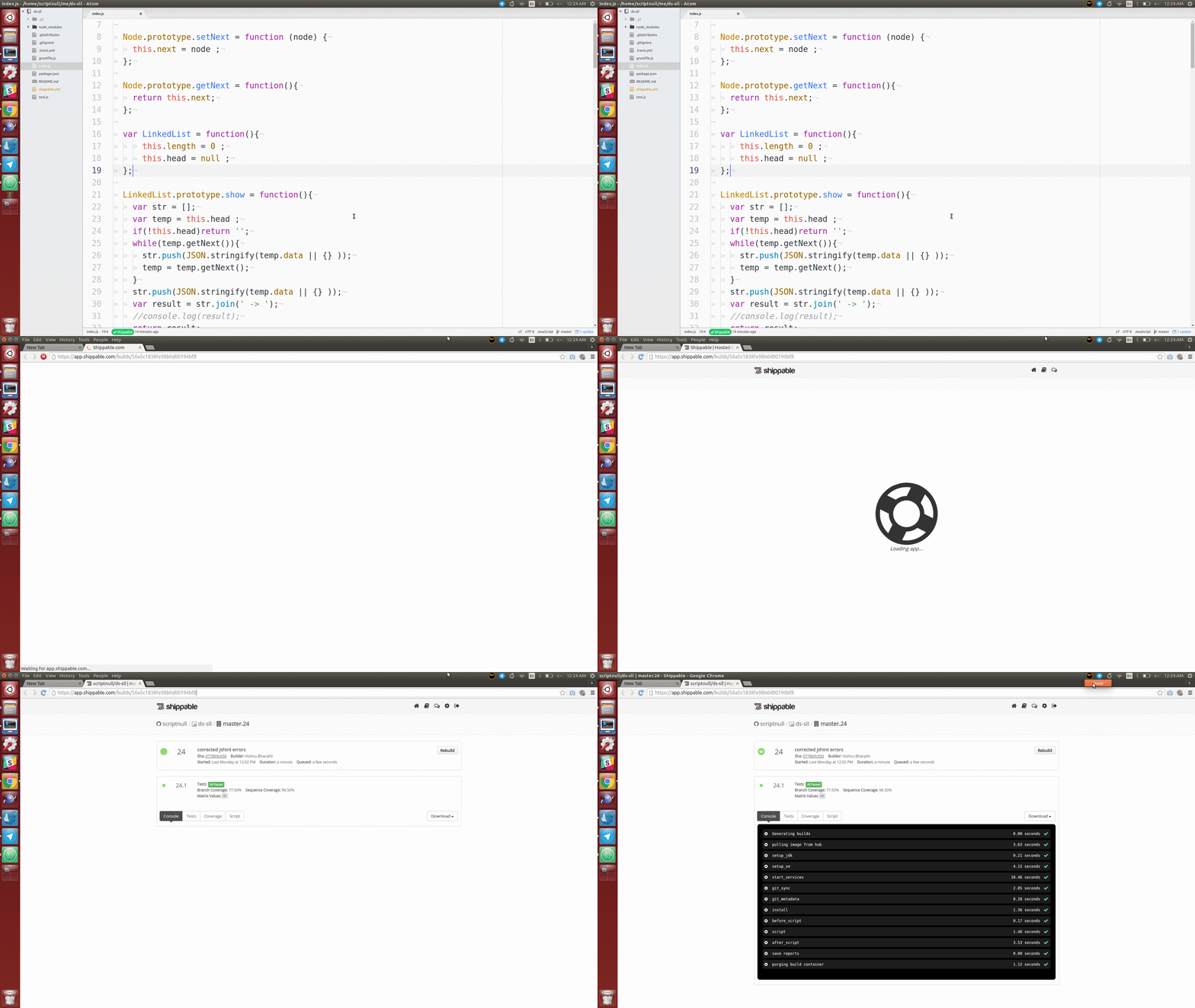
> keymap : Shift+S B
Opens latest build of the current project in web browser.
### Contribution
More than Welcomed ! Here are some pointers ,
- Write tests.
- Set up Shippable as CI.
- Report Issues.
- Request Features.
- Send a PR ! This should be awesome.
### License
[](https://github.com/scriptnull/atom-shippable-ci/blob/master/LICENSE.md)