https://github.com/scriptnull/bagpack
Versatile local package manager
https://github.com/scriptnull/bagpack
Last synced: about 1 year ago
JSON representation
Versatile local package manager
- Host: GitHub
- URL: https://github.com/scriptnull/bagpack
- Owner: scriptnull
- License: gpl-3.0
- Created: 2015-07-05T00:14:08.000Z (about 11 years ago)
- Default Branch: master
- Last Pushed: 2015-07-05T22:13:29.000Z (about 11 years ago)
- Last Synced: 2025-03-22T14:47:15.208Z (over 1 year ago)
- Language: JavaScript
- Size: 464 KB
- Stars: 5
- Watchers: 2
- Forks: 2
- Open Issues: 0
-
Metadata Files:
- Readme: README.md
- License: LICENSE
Awesome Lists containing this project
README

  [](https://gitter.im/scriptnull/bagpack?utm_source=badge&utm_medium=badge&utm_campaign=pr-badge&utm_content=badge)
bagpack is a versatile local package manager. bagpack has 2 ideas at its core ,
- Versatile - Don't care what the package is. Just deliver it.
- Local - No Internet connection needed. Everything is local to the machine.
# Inspiration
npm and bower are the main inspirations for bagpack. I have ended up using them atleast once a day and there are times when I have to install packages from them when my internet is down. So , bagpack's main purpose is to fill the gap left by them.
bagpack got its name from the bagpack character of the TV Series named [Dora the Explorer](https://en.wikipedia.org/wiki/Dora_the_Explorer). Yeah ! bagpack provides all the necessary things for your quest. We even got the [map](https://github.com/scriptnull/bagpack/blob/master/bagpack.js#L13) inside the bagpack.
# Install
```bash
npm install -g bagpack
```
# Features
- Package anything. This allows your private libraries to be served easily.
- publishing and installing packages are done local without internet.
- reuse already installed packages from other package managers like bower and npm.
- Less overhead - bagpack stores key pair values and not a clone of the package.
- Dead simple copy paste utility.
# Concepts
In order to start working with bagpack, here are some basic concepts.
- No configuration file is needed for identifying bagpack packages.
- All bagpack packages are identified as directories , with directory name as the package name.
- Versioning is not needed as , any changes inside the package will be effective automatically.
# Commands
you can either use ``bagpack`` or ``bp`` to execute commands on bagpack.
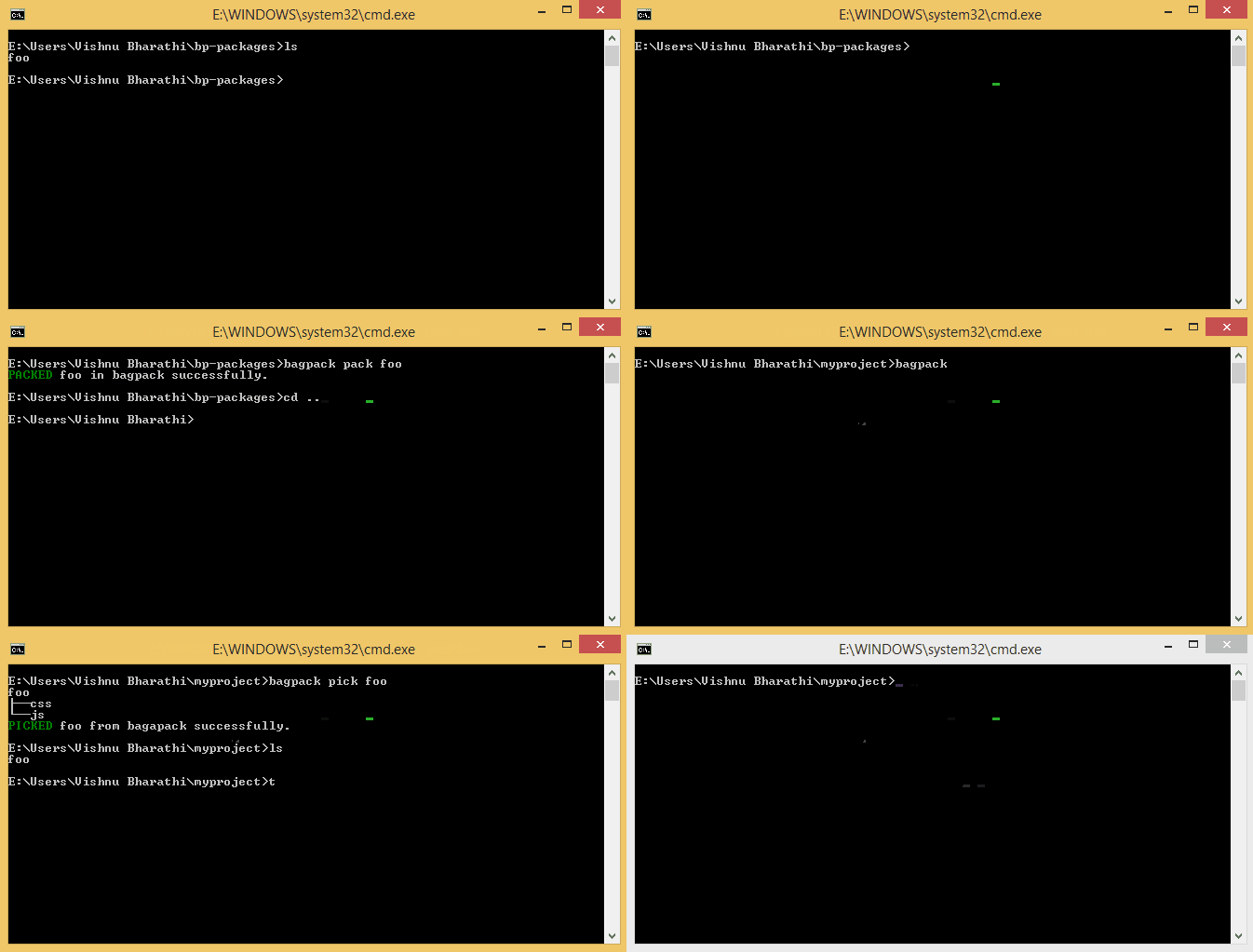
- **pack** or **publish** - Pack something into the bagpack. This will mean publishing your package via bagpack for using it.
- **pick** or **install** - Pick anything from bagpack. This means installing a package that is available in the bagpack.
- **list** - Lists all the things inside the bagpack.
- **remove** - Removes a package from bagpack.
# Help
Usage: bagpack [options] [command]
Commands:
pack|publish [dir] Packs [dir] directory or current directory.
pick|install [package] Pick (copy) a package from the bagpack
list|ls Lists all the packages inside the bagpack.
remove|rm [package] Removes a package from the bagpack
Options:
-h, --help output usage information
-V, --version output the version number
# Contribution
Contributions are welcome.
- Feel free to send in Pull requests.
- Report bug if you have found any.
- Refactor the already existing code.
- Feature requests and feedback sharing.
- Whatever. Lets get started !
# License