https://github.com/sdwebimage/sdwebimagelinkplugin
A SDWebImage loader plugin, to support load rich link image with LinkPresentation framework
https://github.com/sdwebimage/sdwebimagelinkplugin
ios linkpresentation macos sdwebimage
Last synced: about 1 year ago
JSON representation
A SDWebImage loader plugin, to support load rich link image with LinkPresentation framework
- Host: GitHub
- URL: https://github.com/sdwebimage/sdwebimagelinkplugin
- Owner: SDWebImage
- License: mit
- Created: 2019-11-22T09:41:35.000Z (over 6 years ago)
- Default Branch: master
- Last Pushed: 2020-01-09T07:39:09.000Z (over 6 years ago)
- Last Synced: 2025-06-04T03:25:13.095Z (about 1 year ago)
- Topics: ios, linkpresentation, macos, sdwebimage
- Language: Objective-C
- Size: 2.89 MB
- Stars: 18
- Watchers: 4
- Forks: 3
- Open Issues: 5
-
Metadata Files:
- Readme: README.md
- License: LICENSE
Awesome Lists containing this project
README
# SDWebImageLinkPlugin
[](https://travis-ci.org/SDWebImage/SDWebImageLinkPlugin)
[](https://cocoapods.org/pods/SDWebImageLinkPlugin)
[](https://cocoapods.org/pods/SDWebImageLinkPlugin)
[](https://cocoapods.org/pods/SDWebImageLinkPlugin)
[](https://github.com/SDWebImage/SDWebImageLinkPlugin)
[](https://swift.org/package-manager/)
[](https://codecov.io/gh/SDWebImage/SDWebImageLinkPlugin)
## What's for
SDWebImageLinkPlugin is a plugin for [SDWebImage](https://github.com/rs/SDWebImage/) framework, which provide the image loading support for rich link URL, by using the [Link Presentation](https://developer.apple.com/documentation/linkpresentation) framework introduced in iOS 13/macOS 10.15.
By using this plugin, it allows you to use your familiar View Category method from SDWebImage, to load rich link's poster image, with the URL or `LPLinkMetadata`. And make it easy to use `LPLinkView` with cache support.
See more about Link Presentation in [WWDC 262: Embedding and Sharing Visually Rich Links](https://developer.apple.com/videos/play/wwdc2019/262/)
## Requirements
+ iOS 13+
+ macOS 10.15+
+ Xcode 11+
## Installation
#### CocoaPods
SDWebImageLinkPlugin is available through [CocoaPods](https://cocoapods.org). To install
it, simply add the following line to your Podfile:
```ruby
pod 'SDWebImageLinkPlugin'
```
#### Carthage
SDWebImageLinkPlugin is available through [Carthage](https://github.com/Carthage/Carthage).
```
github "SDWebImage/SDWebImageLinkPlugin"
```
#### Swift Package Manager (Xcode 11+)
SDWebImageLinkPlugin is available through [Swift Package Manager](https://swift.org/package-manager).
```swift
let package = Package(
dependencies: [
.package(url: "https://github.com/SDWebImage/SDWebImageLinkPlugin.git", from: "0.1")
]
)
```
## Usage
#### Setup Loader
To use the LinkPlugin, you should setup the loader firstly. See more here in [Wiki - Loaders Manager](https://github.com/SDWebImage/SDWebImage/wiki/Advanced-Usage#loaders-manager)
+ Objective-C
```objective-c
// Put this code on AppDelegate.m
- (BOOL)application:(UIApplication *)application didFinishLaunchingWithOptions:(NSDictionary *)launchOptions
{
// Override point for customization after application launch.
[SDImageLoadersManager.sharedManager addLoader:SDImageLinkLoader.sharedLoader];
SDWebImageManager.defaultImageLoader = SDImageLoadersManager.sharedManager;
return YES;
}
```
#### Load Rich Link on UIImageView
The simple and fast usage, it to use the SDWebImage provided category on `UIImageView`.
+ Objective-C
```objective-c
NSURL *url = [NSURL URLWithString:@"https://webkit.org/"];
self.imageView = [[UIImageView alloc] init];
self.imageView.contentMode = UIViewContentModeScaleAspectFit;
[self.view addSubview:self.imageView];
[self.imageView sd_setImageWithURL:url completed:^(UIImage * _Nullable image, NSError * _Nullable error, SDImageCacheType cacheType, NSURL * _Nullable imageURL) {
if (image && [image.sd_extendedObject isKindOfClass:LPLinkMetadata.class]) {
NSLog(@"%@", @"UIImageView metadata load success");
}
}];
```
#### Load Rich Link on LPLinkView
Important note on `LPLinkView`: Current iOS 13.0 contains bug that `LPLinkView` may not compatible with TableView/CollectionView cell-reusing. To workaround this issue, you can choose one of these below (one is OK):
1. Do not using cache at all. So, always pass `SDWebImageFromLoaderOnly` to load the metadata from network
2. Using trick code, create `LPLinkView` with empty `LPLinkMetadata`, or nil URL (important).
+ Objective-C
```objectivec
NSURL *url = [NSURL URLWithString:@"https://www.apple.com/iphone/"];
self.linkView = [[LPLinkView alloc] initWithURL:nil];
[self.view addSubview:self.linkView];
[self.linkView sd_setImageWithURL:url completed:^(UIImage * _Nullable image, NSError * _Nullable error, SDImageCacheType cacheType, NSURL * _Nullable imageURL) {
if (image && [image.sd_extendedObject isKindOfClass:LPLinkMetadata.class]) {
NSLog(@"%@", @"LPLinkView metadata load success");
}
}];
```
#### Using LPLinkMetadata
For some cases, if you have the pre-fetched or pre-created `LPLinkMetadata` object, you can use `SDWebImageContextLinkMetadata` context option to associate it, without extra request to the original link URL. But in most cases, you don't need so, just use the `NSURL` point to the rich link, we query the `LPLinkMetadata` with [LPMetadataProvider](https://developer.apple.com/documentation/linkpresentation/lpmetadataprovider?language=objc).
Remember, if you don't want the double cache (`LPLinkMetadata` archive will contains the image data as well, but not simple image URL), do not sync or cache the metadata from callback's `image.sd_extendedObject` to your own storage using `NSCoding` methods. Let the framework do this thing.
+ Objective-C
```objective-c
// Decoding a metadata from your serialization solution
LPLinkMetadata *metadata = [NSKeyedUnarchiver unarchiveObjectWithFile:@"/path/to/metadata"];
// Load image without query metadata again
[imageView sd_setImageWithURL:metadata.originalURL placeholderImage:nil options:0 context:@{SDWebImageContextLinkMetadata : metadata}];
```
Note: By default, if the image is cached, we do not send request to query new metadata. If you need to query the metadata as well, consider using SDWebImage's `SDWebImageRefreshCached` option. Or using `SDWebImageFromLoaderOnly` to avoid cache during query.
Note: By default, we prefer to load the image only, which does not generate the image data. This can increase the loading speed. But however, you can also specify to generate the image data by using `SDWebImageContextLinkRequestImageData` context option.
### Backward Deployment
This framework supports backward deployment on iOS 12-/macOS 10.14- version from v0.3.0. The backward deployment supports Carthage/CocoaPods only (SwiftPM does not support).
For CocoaPods user, you can skip the platform version validation in Podfile with:
```ruby
platform :ios, '13.0' # This does not effect your App Target's deployment target version, just a hint for CocoaPods
```
For Carthage user, the built binary framework use weak linking for backward deployment.
Pay attention, you should always use the runtime version check to ensure those symbols are available, you should mark all the classes use public API with `API_AVAILABLE` annotation as well. See below:
```objective-c
if (@available(iOS 13, *)) {
SDImageLinkLoader.sharedLoader.timeout = 60;
}
API_AVAILABLE(ios(13.0))
@interface MyLinkManager : NSObject
@property (nonatomic) LPLinkMetadata *metadata;
@property (nonatomic) SDImageLinkLoader *loader;
@end
```
## Demo
If you have some issue about usage, SDWebImageLinkPlugin provide a demo for iOS && macOS platform. To run the demo, clone the repo and run the following command.
```bash
cd Example/
pod install
open SDWebImageLinkPlugin.xcworkspace
```
After the Xcode project was opened, click `Run` to build and run the demo.
Tips: The iOS demo provide the both of two views' usage. Click `Switch View` to toggle between UIImageView/LPLinkView.
## Screenshot
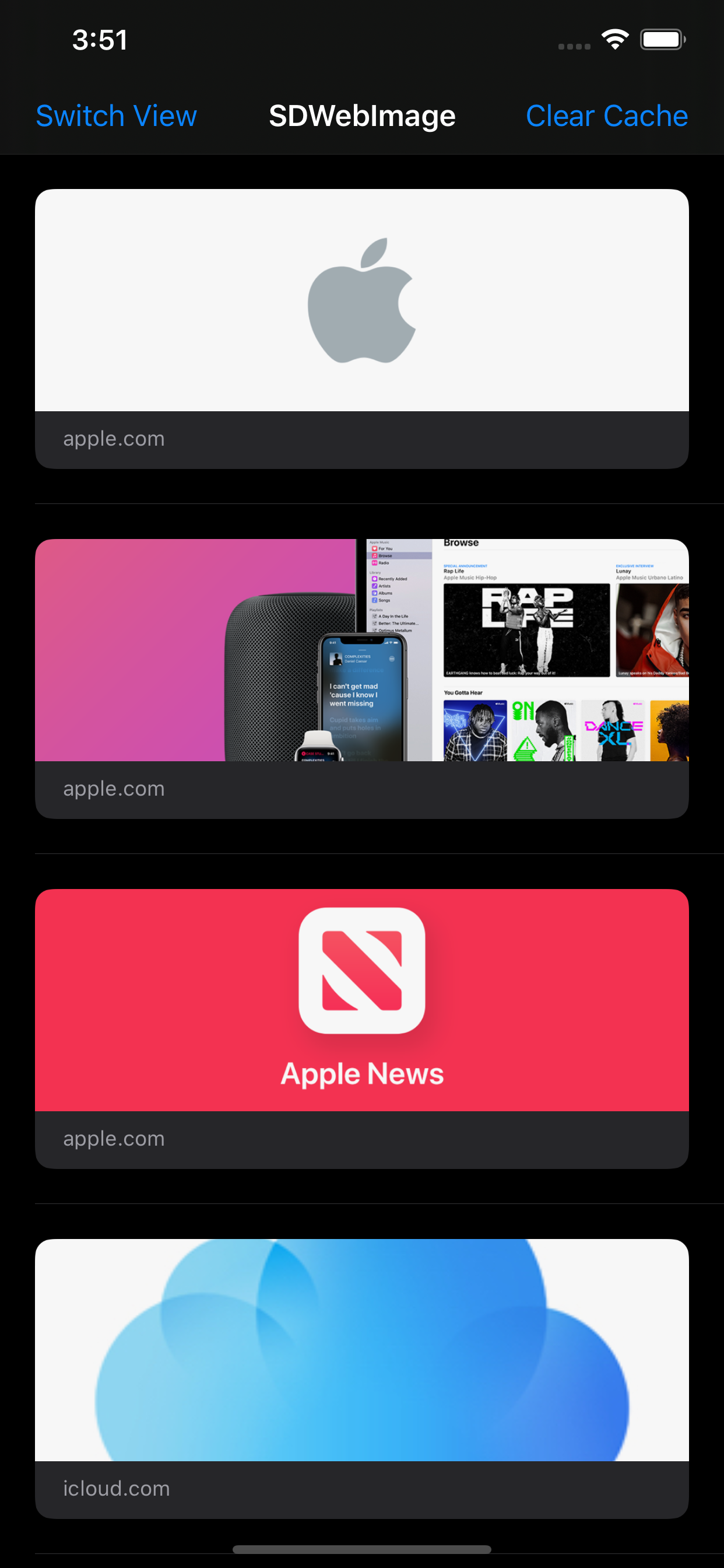
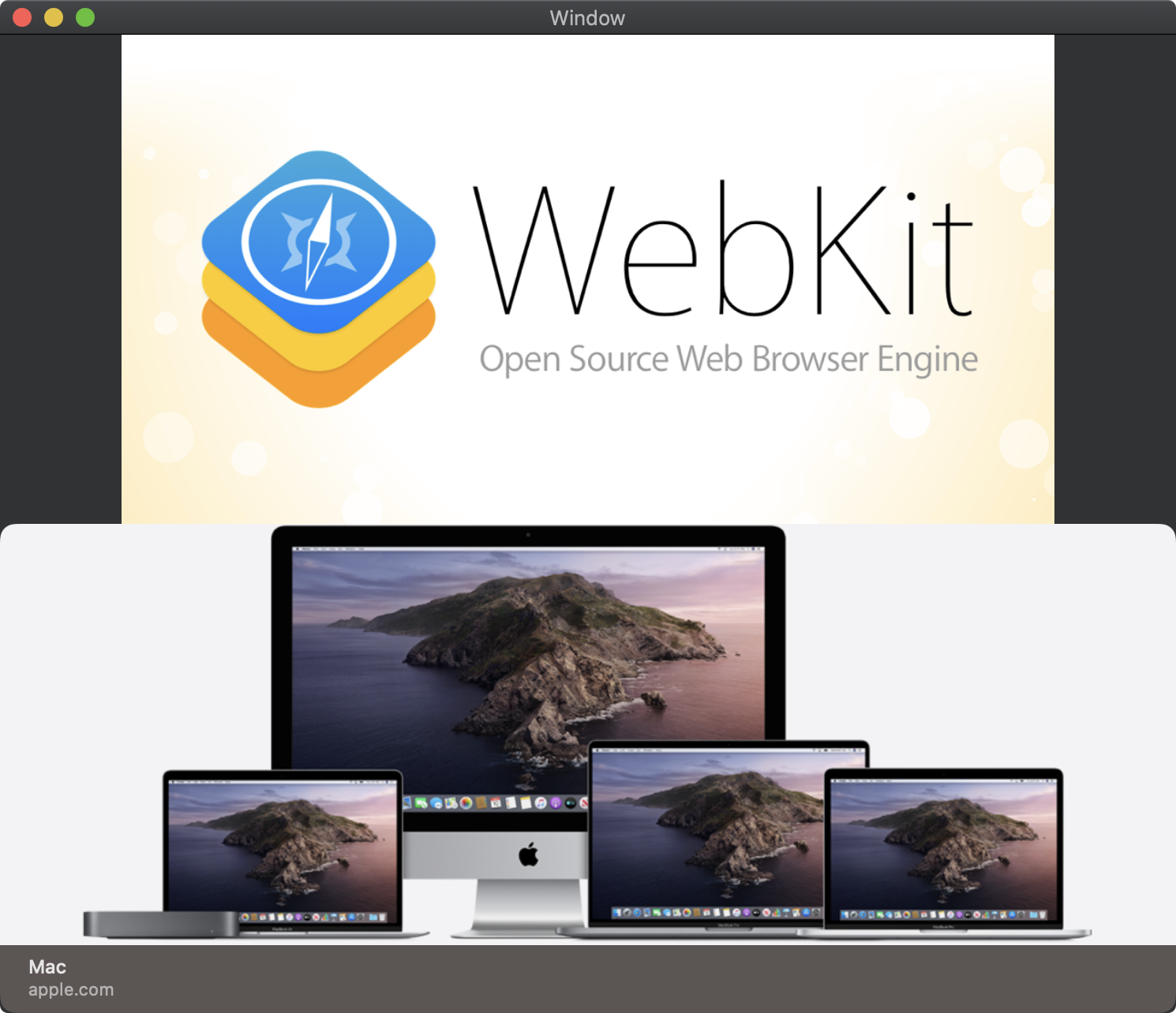
These rich link image is from the [Apple site](https://www.apple.com/) and [WebKit site](https://webkit.org/).
## Author
DreamPiggy
## License
SDWebImageLinkPlugin is available under the MIT license. See the LICENSE file for more info.